Looking for FM27 skins to change how Football Manager 2027 looks? We have gathered every skin we have covered on FMPortugal here, each with a screenshot, the name of its creator and a link to its own article. That way, you can compare styles in one place. Each skin’s article then has the download, the install steps and the things to watch.
Before you choose: two kinds of FM27 skins
Some skins go in the skins folder, in Documents\Sports Interactive\Football Manager 27, and you pick them in Preferences. They are the safest, because they leave the game files alone. Others replace files in the StandaloneWindows64 folder or use BepInEx. As a result, they can change more, but an FM27 update may switch them off until a new version comes out. Also, two skins that touch the same files will not work together. To swap between them without copying everything by hand, there is FM 27 Skin Manager.
FM27 skins with the FM24 sidebar
If you still have not got used to the top menus in FM27, start here. These skins put the menu back on the left, like in previous games.
Comeback Skin FM27
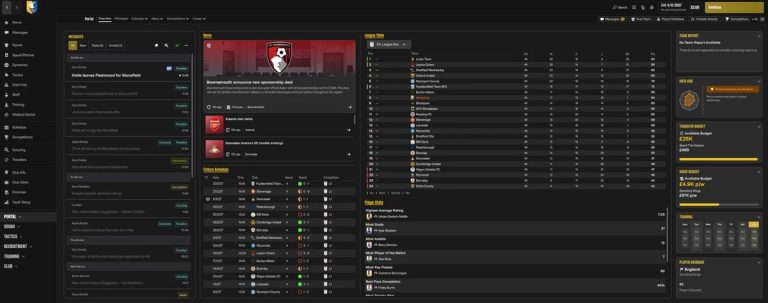
The Portal with the Comeback Skin sidebar (Image: FM Extra Time)
Comeback Skin FM27 brings back the FM24 sidebar, in black and gold, with one click to each screen. What is more, the FM27 menus stay at the bottom of the bar, so you lose nothing. Recent versions also added the FM24-style home screen, club profile and team instructions.
Creator: FM Extra Time · Windows and Mac · installer that replaces game files
SMOC Original FM27
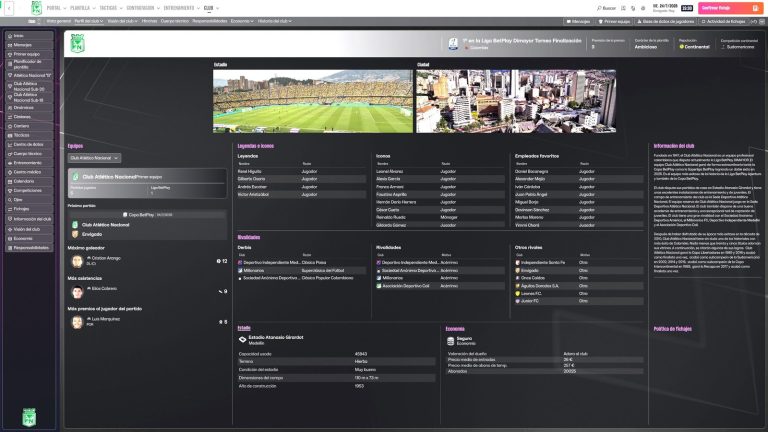
Club information, with the sidebar (Image: Sergio Osorio)
SMOC Original FM27 brings back the classic sidebar, compact and icon-based, but keeps the game colours. For example, it adds shortcuts to the B team and the U20 and U18 sides, and shows fitness as numbers again. However, it is still in alpha and needs BepInEx 6.
Creator: Sergio Osorio · Windows · alpha version, with BepInEx
Grok Skin FM27
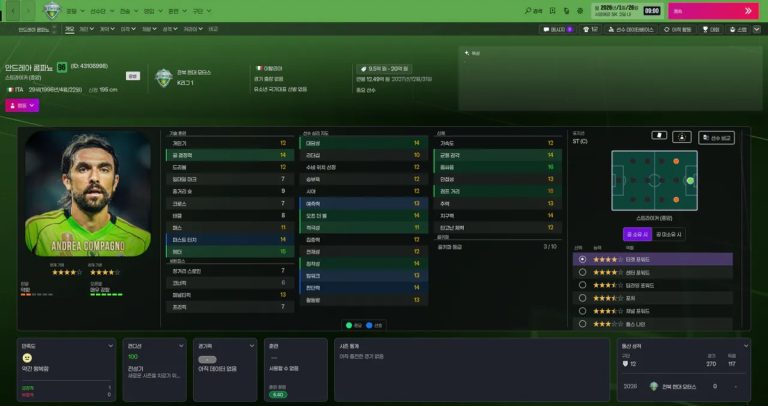
The player profile, here with the game in Korean (Image: Kwon / FM Korea)
Grok Skin FM27 is the Korean skin that tidies up FM27 without changing its style. So you get a sidebar, fixed or floating, player faces on the tactics screen and fitness from 0 to 100. On top of that, a button shows CA, PA and hidden attributes as numbers.
Creator: Kwon (FM Korea) · Windows, with an older Mac version · installer that replaces game files
Heffem Skin FM27
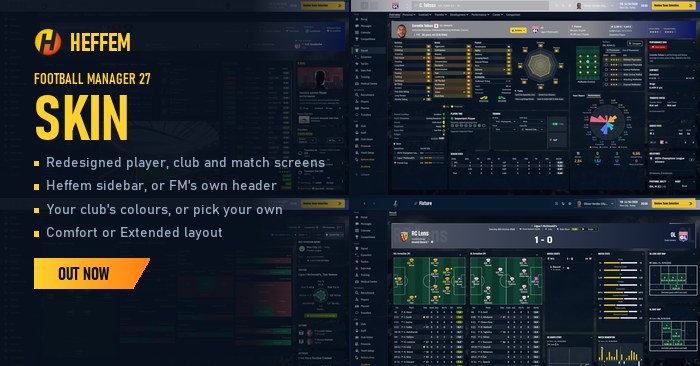
The player profile and the match report (Image: Krysler76)
Heffem Skin FM27 is a dark skin that rebuilds player profiles, the club page and match screens in your club colours. As a result, it shows a lot at once, such as a radar with 16 per-90 stats. In the installer, you choose the Heffem sidebar or the standard FM header.
Creator: Krysler76 · Windows and Apple Silicon Mac (in testing) · installer
Dark FM27 skins with redesigned screens
These go beyond colours. In other words, they change the player profile, the squad or tactics to put more information on screen.
Kojuro Skin FM27
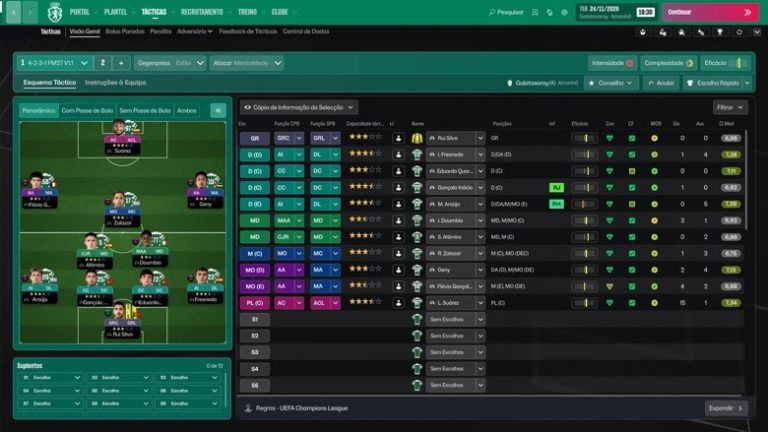
Player faces on the tactics pitch (Image: KojuroPP)
Kojuro Skin FM27 is by Portuguese modder KojuroPP and makes the game dark, with cyan instead of purple. It also shows player faces on the tactics screen and the squad hierarchy as a pyramid of faces. The player profile changes too, with a card in the club colours and a big shirt number.
Creator: KojuroPP · Windows (Steam and Game Pass) · replaces game files
CalmDark FM27
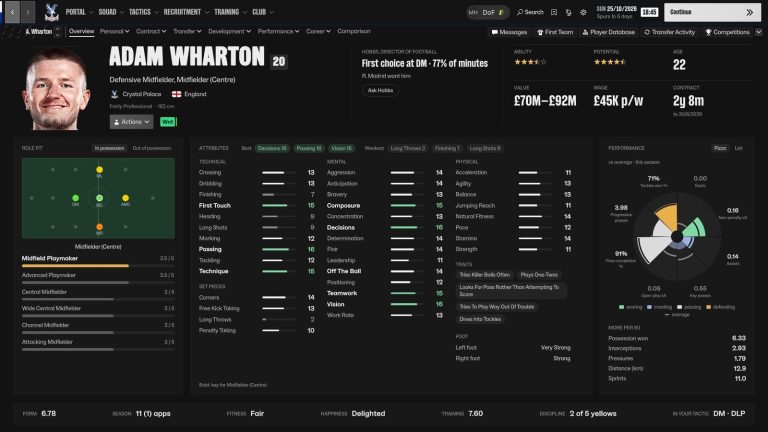
The player profile, all on one screen (Image: ImmersiveFM)
CalmDark FM27 swaps the purples and club colours for a neutral charcoal grey that is easier on the eyes. Even so, it is not just colour: the player profile, squad and tactics screens have been redesigned. If you do not want mods, there is CalmDark Lite, which is the skin alone.
Creator: ImmersiveFM · Windows and Mac · skins folder plus an included BepInEx plugin
FMU Skin FM27
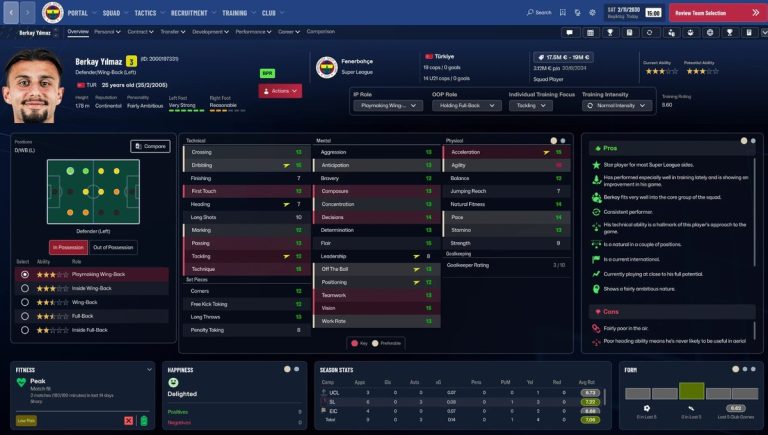
The first page of the player profile (Image: The FMU)
FMU Skin FM27 paints the game navy and burgundy and redesigns the profile, the club page and match day. For example, the profile has a second page with injury risk, a performance radar and training. Besides, the installer lets you choose which parts you want.
Creator: The FMU · Windows (Steam, Epic and Game Pass) · installer, in early access
Golden Boy Skin
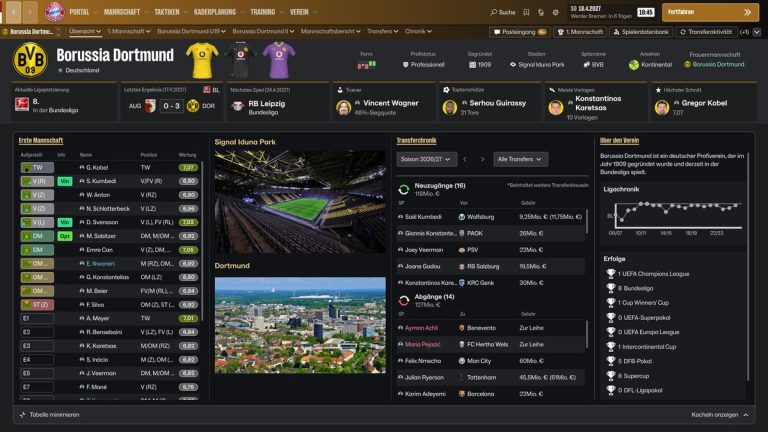
The club overview, with stadium, city and trophies (Image: Bifi93)
Golden Boy Skin dresses FM27 in dark grey, black and gold. As a result, the player profile, staff profile and club overview show what matters without scrolling. It also brings stadium and city photos and a loading screen with the league table.
Creator: Bifi93 · Windows · replaces game files
Kuvaaia27
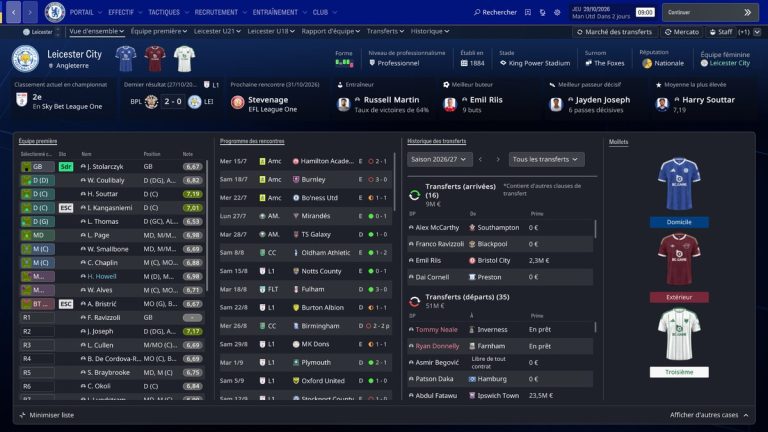
The club overview, with all three kits (Image: Kuvaaia)
Kuvaaia27 is a dark skin with the background and navigation bar in the colours of the club you manage. It also replaces the pink and purple tones with grey buttons and shows staff attributes as numbers. On top of that, the home page shows your starting XI, with faces and shirts.
Creator: Kuvaaia · Windows · replaces game files
TangFu Skin FM27
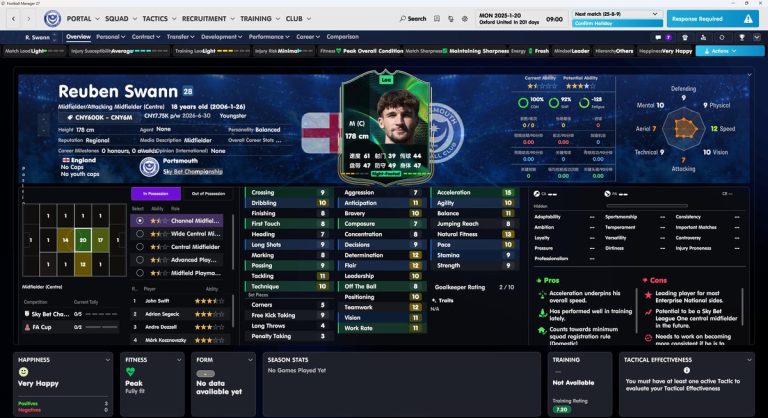
The player profile, with the card and pros and cons (Image: Tracisloo)
TangFu Skin FM27 uses dark, neutral colours so you can play for hours without tiring your eyes. That makes it a good fit if the default look feels too contrasty. The profile gets a large card with the photo and key numbers, and tactics show player faces.
Creator: Tracisloo · Windows · installer that replaces game files
Simple dark FM27 skins
Here it is mostly colours and backgrounds that change. So screens stay where they always were, and most of these go in the skins folder.
Nev Skin FM27
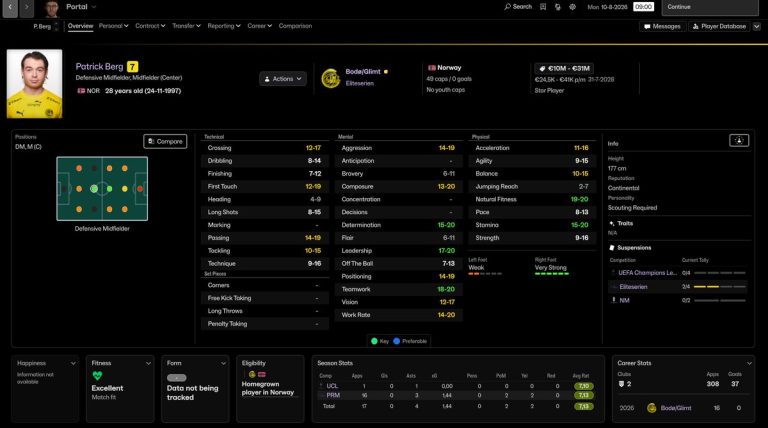
The player profile with Nev Skin (Image: NevFM)
Nev Skin FM27 paints the game pure black, with no purple and no gradients. That makes it the best pick for OLED screens. Still, the colours that matter, such as positions and form, are kept.
Creator: NevFM · Windows and macOS · replaces game files
FM.Zweierkette Skin
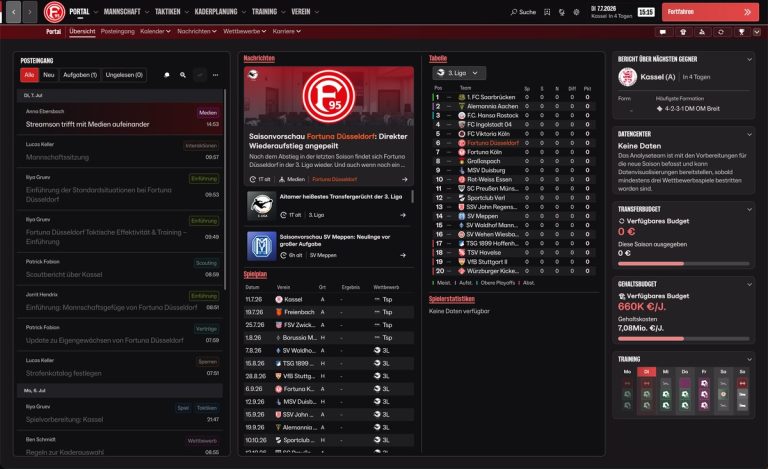
The Portal with FM.Zweierkette Skin (Image: NorsemanLP)
FM.Zweierkette Skin keeps the FM27 interface almost unchanged, but dark and with red highlights. In other words, it is for players who like the game as it is and just want less purple. However, it needs at least 1920×1080 to look right.
Creator: NorsemanLP, with FM.Zweierkette · skins folder
Echo27 Skin
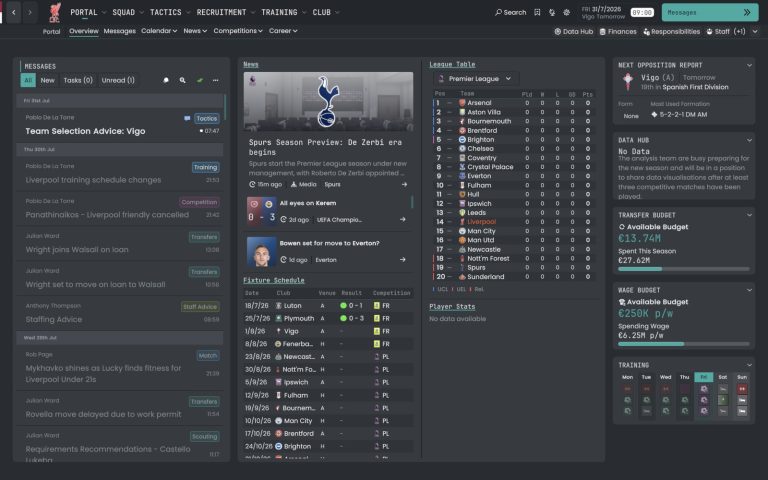
The Portal with Echo27 (Image: Berkeedv2)
Echo27 Skin rebuilds Echo, the FM24 skin by fountaindust, for FM27. So the background is almost black, with a single teal accent and monospace headings. Because the font splits opinion, give it a few days.
Creator: Berkeedv2 · skins folder
Signal Skin FM27
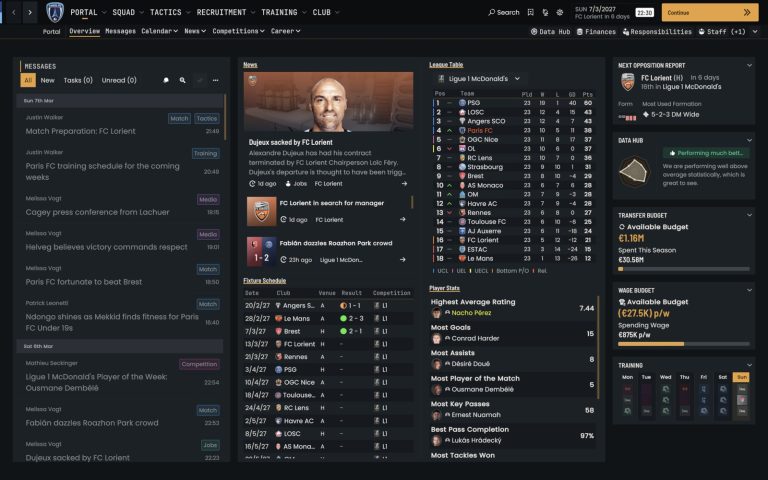
The redesigned Signal Portal (Image: Berkeedv2)
Signal Skin FM27, by the same author, paints the game in charcoal and navy with touches of orange. It also redesigns the Portal and the player profile. In short, it is minimalist: less noise and more room for the numbers.
Creator: Berkeedv2 · skins folder
Mendisala Pitch Dark Skin
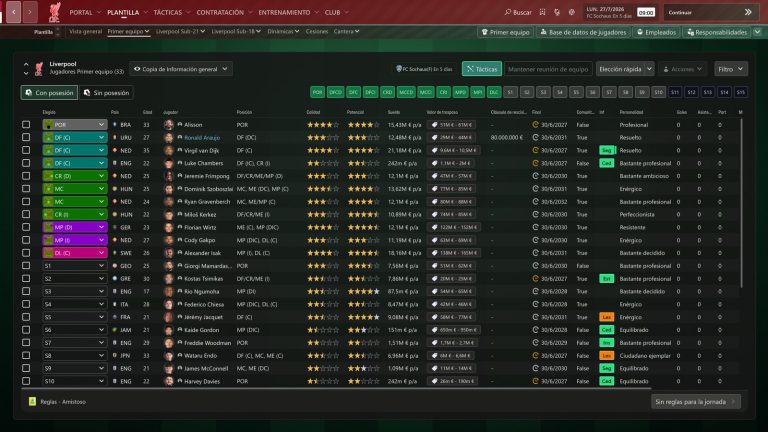
The squad in the green version (Image: Mendisala)
Mendisala Pitch Dark Skin darkens FM27 and adds backgrounds that look like a stadium pitch. On the other hand, there is also a black-only version for a more neutral look. Since it only changes colours and images, everything stays in its usual place.
Creator: Mendisala · skins folder · RAR files
YoshiAlfie Skin
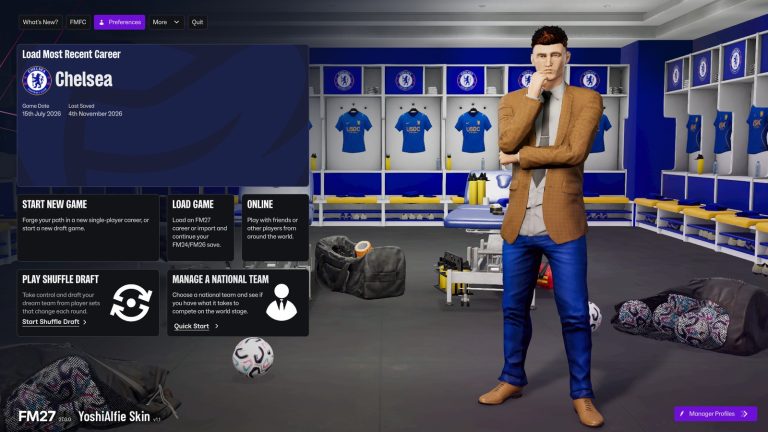
The skin main menu (Image: YoshiAlfie)
The YoshiAlfie skin is a flat dark theme with no gradients, and it weighs just 21 KB. What is more, the author released the UI Tweaks plugin separately, with Praise and Criticise buttons in individual training, plus a squad view. You can use the skin alone or all three together.
Creator: YoshiAlfie · skins folder (UI Tweaks uses BepInEx)
Dugout Skin FM27
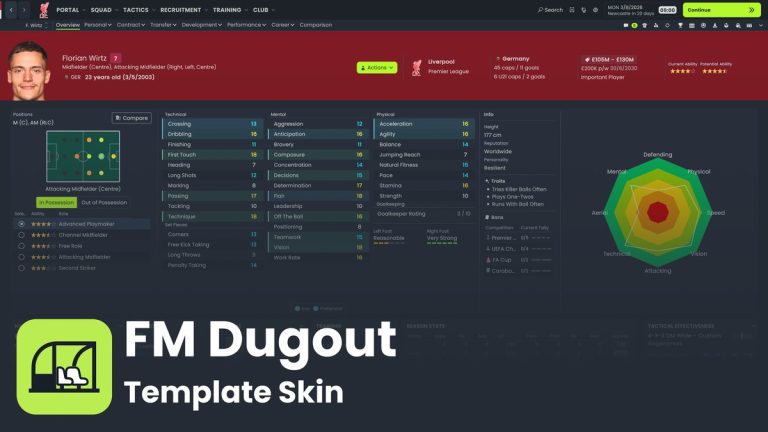
The player profile with Dugout Skin (Image: lotsgon)
Dugout Skin FM27 is a dark navy and volt skin built for you to edit. For example, colours, fonts and buttons all live in one file, with a guide included. In fact, Echo27 and Signal both started from this template.
Creator: lotsgon · Windows and Mac · skins folder, in preview
Light FM27 skins
Tired of dark screens? Then these three make the game light, each in its own way.
FM27 Light Skin
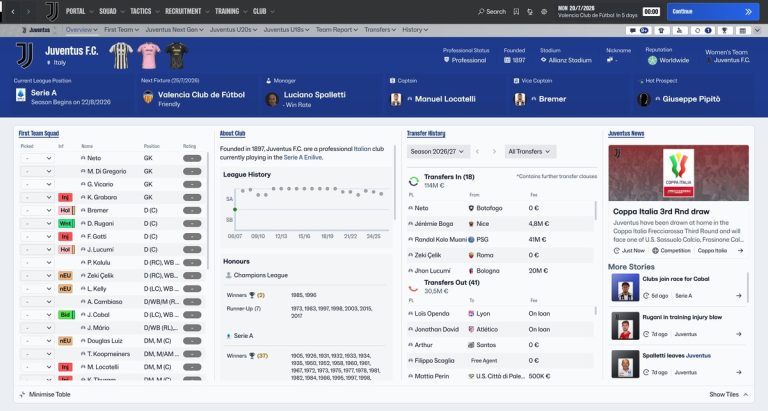
The club overview with the light skin (Image: Seve1995)
FM27 Light Skin by Seve1995 makes the whole game light, with white and grey backgrounds, dark text and navy details. Besides, attribute colours stay easy to read. An installer backs up the original files and handles the rest.
Creator: Seve1995 · Windows (Steam and Xbox) and Mac · installer
Light Skin by SuperKiwi
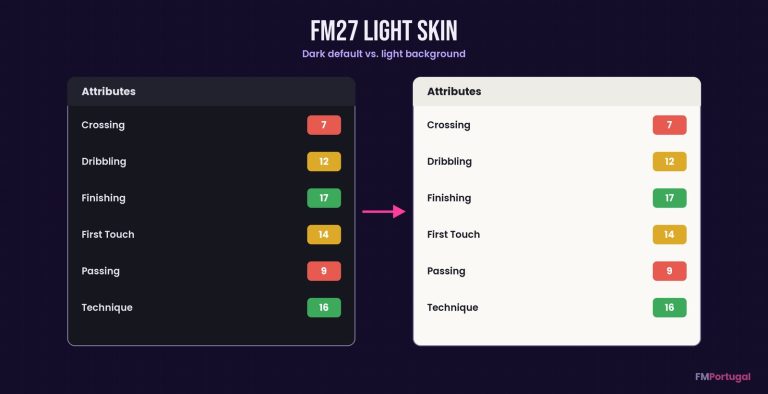
The background changes, attribute colours do not (Image: FMPortugal)
The Light Skin by SuperKiwi is another light skin, simpler, with white backgrounds and single-colour icons. However, the author has since joined the Seve1995 project. So this one may not be updated again.
Creator: SuperKiwi · Windows · replaces game files
Jonukas Skin FM27
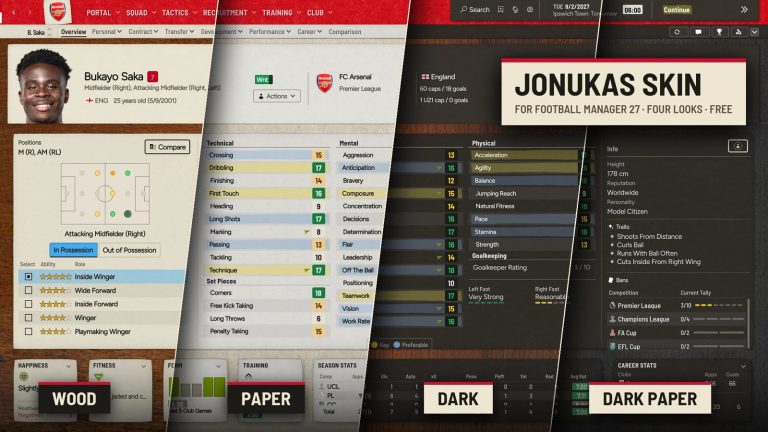
The same profile in all four looks (Image: Jonukas)
Jonukas Skin FM27 gives the game the feel of a printed club magazine. As a result, each screen looks like a sheet of paper on a desk. It comes with four looks: Wood and Paper, which are light, and Dark and Dark Paper for those who prefer dark.
Creator: Jonukas · Windows and Mac · skins folder
FM27 skins with a classic look
Miss the management games of old? These two look back, but in very different ways.
Retro Skin FM27
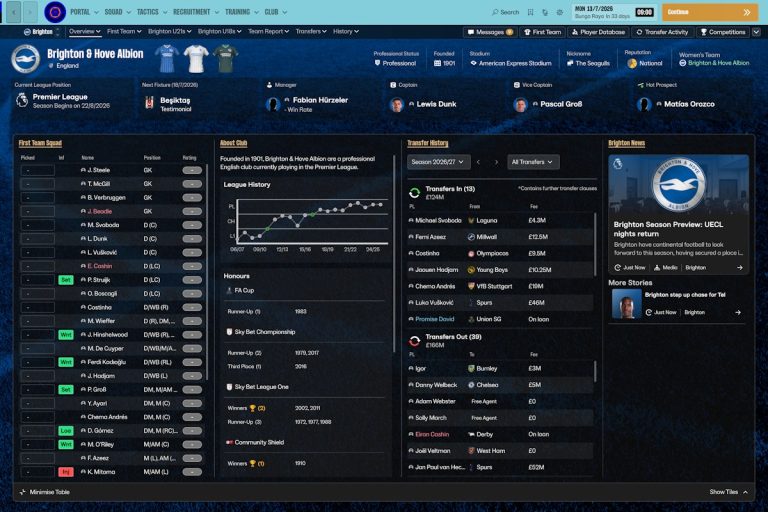
Brighton with Retro Skin 27 (Image: priisek)
Retro Skin FM27 is the first FM27 skin by priisek and gives the game a more classic feel. For example, the club screen gets a background in the team colours, with simple dark panels. It also shows player faces on the tactics screen.
Creator: priisek · Windows · replaces game files
Libero 94 Skin FM27
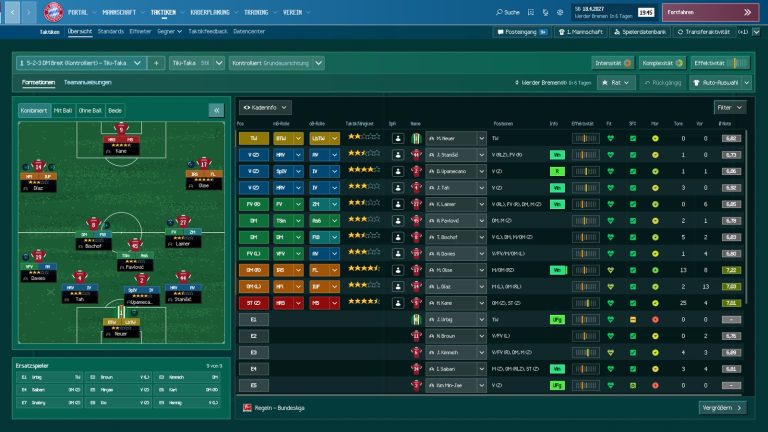
Tactics, with the chalkboard pitch (Image: Bifi93)
Libero 94 Skin FM27 imagines FM27 as if it had come out in 1994. So it has a pixel font, petrol blue and a chalkboard pitch on the tactics screen, inspired by the German Bundesliga Manager Hattrick. However, install it by hand rather than with a skin manager.
Creator: Bifi93 · Windows · replaces game files
For players who go by the numbers
Finally, two picks for anyone who signs players on stats. One hides the attributes and the other adds more data to them.
MoneyBall Skin FM27
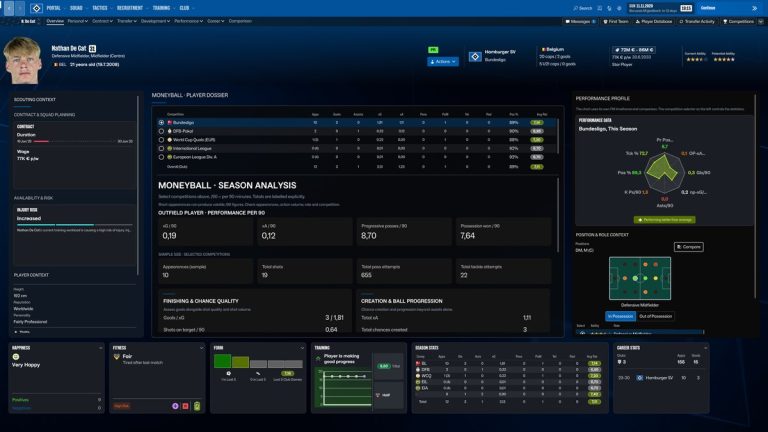
The player profile, without attributes (Image: ozelbert77)
MoneyBall Skin FM27 hides attribute numbers and shows a stats dossier with xG, xA and progressive passes. In other words, you pick players on performance, like a real club. Even so, ability and potential stars are still there.
Creator: ozelbert77 · Windows · installer
Hardcore Light FM27
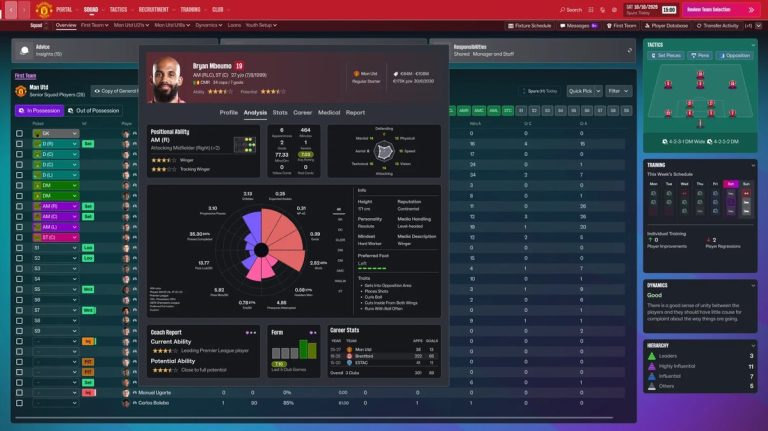
The player quick view, with the pizza chart (Image: Kronk862)
Hardcore Light FM27 is an interface mod for data lovers. That is why it adds pizza charts, per-90 stats and more information on the profile and in matches. If you prefer attributes in words and hidden potential, there is also the full Hardcore mod.
Creator: Kronk862 · Windows · installer
Tools for your FM27 skins
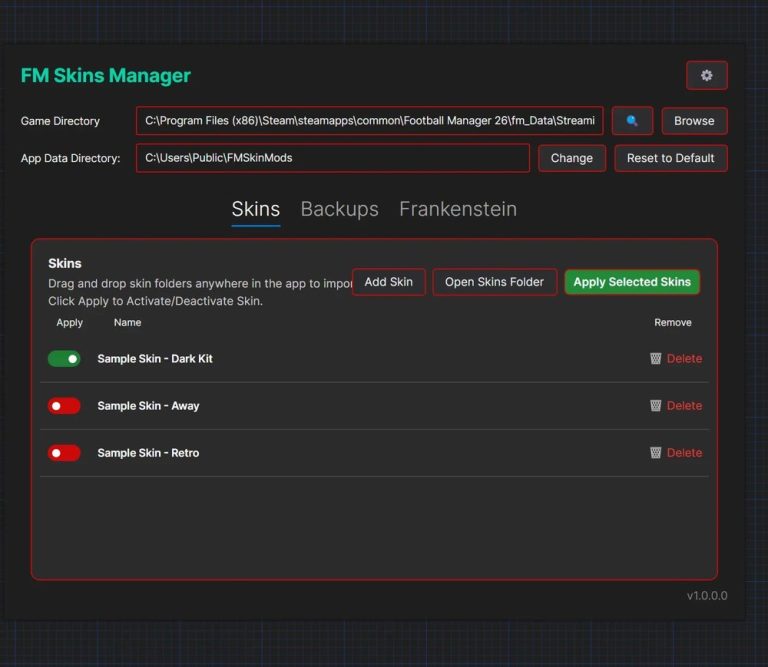
The skin list, with a button to enable each one (Image: lam2)
If you plan to try several FM27 skins, FM 27 Skin Manager by lam2 installs, enables and disables them for you. It also backs up the original files and runs on Windows, Mac and Linux. On the other hand, Menu Remove Overlay by codexx01 removes the dark shadow behind menus. Finally, several skins show player faces on the tactics screen, so pair them with DF11 Faces.
Whenever a new skin comes out, you will also find it in the FM27 skins category.
Did you make this download? Manage it on FMPortugal →