Jonukas Skin FM27 gives Football Manager 27 the look of a printed club magazine. Instead of the usual tiles, every screen looks like a sheet of paper lying on a desk. It is by Jonukas, it is free for everyone and it brings four looks in a single download.
The four looks of Jonukas Skin FM27
Once it is installed, you pick the look in the game’s preferences. So you can switch whenever you like, without downloading anything else.
- Wood: light sheets on a wooden desk, the warmest look.
- Paper: everything on light paper, cleaner and brighter.
- Dark: on the other hand, this one is dark, with the coloured numbers easy to spot.
- Dark Paper: finally, dark paper, for anyone who wants the magazine style at night.
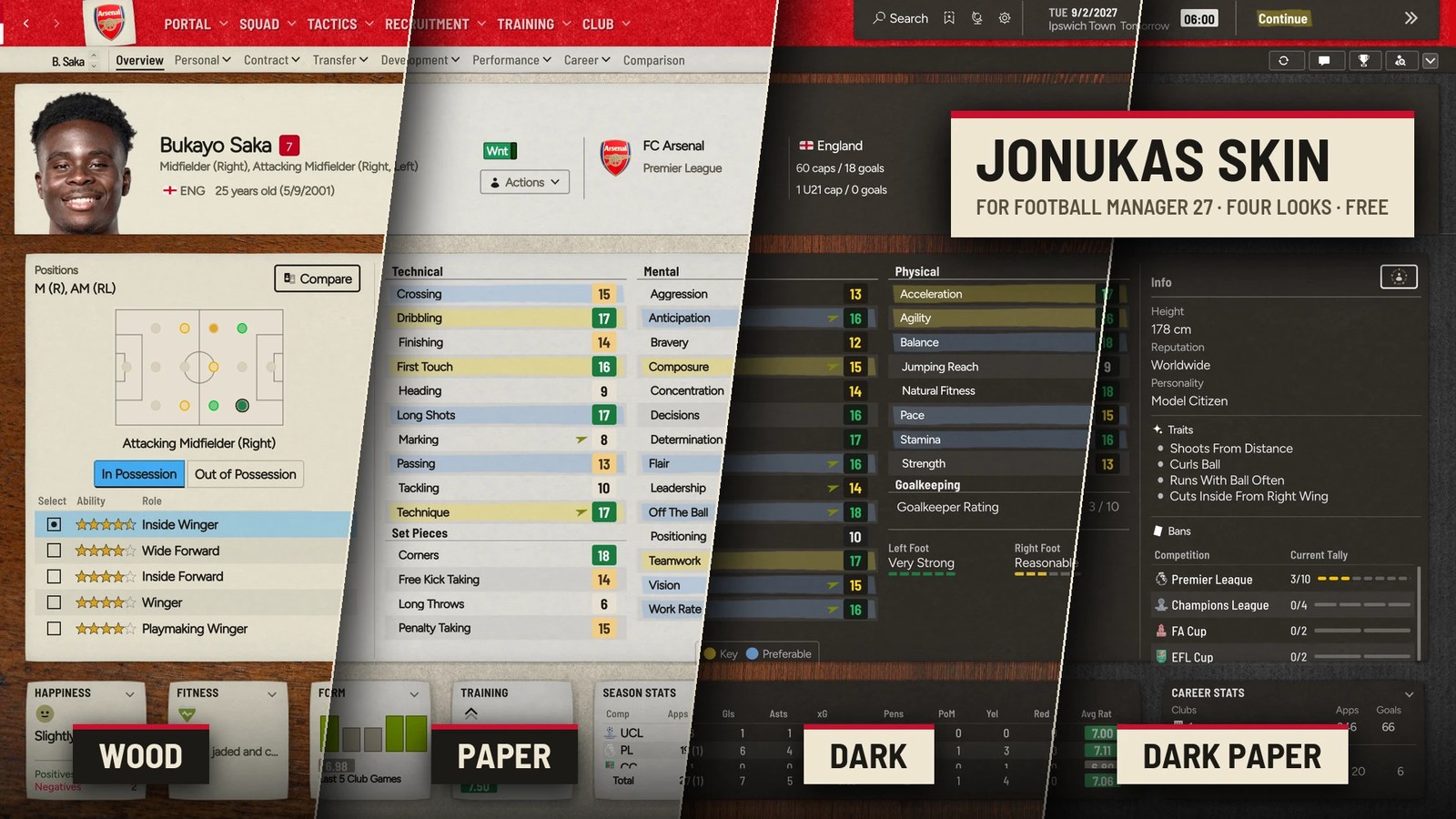
The same profile in the skin’s four looks (Image: Jonukas)
What the player profile looks like
On the profile, attributes sit in lists with colour marks behind them, as if someone had highlighted them by hand. Also, positions, roles and role stars sit on a separate sheet. At the bottom, the happiness, fitness, form and training cards look like cuttings stuck on the desk.
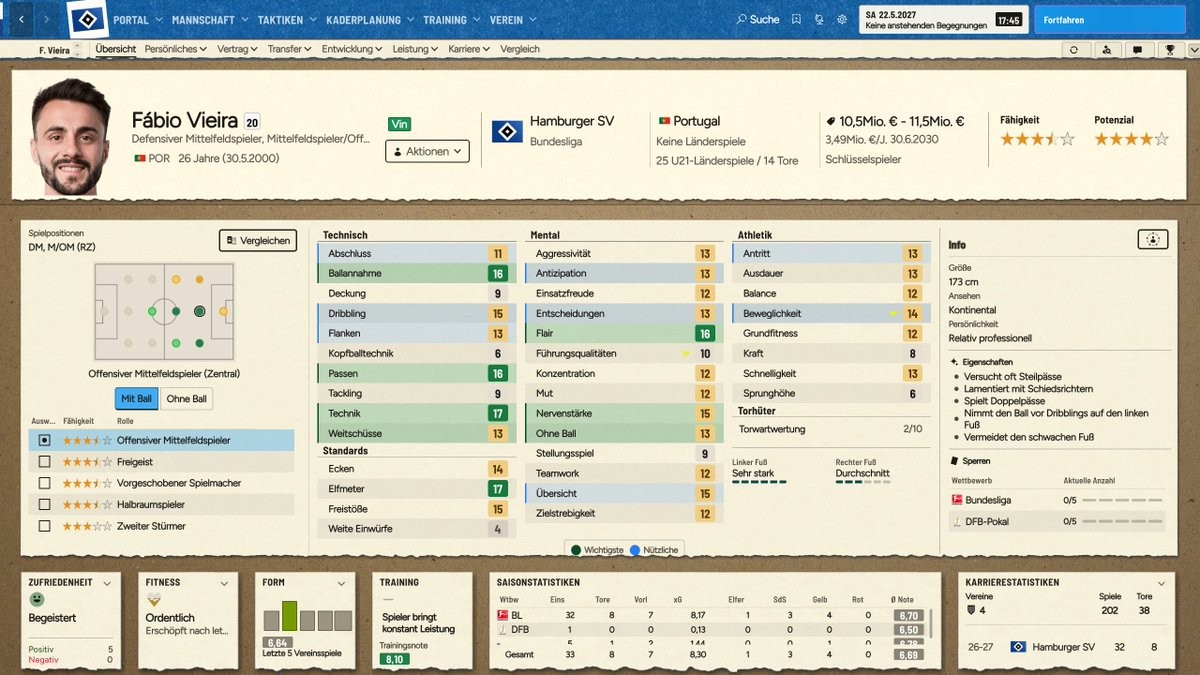
The player profile in the Paper look, with the game in German (Image: Jonukas)
To see the difference, compare the portal: on the left is plain FM27 and on the right the skin in the Paper look. In other words, the league table, contract, budgets and training move onto torn paper sheets, with dark numbers.
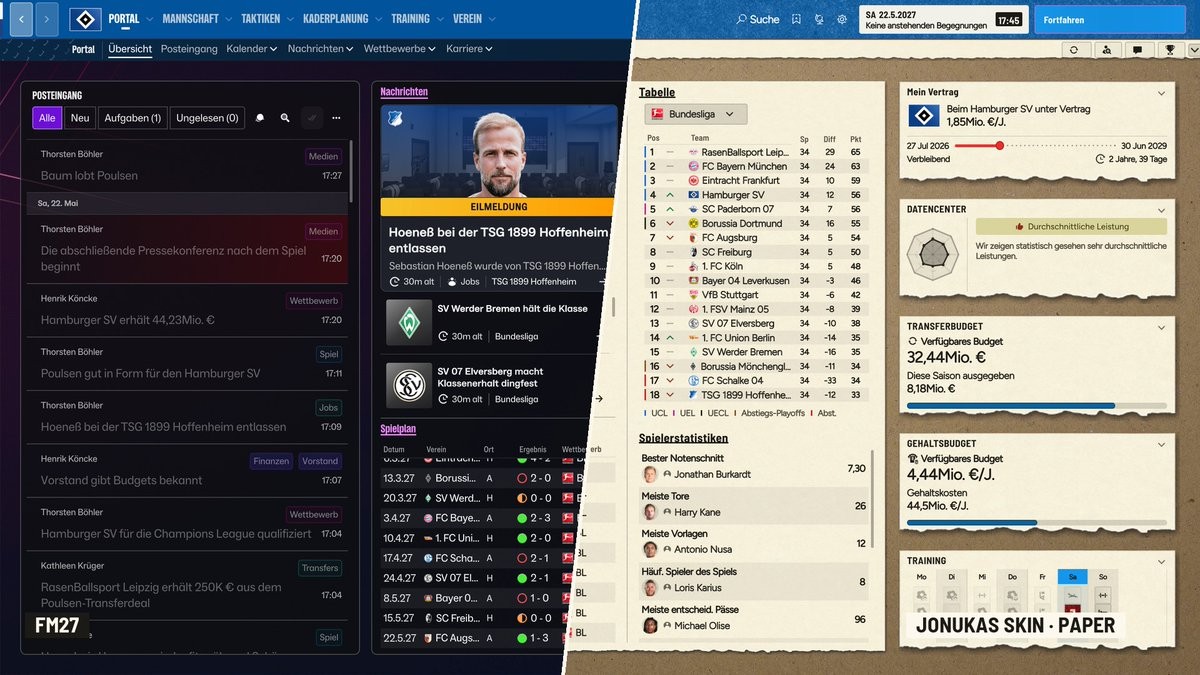
The portal in plain FM27 (left) and with Jonukas Skin (Image: Jonukas)
Squad and tactics
The skin does not stop at the profile. The squad and tactics screens also get the same paper, with coloured positions and clearly separated rows. So even the longest tables stay easy to read.
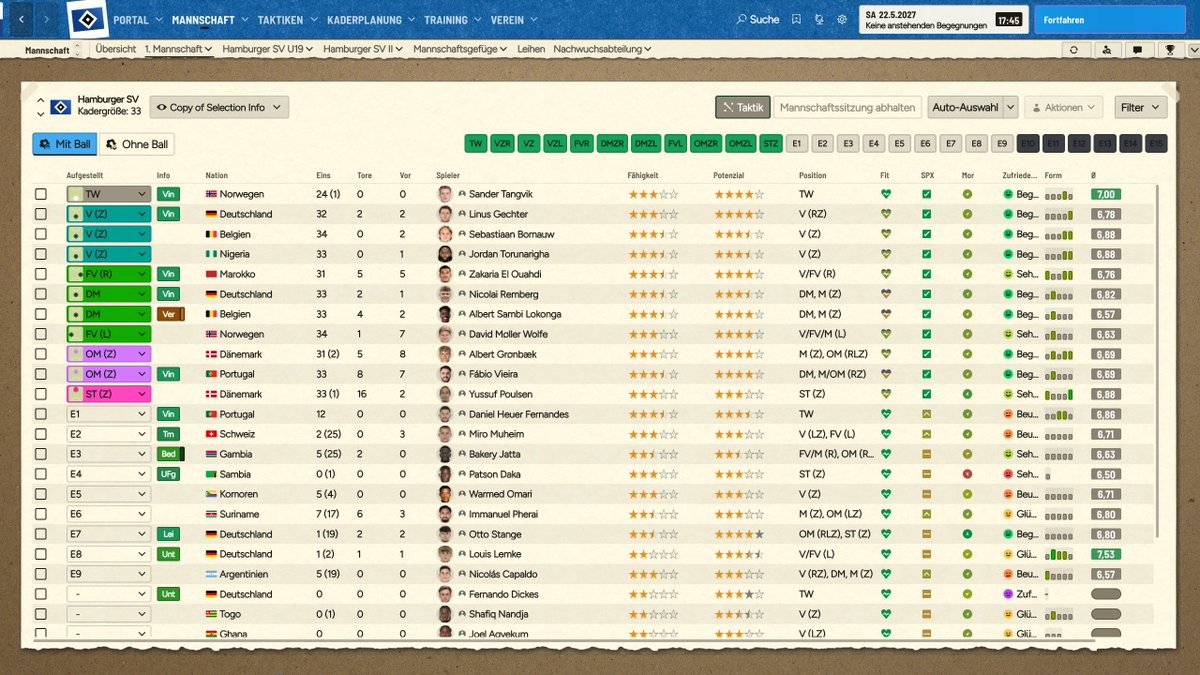
The squad list (Image: Jonukas)
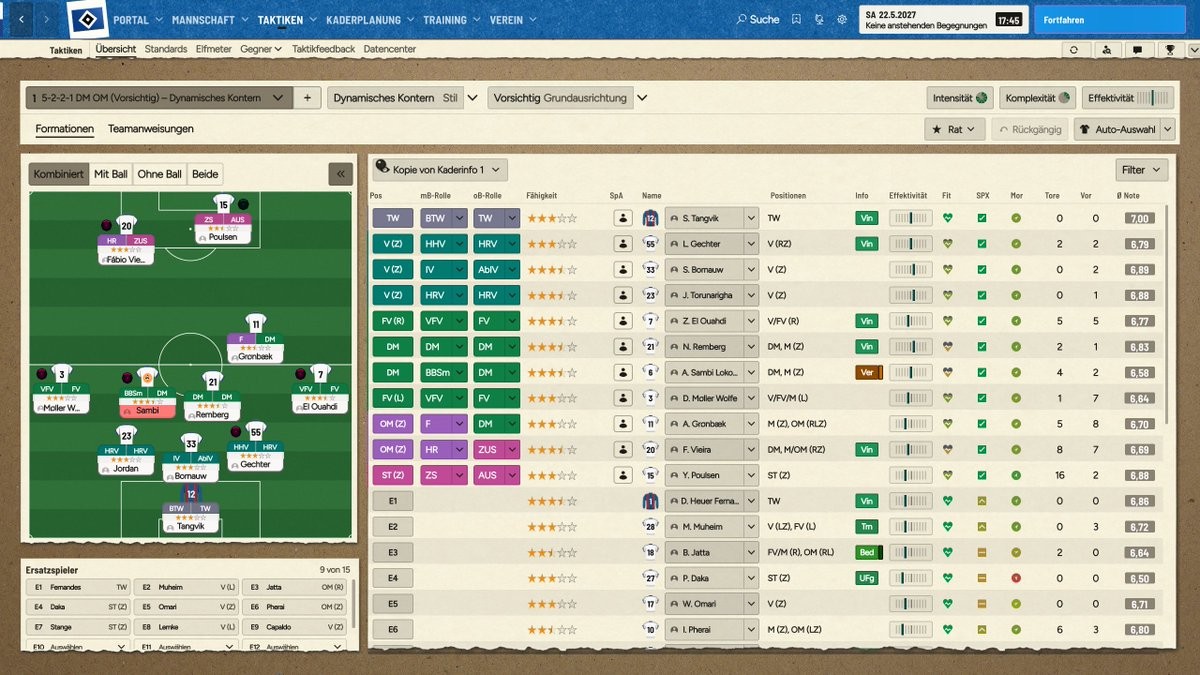
The tactics screen (Image: Jonukas)
Who it is for
It is for anyone tired of the game’s purple tones who wants something with character, without losing information. It is also a plain skin: it is not a mod, it does not use BepInEx and it does not change any game files. So, if you like trying several skins, FM 27 Skin Manager helps you switch between them. If you prefer a more classic light skin, see FM27 Light Skin; for a calm dark one, there is CalmDark.
Download Jonukas Skin FM27
The skin works on Windows and Mac and it is free for everyone. The ZIP file has all four looks and a README with the Mac path and more help.
- First, close FM27 and unpack the ZIP.
- Then open
Documents\Sports Interactive\Football Manager 27. If there is noskinsfolder there, create it. - Next, copy the four folders that start with
jonukas-intoskins. Only those four, not the folder they come in. - Finally, start FM27, go to the cog, then Preferences, and pick the look in the list next to Reload Skin.
In the end, it must look like this: ...\Football Manager 27\skins\jonukas-wood\skin.json.
Things to watch
If you cannot see the Reload Skin button, the folders are one level too deep. So go back to the skins folder and take them out of the folder they came in. On Mac, follow the path in the README.
The author also has an Enhanced version, with redesigned screens for team instructions, player instructions and the squad planner. However, that version goes to supporters first as a beta and only later comes out free for everyone. In other words, this is the version open to all. If something looks off, the author asks for a screenshot and one sentence in the #skin-feedback channel on the author’s Discord. To remove it, just delete the four jonukas- folders.
The files are hosted by their original authors. FMPortugal only points to the official download page — all credit goes to their creators.
Did you make this download? Manage it on FMPortugal →