The FM27 Light Skin brings a light skin back to Football Manager 27. The author, Seve1995, finds dark skins harder on the eyes and made this one with white and grey backgrounds, dark text and navy accents across the whole game. It is also one of the most downloaded skins this week.
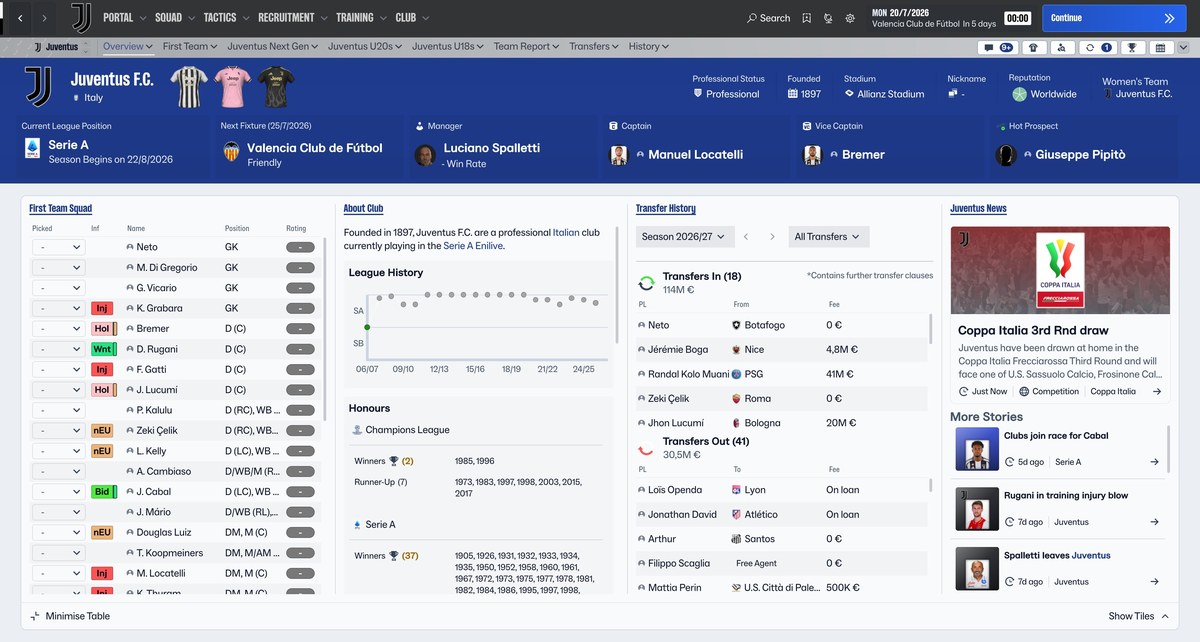
The club overview with the light skin (Image: Seve1995)
What the FM27 Light Skin brings
- Light theme across the game: menus, inbox, squad, tactics, scouting and match day.
- Tables and menus: for example, tabs, dropdowns, checkboxes and popups were restyled for a light background.
- Readable attributes: attribute colours on profiles and tables stay easy to read.
- Match day: the scoreboard, timeline and stats changed too.
- Icons: icons and pitch graphics were recoloured, so white icons do not disappear.
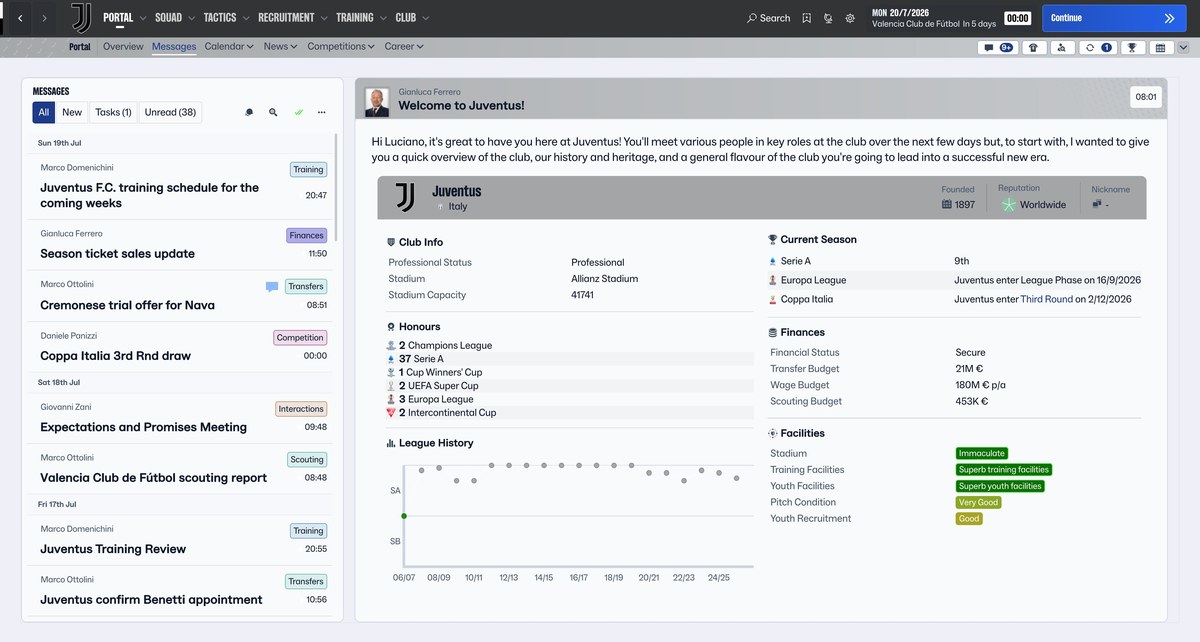
The inbox and club info (Image: Seve1995)
FM27 Light Skin download
The MediaFire folder has the Windows version and the Apple Silicon Mac version. The skin was made for FM27 27.0.0, with the 2 November update, on Steam. However, the author could not test the Mac version.
Download – FM27 Light Skin (Windows and Mac)
- First, close FM27 and extract the file anywhere.
- Then, on Windows, open
INSTALL.batand accept the admin prompt. The installer backs up the original files, installs the skin and the plugin, and downloads BepInEx by itself. - Next, on Mac, first install Codexx01’s BepInEx for macOS and open
INSTALL.command. If macOS blocks it, right-click it and choose Open. - Finally, start the game. The first launch takes longer while the plugin is applied.
Things to watch
The skin uses a BepInEx plugin to change some colours. Without it, the 3D pitch disappears during matches and links turn white on white. To uninstall, run UNINSTALL.bat on Windows or UNINSTALL.command on Mac. You can also use «Verify integrity of game files» in Steam. Finally, if you prefer a dark skin, see Kuvaaia27.
The files are hosted by their original authors. FMPortugal only points to the official download page — all credit goes to their creators.