Hardcore Light FM27 is an interface mod for anyone who loves data. It adds pizza charts, per-90 statistics and more information on the profile, player popups and matches, without hiding attributes or potential. The mod is by Kronk862, was published on the official Sports Interactive community, and this is version 1.0.
What Hardcore Light FM27 brings
- Pizza chart: an upgraded version of the chart Mustermann created for FM23, on the profile and popup, with team possession, league position and a drilldown per area.
- Custom boxes: you choose what appears on the player profile and popup.
- Stars for everyone: ability and potential show for players at other clubs too. Unscouted players show as «unknown».
- Comparisons: comparison screens show the pizza charts and careers side by side.
- During matches: right-click a player to see live stats, a heatmap and a pass map.
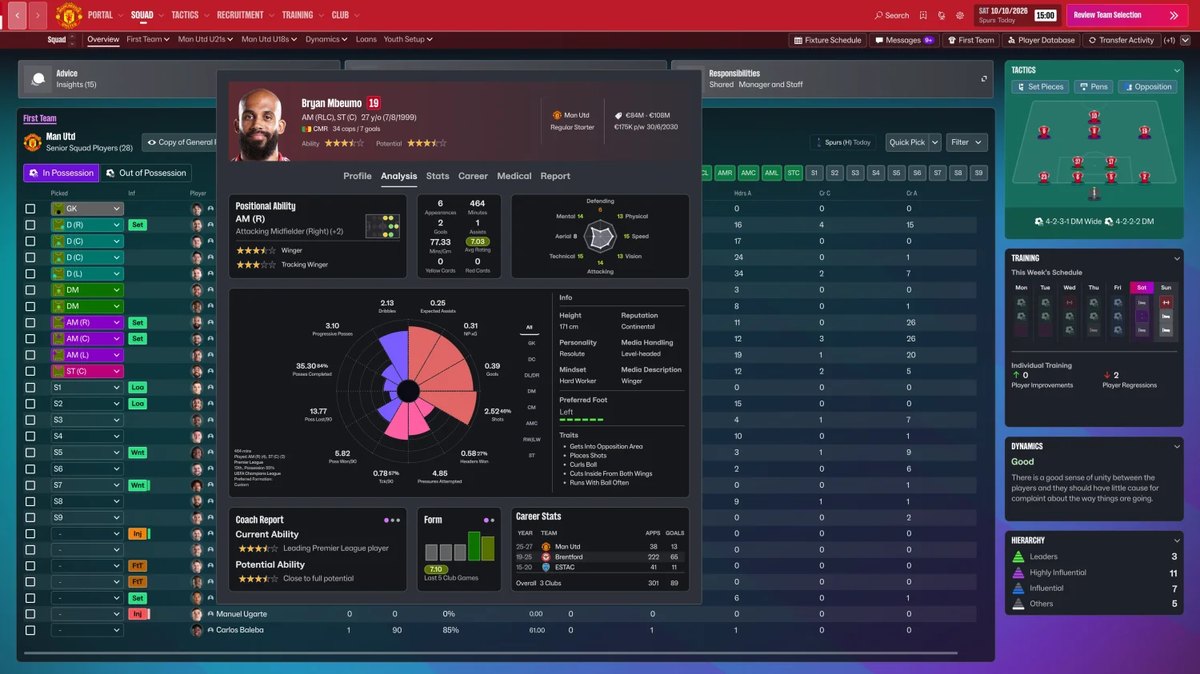
The player popup, with the pizza chart (Image: Kronk862)
The shortlist can also show up to 40 players as cards with key stats, which makes comparing transfer targets much quicker.
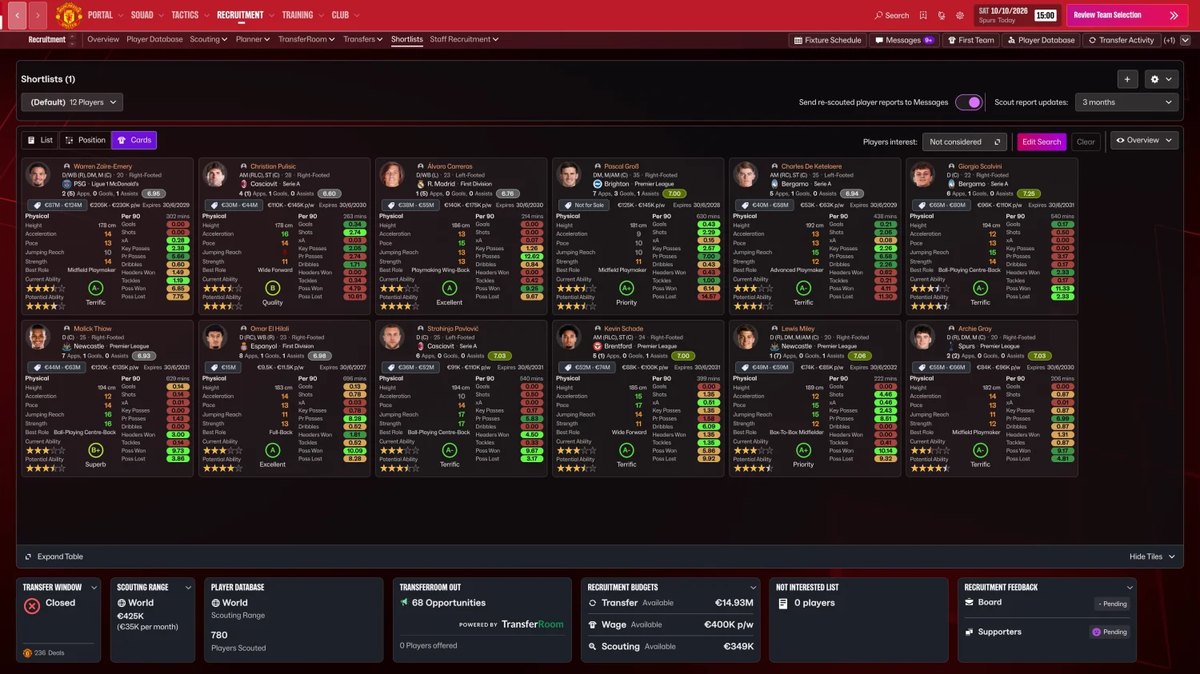
The shortlist in card view (Image: Kronk862)
- Opposition report: a button on the tactics screen opens the report, with the predicted line-up and tactical style.
- Extra stats: goal involvement, offsides, fouls won, progressive passes and defensive actions per 90.
- After the match: a button opens every player’s stats in the match review.
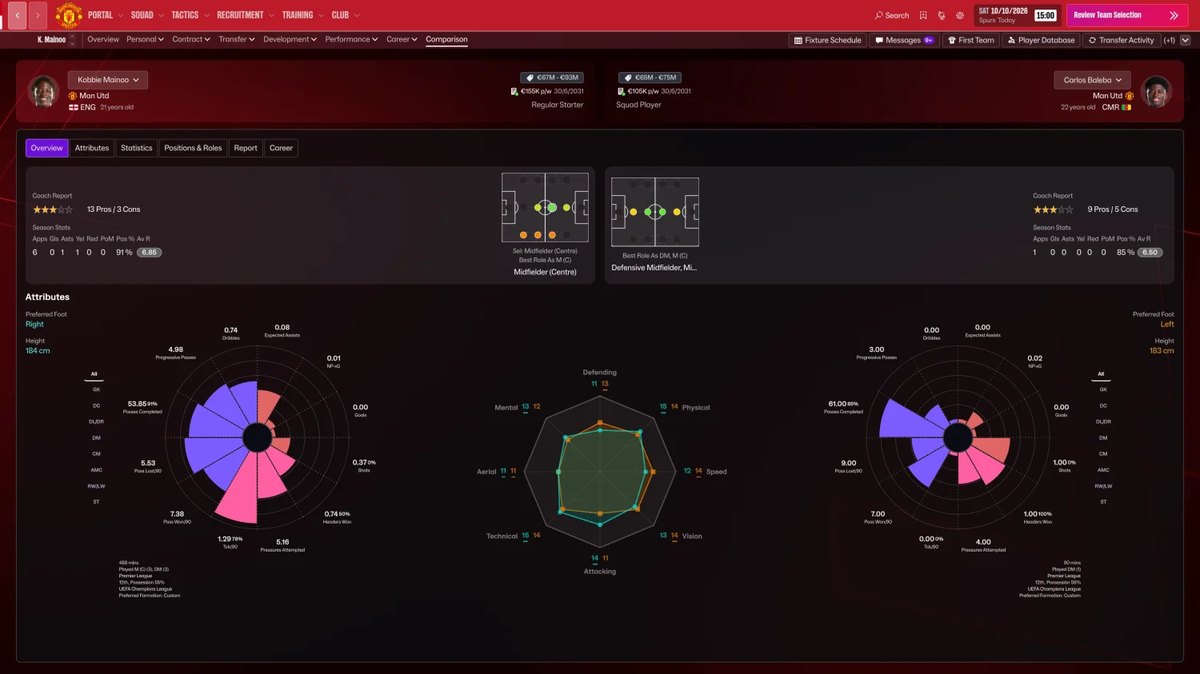
Comparing players (Image: Kronk862)
Hardcore Light FM27 download
Download – Hardcore Light FM27 v1.0
- First, close FM27 and extract the whole folder anywhere.
- Then double-click
Install.bat. It finds FM27, backs up the original files and copies the mod in. - If Windows shows a blue warning, click «More info» and then «Run anyway».
- Finally, open the game. If the profile boxes look out of place, use «Reset Layouts» in the preferences.
To remove it, close the game and run Uninstall.bat, or use Steam’s «Verify integrity of game files» option.
Things to watch
The author has not tested everything yet, so they ask you to back up your save and turn on autosave, although they have had no crashes. The installer also checks your FM27 version and changes nothing if the game has been updated. For now it only works on Windows. There are two known issues: you can open several stats popups at once, and a Data Hub popup opened from the opposition report opens behind it. Finally, the author promises a full «Hardcore» version with attributes as words and hidden potential. If you would rather hide the numbers now, see the MoneyBall Skin.
The files are hosted by their original authors. FMPortugal only points to the official download page — all credit goes to their creators.