The Golden Boy Skin gives FM27 a new look in dark grey, black and gold. It is the first skin by Bifi93, who rebuilt the player profile, the staff profile and the club overview so you see the key information without scrolling. It also adds stadium and city photos and a processing screen with the league table.
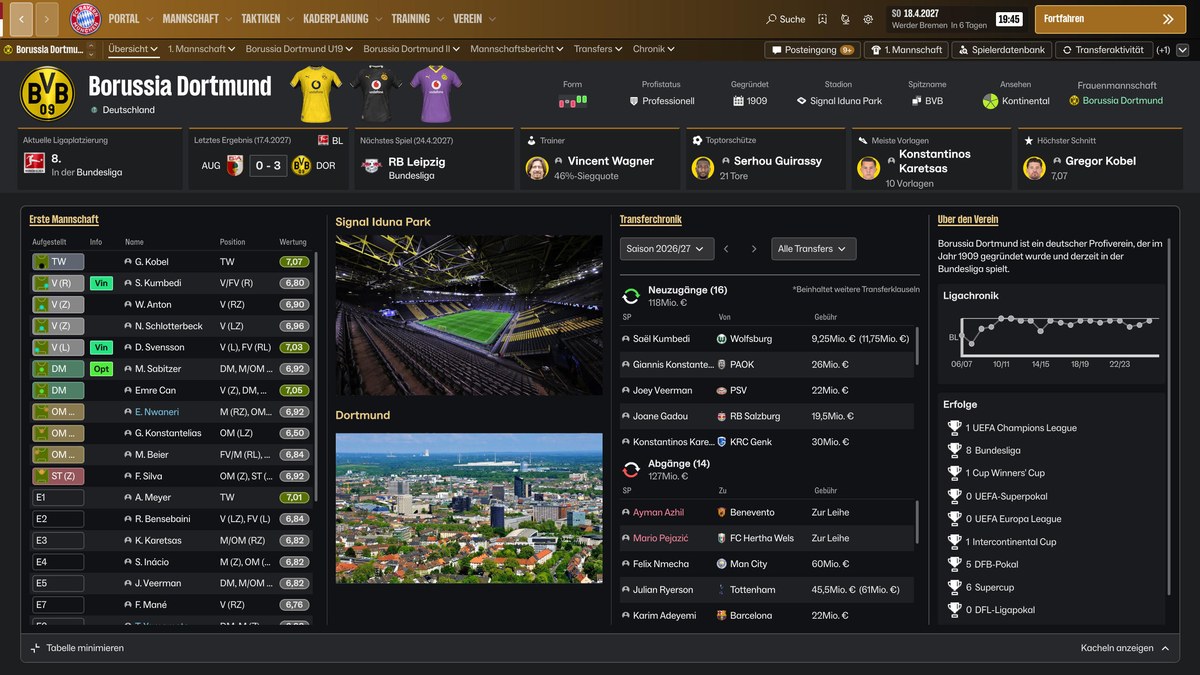
The club overview, with stadium, city and trophies (Image: Bifi93)
What the Golden Boy Skin brings
- New colours: dark grey, black and gold, with gold-to-black navigation bars.
- Player profile: for example, height, personality, wage, contract and footedness at the top of the profile.
- Staff profile: attributes are shown as numbers, and the career history sits below the preferred jobs.
- Club overview: a new header, gold tiles, the honours, the balance and the budgets.
- Tactics and match: a larger tactics board with striped grass, and player faces on the board and in the match.
- Processing screen: it shows the league table and the next match, with the opponent and a stadium photo.
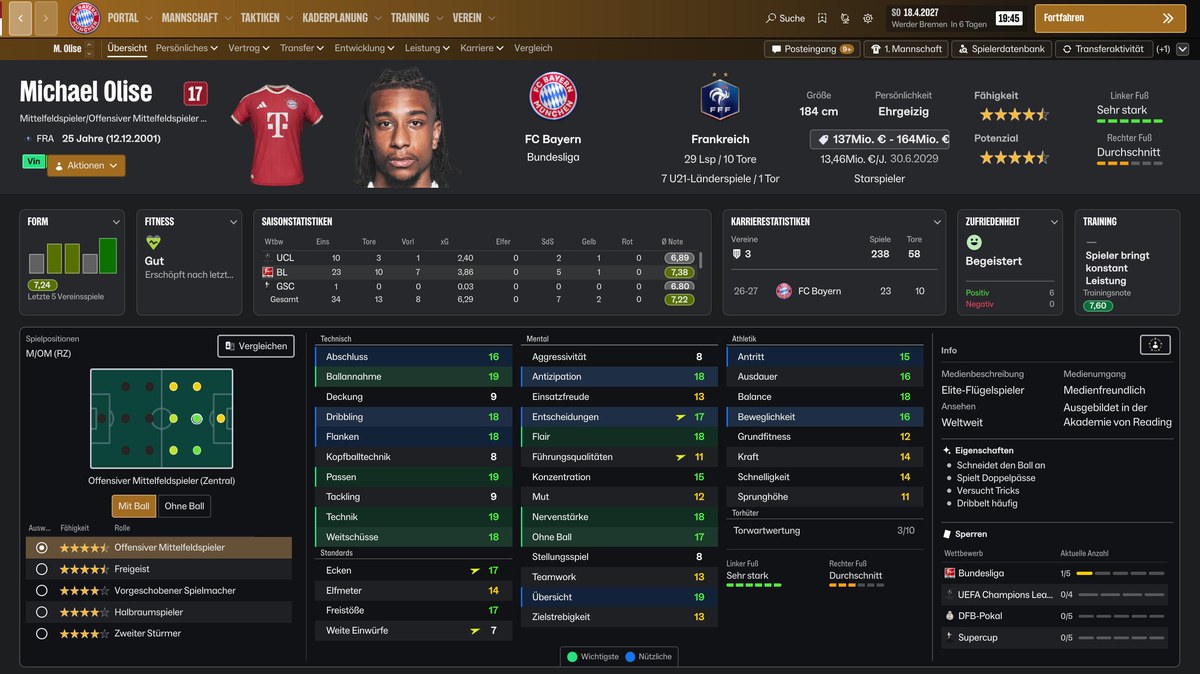
The player profile, all on one screen (Image: Bifi93)
Golden Boy Skin download
The version is 1.0.1, from 3 November, and it is about 60 MB. According to the author, it is the last free version for now, because the next ones will come out on the author’s site for a donation of any amount. It works with FM27 27.0.0 on Windows and was tested on Steam at 2560×1440.
Download – Golden Boy Skin v1.0.1
- First, close FM27. This skin does not go into the skins folder, because it replaces nine game files.
- Then, in Steam, right-click FM27 and choose Manage, Browse local files. Open the
fm_Data\StreamingAssets\aa\StandaloneWindows64folder. - Next, back up the nine files listed in the README to a folder outside the game folder. After that, copy the nine files from the «1 Game Files» folder and confirm the replacement.
- Finally, also copy the «Golden Boy Stadiums» folder and start the game. Without it, the stadium area shows a white box.
Things to watch
Always back up the files before installing. To uninstall, restore your backup or use «Verify integrity of game files» in Steam. Also, FM27 updates can overwrite the skin or make it incompatible. Finally, the substitutes panel on the tactics screen was removed on purpose, so you pick your substitutes in the table next to the board.
The files are hosted by their original authors. FMPortugal only points to the official download page — all credit goes to their creators.