The FM Season Hub plugins have reached FM27. marceloouw, the author of the FM Season Hub app, has released three free plugins that change the game from the inside. So you get TV-style labels in the 3D match, 3D kits on the club profile and shortcuts to the app on every player’s profile.
PitchHUD Legacy
PitchHUD puts TV-style labels above the players in the 3D match. For example, they show the face from your facepack, the shirt number, the distance covered and the pass completion. You can also press F11 to choose what shows and change the size.
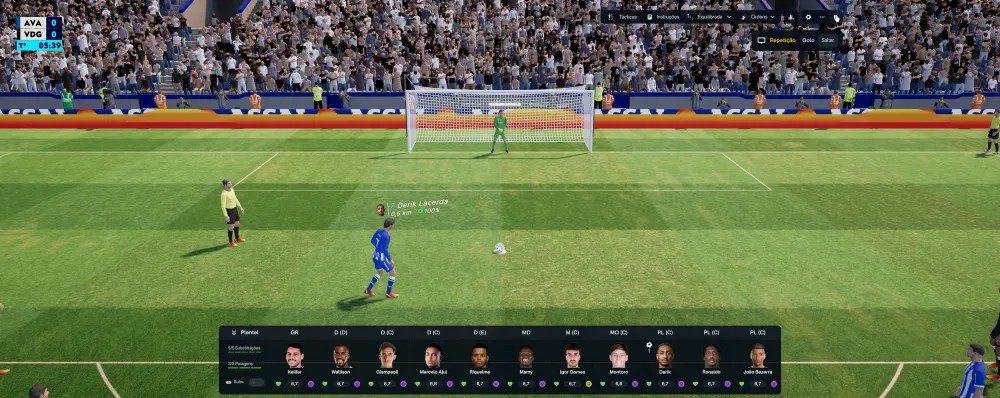
The PitchHUD labels, with the face and stats (Image: FM Season Hub)
FM ActionLink – Kits 3D
This plugin shows the kits in 3D on the club profile and the club overview. It also has a full view, with the kit on a 3D mannequin, zoom and several lighting presets. If you have kits in your graphics folder, the plugin uses them. Otherwise, it uses the game’s official kits.
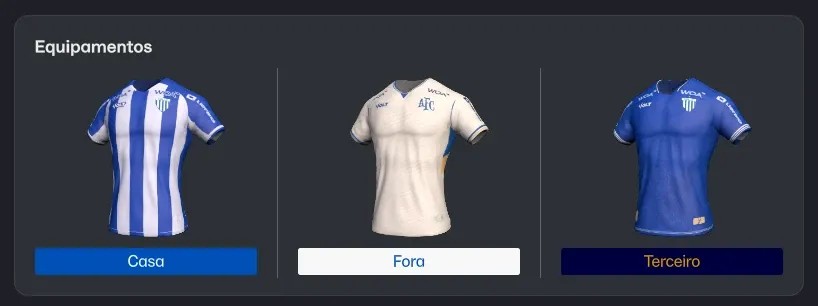
The three kits in 3D on the club profile (Image: FM Season Hub)
FM ActionLink – FMSH
Finally, this plugin adds FM Season Hub buttons to the player profile, next to «Actions». So you open the profile in the app, compare two players or see the player’s data over the game. However, it needs the FM Season Hub app installed and the game running windowed or borderless.
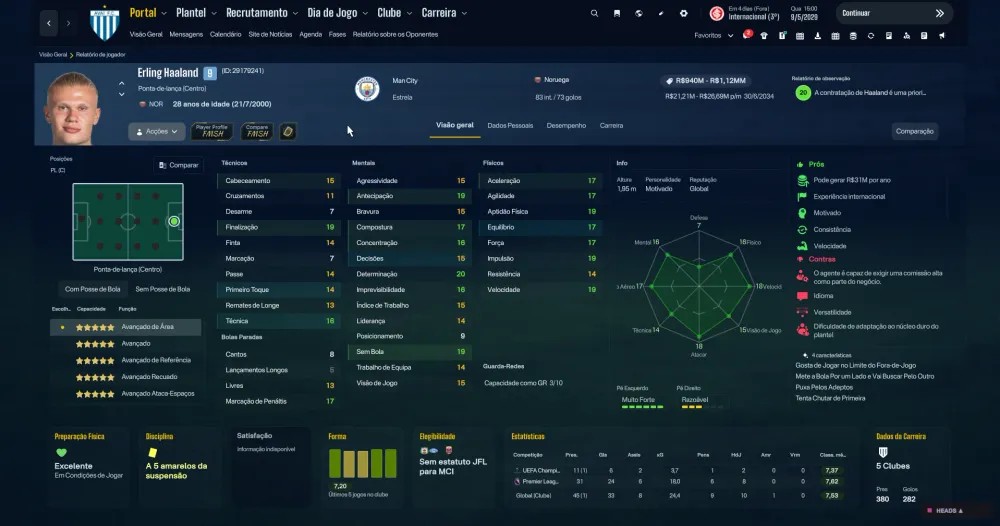
The FM Season Hub buttons on a player profile (Image: FM Season Hub)
FM Season Hub plugins download
PitchHUD Legacy is on version 1.2.2, Kits 3D on 2.0.1 and FMSH on 2.1.0. The links come from the author’s site and all three are free. You need BepInEx 6 IL2CPP, which is not included. On the other hand, the FM Season Hub installer sets up the plugins you choose and keeps them up to date.
Download – PitchHUD Legacy 1.2.2 (FM27)
BepInEx 6 IL2CPP – official page
Download – FM ActionLink Kits 3D 2.0.1 (FM27)
Download – FM ActionLink FMSH 2.1.0 (FM27)
- First, if you do not have BepInEx 6 yet, download the «BepInEx-Unity.IL2CPP-win-x64» file (build 791 or newer) and extract it into the game folder, next to
fm.exe. Start the game once and wait a few minutes. - Then create one folder per plugin inside
BepInEx\plugins:PitchHUD,FMActionLink.Kits3DandFMActionLink.FMSH. Extract each .zip into its folder. - Next, for FMSH, turn on «Show screen IDs in Title Bar to assist skinning» in FM’s preferences.
- Finally, open FM27. In the 3D match, press F11 to set up PitchHUD.
Things to watch
Your first match with PitchHUD may be slow, because the plugin scans your facepack folder once. Also, after an FM update, distance and passes may stop showing, but faces and numbers keep working. In Kits 3D, the full model does not show the player’s face yet. Finally, Kits 3D was tested on the Xbox / Game Pass version and not yet on Steam or Epic.
The files are hosted by their original authors. FMPortugal only points to the official download page — all credit goes to their creators.