Every year, when FM rolls over to a new season, part of your save’s history is lost: match-by-match ratings, minutes and stats per competition. FM Season Hub FM27 fixes that. It is a Windows app that reads the game live and stores every season in a permanent database, ready for «Moneyball» analysis. It is also free, and it has reached FM27 with version 0.9.
The app is by marceloouw, who also made Easy Training Talks and the TacticalCam and PitchHUD plugins. If you used FM Season Hub in FM26, you will recognise everything.
What is new in FM Season Hub FM27
- Reads FM27: it works with the Steam, Epic and Xbox/Game Pass versions, and still reads FM26.
- Updated installer: it detects FM27 and installs the right versions of the plugins.
- Inside the game: the player profile gets the FMSH buttons and Player Data, in FM27’s colours.
- Lighter: the app is faster with FM open, and the My Team tab has fixes.
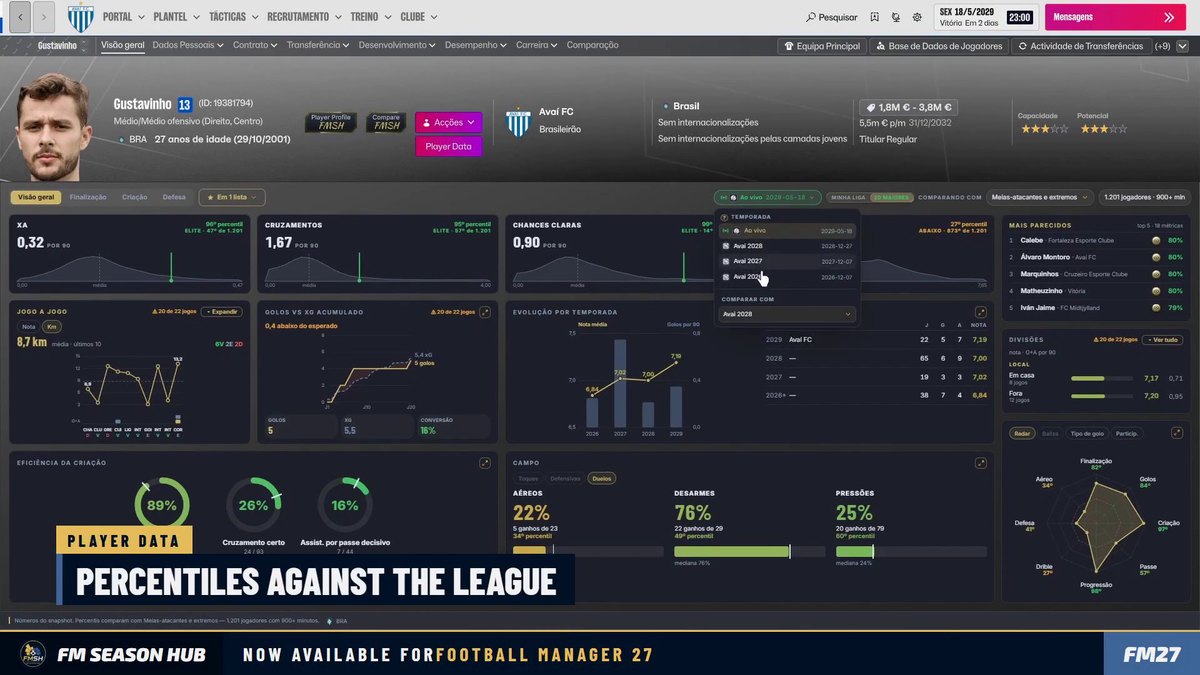
Player Data inside FM27, with percentiles against the league (Image: FM Season Hub)
You can also combine several seasons in one profile, in the database and in the CSV. For example, you can add up two seasons for a player who changed clubs mid-year.
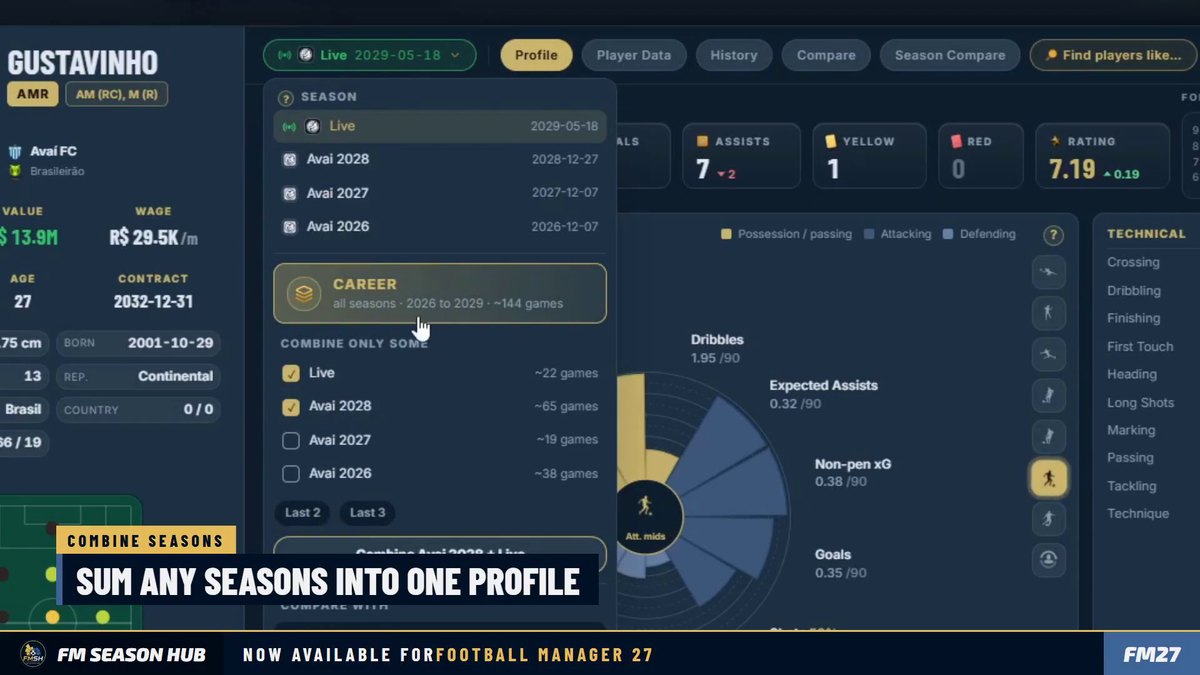
Several seasons combined in one profile (Image: FM Season Hub)
But the big news is Season Compare, which puts a player’s seasons side by side, with the difference and trend for each stat. However, it is part of a paid plan, as explained below.
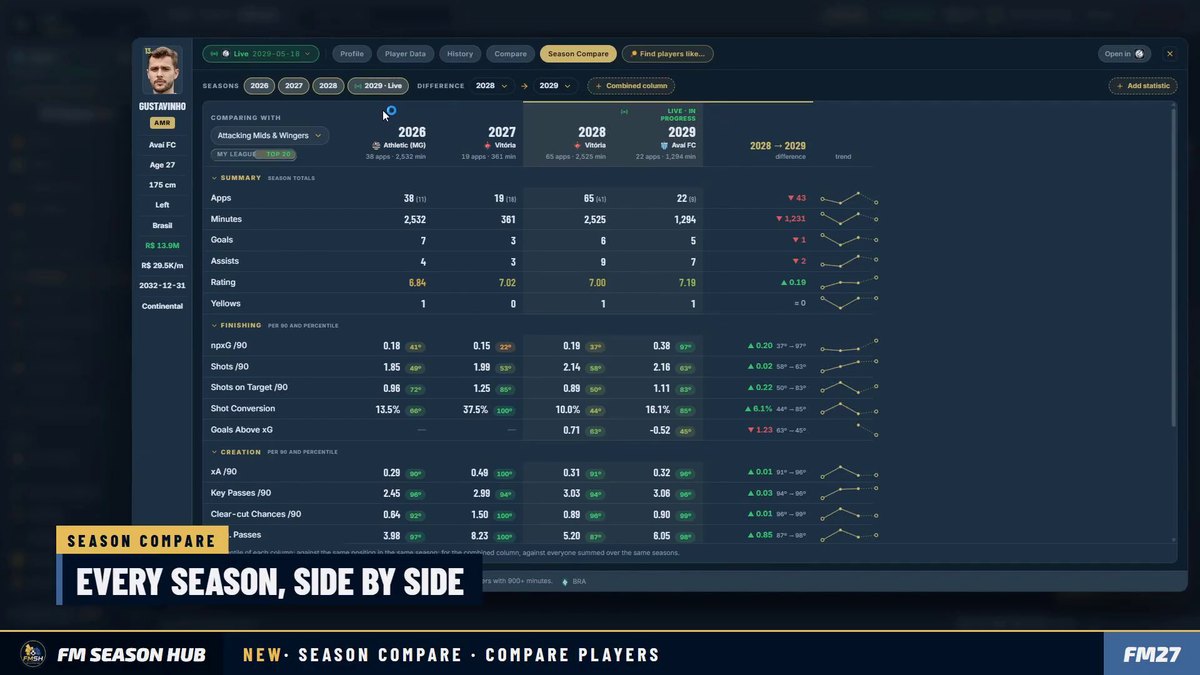
Season Compare, with the seasons side by side (Image: FM Season Hub)
What the app does
- Saved seasons: first, one click freezes the squad and the stats before the game rolls over the year.
- Full profile: numbers per competition, minutes, ratings, match-by-match form and a «Moneyball» pizza per position.
- Player comparison: for example, two players side by side, metric by metric, with overlaid pizzas.
- Database: filter hundreds of thousands of players by position, age, CA, PA, value and contract.
So you no longer rely on memory or spreadsheets to know whether a player improved from one season to the next.
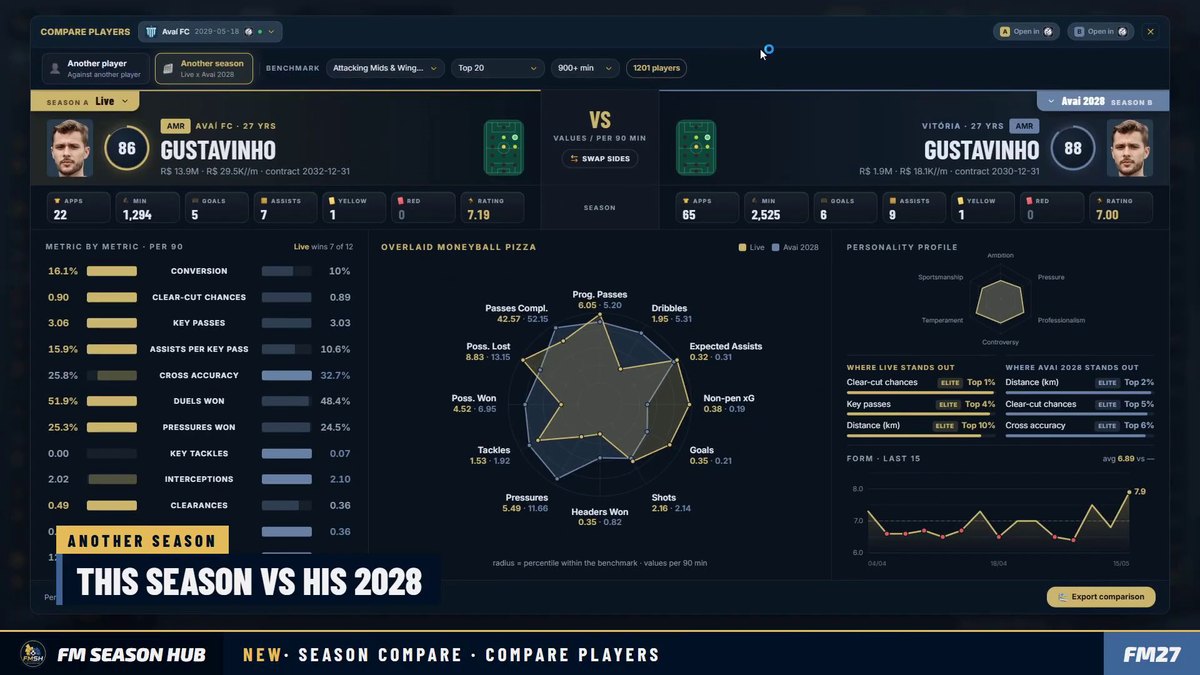
A player compared with his own previous season (Image: FM Season Hub)
Free and paid plans
The free version stores up to 3 seasons per save and already includes favourites, so it is enough for short careers. However, if you play many seasons in the same save, the author has plans on Patreon with more stored seasons and season comparison.
The installer also offers free plugins for the game. TacticalCam adjusts the tactical camera, and PitchHUD shows each player’s photo and stats on the pitch. For FM27 there is also FM ActionLink – Kits 3D, which shows the kits in 3D on the club profile.
FM Season Hub FM27 download
So the button downloads the installer straight from the official FM Season Hub site. It works on Windows 10 and 11 (64-bit), with FM27 and FM26 on Steam, Xbox or Epic, and with FM24 on Steam.
Windows installer – FM Season Hub 0.9
- First, run
FM Season Hub Setup.exe, choose your language and accept the terms. - Then pick the optional plugins you want. The installer finds FM27 and, if BepInEx is missing, installs it for you.
- Next, open FM27 and load the save you want to follow.
- Finally, open FMSH, click «Connect» and save the season with one click.
The installer does not ask for administrator rights and creates desktop shortcuts. From then on, the app updates itself whenever you open it.
Things to watch
For now it only works on Windows, as the Mac version is still in development. FM also has to be open with the save loaded for the app to read the data. Even so, FMSH only reads the game’s memory and never touches your save. Finally, in this version full FM27 support is only for the game’s default skin. If you use another skin, such as the MoneyBall Skin, the in-game buttons may not show up.
The files are hosted by their original authors. FMPortugal only points to the official download page — all credit goes to their creators.