
Every year, when FM rolls over to a new season, information is lost. Match-by-match ratings, minutes and per-competition stats vanish from the save, and with them the basis for comparing one season with the next. FM Season Hub (FMSH) fixes that: it is a Windows app that reads FM in real time and stores every season in a permanent database, ready for Moneyball-style analysis.
The app is by marceloouw, the same author as Easy Training Talks, and already has more than 4,000 downloads. It works with FM26 and FM24.
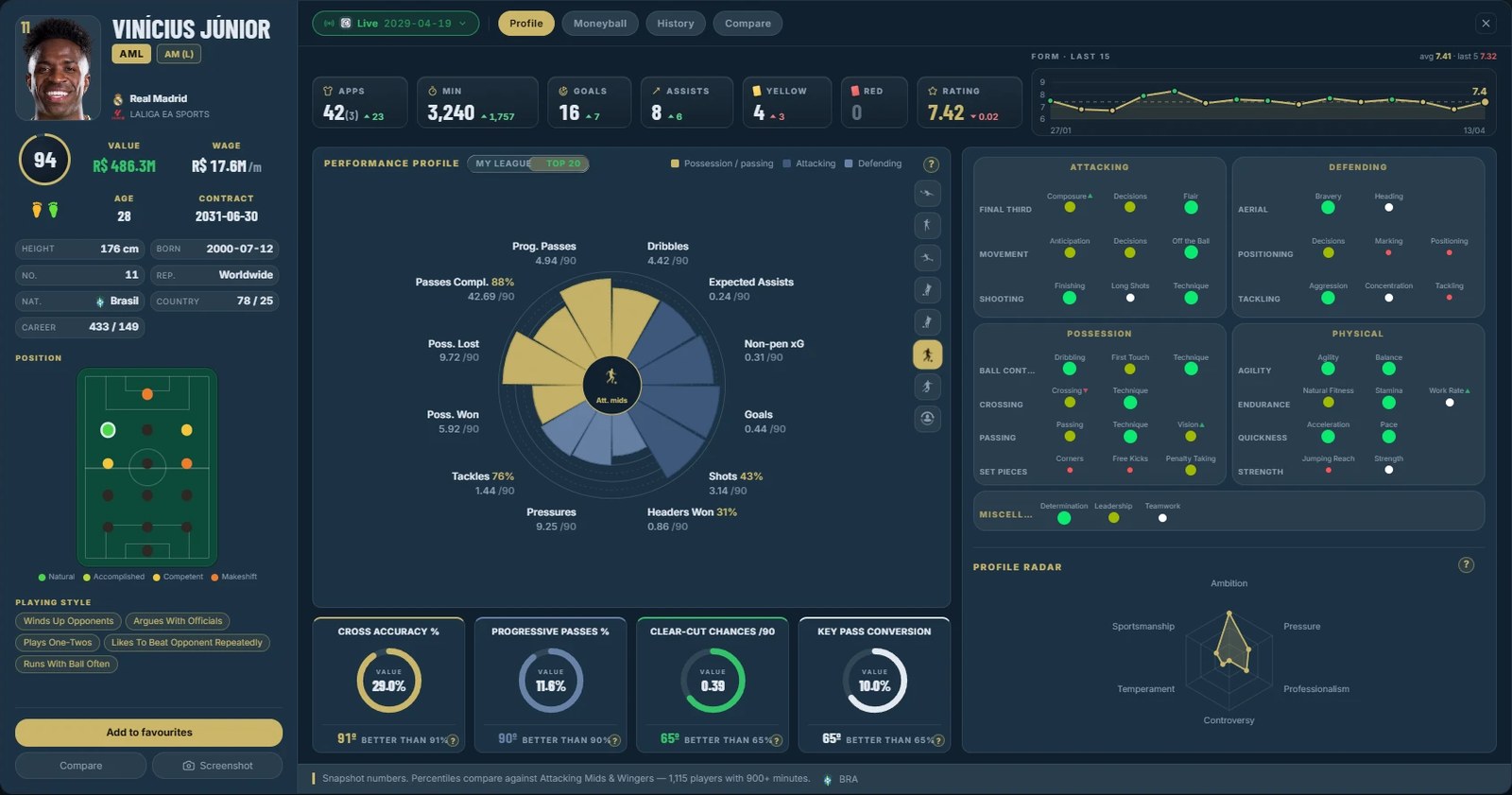
(Image: FM Season Hub)
What FM Season Hub does
- Seasons kept. It captures every season of your save before the game wipes the history.
- Moneyball. It calculates per-position indices, per-90 stats and percentiles to find hidden value.
- Player comparison. Two players side by side, metric by metric, with overlaid pizza charts.
- Database and filters. Filter hundreds of thousands of players by position, age, CA, PA and value.
- Form. Match-by-match ratings for any player in the database.
- History. A save timeline: what changed, when and in whom.
There is also a per-save shortlist and a quick preview of any player on hover. In other words, you no longer depend on memory or spreadsheets to compare seasons.
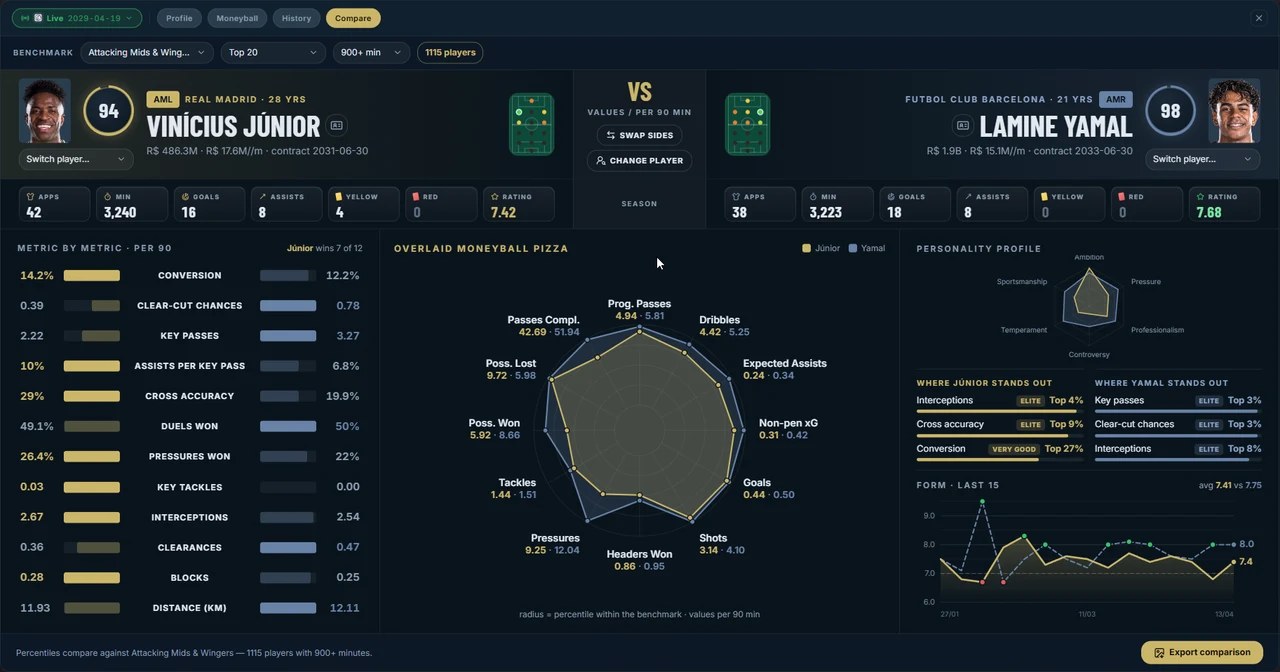
(Image: FM Season Hub)
Free and paid plans
The free version stores up to 3 seasons per save and already includes favourites, which is enough for short careers. For longer saves there are Patreon plans:
- Season Analyst ($5 a month): up to 6 seasons per save and season-to-season comparison.
- Moneyball Scout ($9 a month): up to 12 seasons, end-of-season PDF reports, wonderkid filters and early access.
- FMSH Pro ($18, one-time): unlimited seasons, forever.
Optional plugins
The installer also offers two in-game plugins: TacticalCam, which adjusts the tactical camera framing, and PitchHUD, which shows each player’s photo and stats next to his name on the pitch. The FMSH site also hosts the author’s other plugins, such as Easy Training Talks.
Download FM Season Hub
The installer comes straight from the official site. It works on Windows 10 and 11 (64-bit), with FM26 on Steam, Xbox or Epic and FM24 on Steam. A Mac version is in development.
Download – FM Season Hub for Windows (FM26 and FM24)
- First, run the installer. It opens in your Windows language and does not ask for administrator rights.
- Choose whether you want the optional plugins (TacticalCam and PitchHUD).
- If the game does not have BepInEx yet, the installer downloads it from the official site and installs it for you.
- Open FM, load your save and connect FMSH. From then on, the app updates itself.
Requirements are modest: 4 GB of RAM and 1 to 10 GB of disk space, depending on how many seasons and databases you keep. The app is available in Portuguese, English, Spanish, French, German and Turkish.
Credits
FM Season Hub is by marceloouw. News, the roadmap and help are on the official site and the project’s Discord. Looking for more tools? See our FM26 editors and tools.
The files are hosted by their original authors. FMPortugal only points to the official download page — all credit goes to their creators.