Real-time FM editors are usually paid. FMCareerLab is a free alternative for FM26: it connects to your career on Windows and lets you search players, staff and clubs, see hidden attributes and change some values while the game runs. It needs no account and has no ads.
The current version is 0.2.16, still a preview, for FM26 26.3.2. The author has already announced an FM27 version is in the works.
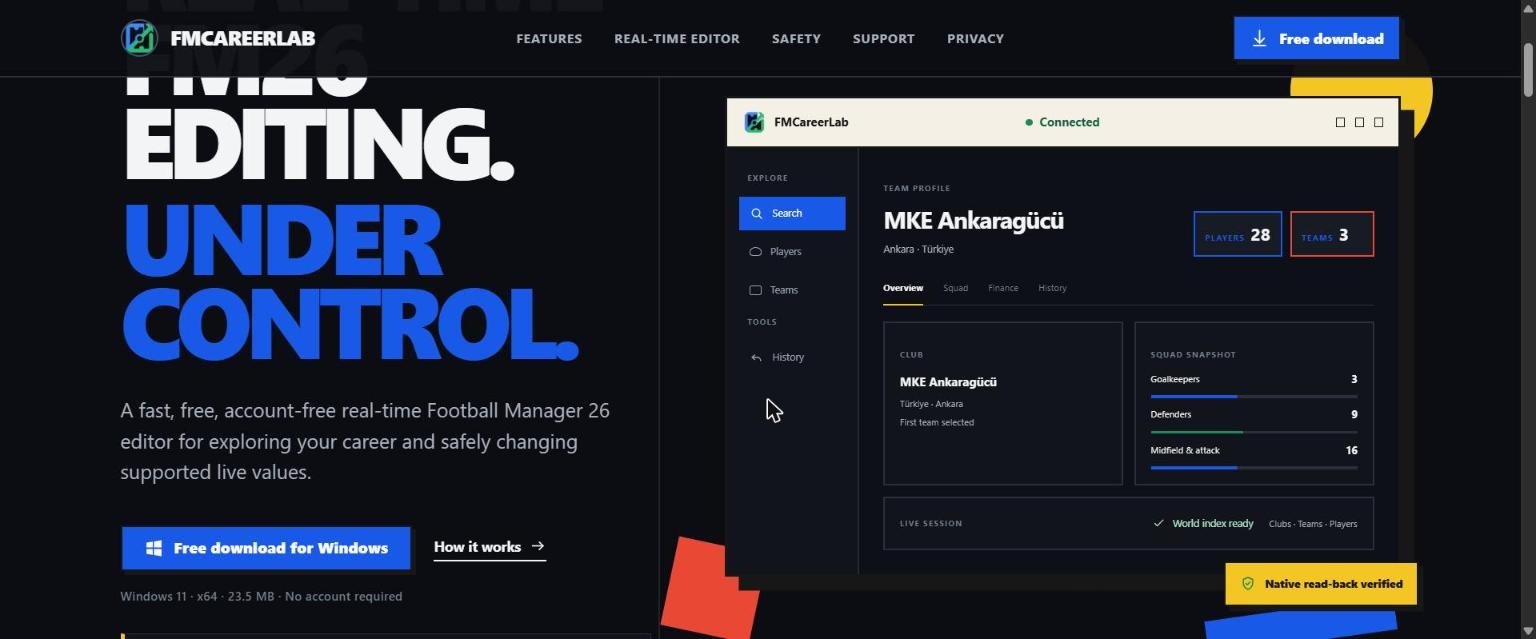
(Image: FMCareerLab)
What you can do with FMCareerLab
- Search the whole world. Find players and teams by name, ID, nationality, position, CA or PA.
- Edit players. Change CA, PA, asking price, position ratings, weaker foot and technical, mental, physical and goalkeeping attributes.
- View clubs and finances. Check the balance, transfer budget, wages and reputation of any club, not just yours.
How it protects your career
Editing game memory always carries some risk, so FMCareerLab works in steps. Each change stays pending until you see the preview. Before writing, it checks the value has not changed in the meantime and rejects the change if it has. It then reads the written value back and keeps a log so you can undo within the same session. Even so, always back up your save before editing.
What you should know
- Windows 11 (64-bit) only and FM26 only. There is no FM25 or Mac version.
- It is a preview version, so features may be missing and bugs may appear.
- The author is anonymous and only accepts support in cryptocurrency, which unlocks nothing. As with any program that touches game memory, run the file through your antivirus before opening it.
Download FMCareerLab
The file FMCareerLab-v0.2.16-win-x64-protected.zip is about 24 MB and comes straight from the official site.
Download – FMCareerLab 0.2.16 (FM26)
- First, open FM26 and load your career.
- Extract the zip and open FMCareerLab. It finds the game on its own, in read-only mode.
- Search for the player or club, make the change and confirm the preview.
- Only apply the change when you are sure.
Credits
FMCareerLab is an independent project. More information and FAQs are on the official site. Looking for more tools? See our FM26 editors and tools.
The files are hosted by their original authors. FMPortugal only points to the official download page — all credit goes to their creators.