
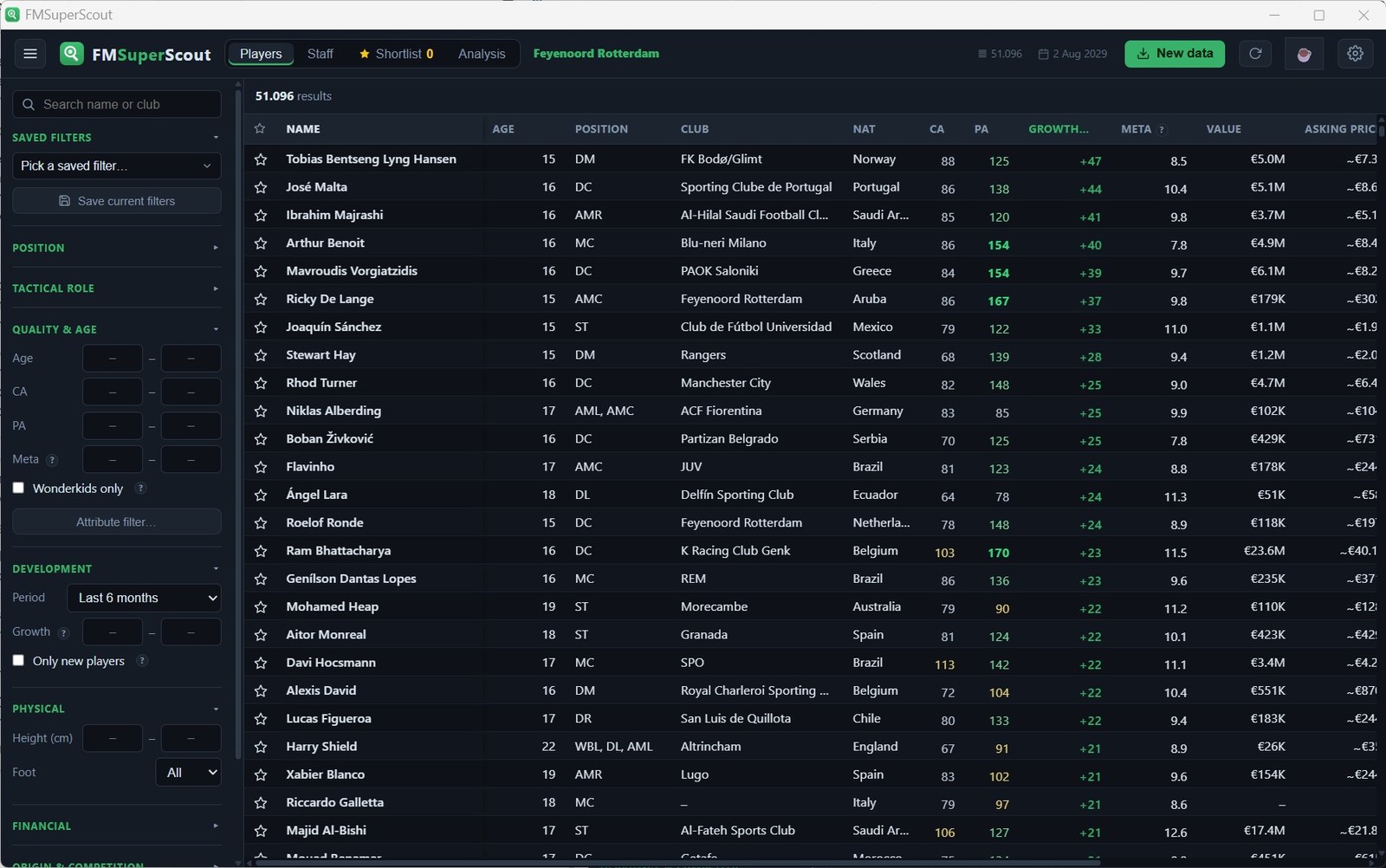
Waiting two minutes for a scouting tool to load the database is a thing of the past. FM Super Scout is a free, open-source FM26 tool that reads your whole save from the game’s memory in about 10 seconds, at the press of a key. More than 45,000 players and staff become instantly searchable, including what FM normally hides: current and potential ability, personality and real market value.
The tool is by mavarobli and is already on version 1.5.0, with more than 2,400 downloads.
(Image: mavarobli)
How FM Super Scout works
It has two parts. A small BepInEx plugin reads the database from inside the game when you press F9, and a local web app shows everything for you to search, filter and compare. Nothing leaves your computer: no internet, no accounts, no ads. The plugin only reads memory and never writes to the game.
Even huge saves work. The author says a database of 635,000 people across 100+ leagues loads in about 17 seconds.
What sets it apart
- Growth. Every time you press F9, the app stores a snapshot of the save, so it knows how much each player has improved since a date of your choice and can sort the world by it.
- Intake radar. On youth intake day, a bar shows how many newgens appeared worldwide and who the best one is.
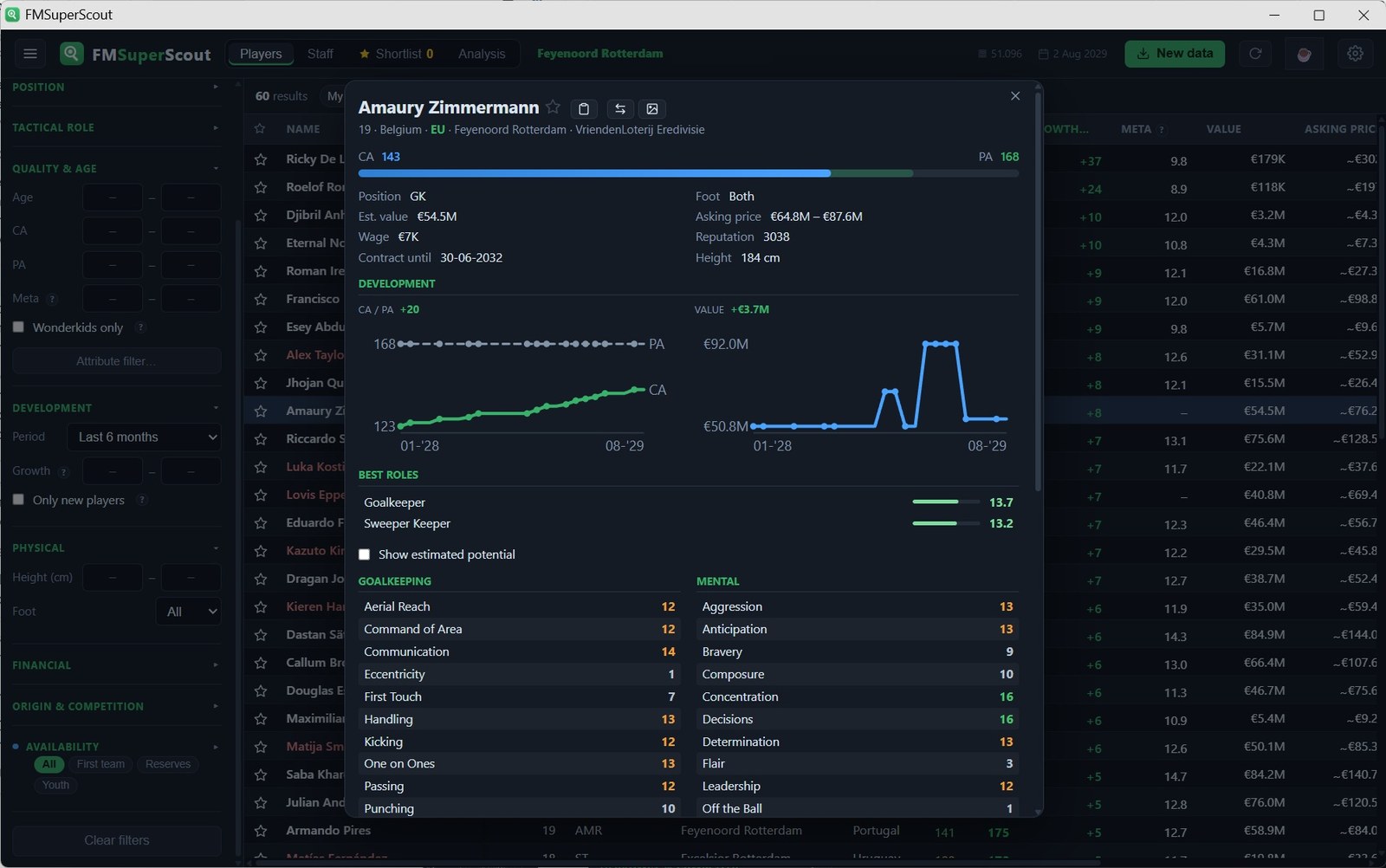
- Player cards. One click saves an FM-style image with stars, attributes and best roles. Wonderkids get a gold card.
- Performance score. Every player gets a 1-20 score based on the attributes that matter most in the match engine, plus another for potential.
(Image: mavarobli)
Everything else
There are stacking filters (age, CA, PA, value, contract, nationality, height, foot), attribute filters, saved presets and ratings for 19 tactical roles. You can compare up to 3 players, see squad depth by position and export your shortlist to CSV. Version 1.5.0 also added women’s football, a goalkeeper score and French and German.
Download FM Super Scout
The installer FMSuperScout-Setup.exe is about 48 MB and comes straight from the author’s GitHub. It works on Windows with FM26.
Download – FM Super Scout 1.5.0 (FM26)
- First, close FM26.
- Run the installer. It installs the app and the in-game plugin.
- Open FM26, load your save and press F9.
- Open the FM Super Scout app and explore the database.
To update, just run the installer again with the game closed. Your settings and shortlist are kept.
Credits
FM Super Scout is by mavarobli. The code, release notes and troubleshooting help are on the project’s GitHub. Looking for more tools? See our FM26 editors and tools.
The files are hosted by their original authors. FMPortugal only points to the official download page — all credit goes to their creators.