How many times have you asked the board to improve the training ground and been told «no»? Stadium & Facilities Manager fixes that. It is a free FM26 mod that lets you spend the club’s own money on upgrading facilities and expanding the stadium, without waiting for the board. You even choose exactly how many seats to add.
The mod is by Alvabolso and has been updated almost daily. The latest version is 1.2.0, from 22 October 2026.
(Image: Alvabolso)
What you can upgrade
Facilities
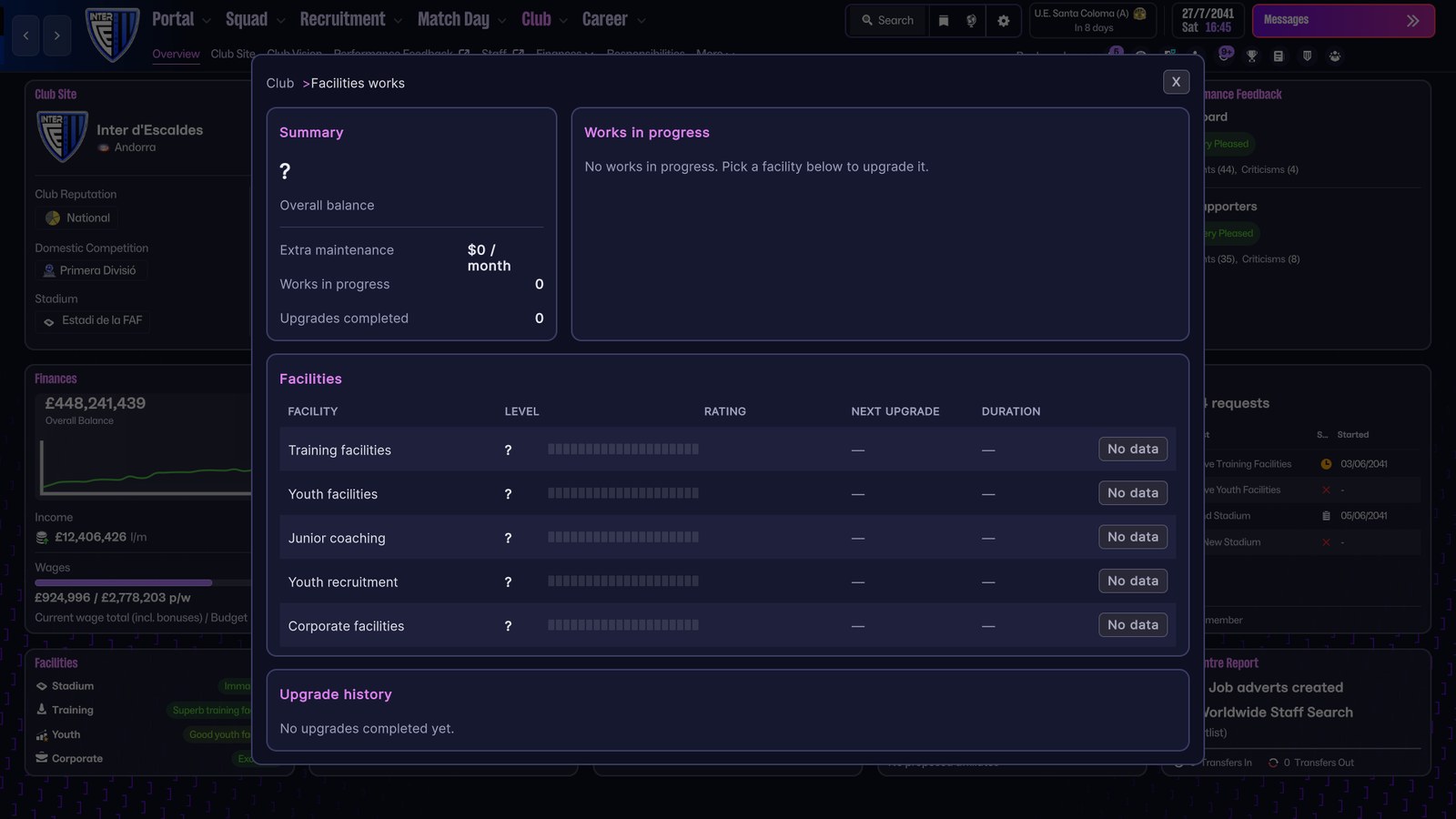
You can upgrade training facilities, youth facilities, junior coaching, youth recruitment and corporate facilities, one level at a time, up to 20. Each level costs more than the last and takes longer to build.
Stadium
For the stadium, you expand the stands by exactly the number of seats you want, using the − and + arrows, while cost and duration update as you pick. You can also enlarge the grounds to raise the expansion limit by 25,000 seats, add a roof, install undersoil heating and improve the pitch condition.
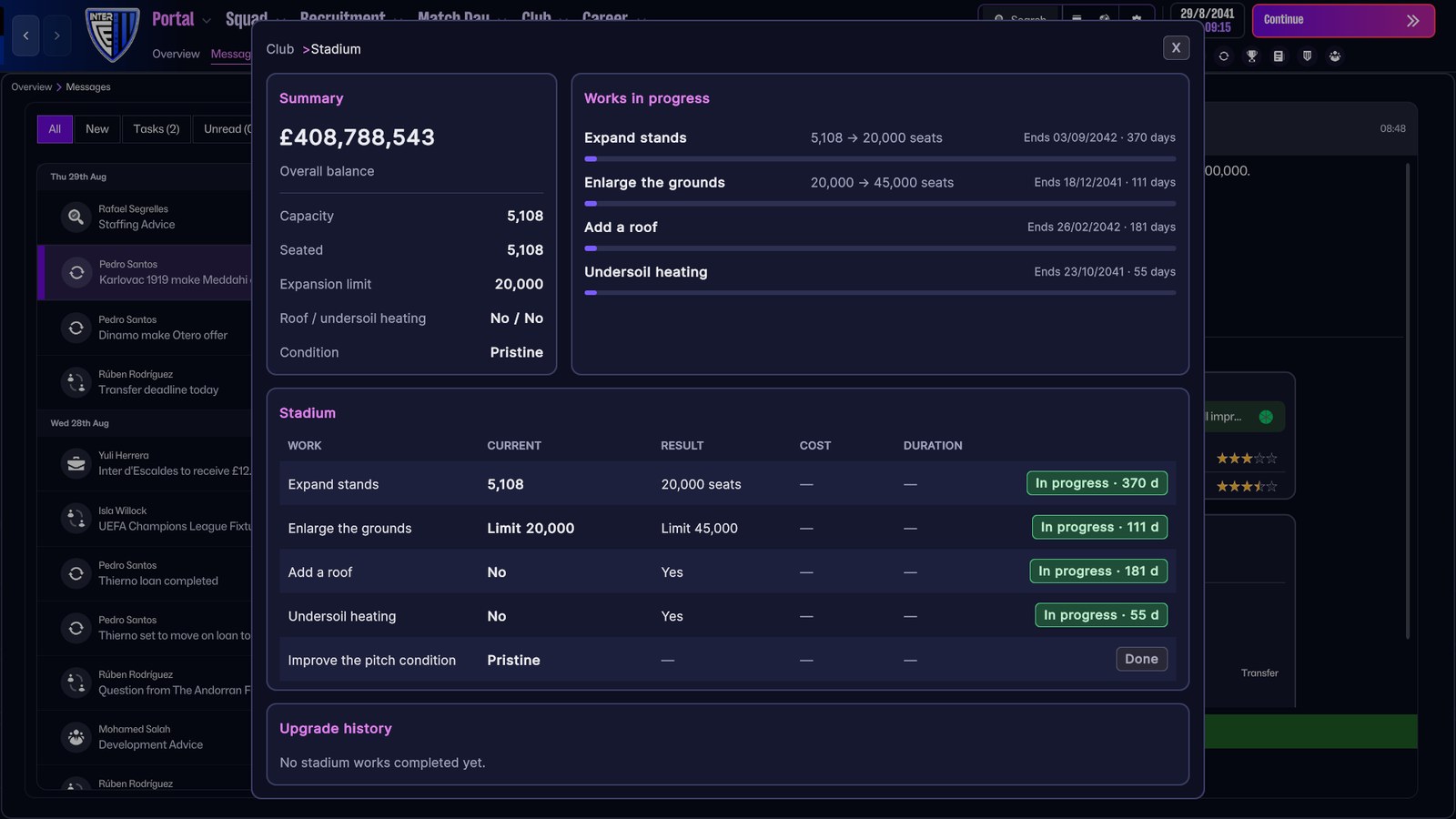
(Image: Alvabolso)
How it plays
Works take weeks of game time and are paid from the club balance when they start, so plan carefully. Every finished upgrade adds a monthly maintenance cost, and growing too fast has a price. In version 1.1.7, maintenance dropped from 1% to 0.05% of the cost per month, so small clubs can afford their upgrades too.
The buttons appear on Club > Facilities, styled like the game itself, and there are «Stadium» and «Facilities works» tabs in the Club menu. F8 opens the facilities window and F7 the stadium one. It works with any club, any career and any currency, and each career keeps its own progress.
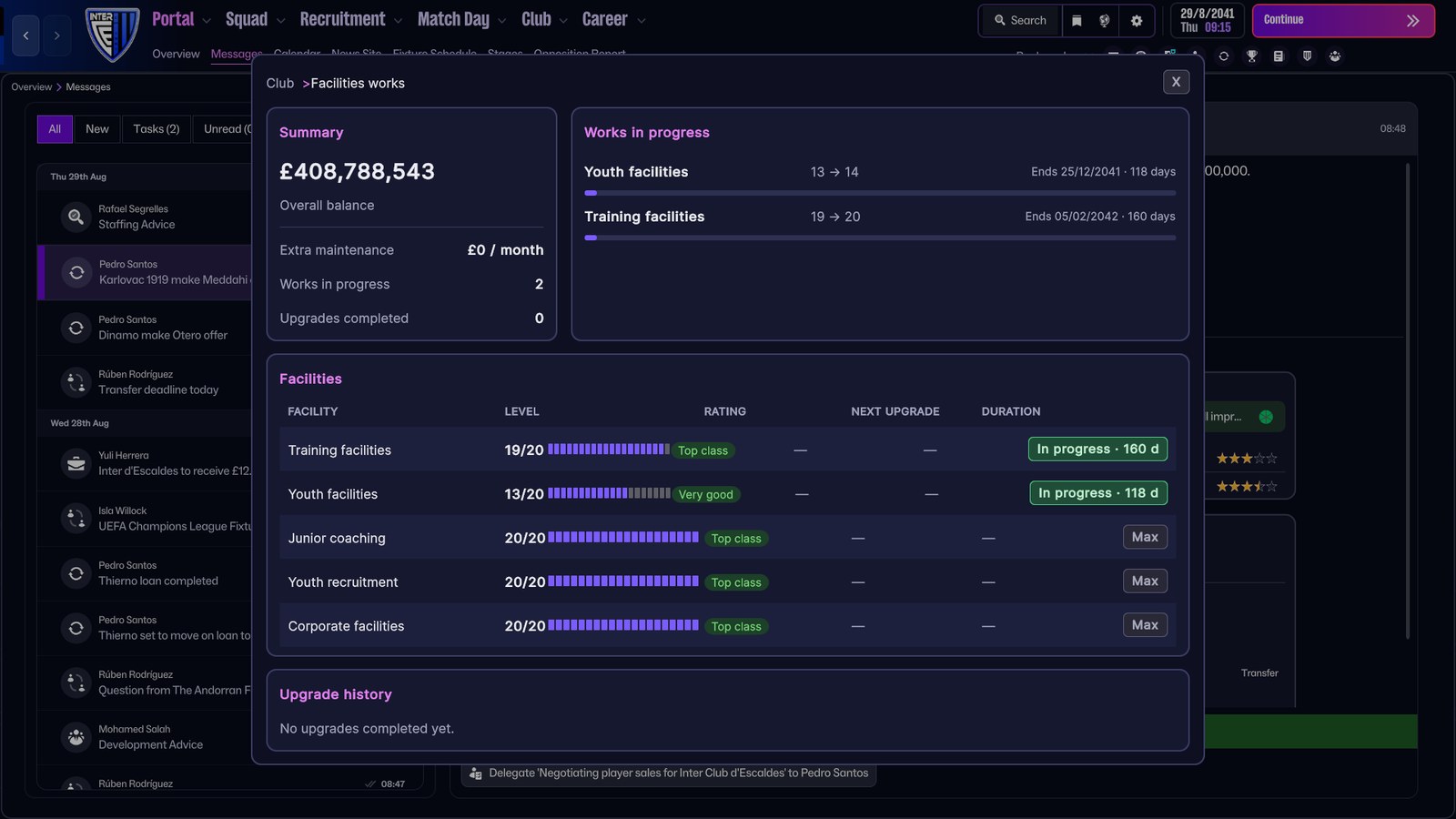
(Image: Alvabolso)
What is new in recent versions
- 1.1.0: the mod finds your club data even if the game version changes, and writes a diagnostic to its log.
- 1.1.7: besides cheaper maintenance, it fixed charges carried over from old careers and disappearing buttons, and settings now apply without restarting the game.
- 1.2.0: added the F7 and F8 shortcuts, better skin compatibility and Linux support (Wine/Proton).
For future versions, the author promises your own ticket prices, selling stadium naming rights to a sponsor and stadium images in the mod windows.
Requirements
- FM26 on PC.
- BepInEx 6 for IL2CPP, build 755 or newer. Older builds such as 674 do not work (the game will not open). If you already use other BepInEx mods in FM26, you have it.
Download Stadium & Facilities Manager
The file StadiumFacilitiesManager_v1.2.0.zip is about 60 KB.
Download – Stadium & Facilities Manager 1.2.0 (FM26)
- First, install BepInEx 6 IL2CPP in the FM26 folder (the one with fm.exe), run the game once and close it.
- Unzip the file into the FM26 folder. You should end up with BepInEx\plugins\StadiumFacilitiesManager\StadiumFacilitiesManager.dll.
- Start the game, load a career and go to Club > Facilities.
To update from an earlier version, just replace StadiumFacilitiesManager.dll. Your upgrades and works in progress are kept.
Settings and precautions
- Settings: costs, durations, maintenance and language (English or Spanish) are in BepInEx\plugins\StadiumFacilitiesManager\settings.cfg. Values are in pounds, the game’s internal currency, and are converted to yours.
- Turning it off: set enabled=0 in the same file, without restarting the game.
- Only your own club can be upgraded.
- Back up important saves. A game update may stop the mod until a new version comes out.
- Problems? The author asks for the log.txt from the mod folder, without closing the game, and a screenshot.
Credits
Stadium & Facilities Manager is by Alvabolso. Looking for more extras? See our FM26 editors and tools and ManagerLife, which gives your manager a personal life.
The file is hosted by FMPortugal, exactly as the author published it, to make downloading easier. All credit goes to Alvabolso.