The UICHANGE has reached version 2.1 and still gives FM26 a look inspired by FM24: sidebar, reorganized screens and now an all-navy-blue theme. It started on the Korean forum FM Korea, became popular on Reddit and is the work of a Korean player, who publishes it under the name Gigliati. This version brings translations for all languages and a Mac version, still in alpha. The author wants to carry the same work over to FM27 when the game is released.
⬇️ Jump to the download: UICHANGE 2.1 (Windows)
What's new in version 2.1
- Navy blue theme: the blacks and grays are gone. When you hover over an element it turns a lighter blue, and when you click it, it is highlighted in gold.
- Stadium packs fixed: there is a patch that makes FM26 recognize stadium picture packs (see the section below).
- Women's football: new tab in League News.
- Tactics: internal scrolling in Player Instructions, improved interface, and the screen background is no longer transparent.
- Scoreboard: the scoreboard background, on the left during matches, is now transparent.
- Match highlights: completely redesigned panels. At lower resolutions you may need to scroll to see the xG chart and Match Momentum. In Around the Grounds, scroll sideways to see the league table and stadium information.
- Transfers: change to the Transfer 1 panel.
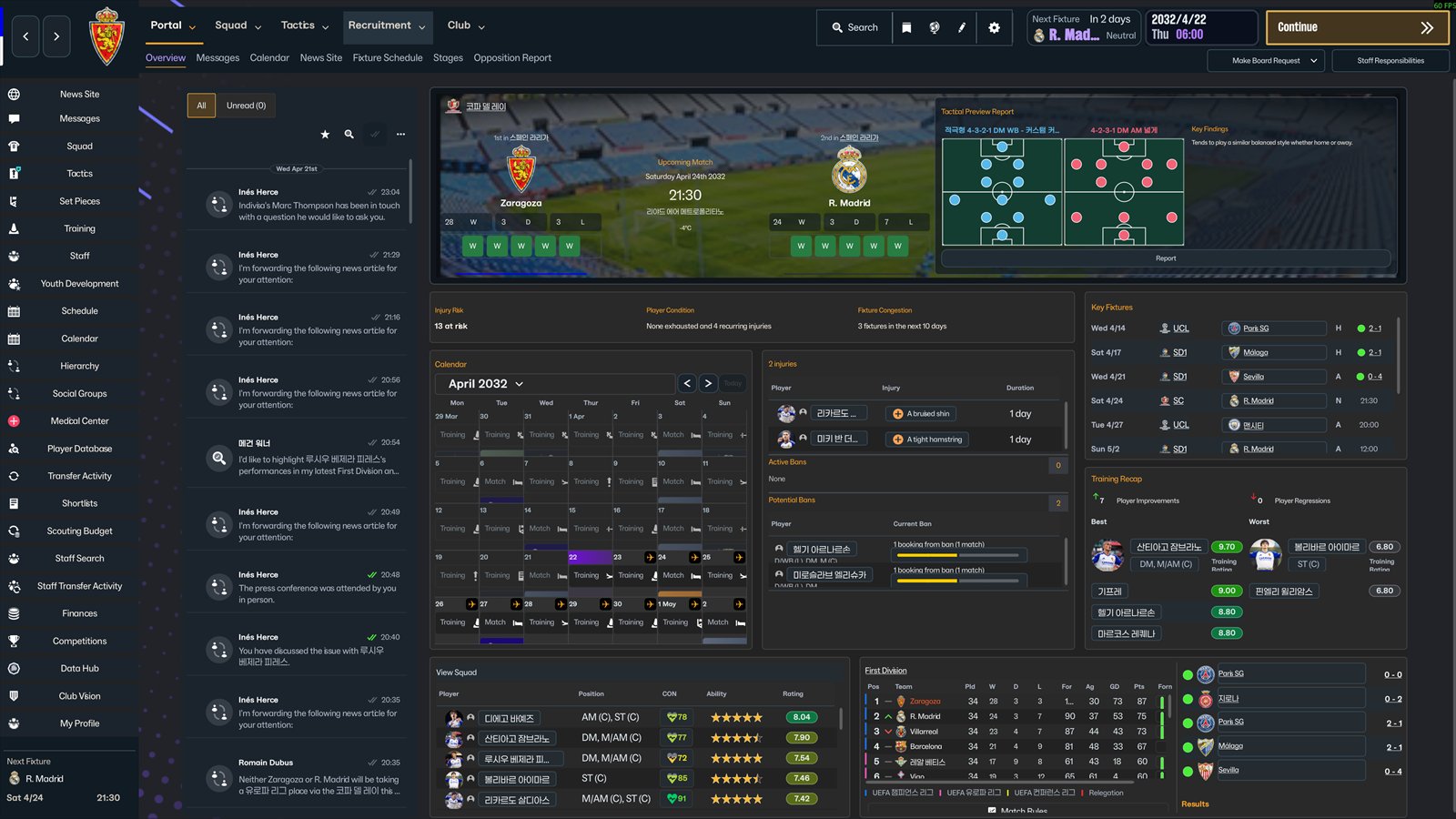
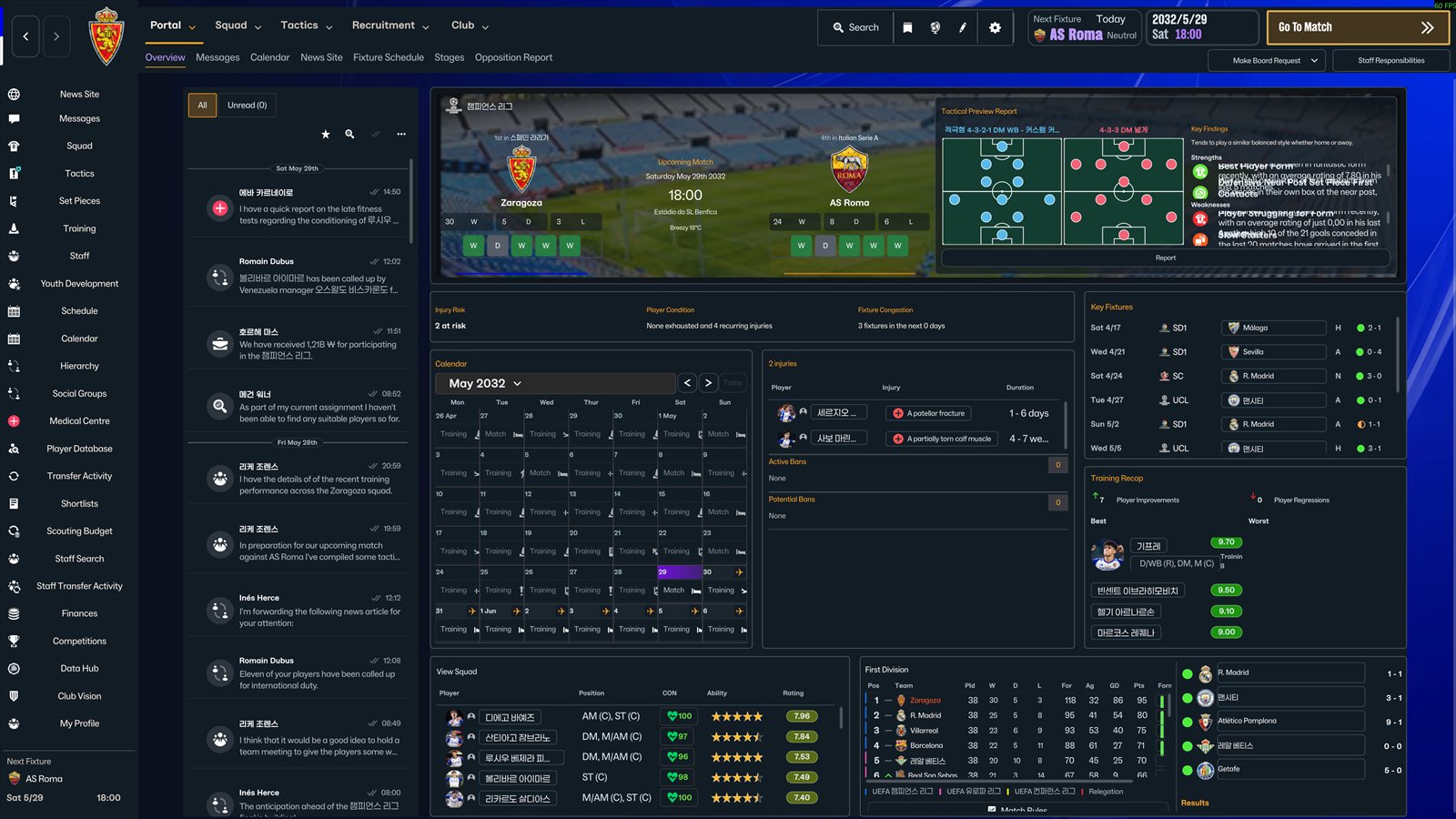 Portal with the new navy blue theme
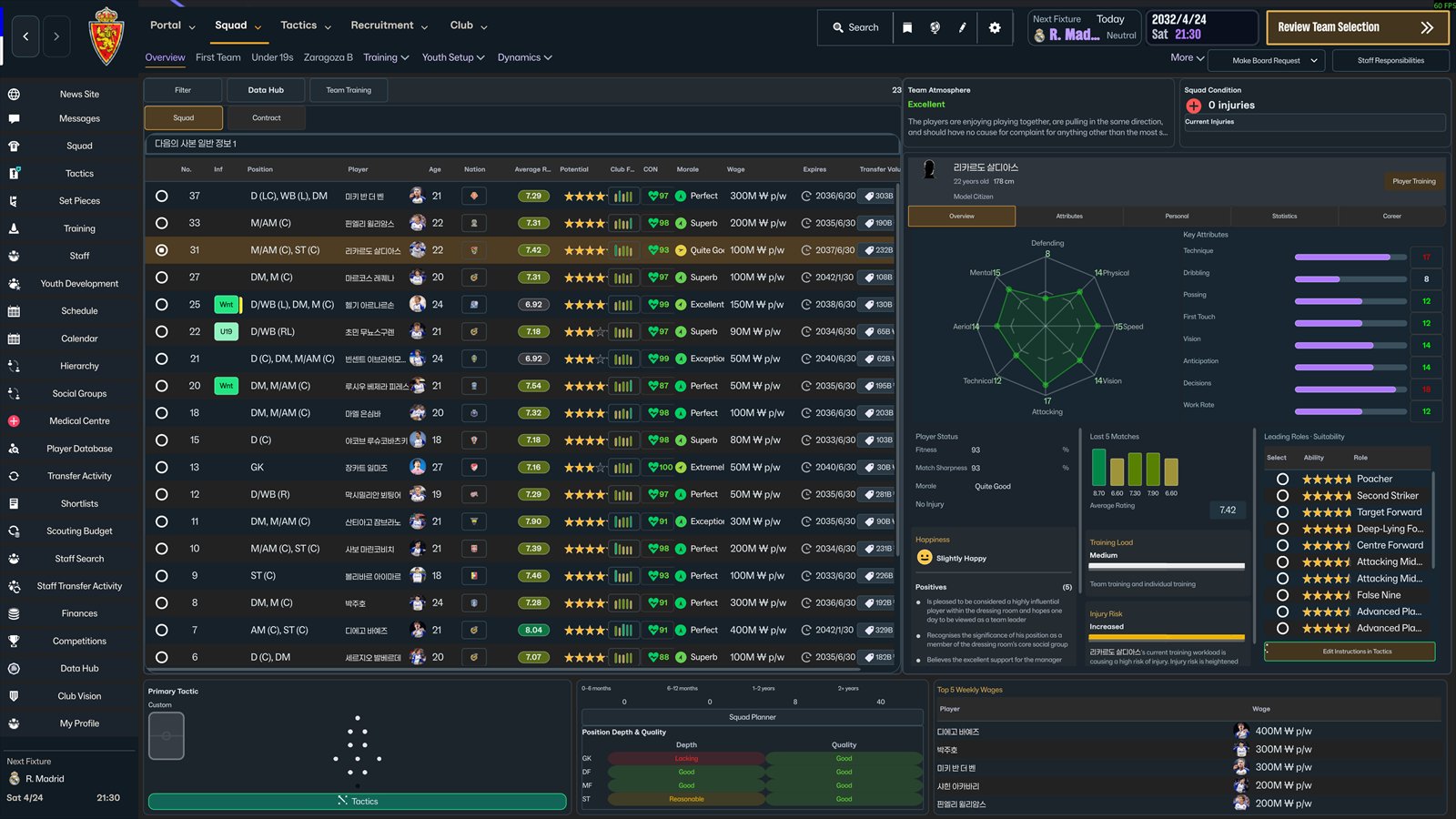
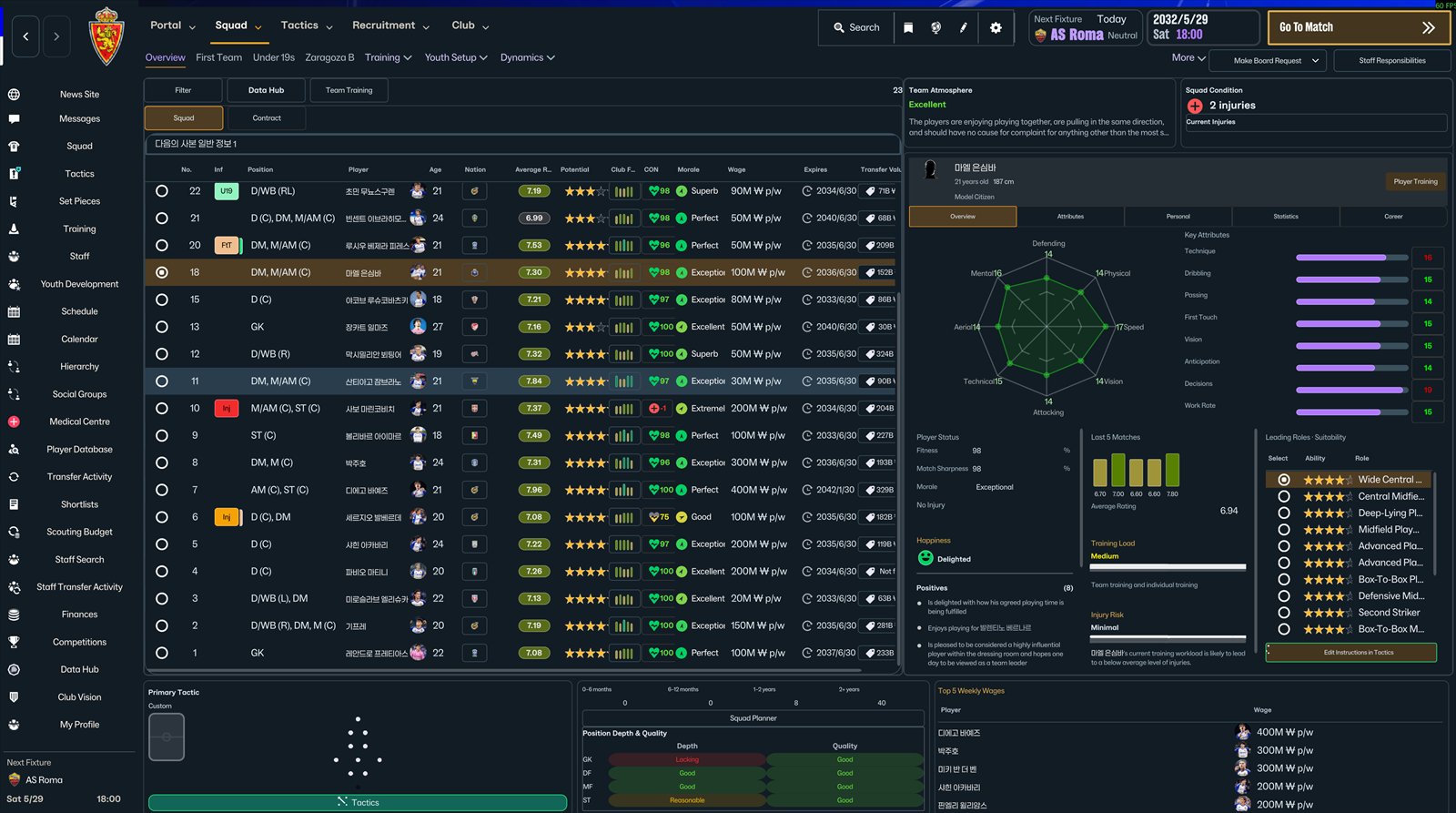 Squad with player side panel
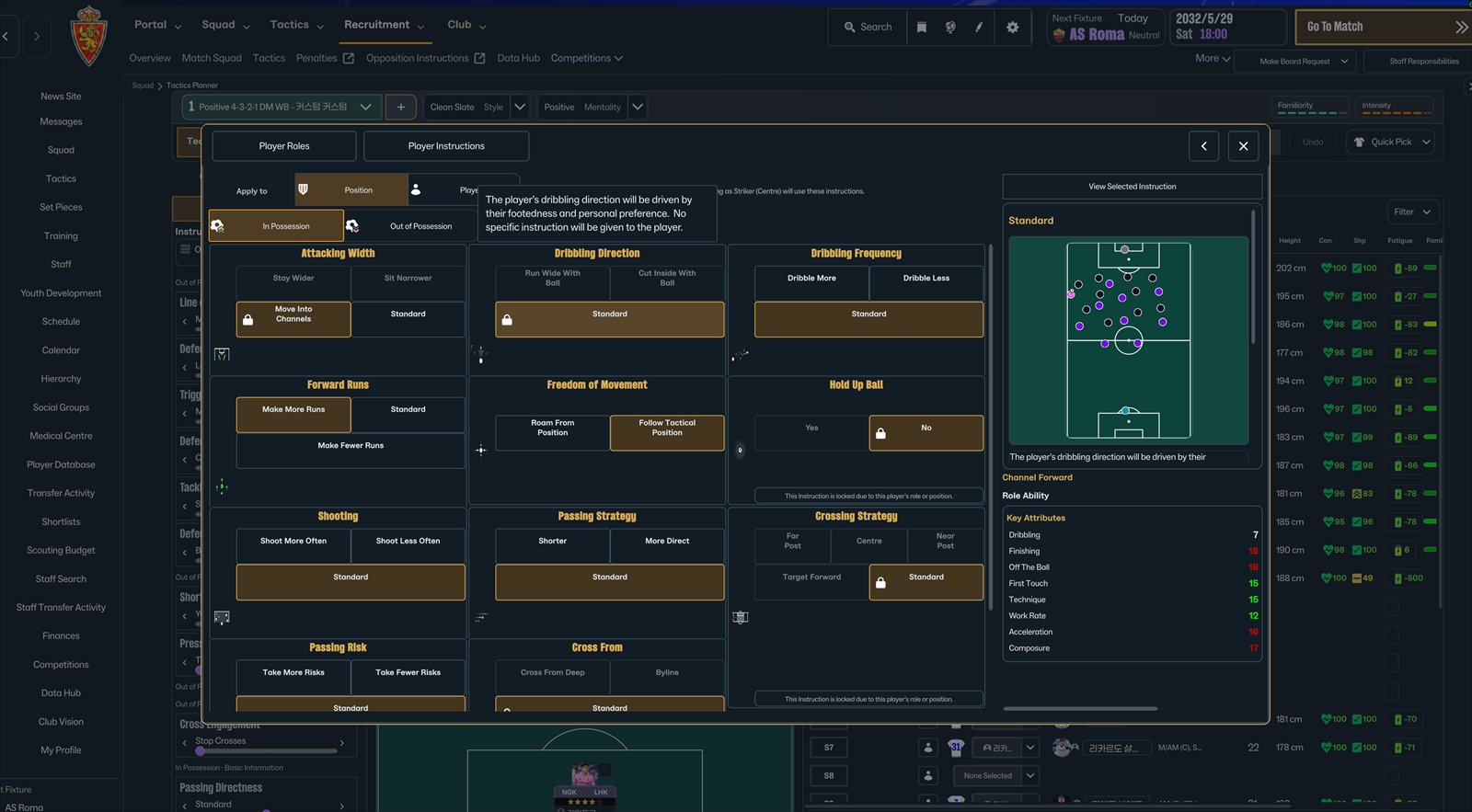 Player Instructions with internal scrolling
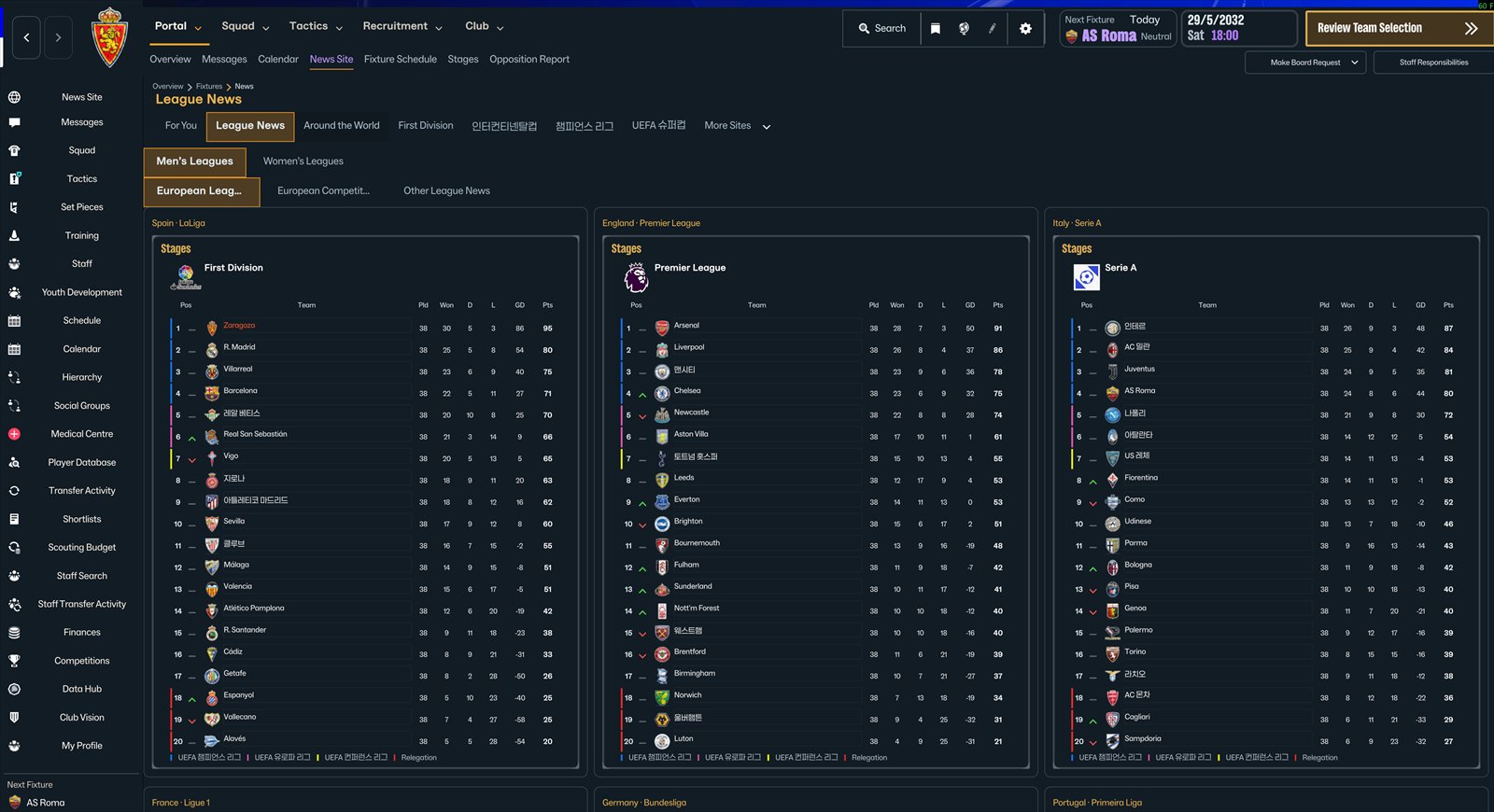 League News with the women's football tab
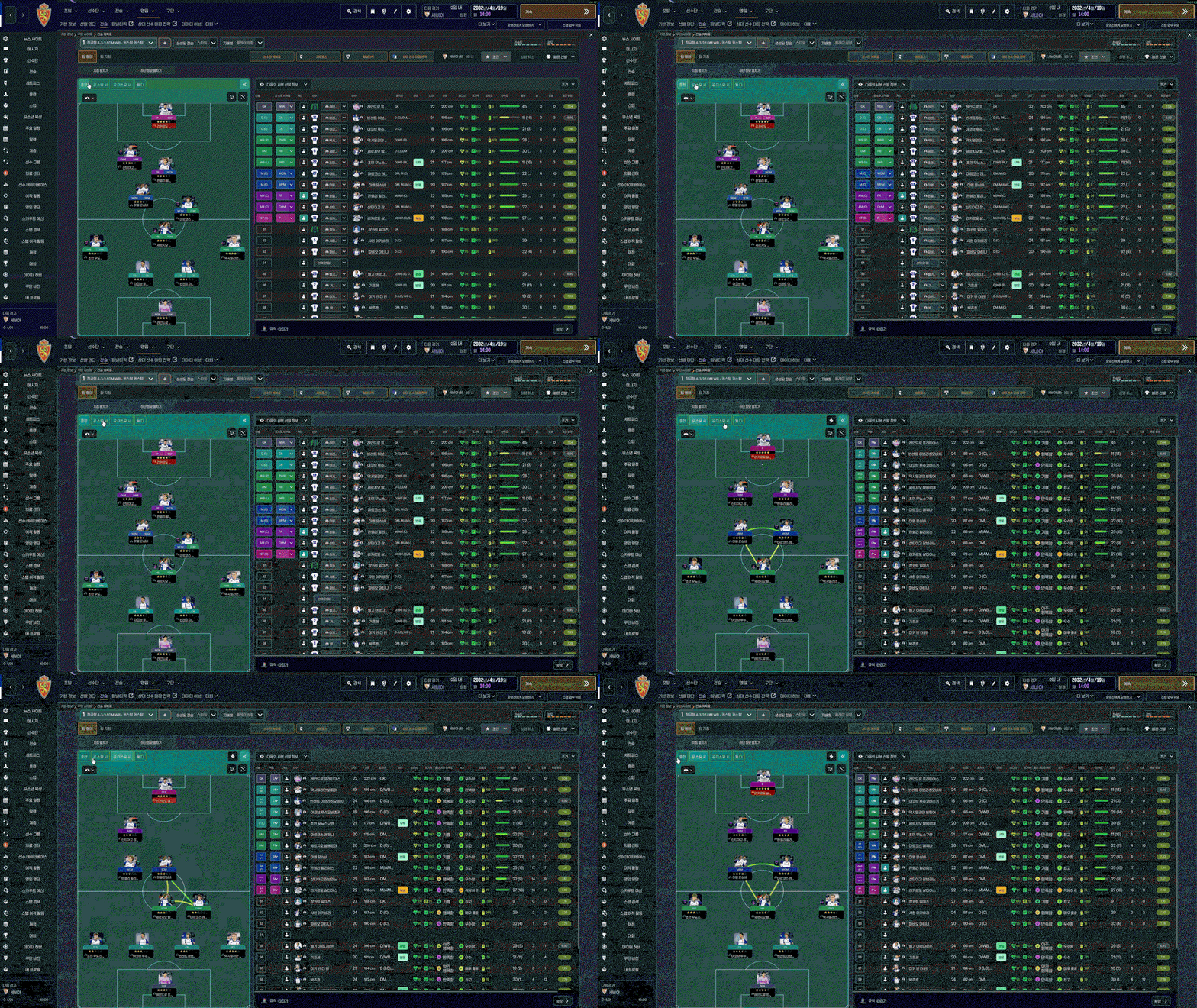
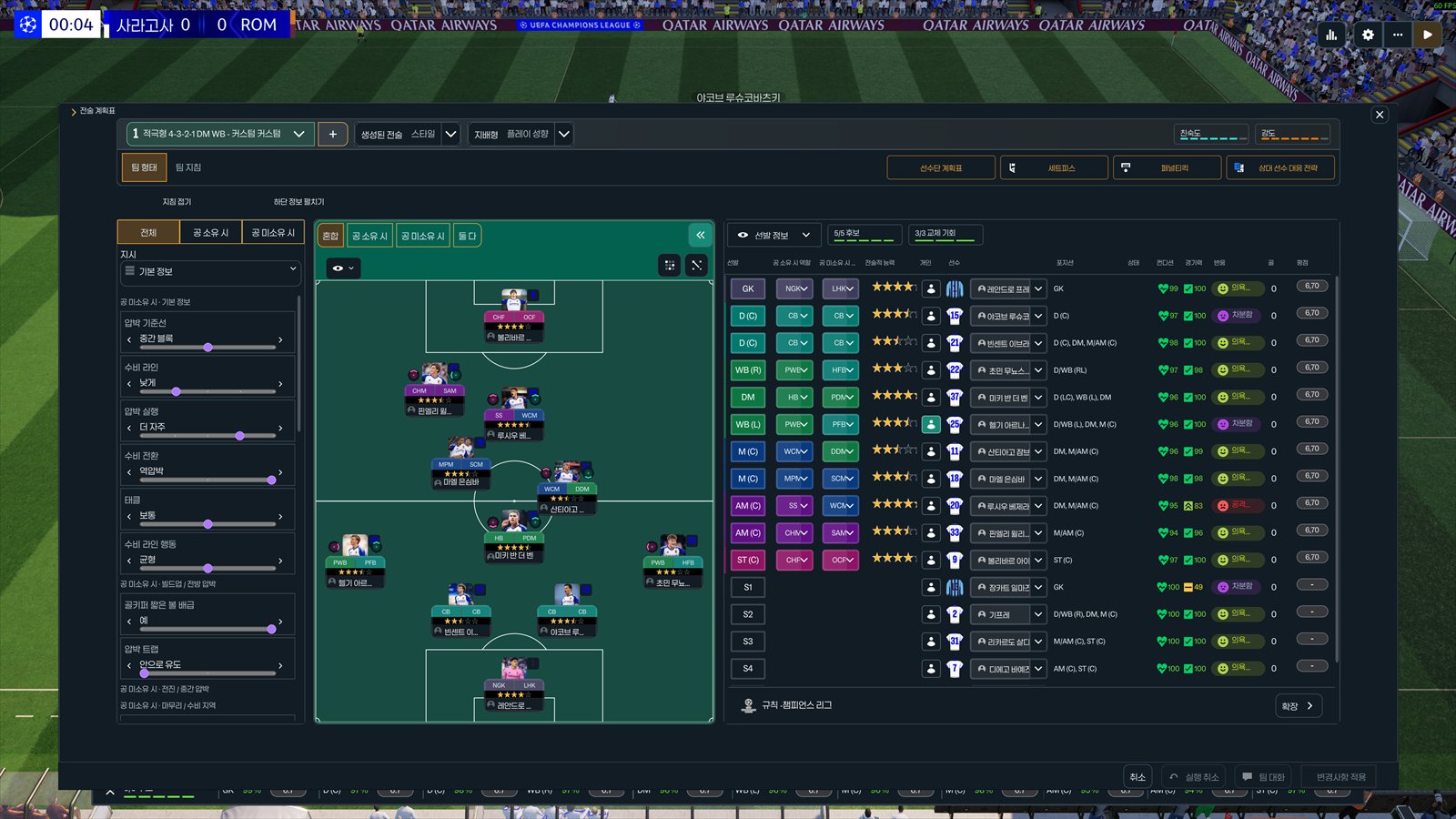 Tactics screen over the pitch
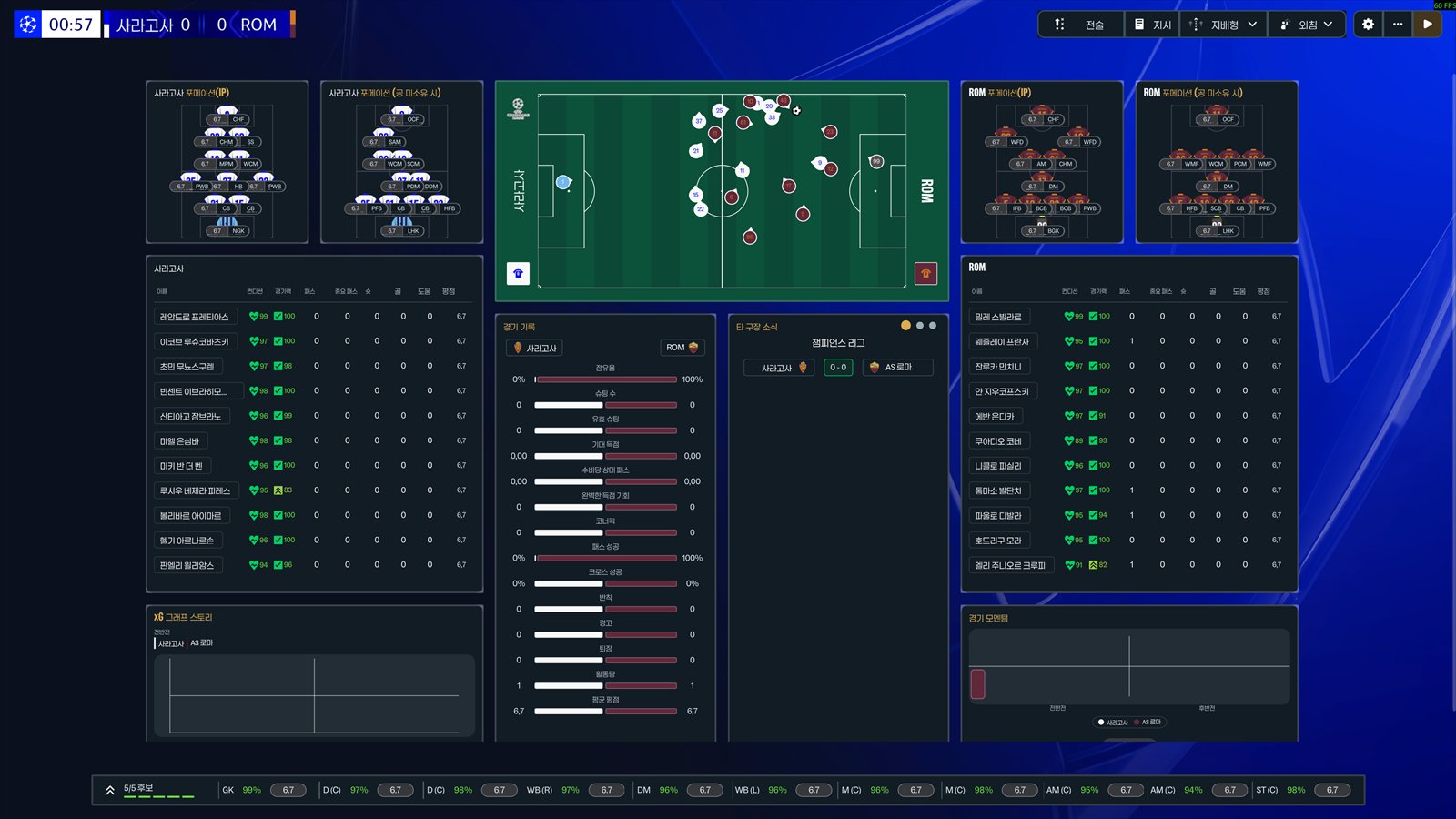 Match highlights panel
Images: Gigliati
What the skin adds to FM26
Top bar and sidebar
- The top bar is reduced to five main sections, with no repeated or useless functions.
- New buttons to make requests to the board, delegate staff responsibilities, go on holiday and open the Squad Planner.
- The sidebar has been reorganized, with Staff Transfer Activity, the next match at the bottom and a button to switch teams when you manage both a club and a national team (that screen uses the original FM26 look).
Portal
- If you have a stadium pack with each club's stadium, the background for league matches shows the home team's stadium. Without an image, the background is black.
- In the calendar, click the airplane icon on the day you want to go on holiday until that date.
Squad
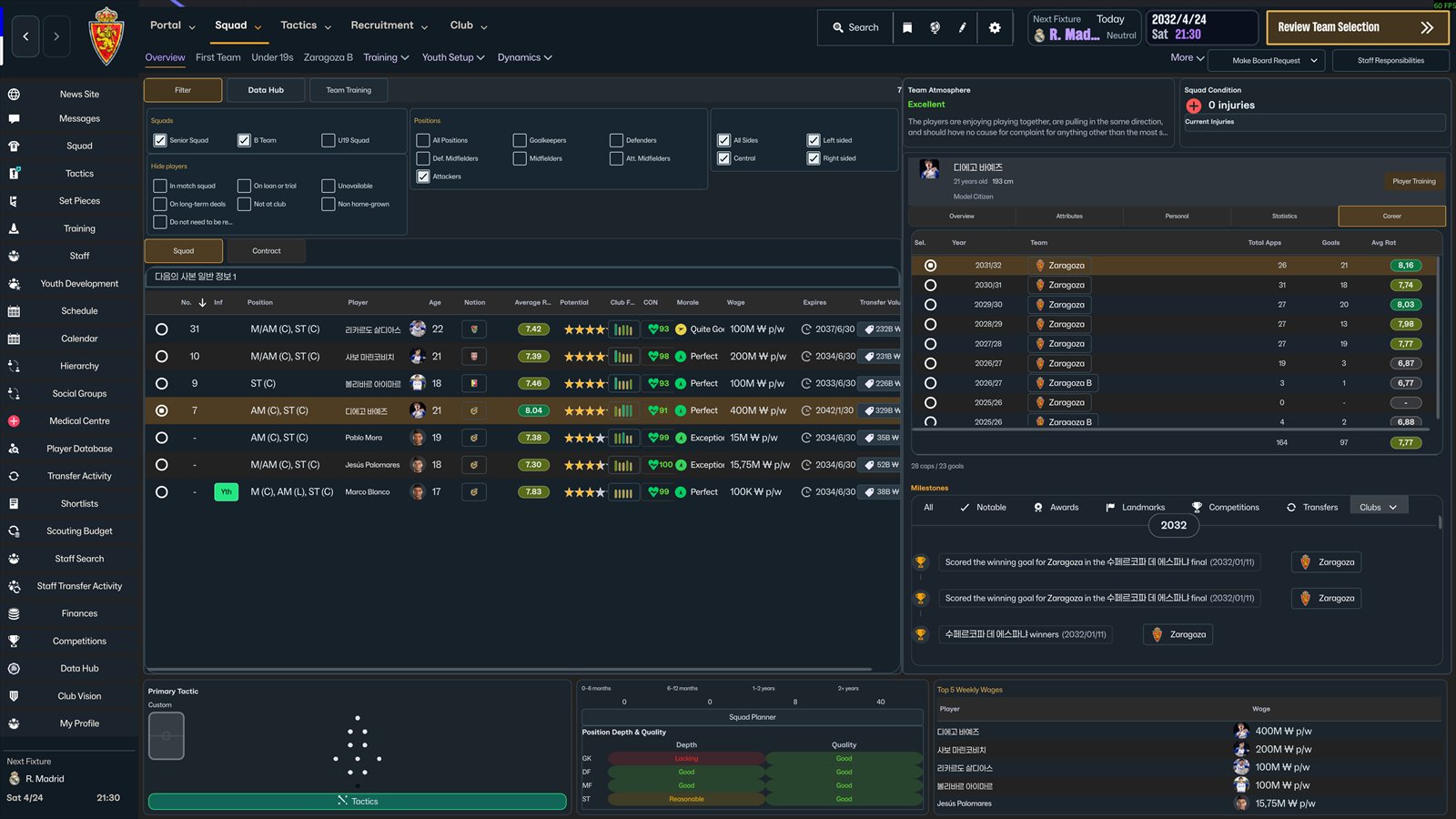
- The Condition button lets you filter players, and the top 5 highest salaries update in real time with the filters.
- Clicking a player opens a compact panel on the right (Overview, Attributes, Personal, Stats and Career), without leaving the squad.
- Shortcuts at the bottom to the Tactics and Squad Planner screens.

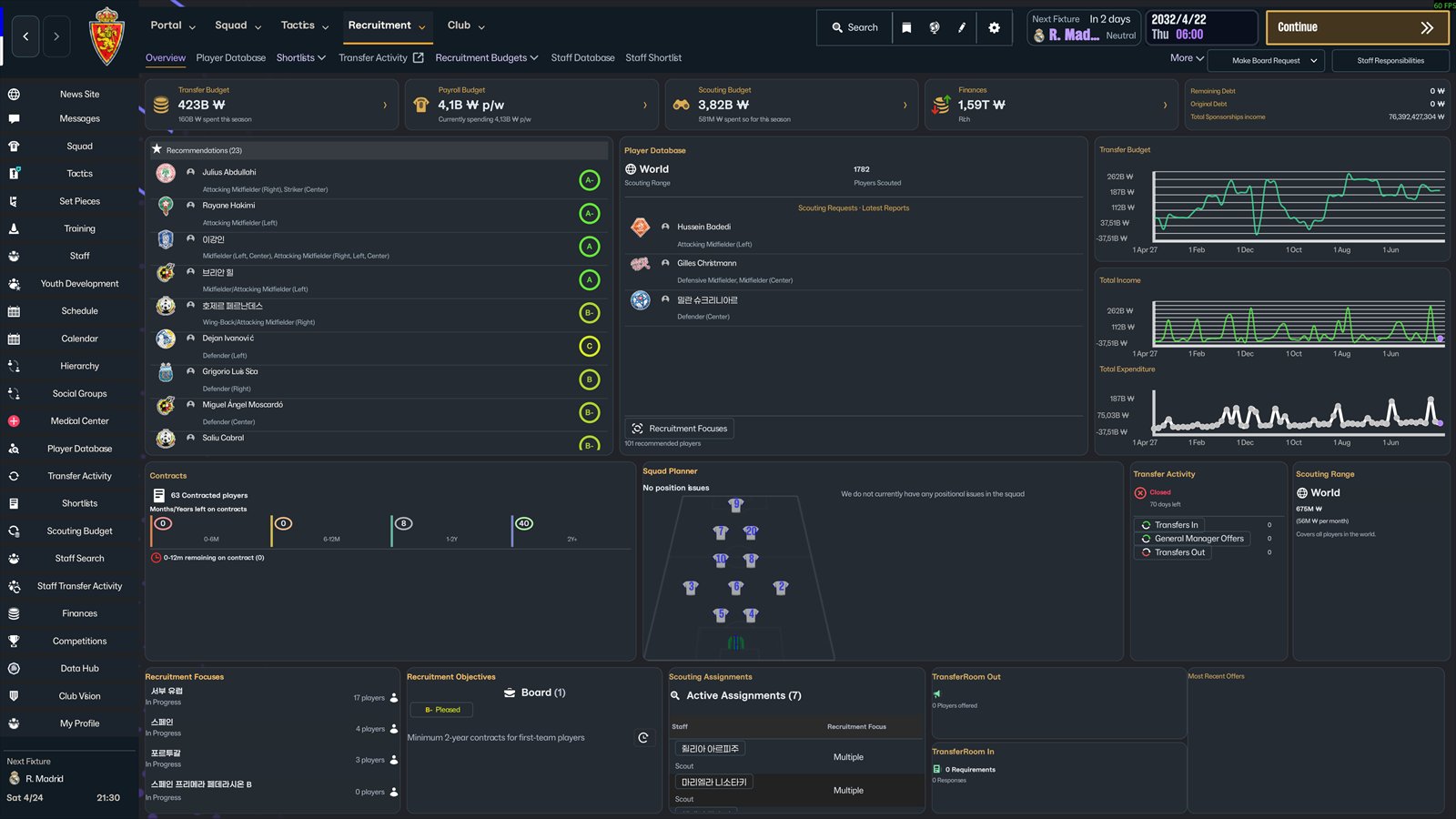
Recruitment
- Financial overview at the top: transfer, wage and scouting budgets, finances, debt and sponsorship income.
- Recommendations from your scouting team are on the left. The database shows the players you asked to be scouted and updates in real time.
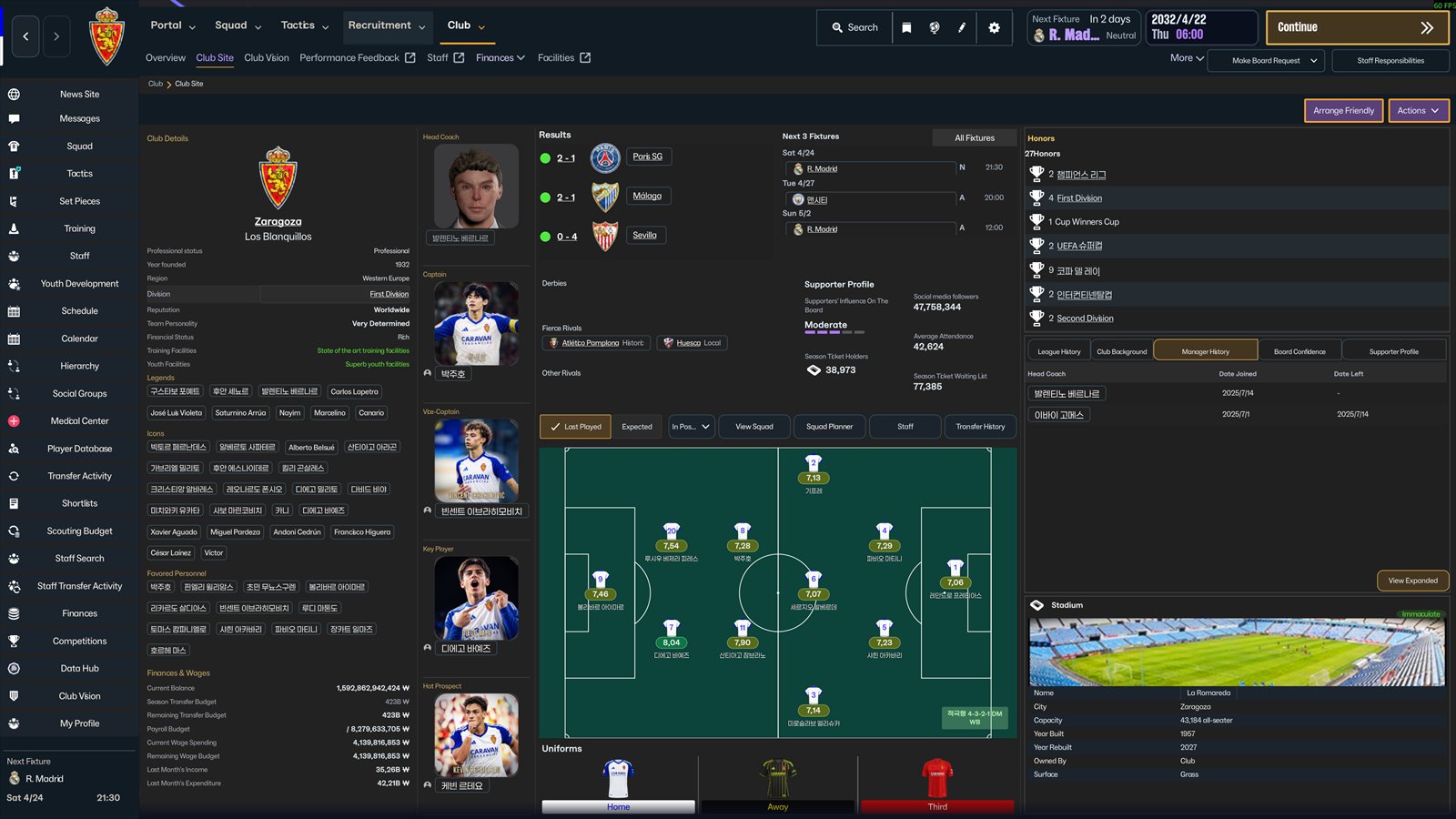
Club
- Stadium images, new Staff and Transfer History tabs, and navigation reduced to five tabs.
- Five panels on the right with quick access to the club's key information.
- The manager history can be viewed in a compact version or full screen. Recent results have been fixed.
News and inbox
- Message content appears directly on the main screen, with no extra clicks. Not everything was moved out of the original screens.
- League table summary in News and award winners in the League tab.
- European leagues: Spain, England, Italy, Portugal, Germany, France, Turkey and the Netherlands in one place.
- European competitions: standings and fixtures or brackets for the three major competitions.
- Other leagues: South Korea, Brazil, USA and the AFC Champions League.
- The tables are read live from the game, so the images can take a while to load. This is a limitation of FM itself.
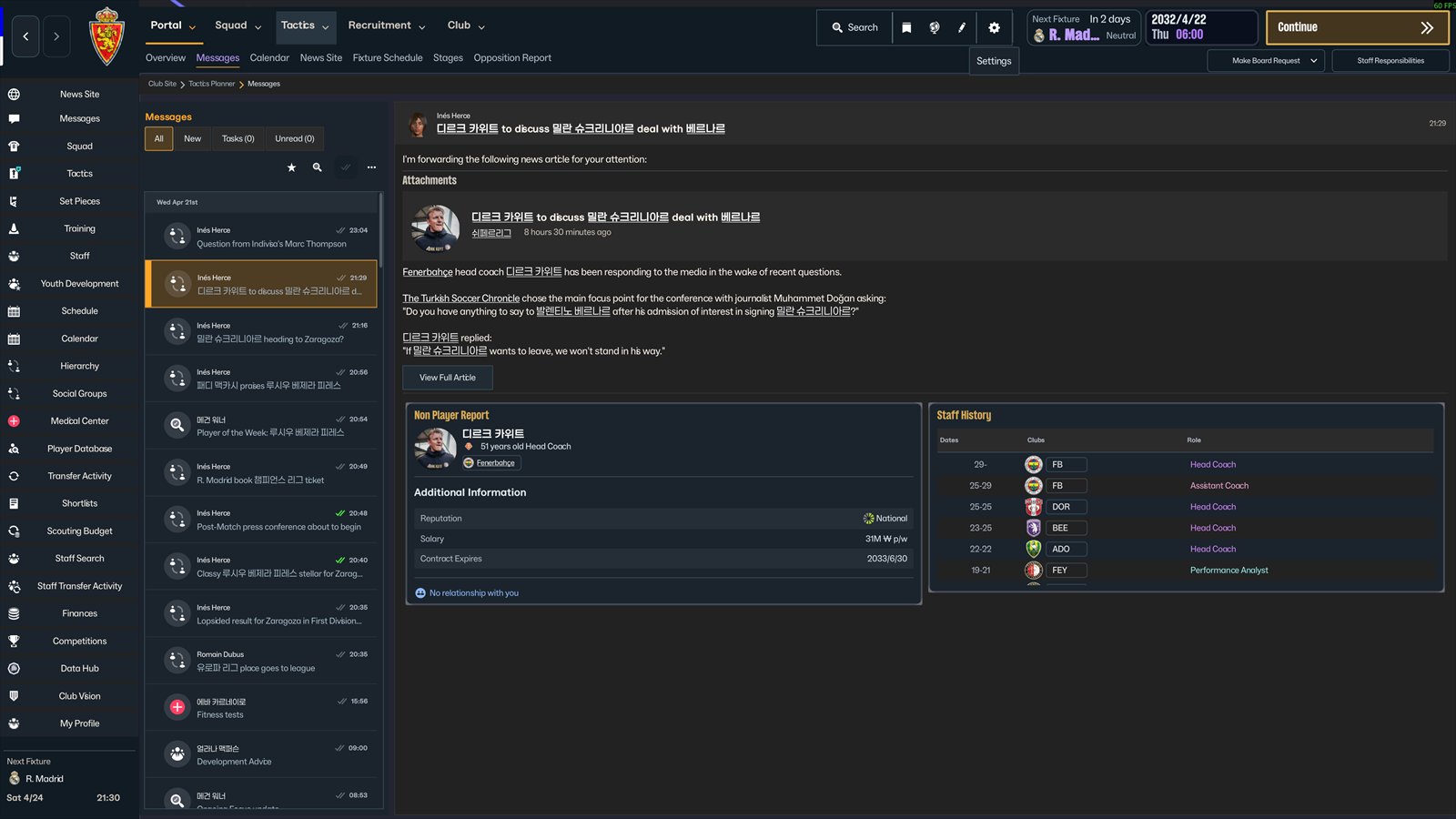 Inbox with the message on the main screen
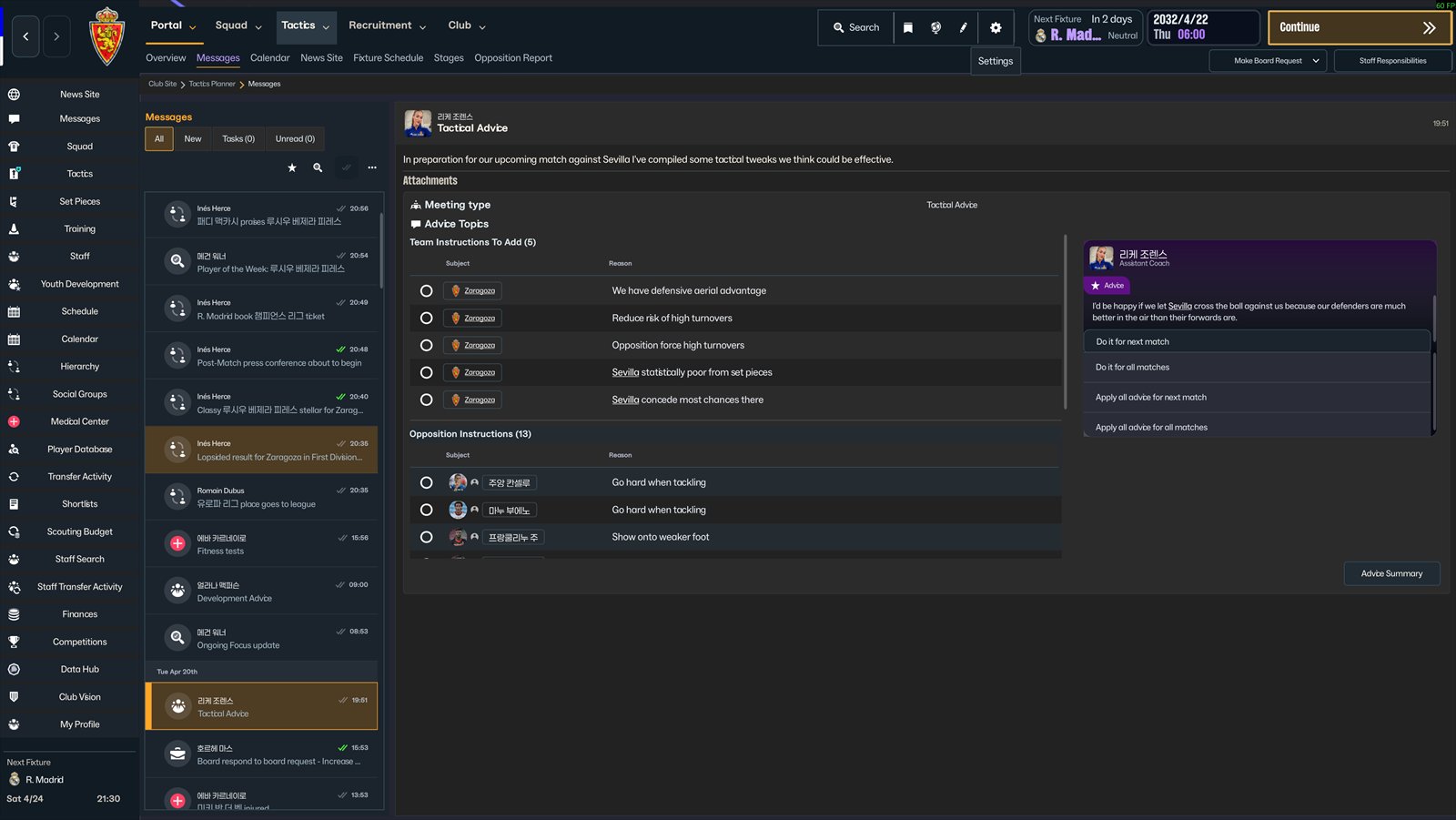 Inbox with tactical advice
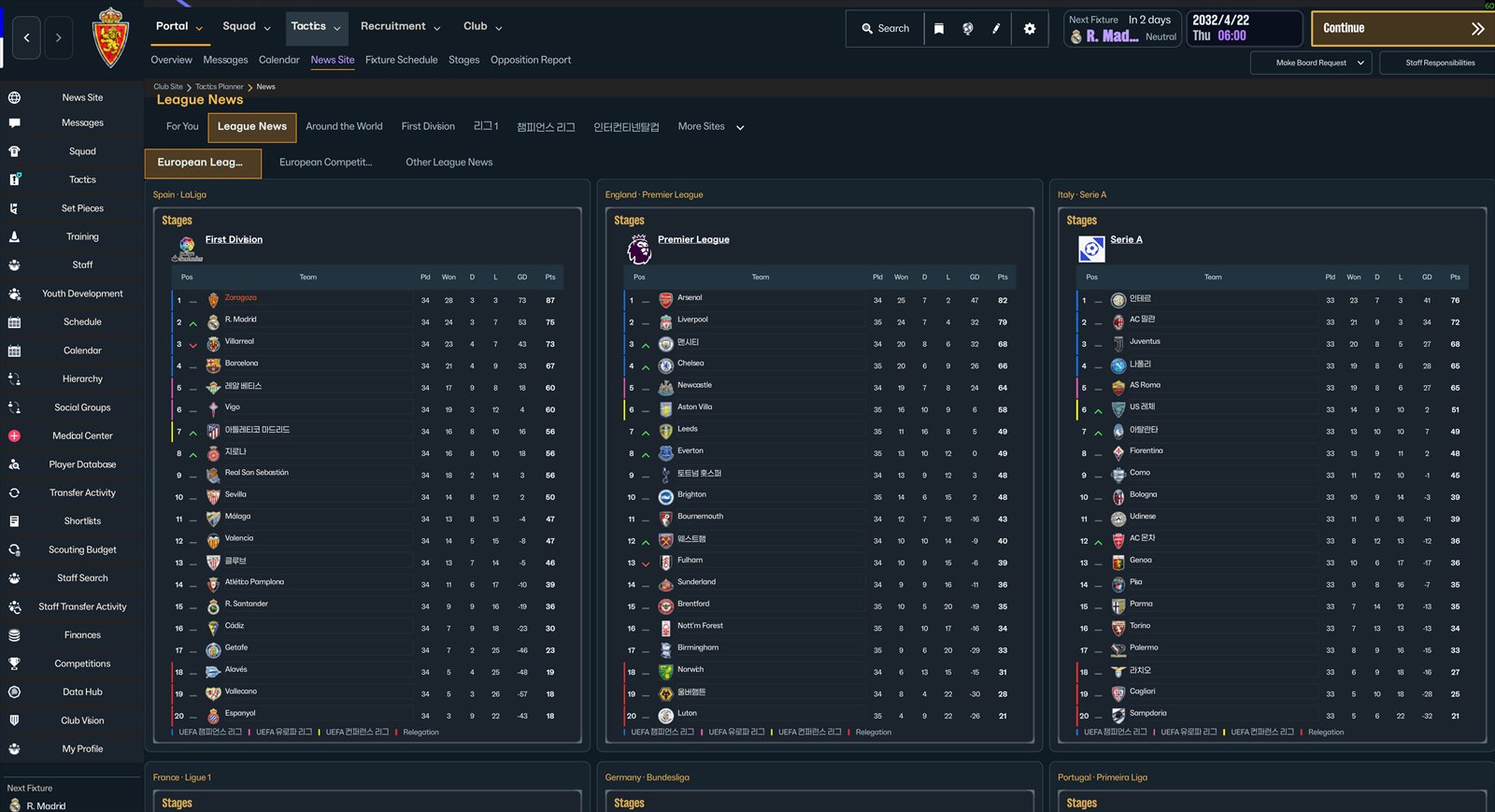 League News: European leagues
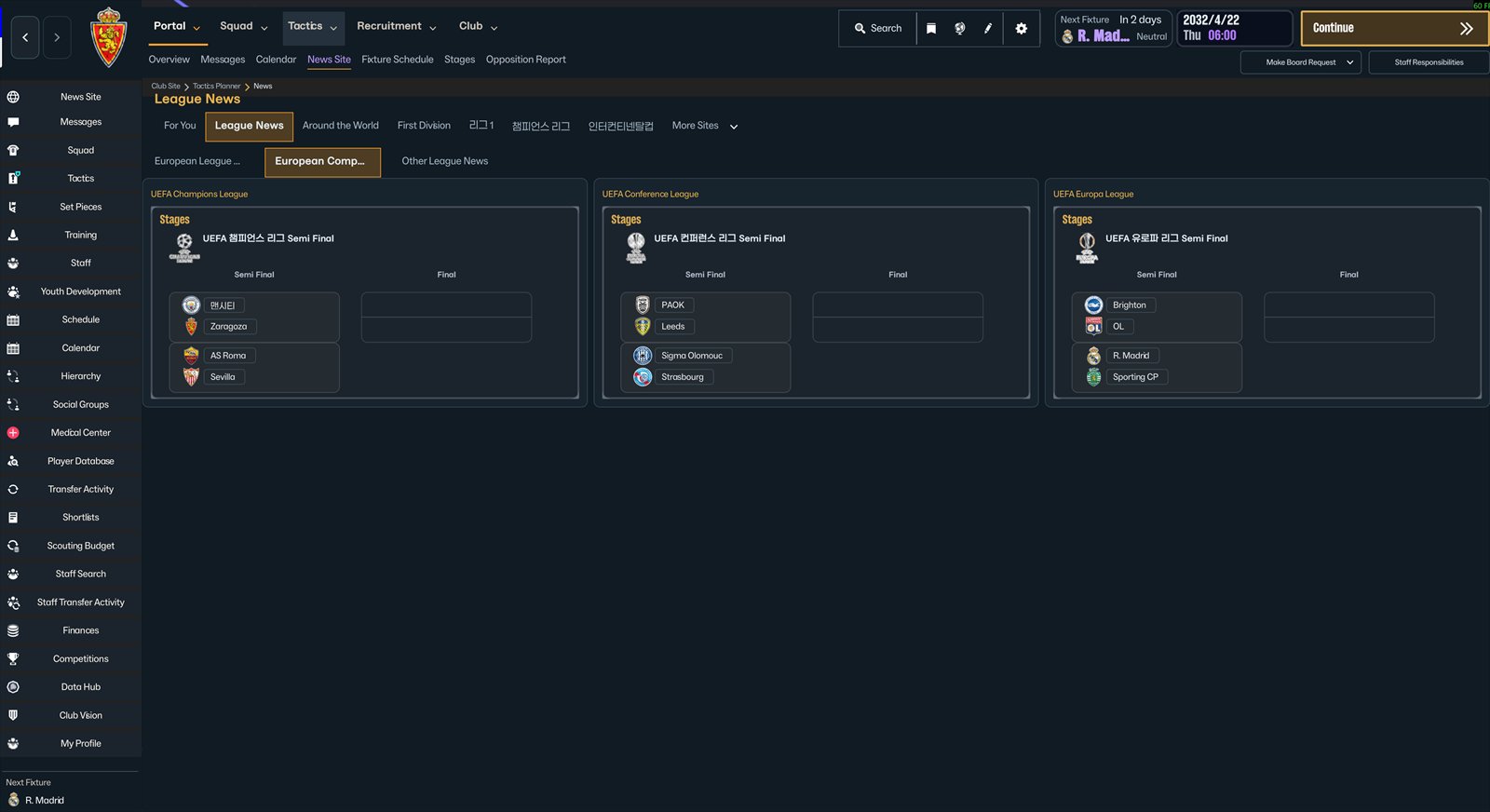 League News: European competitions
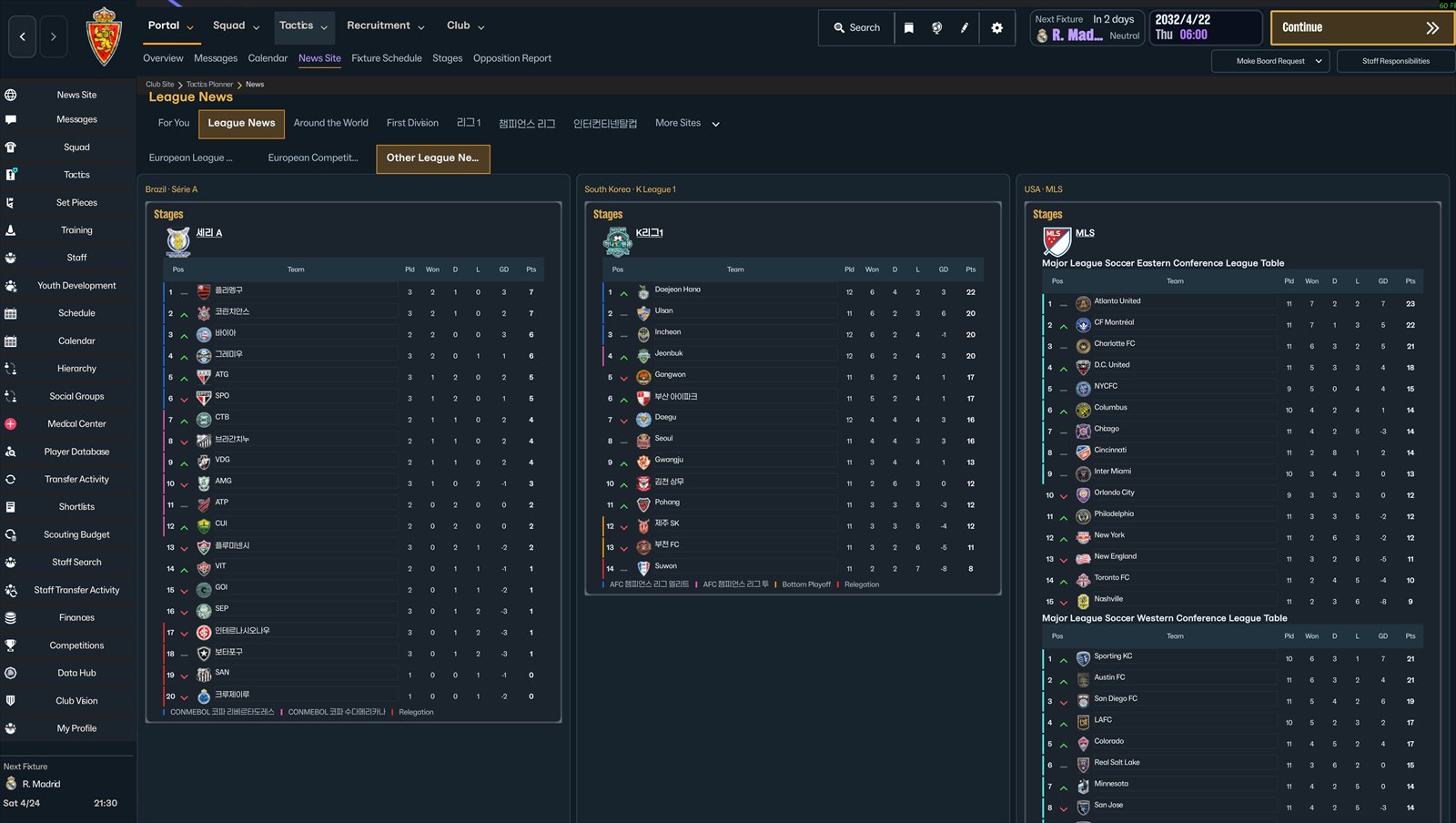 League News: other leagues
Tactics
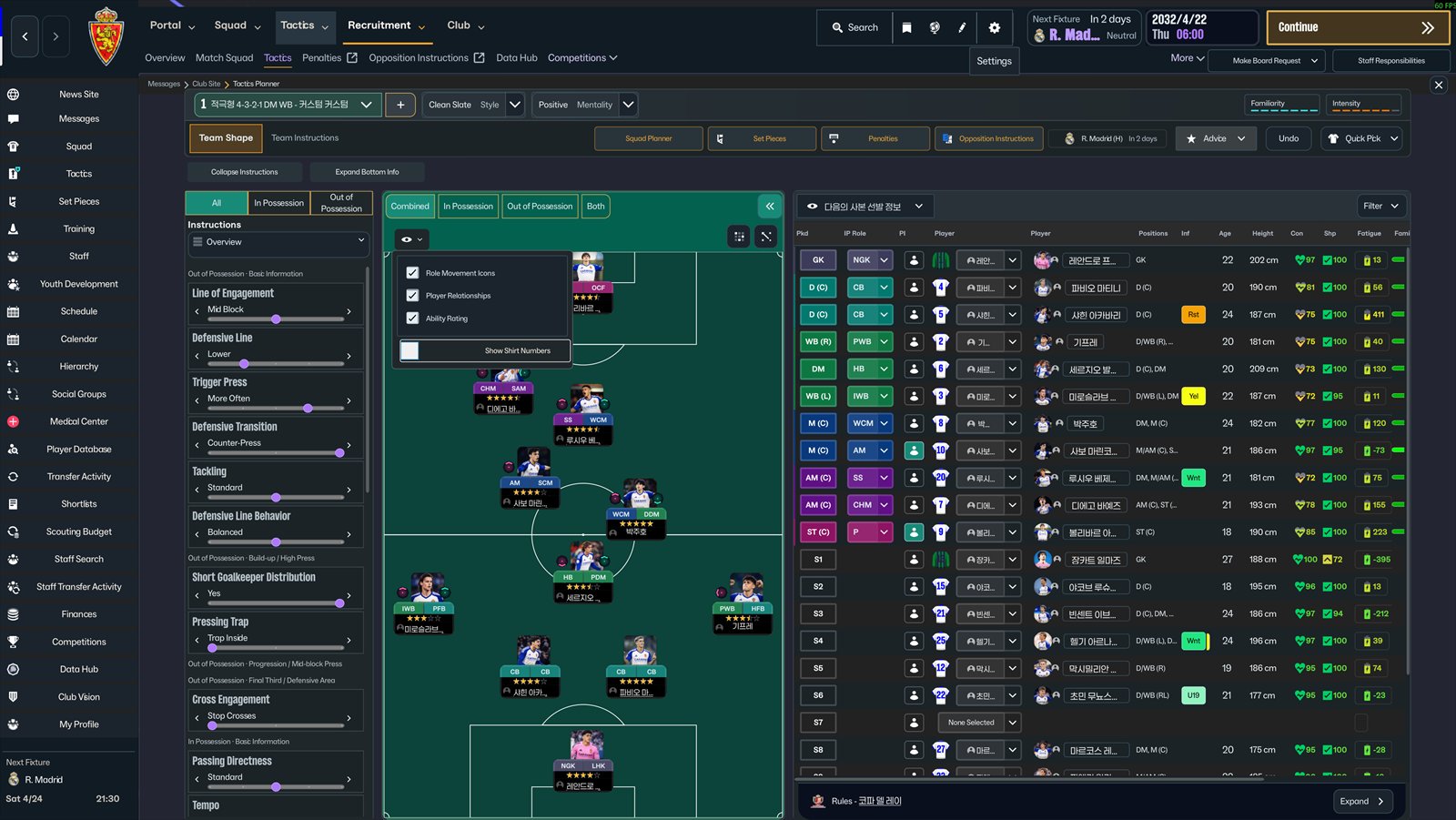
- Completely redone screen, with FM24-style sliders to expand or collapse the instructions on the left and the information panels at the bottom.
- Toggle for shirt numbers: when off, player photos are larger. When on, they are slightly smaller.
- Smooth transitions when switching between Combined, In Possession and Out of Possession.

During matches
- Goal notifications show the player's photo, and the fitness condition at the bottom center now appears as a percentage instead of icons.
- The scoreboard moved to the left and the tactics and control buttons to the right, which improves compatibility with scoreboard patches.
- Fixed the format of the full-time report and a crash caused by the graphs button at certain resolutions.

General fixes
- Resolution and font issues fixed.
- Translations for all languages.
- Fixed the bug where values changed in steps of five when searching for staff.
Before installing
- The skin was tested at 3840×2160 and 1920×1080. At other resolutions or aspect ratios, some elements may be out of place or cut off. The author is asking for feedback.
- Changing the resolution, the font or switching between windowed and fullscreen can cause a crash dump when the game reloads the skin. Make these changes from the main menu or restart the game first.
- If you were using another skin, go back to the default skin before applying this one. Otherwise, it may crash.
- Think the text is too small? Increase the font size in the game settings.
- The Mac version is in alpha, so you may run into bugs.
How to install
- Unzip the file.
- Copy the contents of the folder addressables to steamapps\common\Football Manager 26\fm_Data\StreamingAssets\aa.
- Copy the contents of the folder bundles to steamapps\common\Football Manager 26\fm_Data\StreamingAssets\aa\StandaloneWindows64.
- Make a backup of the original “aa” folder before replacing it, in case you want to revert later.
Stadium Pack (stadium images)
FM26 does not officially support stadium picture packs, so the author created a patch that forces the game to recognize and load them.
- Extract the Stadium Pack and run the CMD file inside it.
- Choose the FM26 installation folder, the one that contains fm.exe.
- Choose the folder of your stadium picture pack, the one that contains config.xml and the images.
- Once both folders are chosen, the patch does the rest.
Downloads
Download – UICHANGE 2.1 (Windows) Download – UICHANGE 2.1 (Mac, alpha version) Download – Stadium Pack (patch)Credits
Skin created by Gigliati, who thanks MRTINI, Derke and Flayus, whose work inspired it. All credit goes to the skin's author. FMPortugal simply shares it.
Sources
Someone from Korea seems to have made a skin that makes FM 26 look really similar to FM 24 (r/footballmanagergames, reddit.com/r/footballmanagergames/comments/1wprete)
Did you make this download? Manage it on FMPortugal →