FM Tigrotto‘s FM27 real kits bring the actual 2026/27 kits to Football Manager 2027 without you touching a single file. Players take the pitch in the 3D match engine in the right kit, and the icons on the screens match what you see in the match. It is all free and you do not need an account.
What the FM27 real kits include
- The full kit: home, away, third and goalkeeper, with shirt, shorts and socks.
- 3D and 2D: textures for the match engine and icons for the squad, tactics and match screens.
- Many complete leagues: for example, Liga Portugal, the Premier League, LaLiga, Serie A, the Bundesliga and the Brasileirão.
- Always up to date: when a club launches a new kit mid-season, it joins the catalogue and reaches you on its own.
If you prefer the classic 2D icons, also see our FC’12 kits for FM27. The two styles work together, as the FC’12 kits are only for the game’s screens.
The Kits Hub app
The simplest way is the Kits Hub app for Windows 10 and 11. First, it shows the catalogue by country, with what is new, what is outdated and what you already have. Then it downloads a whole country or league in one click and creates the config.xml file the game needs, so you do not have to sort folders by hand.
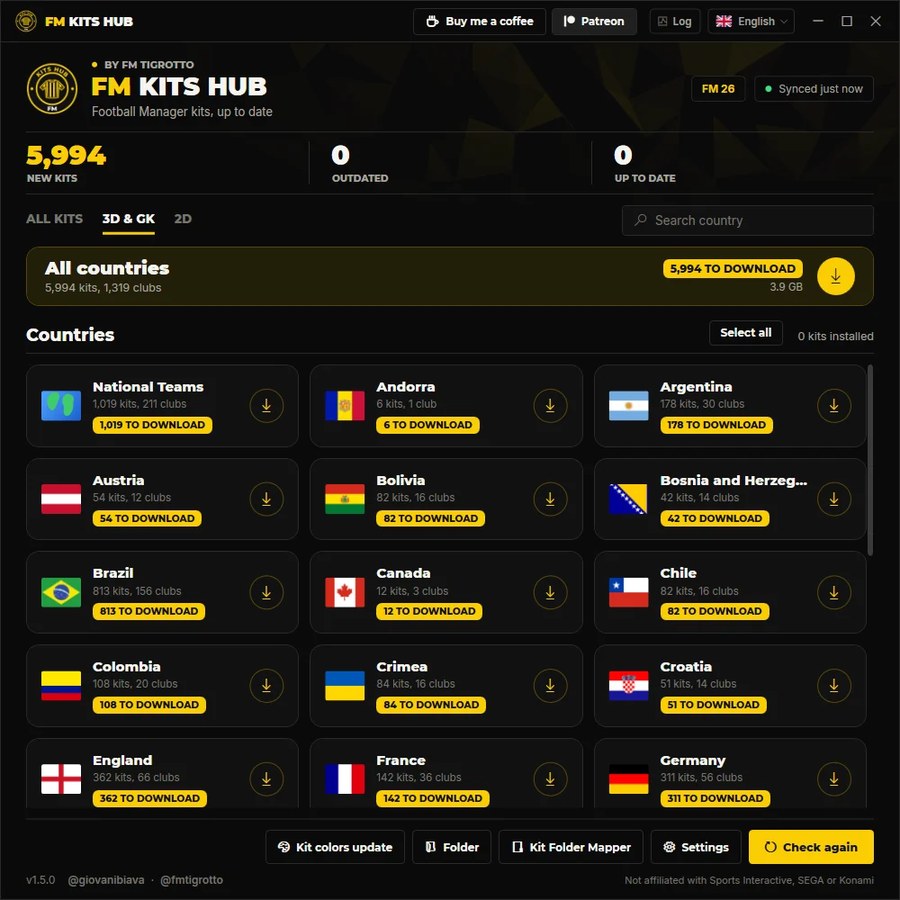
The Kits Hub app, with kits sorted by country (Image: FM Tigrotto)
The in-game plugin
There is also a plugin that adds a «Download Club Kits» button to every club, league and country screen in FM27. You choose 3D, 2D or both, and the kits show up straight away without leaving the game. However, the plugin needs BepInEx 6, a mod loader you have to install first.
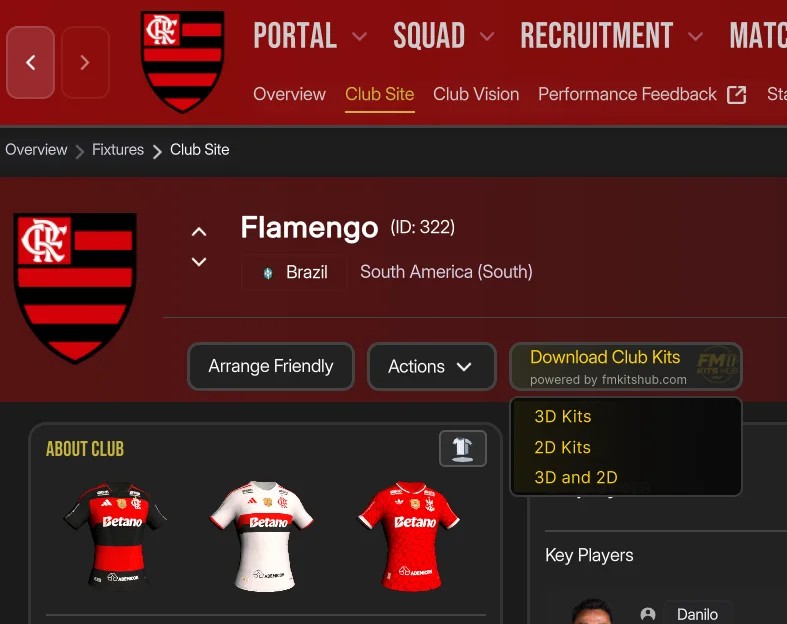
The plugin button on Flamengo’s page, with the kits already installed (Image: FM Tigrotto)
FM27 real kits download
The app and the plugin are free and are on the FM Tigrotto website. Pick whichever suits you, or use both, as the catalogue is the same.
- Download the Kits Hub app. There is no installer, just open it.
- Choose FM27 and confirm the game’s kits folder.
- Select a country, a league or everything, and click the download button.
- Finally, open the game and load your save. The kits show up in the match and on the screens.
Things to watch
The app is Windows-only and the plugin relies on BepInEx, so it may not work on Mac. Also, if the kits do not show up, the problem is usually the folder or the config.xml; the FM Tigrotto website has a guide that walks through every check. The kits also work in FM26, with the same catalogue.
To complete the look, add the DF11 faces and the FM27 Bootpack with real boots.
The files are hosted by their original authors. FMPortugal only points to the official download page — all credit goes to their creators.