Kuvaaia27 is a dark skin for FM27, with backgrounds tinted by the colours of the club you manage. Made by Kuvaaia, it swaps many of the game’s pink and purple accents for grey buttons and easy-to-read text. It also shows staff attributes as numbers and your starting XI on the home page.
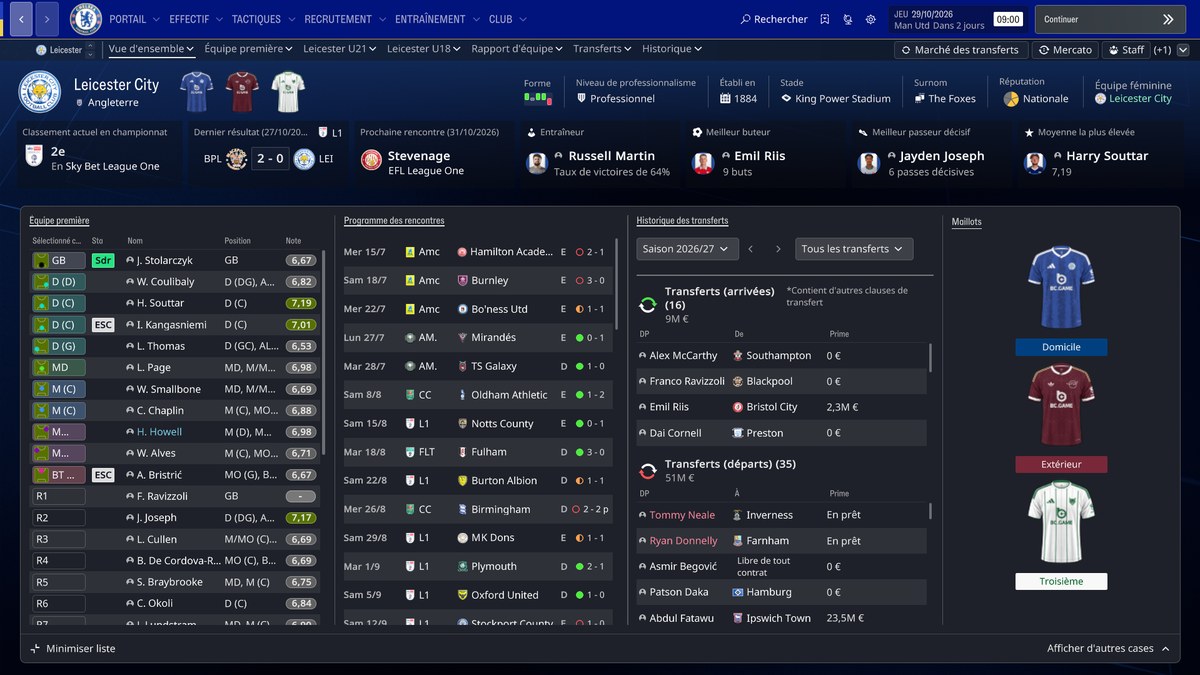
The club overview, with the three kits (Image: Kuvaaia)
What Kuvaaia27 brings
- Club colours: first, the background and the navigation bar follow the colours of the club you manage.
- Player profile: for example, height, personality and reputation show at the top, and traits sit next to the attributes.
- Staff as numbers: staff attributes show as numbers, and you can switch that on the profile itself.
- Club overview: the three kits, past and upcoming fixtures and the five-year plan.
- Home page: your starting XI, with player faces and shirts.
- Match day: finally, a dark scoreboard with club badges.
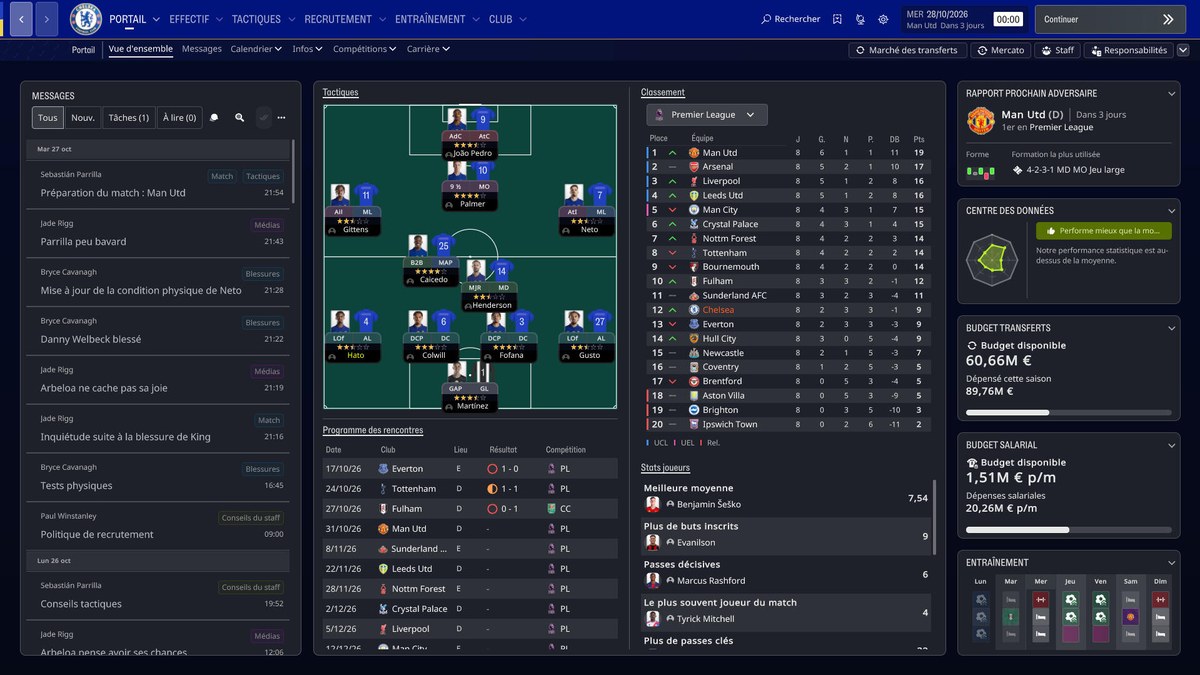
The home page, with the XI and the table (Image: Kuvaaia)
What is new in version 2.5
Version 2.5, from 5 November, changes match day. So the scoreboard is now left-aligned and the tactical controls are centred. Also, the match squad strip has larger portraits and position-group colours, and the pre-match line-up loses the empty Form box.
Before that, version 2.4 already put height, personality and reputation below the ability section at the top of the player profile. You can also now choose how staff attributes show on the profile itself. Finally, the five-year plan replaces the club staff section on the club overview.
Kuvaaia27 download
The version is 2.5 and it was tested on FM27 on Steam, on Windows. However, other platforms and later game updates have not been tested yet.
- First, close FM27. This skin goes into the game folder, not the skins folder in Documents.
- Then, in Steam, right-click FM27 and choose Manage, Browse local files. Open the
fm_Data\StreamingAssets\aa\StandaloneWindows64folder. - Next, back up the five original files with the same names as the ones in the download.
- Finally, copy the five files from the download’s
StandaloneWindows64folder, confirm the replacement and start the game.
Things to watch
The background follows the club you manage, not every club you open. Also, some colours that mean something in the game stay as they are. Logos and faces are not included. To uninstall, close the game and put your backup back. Finally, for a light skin, see the FM27 Light Skin.
The files are hosted by their original authors. FMPortugal only points to the official download page — all credit goes to their creators.