Echo27 Skin is a dark FM27 skin with a near-black base, a single teal accent and monospace headings. It is by Berkeedv2, who rebuilt it for FM27 from Echo, the FM24 skin by fountaindust. So if you played FM24 with Echo, you will recognise the style straight away.
What Echo27 Skin changes
The author is upfront that the idea is not his: the look and layout come from Echo, and the credit for the original design goes to fountaindust. What Berkeedv2 did was rebuild that look inside FM27. As a result, the background is almost black, the panels get subtle borders and teal marks the buttons and tabs.
The font is what stands out most. Panel titles, news and names use a monospace typeface, like a terminal. In other words, FM27 takes on a more technical feel, almost like a data sheet.
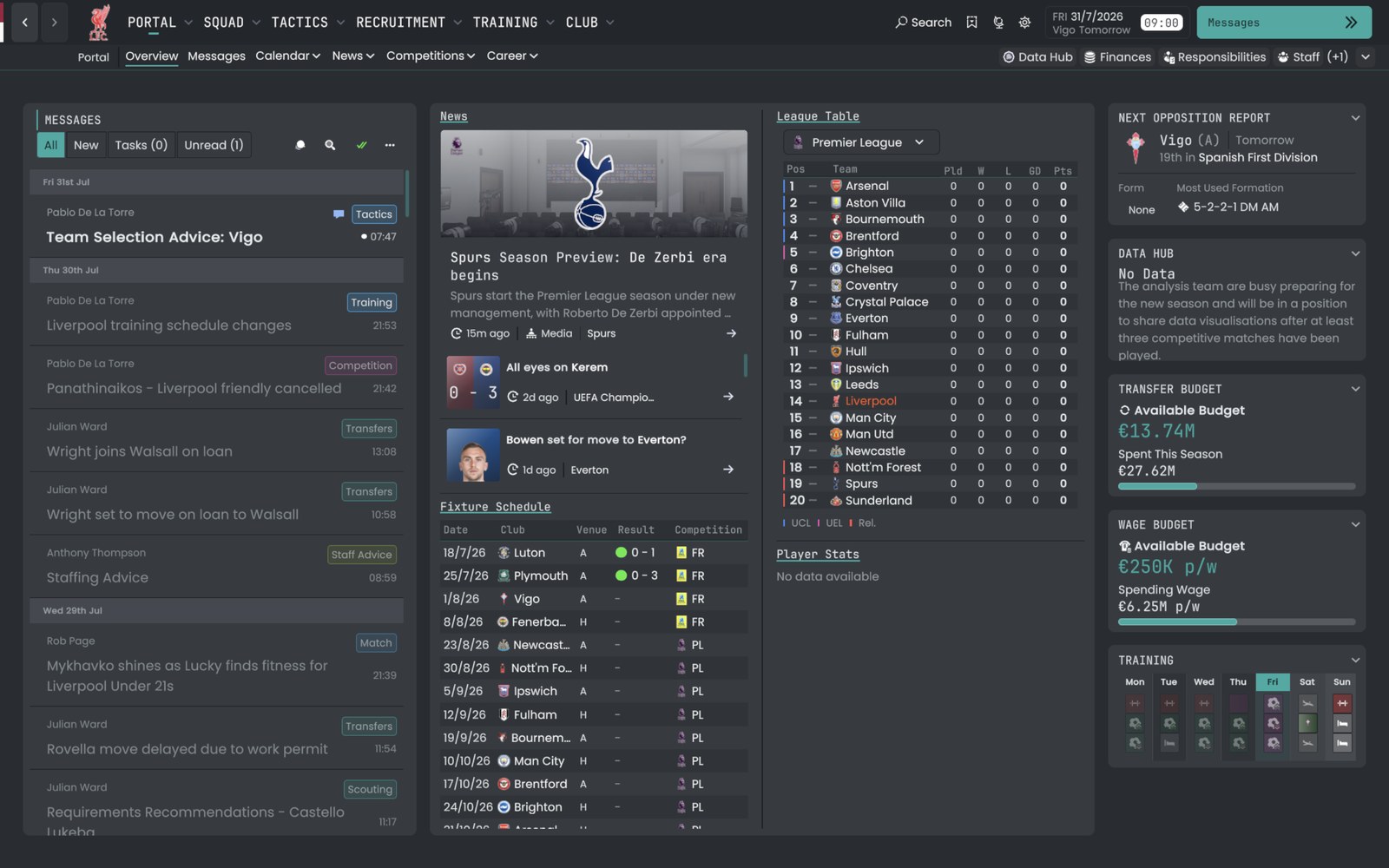
The club portal with Echo27 (Image: Berkeedv2)
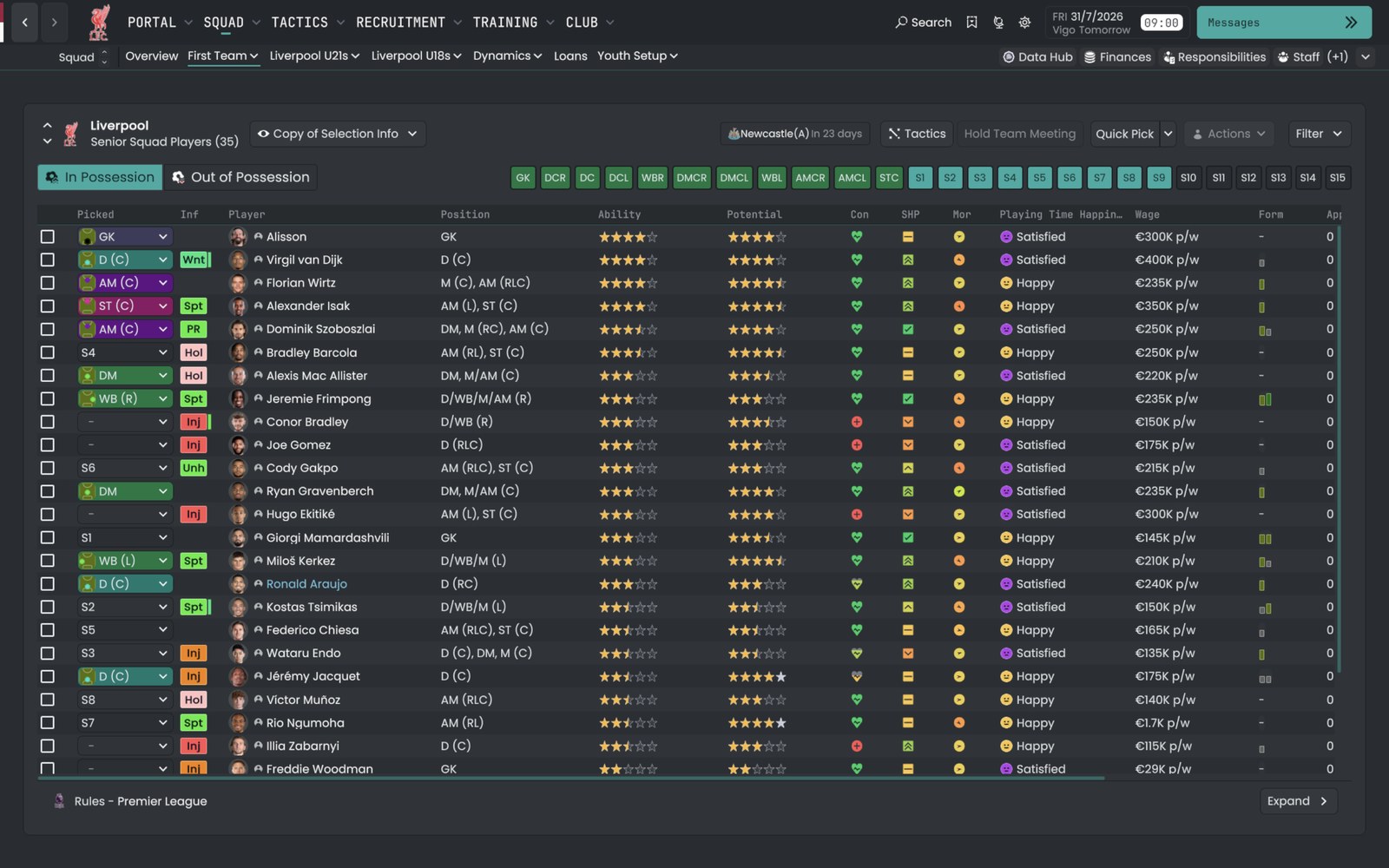
The squad screen, with monospace headings (Image: Berkeedv2)
Attribute colours
In the author’s screenshots, attributes sit in yellow and cyan boxes. However, that is not part of the skin: once installed, attributes look normal. If you want the same effect, change the attribute colours in the game’s preferences. The author uses yellow at R 212, G 179, B 53 and cyan at R 48, G 186, B 204.
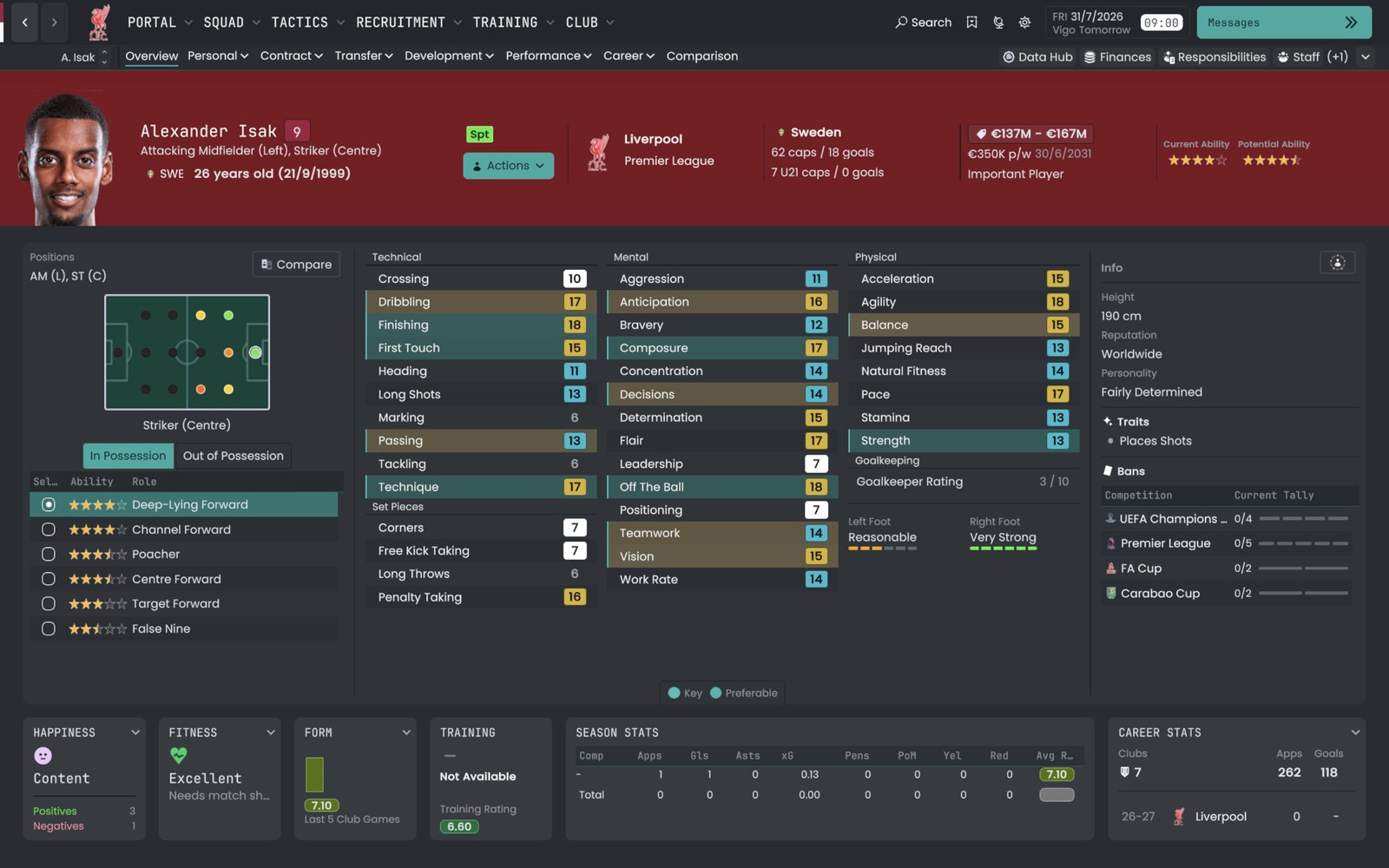
The player profile, with the author’s attribute colours (Image: Berkeedv2)
Who it is for
It is for players who like dark, understated skins, with little colour and plenty of information on show. It will also please anyone who misses Echo from FM24. If you want an even purer black, try Nev Skin. On the other hand, if you prefer a softer tone, CalmDark is a good alternative. Echo27 started from the same template as Dugout Skin, and the author also built the Signal skin on that base.
Download Echo27 Skin
The version is 1.0, from 7 November, and the ZIP is about 920 KB. Since it is a regular skin, it goes in the skins folder and leaves the game files alone.
- First, download and extract the ZIP.
- Then open
Documents\Sports Interactive\Football Manager 27. If there is noskinsfolder, create one. - Next, copy the skin folder into
skins. - Finally, start FM27, open Preferences, pick Echo27 from the skin list and apply.
Things to watch
The monospace font splits opinion: in the comments, one user said it strains the eyes. So try it for a few days before you decide. Also, this is the first version, so some screens may still need polish. To remove it, pick FM’s default skin in the preferences and delete the Echo27 folder.
The files are hosted by their original authors. FMPortugal only points to the official download page — all credit goes to their creators.
Did you make this download? Manage it on FMPortugal →