Signal Skin FM27 is a dark skin that paints the game in charcoal and deep navy, with touches of orange on the main buttons. It is by Berkeedv2, who also made Echo27, and it was built from an FM27 skin template. It goes beyond colours, too: the Portal and the player profile have been redesigned.
What Signal Skin FM27 changes
The starting point is a dark background across the whole game. So the panels turn charcoal, the headers go deep navy and orange shows up on the continue button and on selections. Buttons and menus also get their own styling.
The author wants every screen to feel like part of the same family. In other words, from the squad to tactics, the look stays consistent and tidier than the original. At heart, it is a minimal skin: less noise and more room for the numbers.
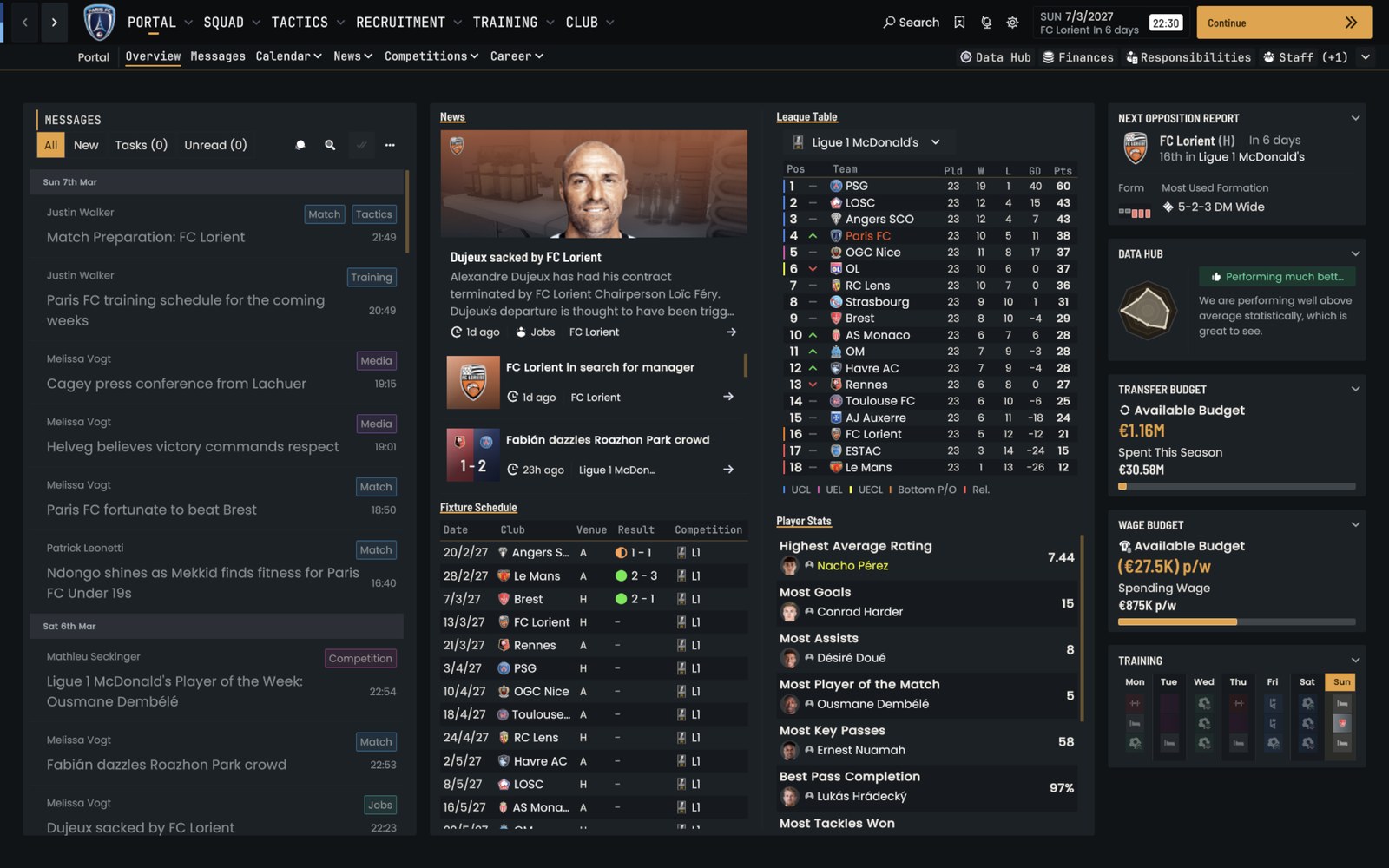
Signal’s redesigned Portal (Image: Berkeedv2)
The Portal and the player profile
The Portal has a new layout, with messages, news, the league table and budgets side by side. The player profile, on the other hand, gets a wide header with the portrait, club, nation and value. Then, below that, come the attributes and positions.
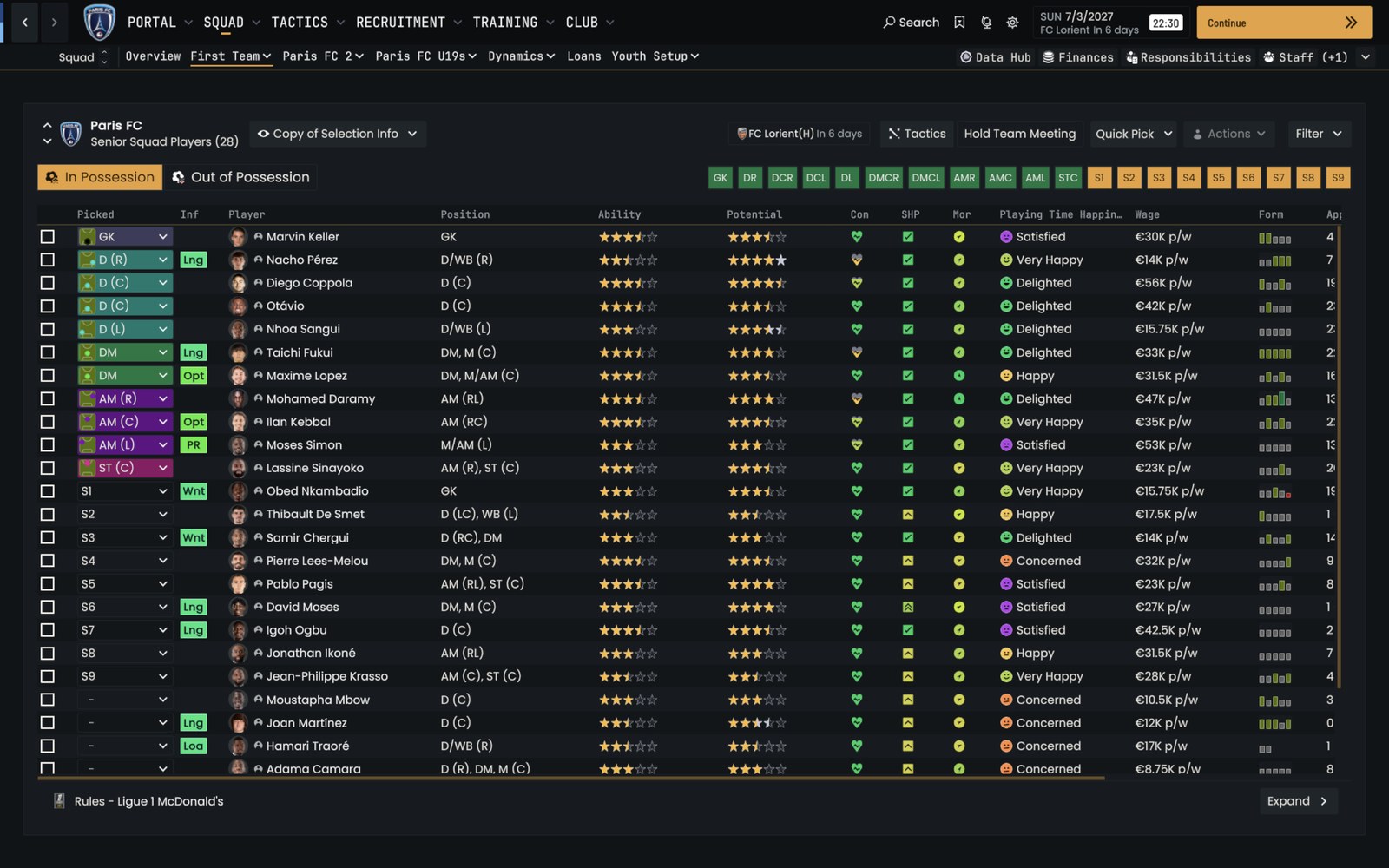
The squad screen, with dark panels (Image: Berkeedv2)
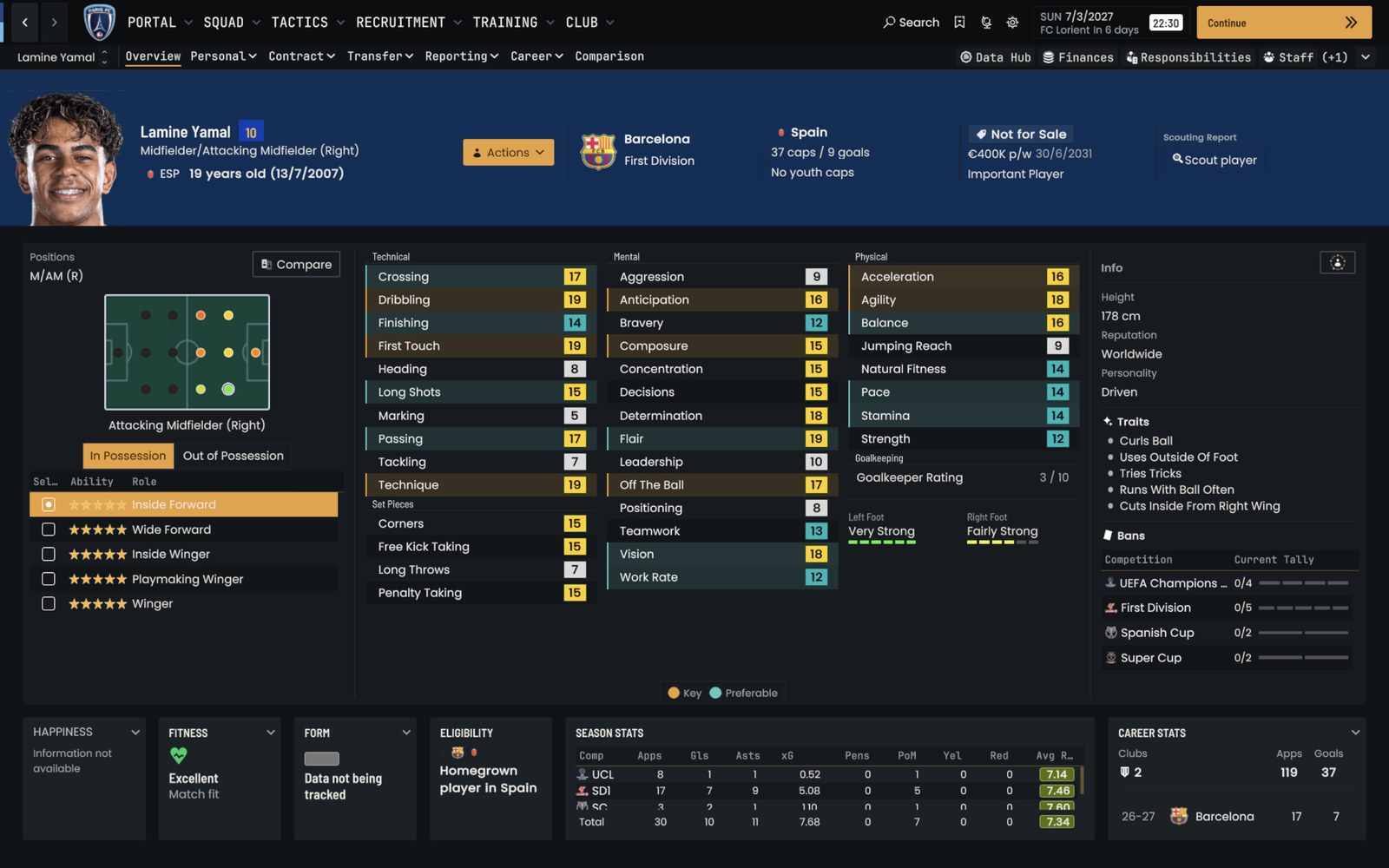
The redesigned player profile (Image: Berkeedv2)
Who it is for
It is for anyone who wants a dark, clean and consistent FM27 without installing plugins. If you like Signal, also try Echo27 by the same author, with a monospace font and teal accents. Signal started from the Dugout Skin template, which you can use to build your own. Finally, if you want another dark skin with cards on the Portal, see Kojuro Skin.
Download Signal Skin FM27
The skin came out on 6 November and the ZIP is about 1 MB. Since it is a regular skin, it goes in the skins folder and leaves the game files untouched.
- First, download and extract the ZIP.
- Then open
Documents\Sports Interactive\Football Manager 27. If you do not have askinsfolder yet, create one. - Next, put the extracted skin folder inside
skins. - Finally, start FM27, open Preferences, pick Signal from the skin list and apply.
Things to watch
The orange is fixed in the skin. In the comments, one user asked whether it can be changed, but the author has not replied yet. Also, this is a first version, so a less-used screen may still need polish. To uninstall, switch back to FM’s default skin in the preferences and delete the Signal folder.
The files are hosted by their original authors. FMPortugal only points to the official download page — all credit goes to their creators.
Did you make this download? Manage it on FMPortugal →