Mendisala Pitch Dark Skin is a dark FM27 skin that changes the interface colours and adds a few images to give the game a more elegant look. It is by Mendisala, who made it because FM27 was straining the eyes. Also, there are two versions: one with pitch-green backgrounds and one that is black only.
What Mendisala Pitch Dark Skin changes
The skin is basic on purpose. In other words, it swaps the interface colours and adds a few background images, but leaves everything else alone. The screens keep the game’s own layout, so everything stays where you expect it.
In the green version, the dark panels sit on a background that looks like stadium grass. On the other hand, club headers get bands in the team’s colours, like Liverpool’s red in the author’s screenshots. The black version, meanwhile, drops the green and keeps only the dark background, for anyone who wants something more neutral.
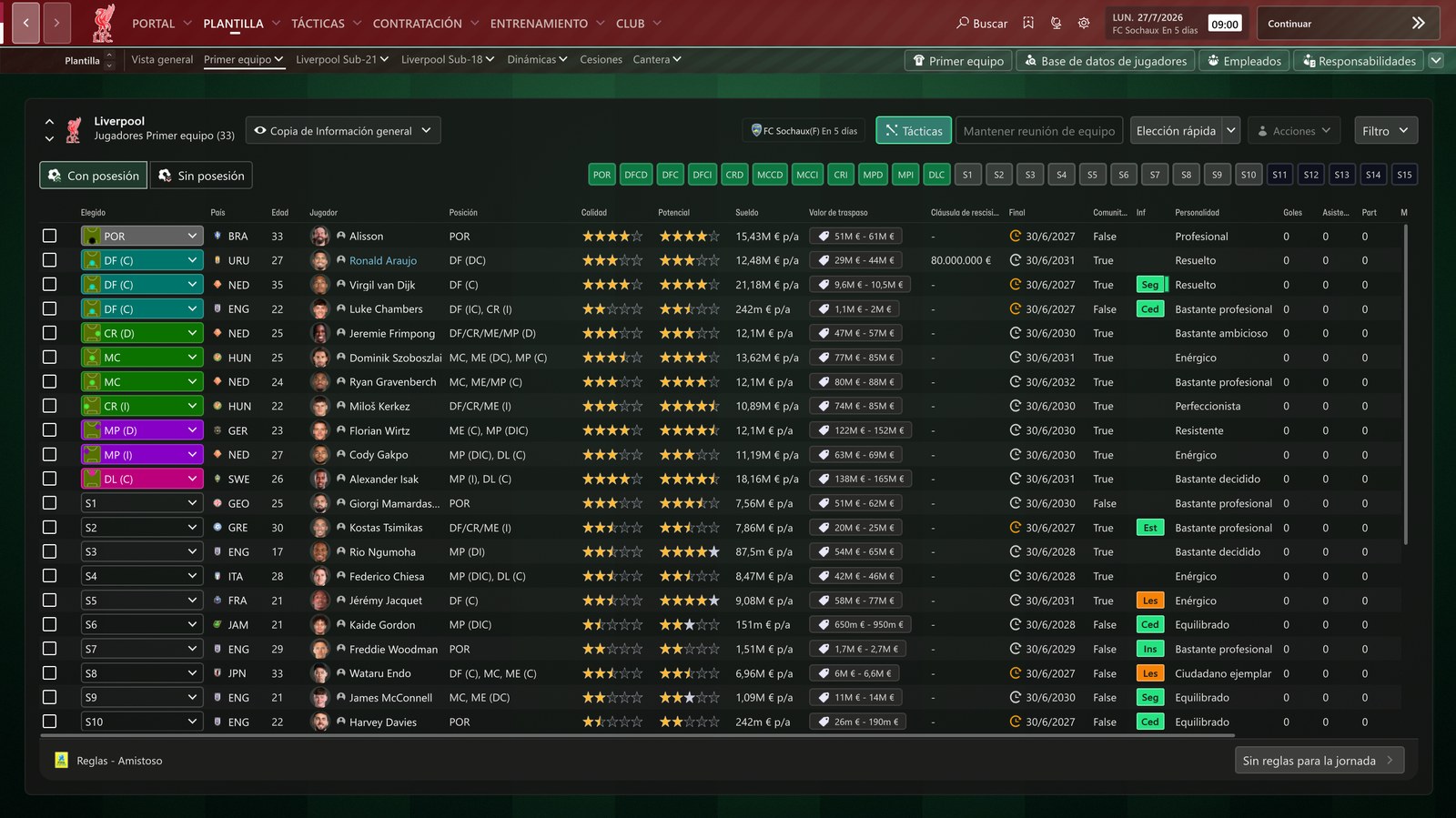
The squad screen in the green version, with the game in Spanish (Image: Mendisala)
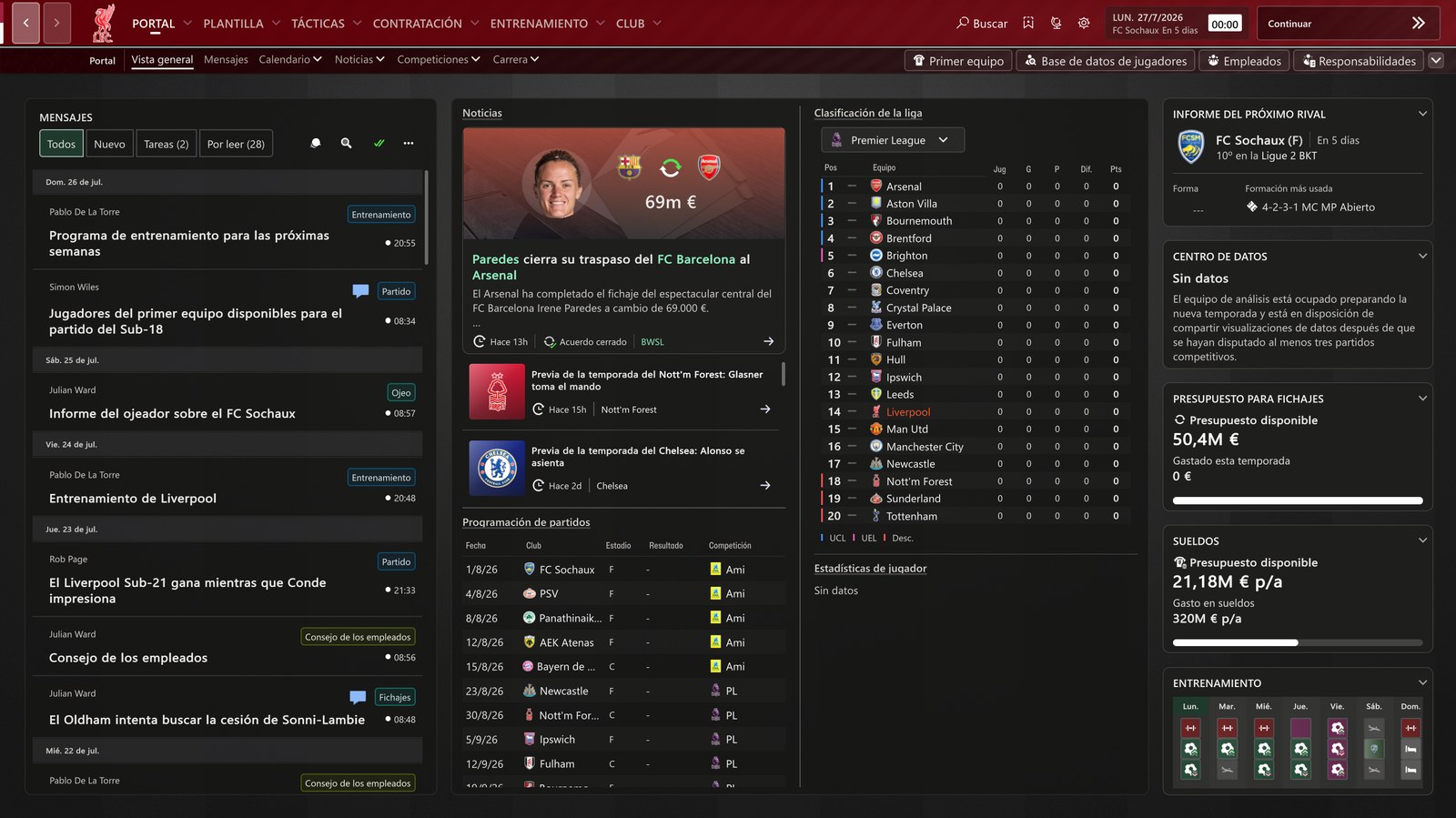
The Portal with Pitch Dark (Image: Mendisala)
Where this skin comes from
Pitch Dark builds on another skin: Minimal Dark and Red by quirah, which Mendisala credits as the base. So the dark structure comes from there, and Mendisala added the images and a new palette. That is why the two look alike, while the pitch and the colour bands are this author’s work.
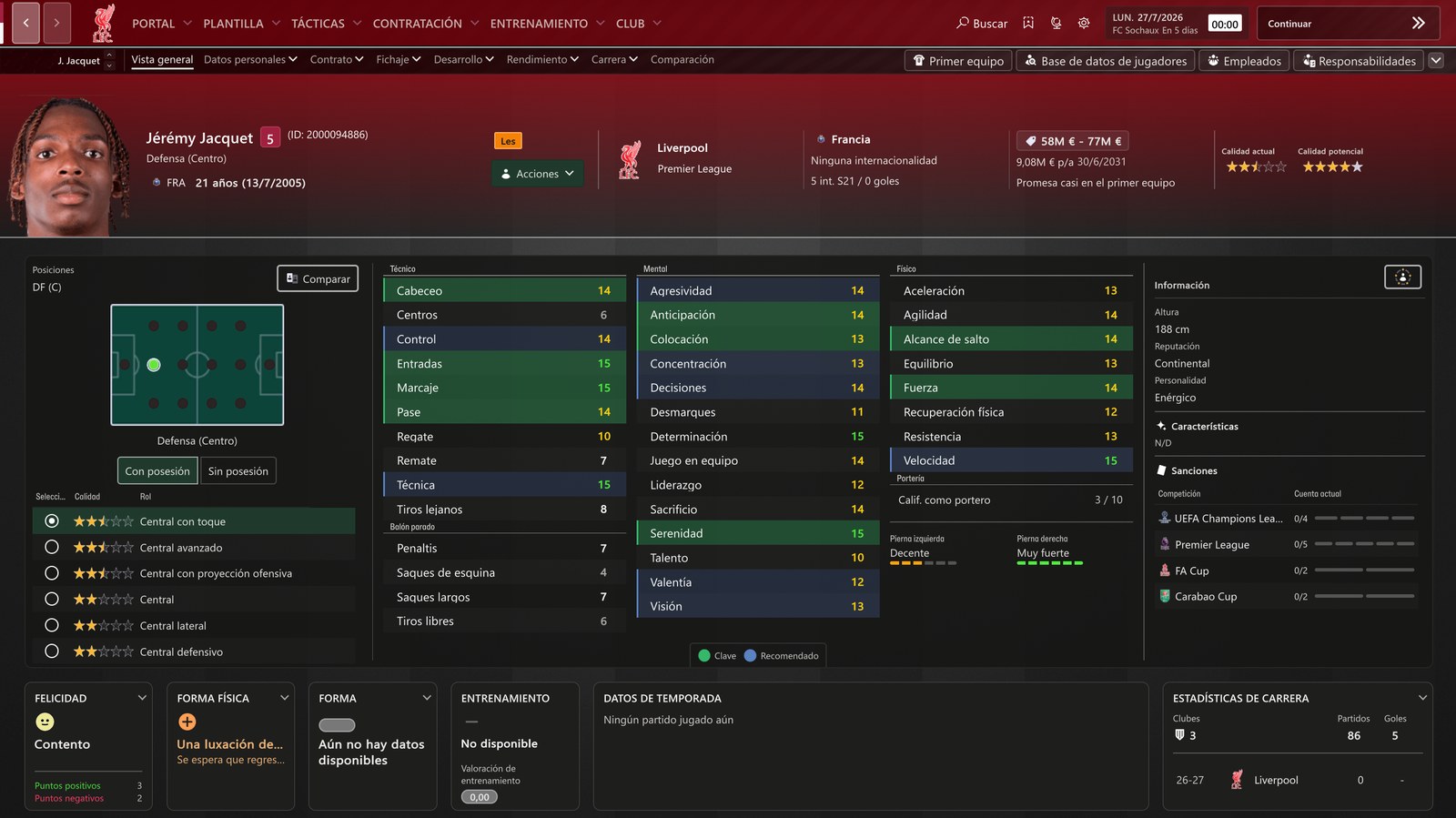
The player profile, with a band in the club colours (Image: Mendisala)
Who it is for
It is for anyone who wants a dark FM27 with a hint of football in the background, without plugins or layout changes. It also suits players who find the default skin too bright. If you like skins that follow your club’s colours, also see Kuvaaia27. However, if you prefer pure black, Nev Skin goes further.
Download Mendisala Pitch Dark Skin
Both files are from 31 October. The green version is about 1.8 MB and the black-only version is about 1.5 MB. Both come as RAR files, so you need 7-Zip or WinRAR to open them.
Download – Green version Download – Black version
- First, pick one version and extract the RAR with 7-Zip or WinRAR.
- Then open
Documents\Sports Interactive\Football Manager 27. If there is noskinsfolder, create one. - Next, copy the skin folder into
skins. - Finally, start FM27, open Preferences, pick the skin from the list and apply.
Things to watch
There are no comments from users yet, so no problems are known. Even so, since it only touches colours and images, the risk is small. If the skin does not show up in the list, check that the folder really is inside skins. To remove it, switch back to FM’s default skin in the preferences and delete the folder.
The files are hosted by their original authors. FMPortugal only points to the official download page — all credit goes to their creators.
Did you make this download? Manage it on FMPortugal →