Do you like dark interfaces? The Nev Skin FM27 paints Football Manager 27 in pure black, with no purple and no club-colour gradients. It is very easy on the eyes, especially on OLED screens. The skin is by NevFM, it is free, it works on Windows and macOS and it is on version 27.0.1.
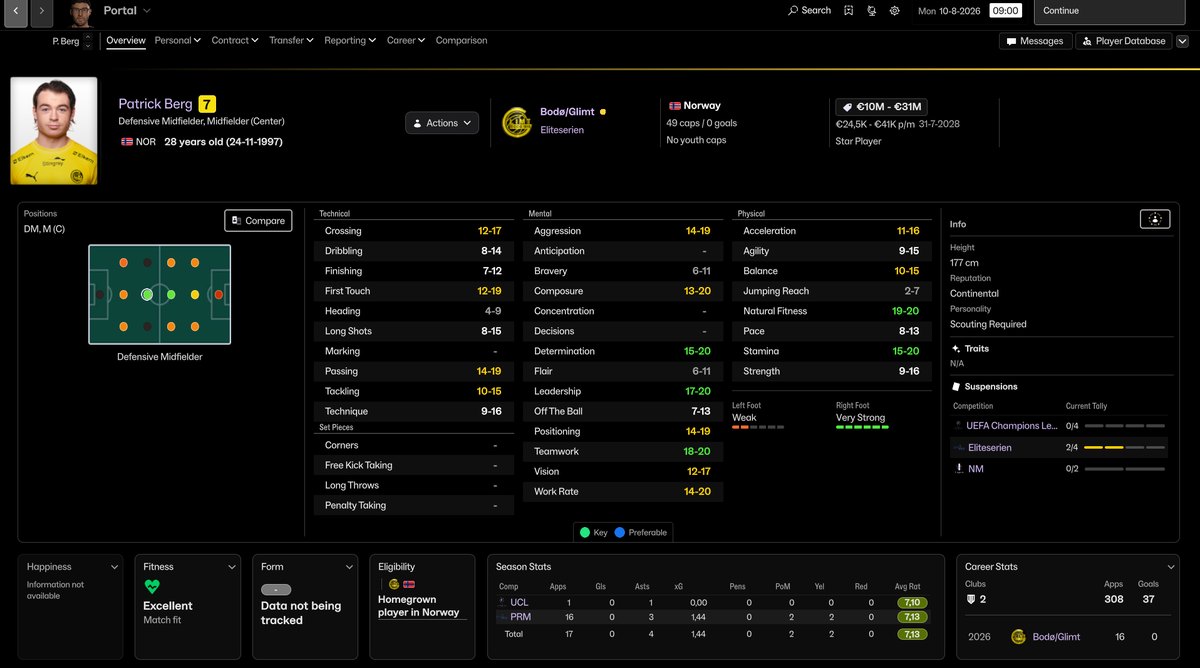
The player profile with the Nev Skin (Image: NevFM)
What the Nev Skin FM27 changes
- A calm start screen: every tile shares the same dark background and the video guides banner is gone. Headings are no longer in capitals either.
- Portal and inbox: a black top bar, bold main tabs and a small club-colour label. Messages get neutral labels and no dividing lines.
- Squad: the view goes dark but keeps the colours that matter, such as positions, form, condition, happiness and ratings.
- Tactics: the familiar green pitch, framed by the black interface. Since the latest update, it also shows player faces on the pitch and in the squad list.
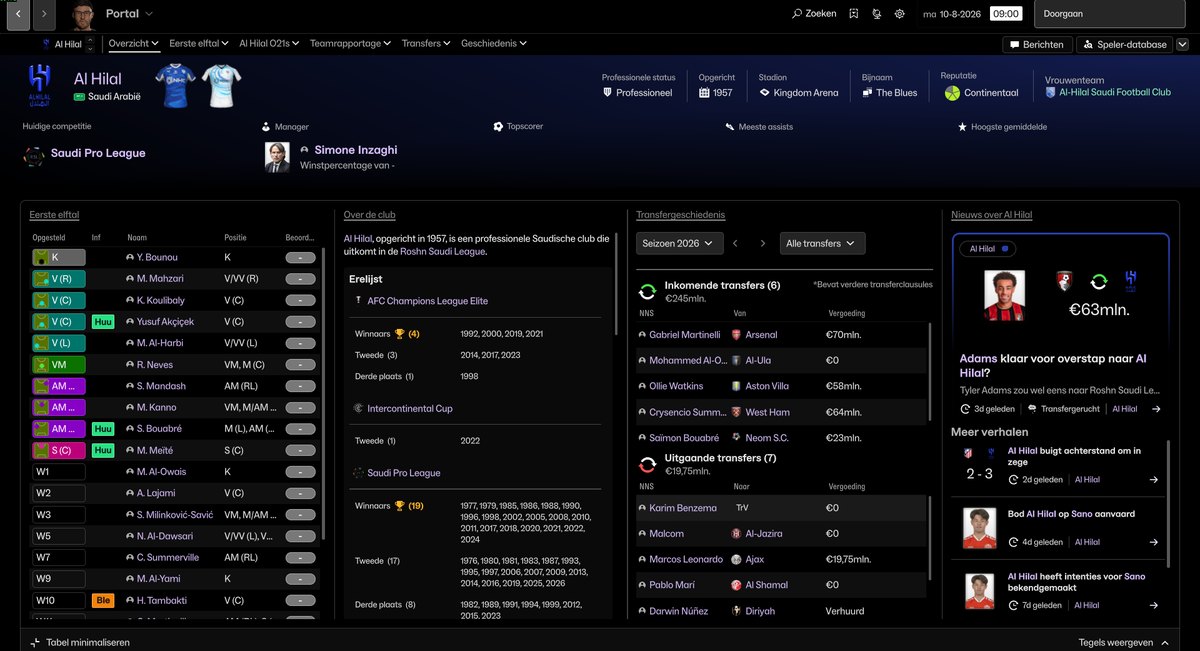
The club page, here with the game in Dutch (Image: NevFM)
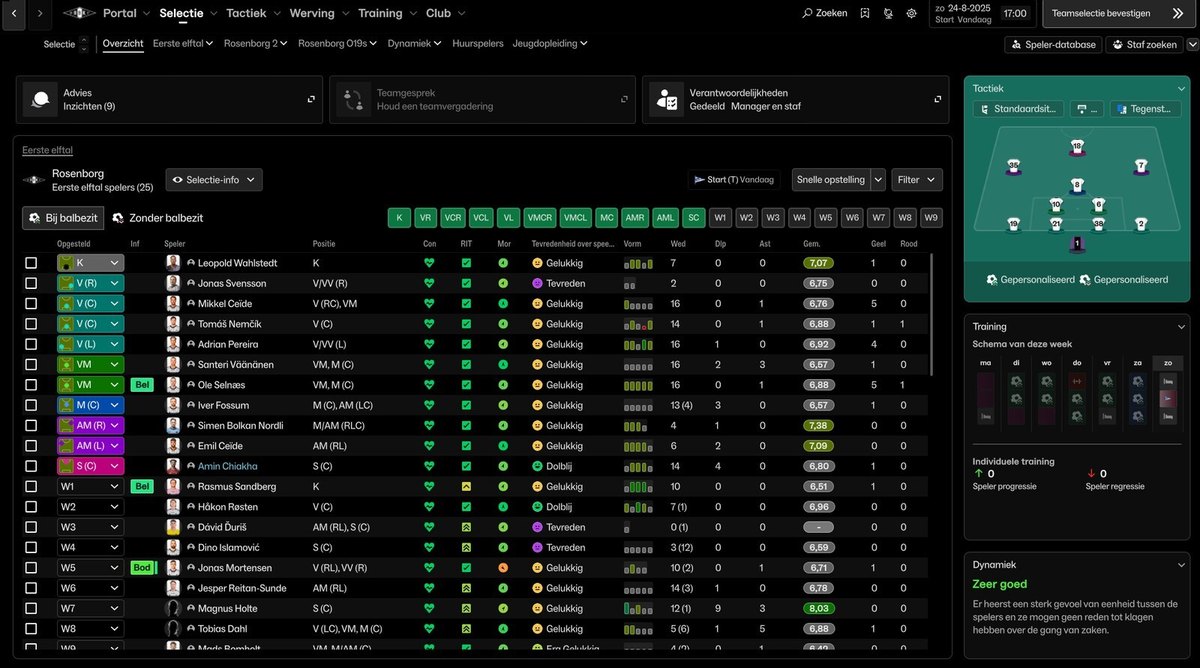
The squad, with position and form colours (Image: NevFM)
On match day
Line-ups, the live table, match stats and xG appear on black panels. The team selection bar stays black too, without the coloured competition block. Afterwards, results, media reactions and the league table follow the same style. Even the intro and licence screens are no longer dark blue.
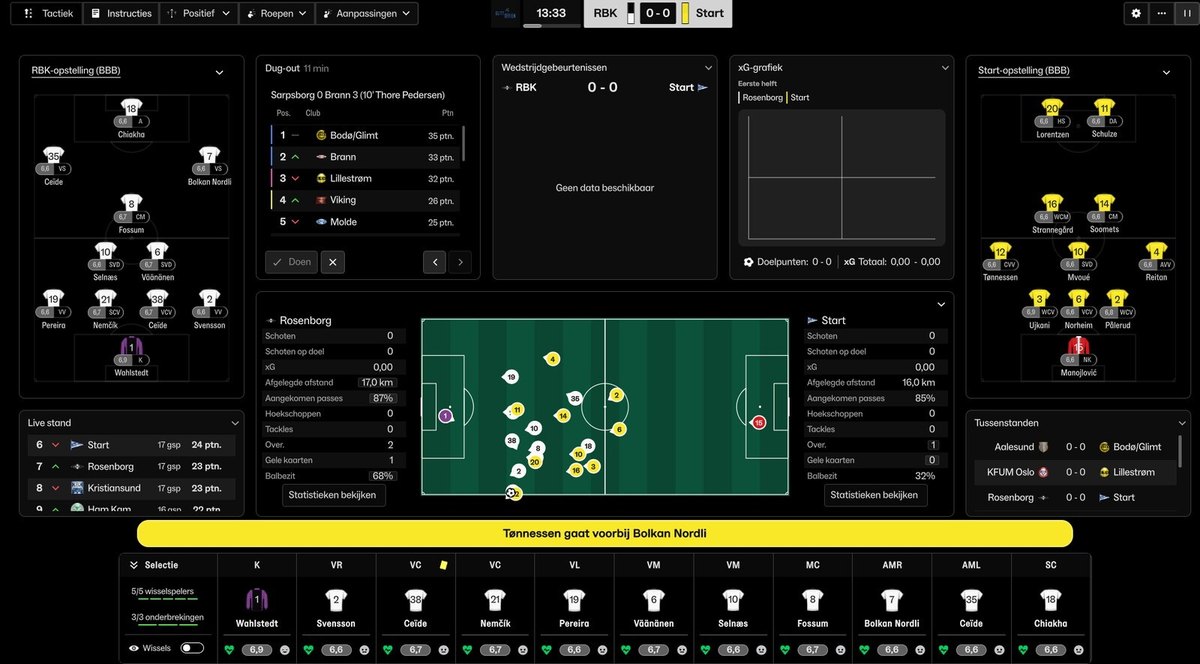
The match screen, with black panels (Image: NevFM)
Nev Skin FM27 download
The file includes the Windows and macOS versions, each with a README with full instructions.
Download – Nev Skin FM27 v27.0.1
- First, close FM27 and extract the .zip.
- Then, in Steam, right-click Football Manager 27 and choose «Manage» and «Browse local files».
- Next, open the
fm_Data\StreamingAssets\aa\StandaloneWindows64folder and back up the original files with the same names. - Copy the 10 files from the download’s
StandaloneWindows64folder into that folder and choose to replace them. - Finally, start the game.
On macOS the process is similar. First, quit the game with Cmd+Q and open the local files in Steam. Then right-click fm.app and choose «Show Package Contents». Next, copy the 10 files from the StandaloneOSX folder into Contents/Resources/Data/StreamingAssets/aa/StandaloneOSX.
Things to watch
The skin was made for FM27 version 27.0.0 on Steam. So after a game update, wait for a new version of the skin before installing it again. To remove it, use Steam’s «Verify integrity of game files» option. Also, do not combine it with other skins that change the same files, such as the Grok Skin or the Comeback Skin.
The files are hosted by their original authors. FMPortugal only points to the official download page — all credit goes to their creators.