The TangFu Skin FM27 gives Football Manager 2027 more neutral colours that are easier on the eye during long sessions. It also adds a large card for each player on the profile, with the photo and key numbers. The skin is by Tracisloo and the current version is 27.0.2.
What the TangFu Skin FM27 changes
- Neutral colours: dark, soft tones across the game instead of the default look’s strong contrasts.
- Player card: the profile gets a card with the photo, position and key numbers, next to the attributes.
- Strengths and weaknesses: the profile shows a list of each player’s pros and cons.
- Tactics with photos: on the tactics screen, players show their faces instead of kits.
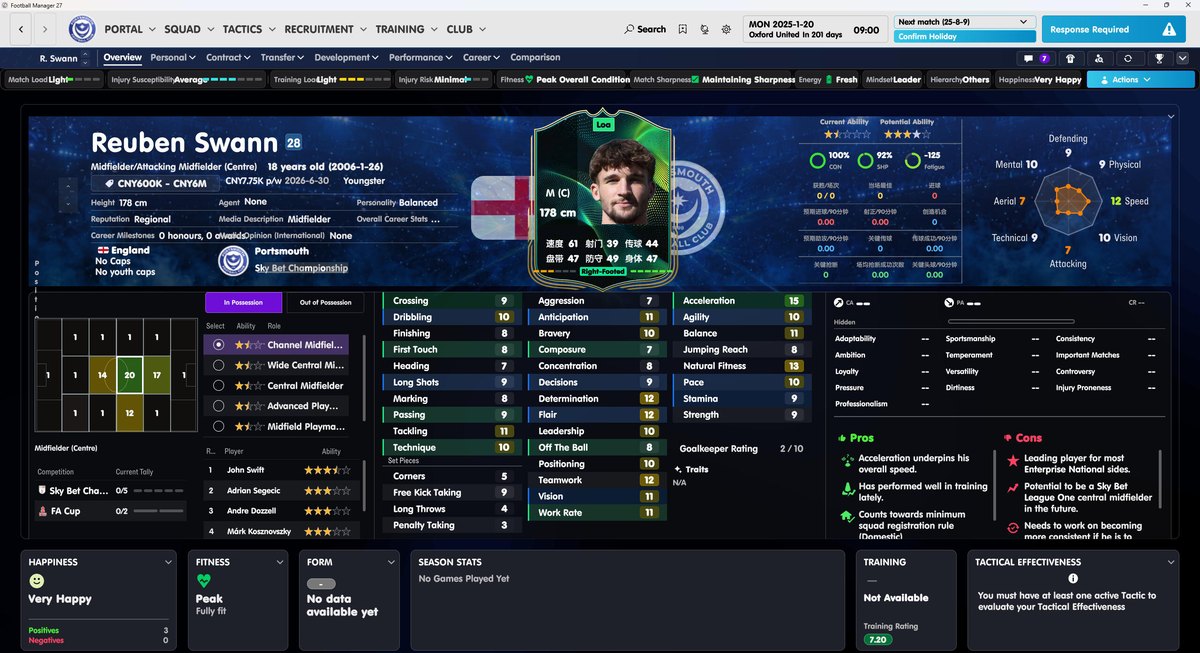
The player profile, with the card and the pros and cons (Image: Tracisloo)
For example, in the squad screen the card appears as soon as you hover over a player, so you can compare attributes without opening each profile.
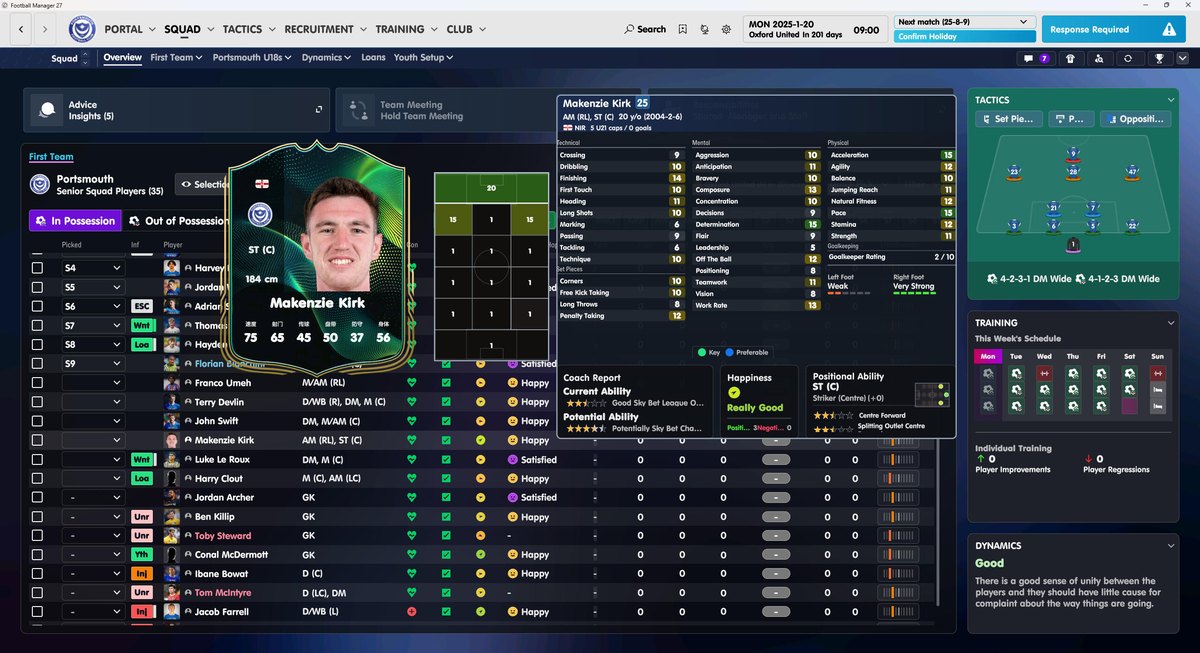
The squad, with a player card (Image: Tracisloo)
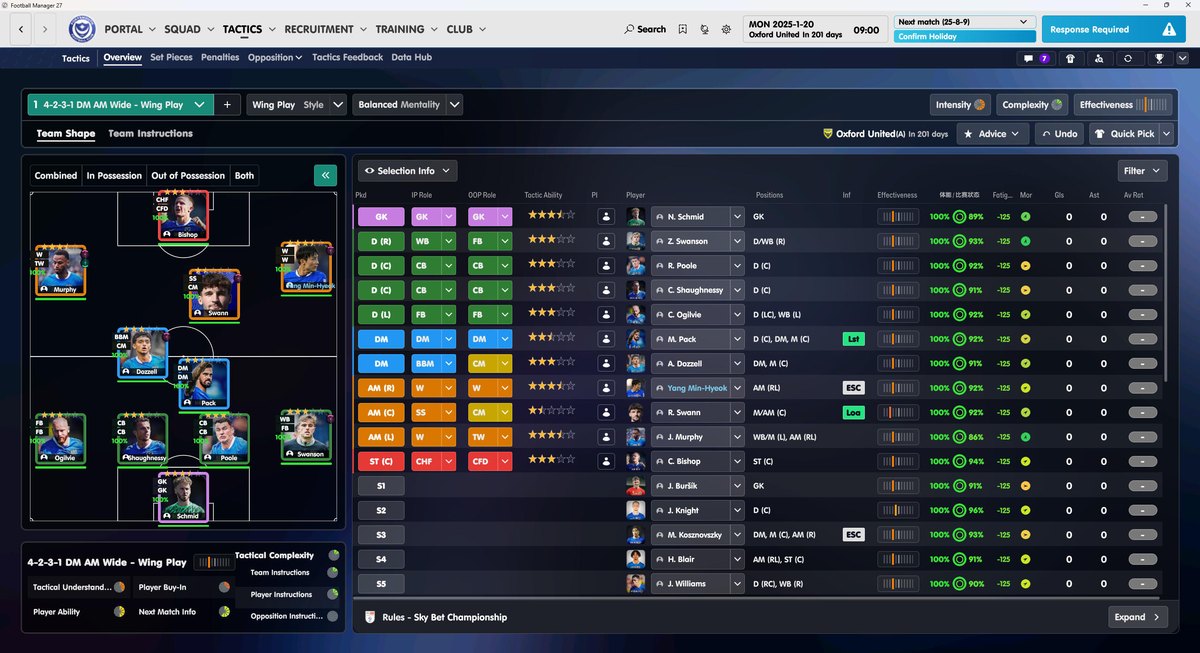
Tactics with the players’ faces (Image: Tracisloo)
TangFu Skin FM27 download
The skin is in the author’s Google Drive folder. Instead of a .zip, it comes as a 153 MB installer, which makes installing easier.
Download – TangFu Skin v27.0.2
- First, close FM27 completely.
- Then run the
TangFu Skin V27.0.2 Installer.exeinstaller and follow the steps. If Windows warns you, click «More info» and then «Run anyway». - Open the game and reset the layout in the settings so the skin displays correctly.
- Finally, to go back to the original, use Steam’s «Verify integrity of game files» option.
Things to watch
The skin replaces the game’s own files, so you cannot use it together with other skins that change the same files, such as the Grok Skin or the Retro Skin. However, you can switch between them whenever you like. FM27 updates may also restore the original files; if so, install the latest version of the skin again. For photos to show, add the DF11 faces.
The files are hosted by their original authors. FMPortugal only points to the official download page — all credit goes to their creators.