
FM27 Ability Numbers shows every player’s real CA and PA inside the game’s own screens. Instead of stars and “Unknown”, you see the exact number, in FM’s own font and layout. It is a small, free plugin by da3gal that only reads data and never changes your save.
What FM27 Ability Numbers does
First, it adds CA 194 · PA 195 next to any player’s name, both in the profile header and in the popup you get when you hover. Then it puts the number beside the Current Ability and Potential Ability stars, even for players your scouts do not know yet. Finally, the Ability and Potential columns sort by the real value.
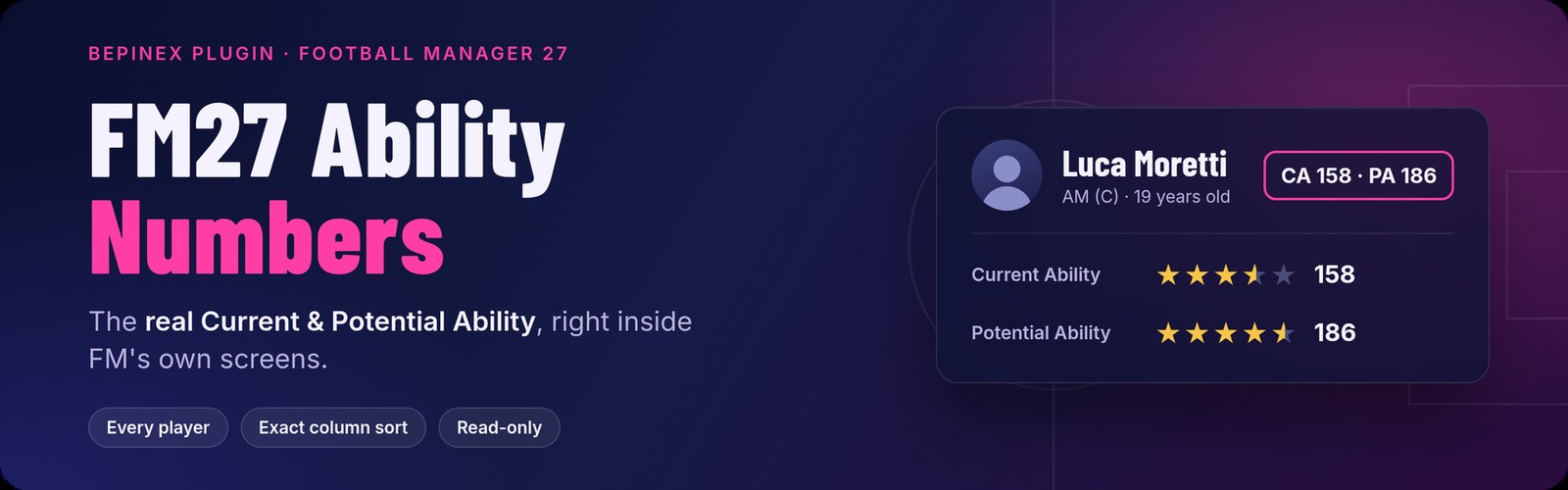
The plugin’s banner (Image: da3gal)
Role ratings, such as “Centre Forward ★★★”, get no number on purpose. That is because those stars rate the player in that role, not his CA. You can also show or hide everything with the F9 key.
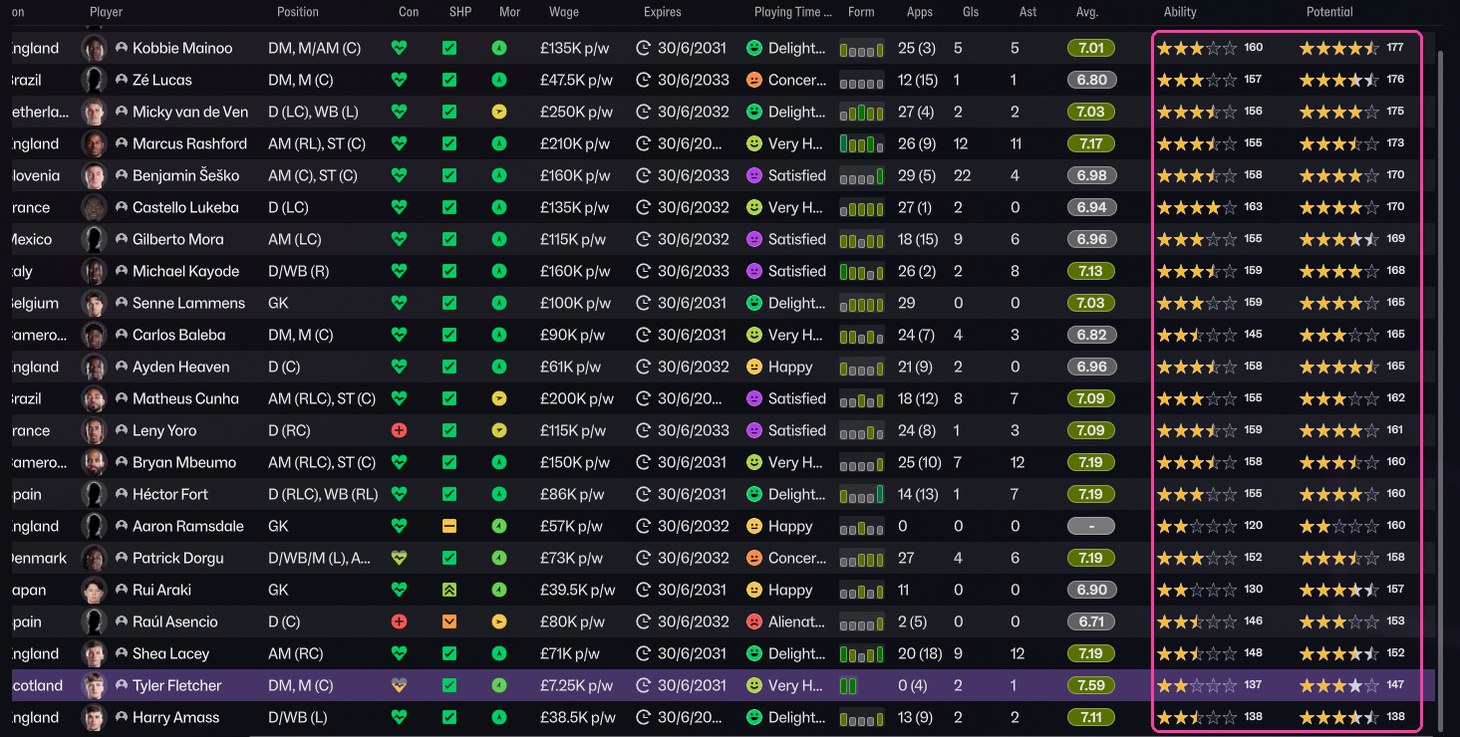
The Ability and Potential columns with the real numbers (Image: da3gal)
How to use it
In your squad, shortlist or player search, right-click any column header. Then choose Insert Column > Ability and Roles > Ability or Potential. Next, click that column’s header to sort by the real number. So you can spot the highest-potential youngster in your squad or list in seconds.
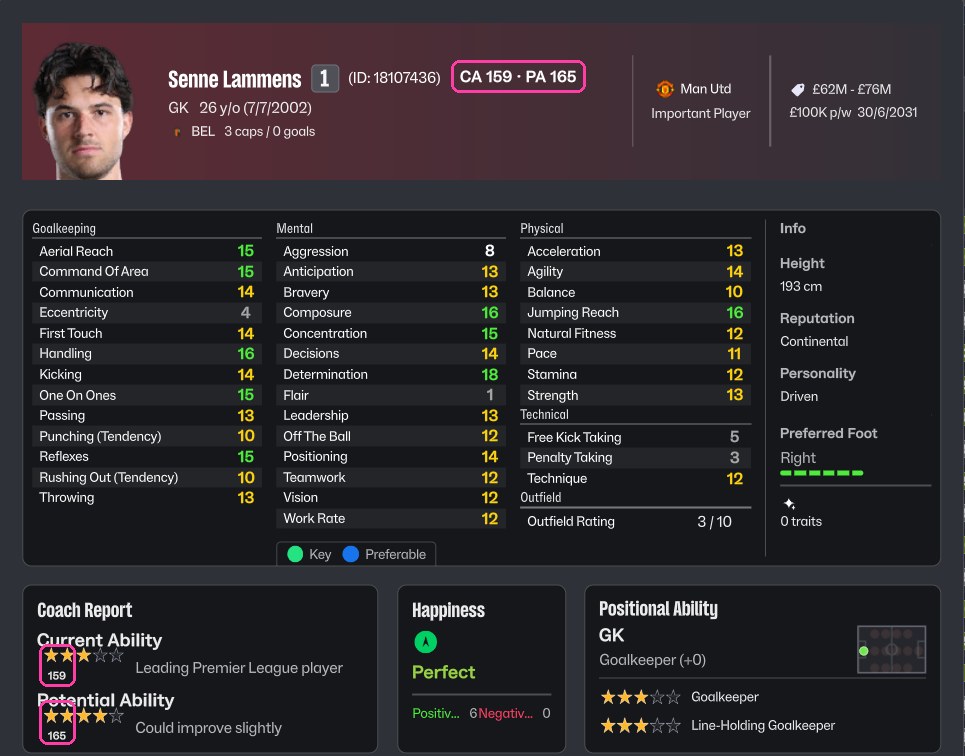
CA and PA on the profile and in the coach report (Image: da3gal)
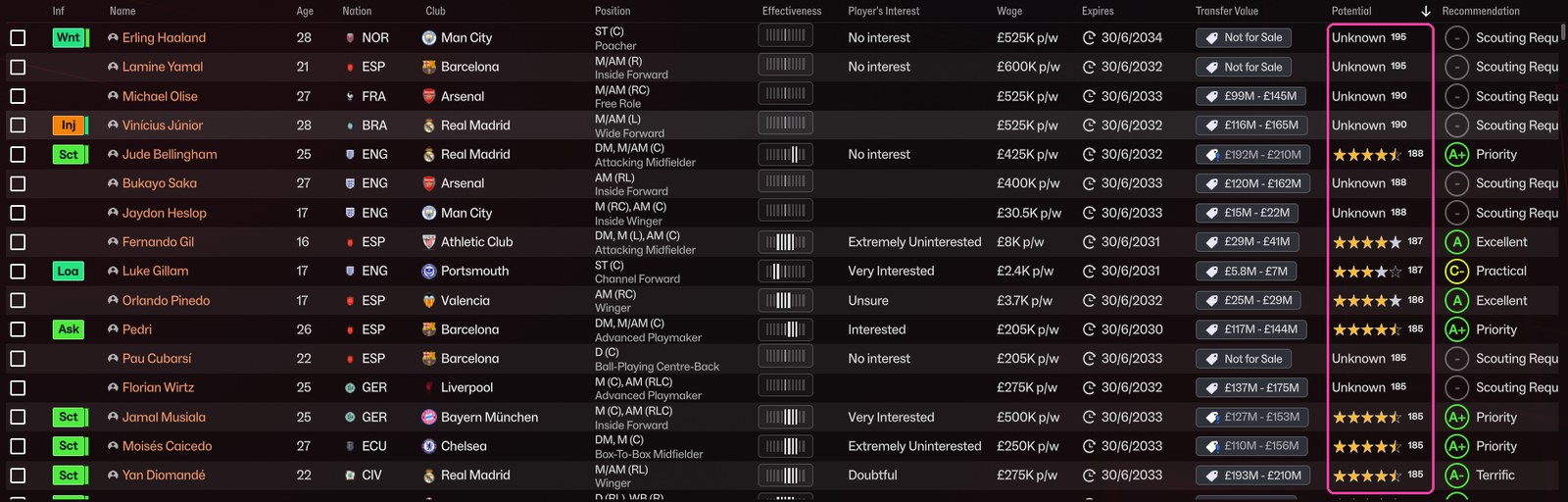
A shortlist sorted by real PA (Image: da3gal)
Who it is for
It is for anyone who wants to know exactly how good a player is, without waiting for scout reports. However, let’s be honest: this is cheating, and it takes away the mystery that makes FM fun. It is the opposite of Hardcore Light, which hides even more information. If you only want to check CA and PA now and then, outside the game, fmsave and FM27 Guy Scout do that without touching FM’s screens.
Download FM27 Ability Numbers
This is version 1.0.1, from 10 November, and the file is about 60 KB. It now shows numbers for older players that the first release missed. It also added one-line installers for Windows, Linux and Steam Deck. It needs BepInEx 6 and works with the Steam version of FM27.
Download – Ability Numbers v1.0.1
Automatic install on Windows
- First, close FM27.
- Then open PowerShell and paste the author’s line:
irm https://raw.githubusercontent.com/da3gal/fm27-ability-numbers/main/install.ps1 | iex - The installer finds FM27 in your Steam libraries, installs BepInEx 6.0.0-be.793 if it is missing and downloads the latest plugin. In that case, you do not need the button above.
- Finally, start the game. The first launch takes a few extra minutes while BepInEx prepares itself.
Manual install
- Extract BepInEx 6 Bleeding Edge (Unity IL2CPP win-x64, build 793 or newer) into the folder that holds
fm.exe. - Then create the folder
BepInEx\plugins\FM27AbilityNumbersand putFM27AbilityNumbers.dllin it.
Linux and Steam Deck
In Desktop Mode, open Konsole and run curl -fsSL https://raw.githubusercontent.com/da3gal/fm27-ability-numbers/main/install.py | python3 -. The installer also tells Proton to load BepInEx.
Things to watch
The author tested the plugin on Linux, under Proton. It should work on Windows, but it has not been tested there yet, so try it on an unimportant save first. It also only shows numbers for players: staff are left out for now. After an FM update, the plugin usually keeps working. If it does break, it switches itself off and the game runs normally.
If nothing shows up, check whether BepInEx\LogOutput.log exists: if it does not, BepInEx is not loading. To uninstall, run the installer again with -Uninstall (on Linux, --uninstall). That removes the plugin, and BepInEx too when no other mod uses it. Finally, note that the plugin does not unlock the in-game editor and works fine next to FMRTE.
The files are hosted by their original authors. FMPortugal only points to the official download page — all credit goes to their creators.
Did you make this download? Manage it on FMPortugal →