FMMT 27 brings the Moneyball idea to FM27. Instead of judging players by their attributes alone, you see what they actually do on the pitch, as percentiles. It is made by fmoreoo, it is free and it reads the running game with one click. So there is no exporting and no spreadsheet juggling.
What FMMT 27 does
The app opens in its own window and has two main sections. In My Club you get your whole squad, including youth, reserves and loanees. Then there is your Shortlist with folders and a comparison of up to three players. The charts can be radar, pizza or bar. In World Scout you search the whole world and rank players by average rating or any stat. You can also build graphs filtered by league, age, value and foot.
Every stat is shown as a percentile. In other words, it is measured against players in the same position with at least 300 minutes. You can also choose the comparison group: all leagues, the top five, your league or a single one. On top of that, your club is detected automatically from the save.
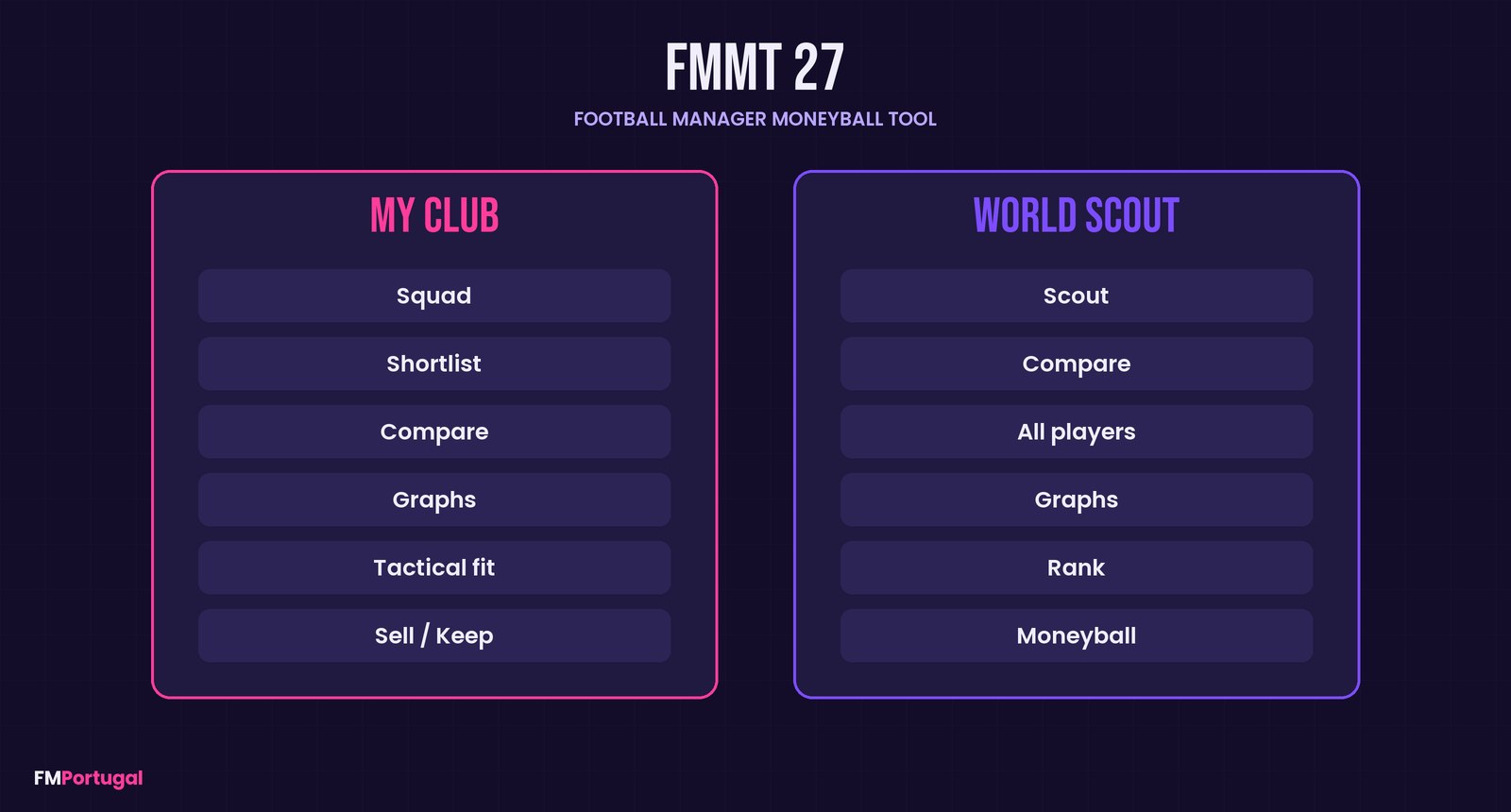
The app’s two sections and their tabs (Image: FMPortugal)
Moneyball, Tactical fit and Sell/Keep
The recommendations are the best part. First, the Moneyball tab lists players at other clubs whose market value is half their “fair value” or less. The tool works it out from output, age and league.
Next, Tactical fit fills a formation with the players you use most. Click a slot and you see who elsewhere would be an upgrade, a like-for-like replacement or a downgrade. Finally, Sell/Keep gives every squad player one verdict, always with the reasons. It can be develop, loan out, renew, sell now, sell high, surplus or keep.
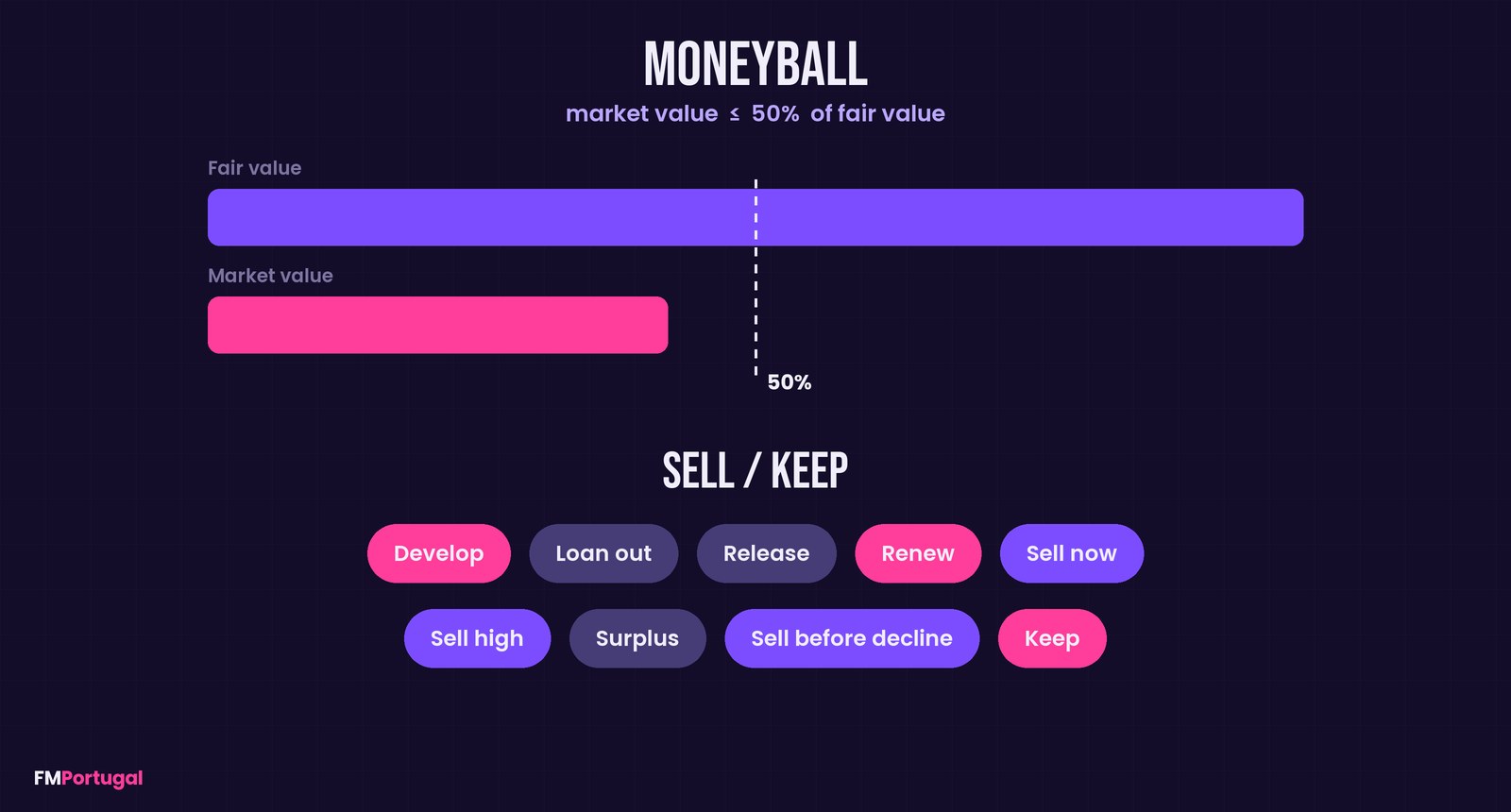
The Moneyball rule and the Sell/Keep verdicts (Image: FMPortugal)
There is also an Ability score per position, from 1 to 20, built from each role’s key attributes. However, the author is clear that these are prompts for your own decision, not orders. They also ignore potential and your tactic’s roles.
Where the idea comes from
FMMT 27 is inspired by Fmplaya‘s FM24 statistics spreadsheet, which supplies the stat list and the league weights. The attribute weights and age benchmarks come from Jamie Bolden‘s fm-scoring project, tuned towards harvestgreen22’s FM27 attribute testing. The memory reader and the interface were written from scratch for this tool.
Who it is for
It suits anyone who signs players by the numbers and wants bargains the game does not show straight away. If you would rather play without attributes, pair it with the MoneyBall Skin, which takes the same approach inside the game. On the other hand, if you want to know what the AI would pay for your players, see FM27 AI Value. And to pick the best XI in your save, there is also FM Player Analyzer.
Download FMMT 27
This is version 1.0.0, from 10 November, and the first public release. It runs on Windows 10 and 11 and uses Microsoft Edge, which comes with Windows, for its window. There are two options: the installer, at about 16 MB, and the portable version, at about 14 MB. The tool is free; if you like it, you can buy the author a coffee through his page.
Download – Installer Download – Portable
With the installer
- First, open FM27 and load your save.
- Then run
FMMT.27.Setup.exe. It needs no admin password and adds FMMT 27 to the Start Menu. - If Windows says it protected your PC, click “More info” and then “Run anyway”.
- Next, open FMMT 27, choose which stats to use (for example, league only or all competitive games) and click Load from game.
- Finally, after playing more matches, click Reload from game to refresh the data.
Portable version
Open FM27 with your save loaded and double-click FMMT.27.exe. Nothing is installed.
Things to watch
The files are not signed and the tool reads another program’s memory, so SmartScreen or your antivirus may flag it. Even so, access is read-only: it never touches the game or your save. The author tested it on the Microsoft Store version of FM27 (0.9.2409.0) and on FM26 (26.3.2). So after a game patch some fields may stop lining up. The app warns you when it does not recognise the build.
Early in a season, many players have no minutes yet and so no stats. Also, in many leagues outside the Premier League, Bundesliga and Serie A, FM27 keeps a reduced record, so compare those players with care. If you manage a national team, pick a club by hand in the My club selector.
To remove the installed version, use Windows’ Installed Apps: it asks whether you also want to delete your settings and shortlist. With the portable version, just delete the file.
The files are hosted by their original authors. FMPortugal only points to the official download page — all credit goes to their creators.
Did you make this download? Manage it on FMPortugal →