FM27 AI Value by hexase1-ship-it is a plugin that changes how Football Manager 2027 values the players at your club. In other words, the game works out the value of players at AI-controlled clubs one way and at human-managed clubs another way. With this plugin, your players are valued just like the AI’s. It is free, works with BepInEx 6 and does not change the game’s files: it only touches memory while FM27 is open.
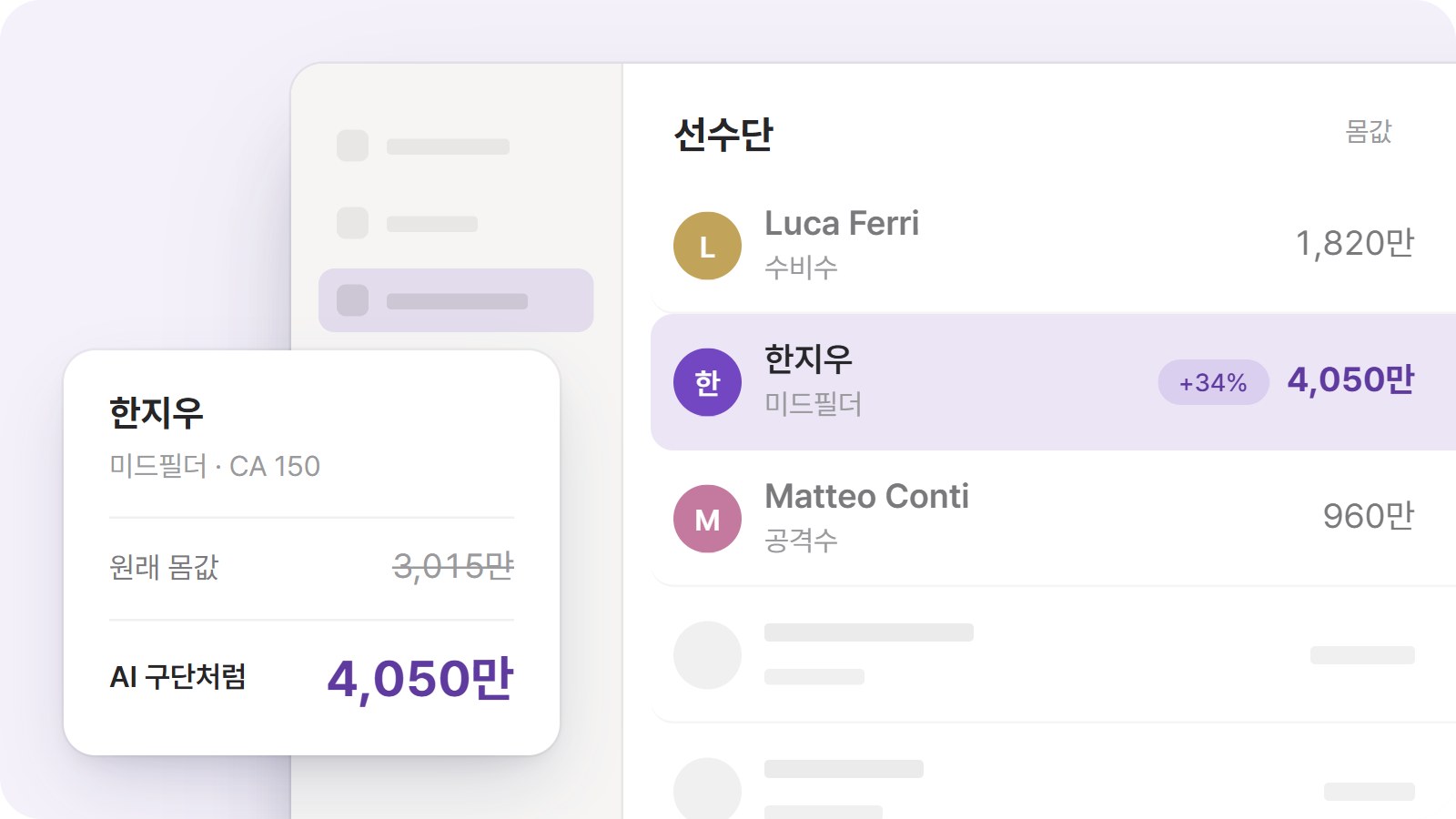
The author’s example, in the Korean version: a midfielder with 150 CA goes from 30.15 to 40.5 million; the names are made up (Image: hexase1-ship-it)
What FM27 AI Value does
Your players’ value can go up or down, because it now follows the same sums as the AI. In the author’s example, a midfielder with 150 Current Ability (CA) goes from 30.15 to 40.5 million, 34% more.
- When it goes up: first, the premiums the game only gave AI clubs now count for you too. For example, being a key player, the club not needing to sell, registration rules and refusing to sell mid-season. At big clubs with a higher reputation, these premiums show up more often.
- When it goes down: the player’s status comes from the game’s own assessment, not from what you promised in his contract. So if you promised him a starting place and the game rates him lower, his value drops. The club’s finances are also taken into account.
- AI offers: the value you see on screen and the offers other clubs make for your players use the same calculation.
- What stays the same: finally, the price of players you buy from other clubs does not change. If you have set an asking price, the AI still uses it first.
Who it is for
It is for anyone who feels FM27 undervalues the players at their club and gets weak offers for them. At the same time, it can lower the value of players whose contract status is higher than the game rates them, so it is not just a money-making plugin. But do not expect instant changes: values only change on the days the game recalculates them.
FM27 AI Value download
The latest version is 1.0.0, from 5 November. It works on Windows 10 and 11, only with Steam FM27 build 27.0.0+2493426. You also need BepInEx 6 IL2CPP, which is not included. However, the author only tested it with version 6.0.0-be.791, the same as FM27 Skip Intro. If you already use another BepInEx plugin, you probably have it installed.
Download – FM27 AI Value v1.0.0
BepInEx 6 IL2CPP – official page
- First, if you do not have BepInEx yet, download the
BepInEx-Unity.IL2CPP-win-x64-6.0.0-be.791file from the official page (build #791). - Then extract it into the FM27 folder, where
fm.exeis. Open the game once, wait for the main menu, which takes a few minutes the first time, and close it. - Next, with FM27 closed, open the mod’s zip and copy the
BepInExfolder into the game folder. If Windows asks whether to merge the folders, say yes. - Finally, open the game. To check it is on, look for the line
FM27 AI Value] Ready v1.0.0inBepInEx\LogOutput.log.
Using it with FMLE and other plugins
The same author makes FMLE, a live editor for FM27. Its cheat option «내 선수 몸값 AI 구단처럼» («value my players like an AI club») does exactly the same thing. So use only one of the two. Also, the author tested the plugin alongside seven other BepInEx plugins, such as FM27 Body Custom and the Director of Football patch, with no conflicts.
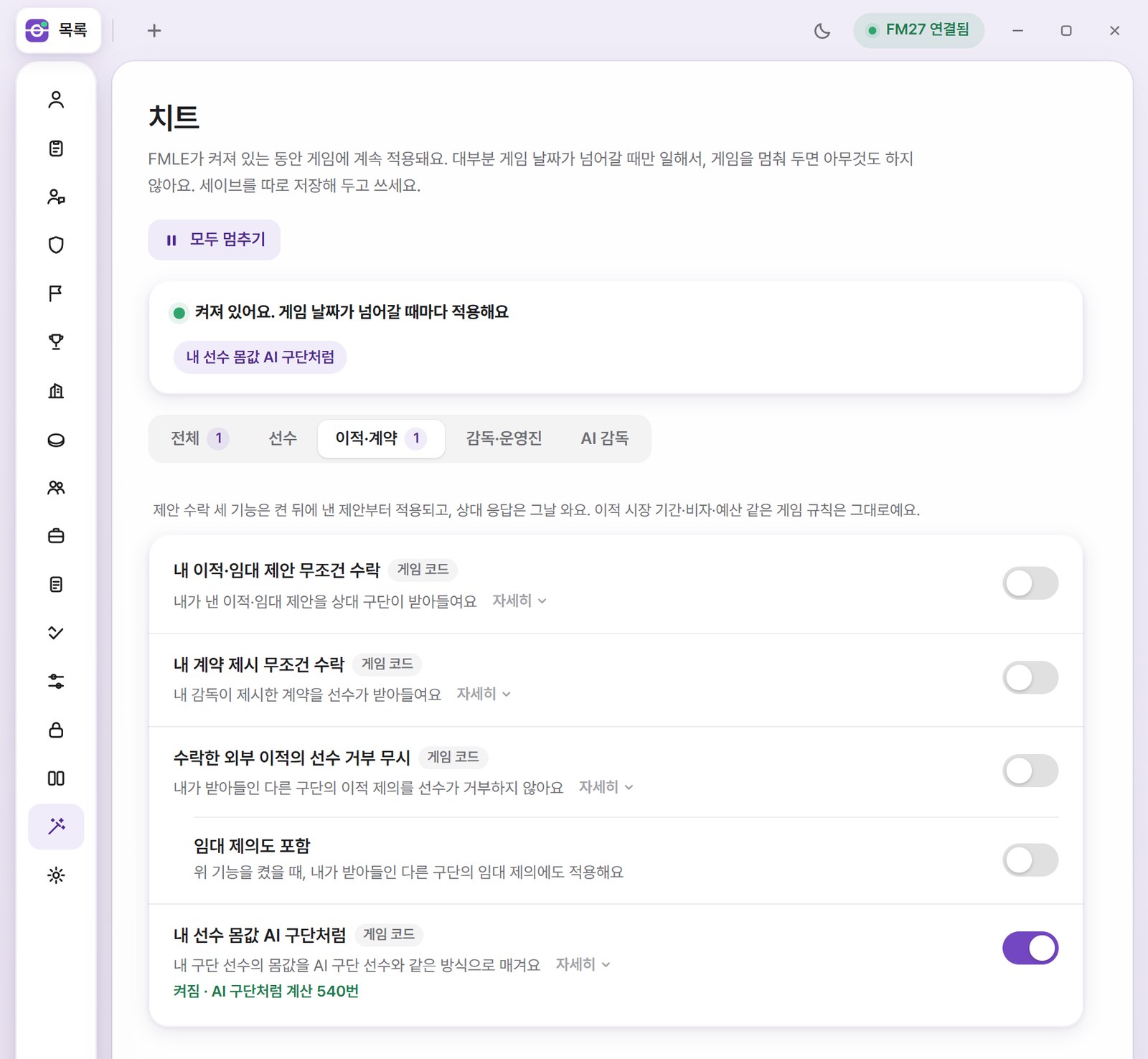
The same feature in FMLE’s cheats screen, in the Korean version (Image: hexase1-ship-it)
Things to watch
An FM27 update may switch the plugin off. In that case, it stops without changing anything and the game still opens, until a new version comes out. However, values recalculated and transfers made while it was on stay in your save. To switch it off, open BepInEx\config\local.fm27.aivalue.cfg in Notepad, change it to Enabled = false and restart the game. Finally, to remove it, close FM27 and delete the BepInEx\plugins\FM27AiValue folder.
The files are hosted by their original authors. FMPortugal only points to the official download page — all credit goes to their creators.