FM27 Body Custom by hexase1-ship-it is a plugin that changes the players’ bodies in the 3D match of Football Manager 2027. With a set of sliders, you adjust head size, shoulders, waist, legs and more, up to 28 areas in total. It is free and works with BepInEx 6. Also, it only changes how players look: attributes, results and saves stay exactly as they were.
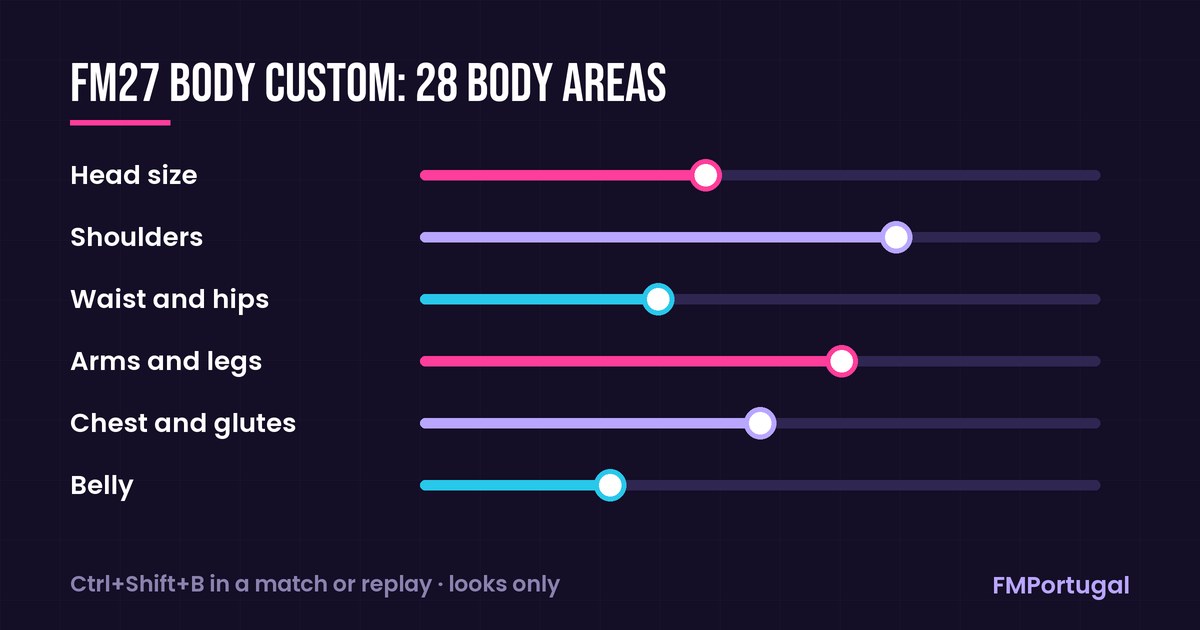
The body areas you can adjust, in our own illustration (Image: FMPortugal)
What FM27 Body Custom does
- 28 body areas: first, you can change head size, shoulders, waist and hips, arms and legs, chest, glutes and belly.
- Opens inside the game: in a match or a replay, press
Ctrl+Shift+Band the sliders appear. - Per-player settings: your changes are saved for each player and are kept when you update the plugin.
- Visual only: finally, the plugin does not touch the match engine, so a striker who looks taller on screen does not win more headers.
Who it is for
It is for anyone who spends a lot of time watching matches in 3D and finds all the players look the same. For example, you can give your centre-forward a heavier build or make a 17-year-old winger look slighter. So the game looks closer to real life, without changing the balance of your save. However, note that the plugin only works with the Steam version. The Xbox app version (PC Game Pass) is not supported.
FM27 Body Custom download
The latest version is 0.2.1, from 5 November. It works on Windows 10 and 11, with Steam FM27 build 27.0.0+2493426, and also with 27.0.0+2486695. You also need BepInEx 6 IL2CPP, which is not included. The author tested it with version 6.0.0-be.791, the same one we use in the startup and camera mods. If you already use another BepInEx plugin, you probably have it installed.
Download – FM27 Body Custom v0.2.1
BepInEx 6 IL2CPP – official page
- First, if you do not have BepInEx yet, download the
BepInEx-Unity.IL2CPP-win-x64-6.0.0-be.791file from the official page (build #791). - Then extract it into the FM27 folder, where
fm.exeis. Open the game once, wait for the main menu, which takes a few minutes the first time, and close it. - Next, with FM27 closed, extract the mod’s zip anywhere, open the installer
.batfile and choose option 1. The installer finds the game folder by itself. - If the blue Windows warning («Windows protected your PC») appears, click «More info» and «Run anyway».
- Finally, open the game and press
Ctrl+Shift+Bin a match or a replay.
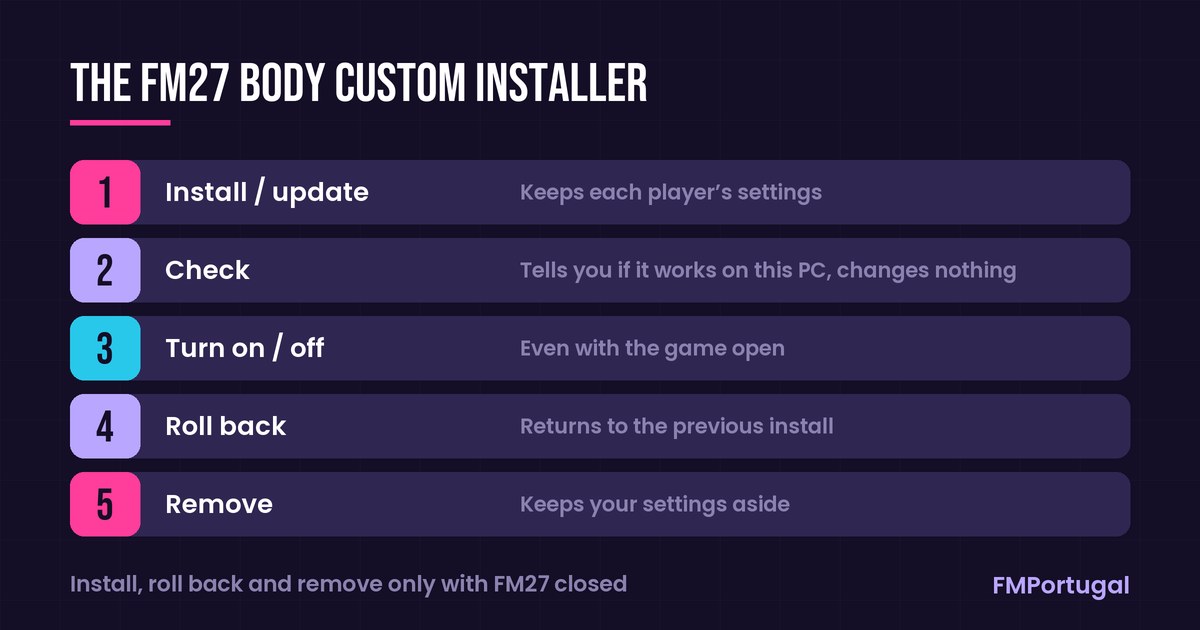
The five installer options, translated from Korean (Image: FMPortugal)
Things to watch
The installer file has a Korean name, like the author’s instructions. However, it checks the game version, BepInEx and the plugin before changing anything. If something does not match, it leaves everything as it is and tells you why. Even so, an FM27 update may switch the plugin off. In that case, Body Custom turns itself off, warns you once and the game still opens, until a new version comes out. It also works alongside skins like grok and other BepInEx plugins, but the author has not tested it with mods that change bodies or kits. Finally, to remove it, use option 5 in the installer with the game closed.
The files are hosted by their original authors. FMPortugal only points to the official download page — all credit goes to their creators.