FM Manager 3D Head by codexx01 puts your own face on your Football Manager 2027 manager. In other words, it swaps your manager’s 3D head for a 3D scan of your own head, stored as a .glb file. So it is you who shows up on the touchline, in the dugout and in the dressing room scenes. Also, if you like, your face can be used on the manager’s 2D portrait too. The plugin is free, open source and works with BepInEx 6 on Windows and Mac.
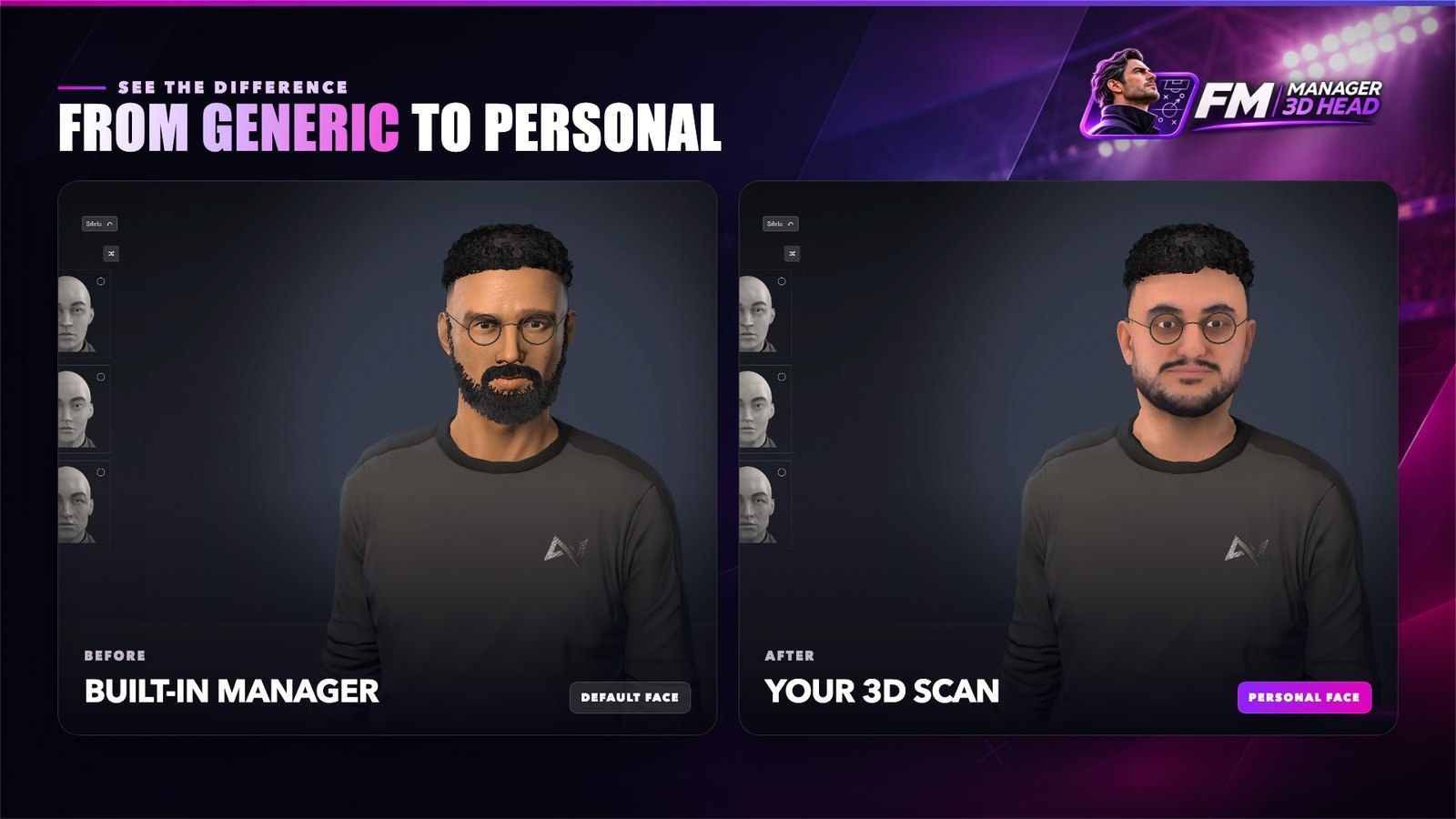
Before and after: the game’s manager and the 3D scan (Image: codexx01)
What FM Manager 3D Head does
- You in the game: first, your head appears on the touchline, in the dugout and in cutscenes. If you turn the option on, it also appears on the 2D portrait.
- In-game panel: you adjust head size and shape, face, eyes, neck, skin and hairline. There are also glasses, earrings and hearing devices, with no config files to edit.
- One face per profile: each manager profile has its own face, and the mod works with careers you have already started.
- Settings backups: you can export and import your settings, and undo or redo changes.
- Eight languages: finally, the panel is in English, Turkish, German, Portuguese, French, Spanish, Italian and Polish.
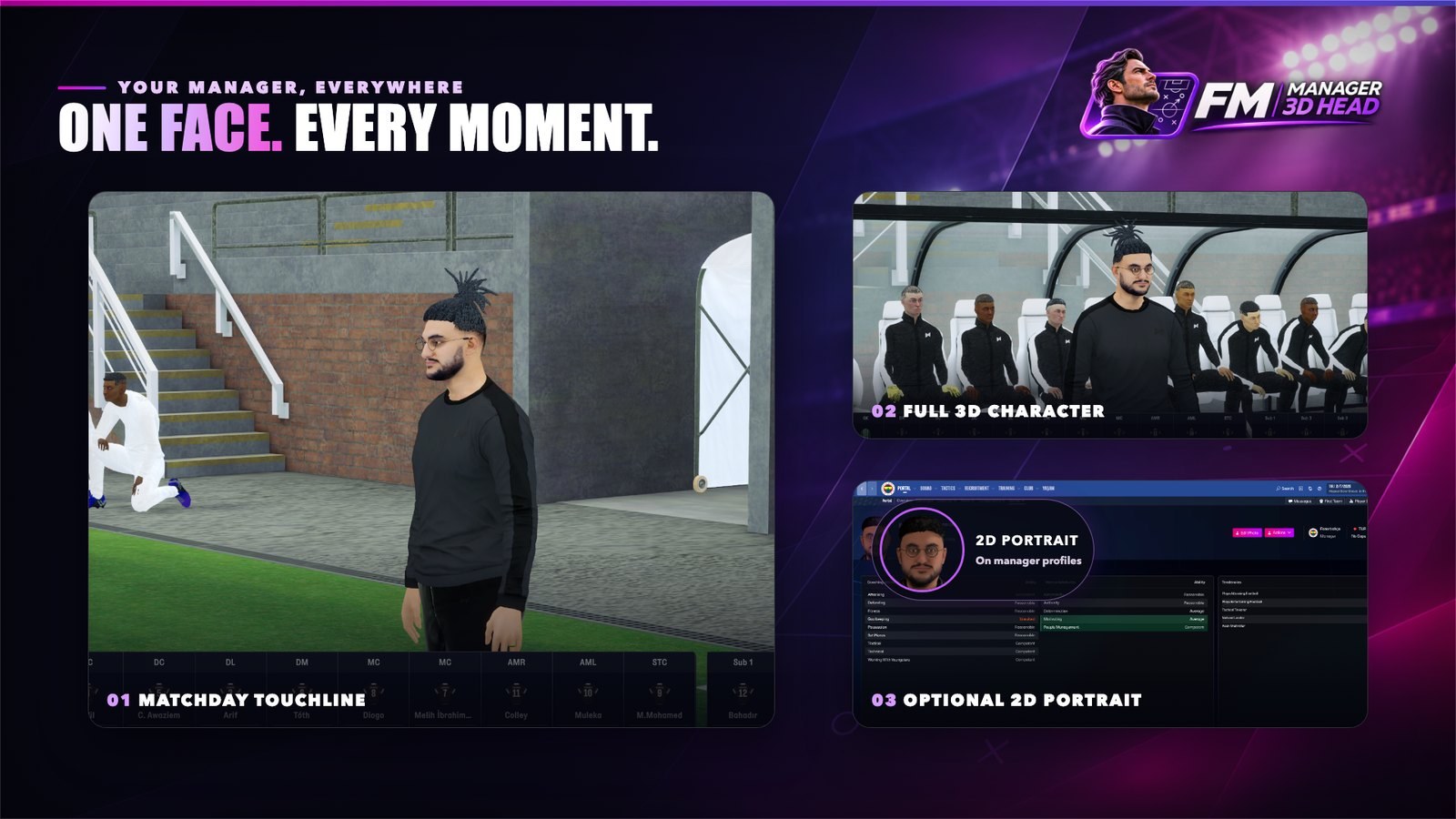
Your face on the touchline, in the dugout and on the 2D portrait (Image: codexx01)
Step one: scan your head
The plugin does not create the scan. So you have to make it once with an app that turns photos into a 3D head. The author built and tested the mod with KeenFace (keenface.ai), a separate service that requires an account. However, the account is free and comes with 450 credits. Each head costs 150, which means three heads without paying. After that, check the service’s terms, because the author himself warns that KeenFace credits and pricing may change.
In the KeenFace Studio, you upload 2 to 15 photos, and the front one is required. For the best result, the author recommends six: front, turned about 40° to each side, side profile, chin up and chin down. Then you wait a few minutes and download the head as GLB. Also, use soft, even light, a neutral expression and open eyes, with no glasses or hat. Other apps work too, as long as they export a textured 3D head including the neck as GLB.
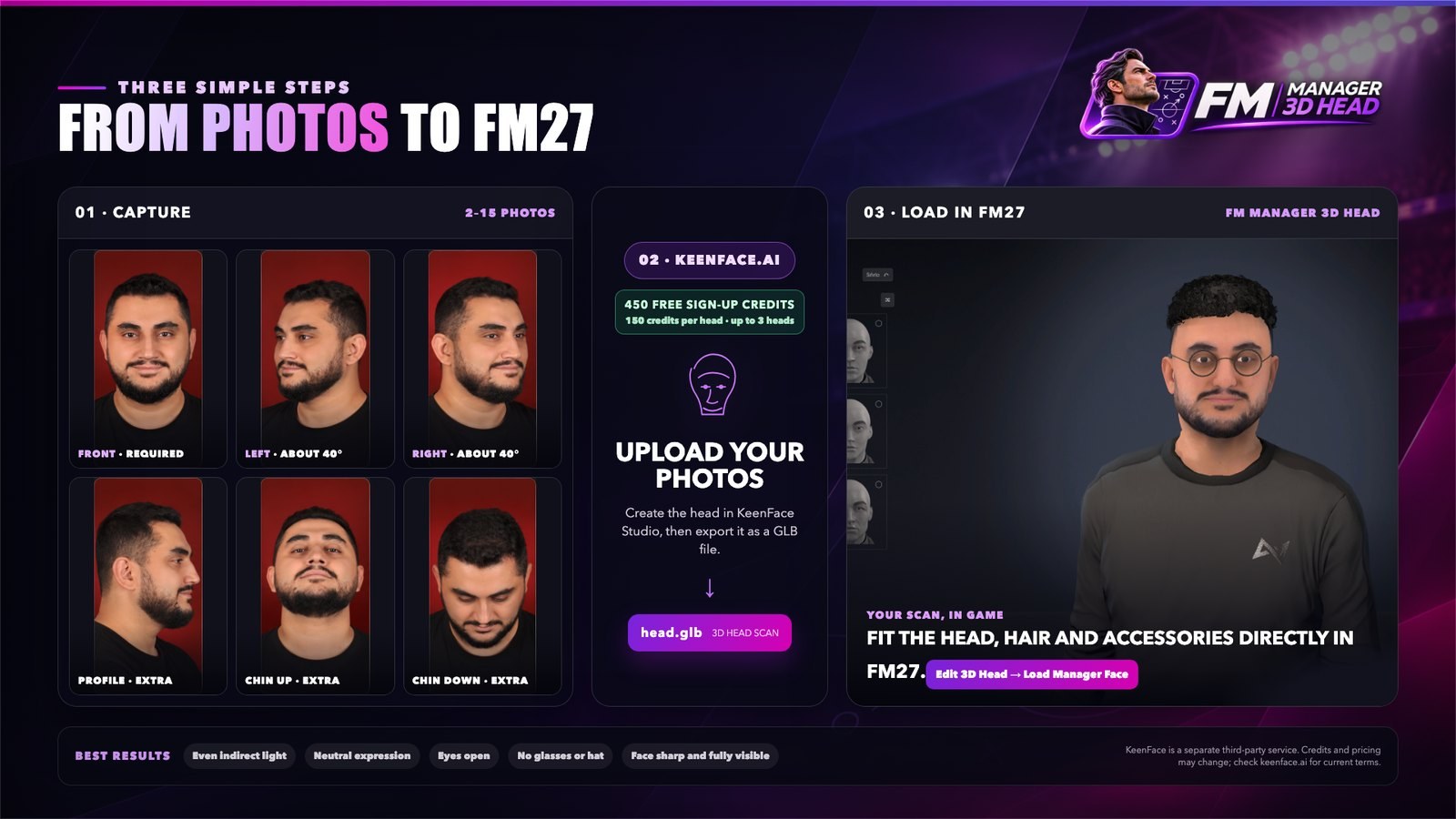
From photos to FM27 in three steps (Image: codexx01)
FM Manager 3D Head download
The latest version is 1.0.1, from 5 November. It fixes the Windows crashes a player found in 1.0.0 when editing the head. To use it, you need FM27 on Steam, on Windows or Mac. However, BepInEx 6 IL2CPP, which is also required, is not included.
Download – FM Manager 3D Head v1.0.1
BepInEx 6 IL2CPP – official page
- First, install BepInEx 6 IL2CPP in the game folder and open FM27 once. On Windows, the folder is usually
C:\Program Files (x86)\Steam\steamapps\common\Football Manager 27. - Then extract the zip and copy the
FMManager3DHeadfolder intoBepInEx\plugins. Inside it you should haveFMManager3DHead.dlland thelangfolder. - Next, open the game and go to the screen where you create your manager or change their appearance.
- After that, click Edit 3D Head, bottom right, next to Confirm. You can also press Ctrl+Shift+H, or Cmd+Shift+H on Mac.
- Finally, click Load Manager Face and pick your
.glbfile. Fine-tune it in the tabs and confirm the appearance as usual.
Existing careers and the 2D portrait
FM keeps a separate copy of your manager inside each saved career. That is why you need to load your face once in each save: open the career, go to your manager’s appearance and use Edit 3D Head and Load Manager Face again. For the 2D portrait, turn on Also use for 2D portrait in the panel’s Look tab. If the portrait comes out wrong, click Refresh 3D Portrait on your manager’s profile, next to Actions. Also, you can drop the .glb file straight into BepInEx\plugins\FMManager3DHead\faces.
Things to watch
The author uses a Mac, so he tested everything thoroughly on macOS. On Windows, however, he only tried it in a virtual machine: it works, but you may notice some performance issues. Also, the mod only changes your manager, not players or staff. For now, the game’s beard and eyebrows are hidden, because your scan already has them. Even so, according to the author, short beards already show up if your photo has one, and full beard support is nearly finished.
If the game crashes or your face does not show up properly, close FM, delete the faces folder and load your face again. Be careful, because this also deletes your saved faces and portraits. If that does not help, the Report a problem button at the bottom of the panel sends the logs to the author. To update, copy the new folder over the old one, and your faces and settings are kept. Finally, the panel itself tells you when a new version is out.
The files are hosted by their original authors. FMPortugal only points to the official download page — all credit goes to their creators.