Would you like to pick each team’s kit, the ball and even the referee before every match? FM Kit Switcher does that in FM27. It is a free plugin by FM Tigrotto, the author of the real FM27 kits, that adds a new button to the Team News screen. So before kick-off you see both teams in 3D and change whatever you like.
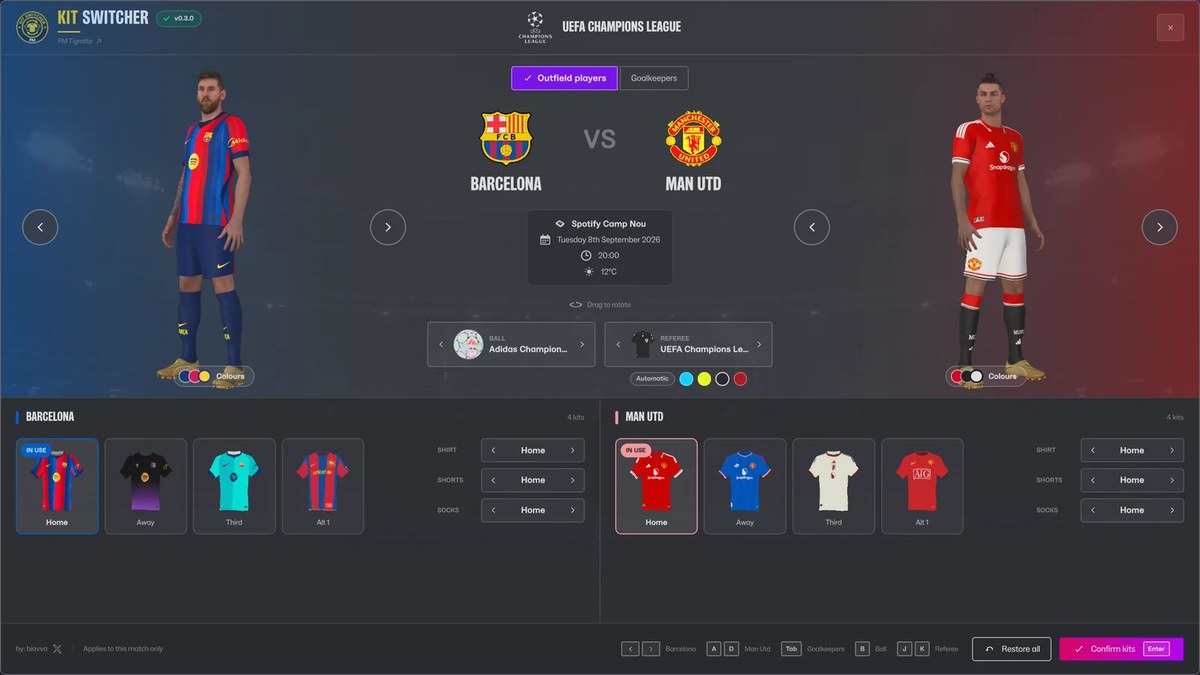
Both teams in 3D, with each club’s kits underneath (Image: FM Tigrotto)
What FM Kit Switcher does
- Kits: every 3D kit in the club’s folder shows up as a card. Pick one with a click, or mix shirt, shorts and socks.
- Goalkeepers: for example, they get their own tab and preview.
- Balls: the pack has more than 160 balls. The plugin picks the competition’s ball, winter ball included, but you can also choose it yourself.
- Referees: also, referees and assistants wear the kit of more than 50 competitions, in a colour that never clashes with the teams.
- Colours: pick the number colour, its outline and each team’s two scoreboard colours.
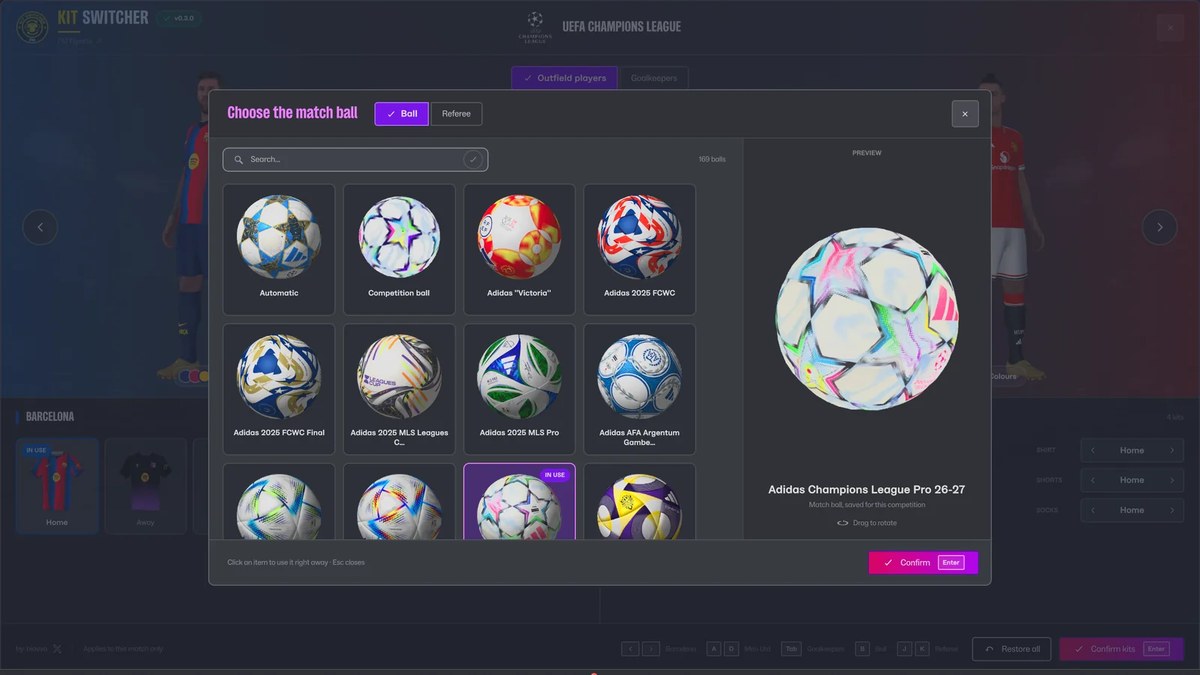
The ball gallery, with a 3D preview (Image: FM Tigrotto)
Alternative kits and colours
Want to use a retro shirt or a special edition? Then just put the file in Documents\Sports Interactive\Football Manager 27\graphics\Kits\Alt, named <club id>_1.png. It then shows up as «Alt 1» next to Home, Away and Third, with no setup and no restart. For example, 1708_1.png is for the club with id 1708.
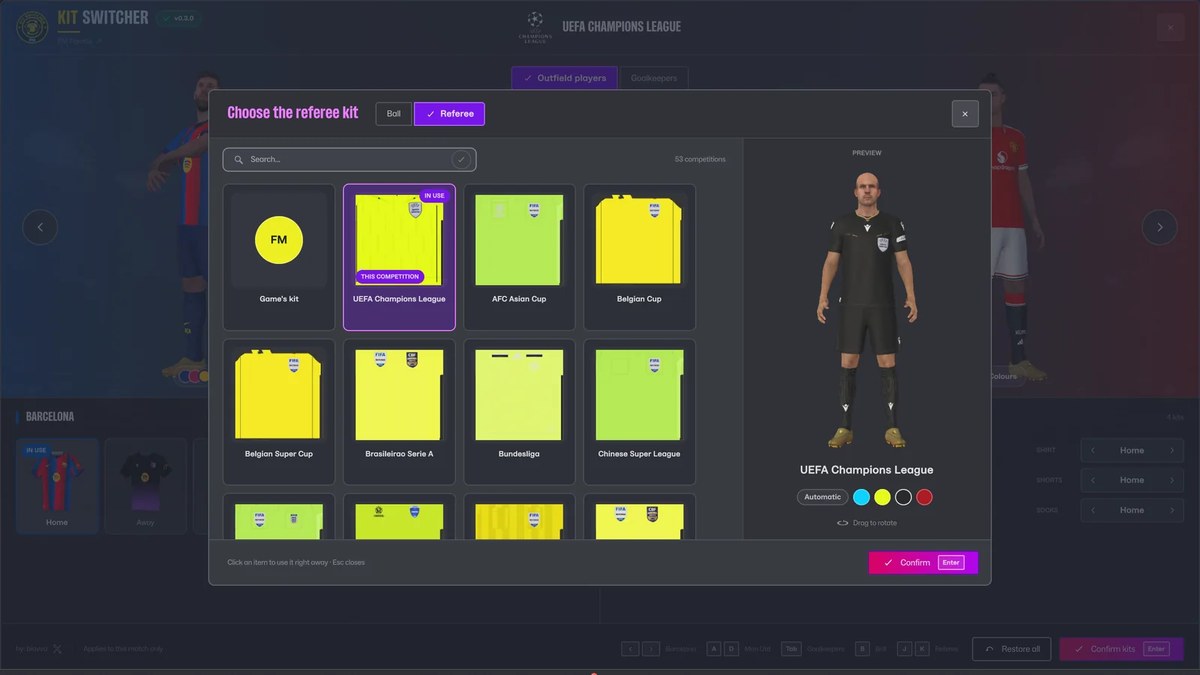
Referee kits by competition (Image: FM Tigrotto)
Finally, if you turn a player around in the preview, you see the name and number on the back, just like in the match. The Colours window lets you set each team’s number and scoreboard colours, or let the plugin pick one that reads well.
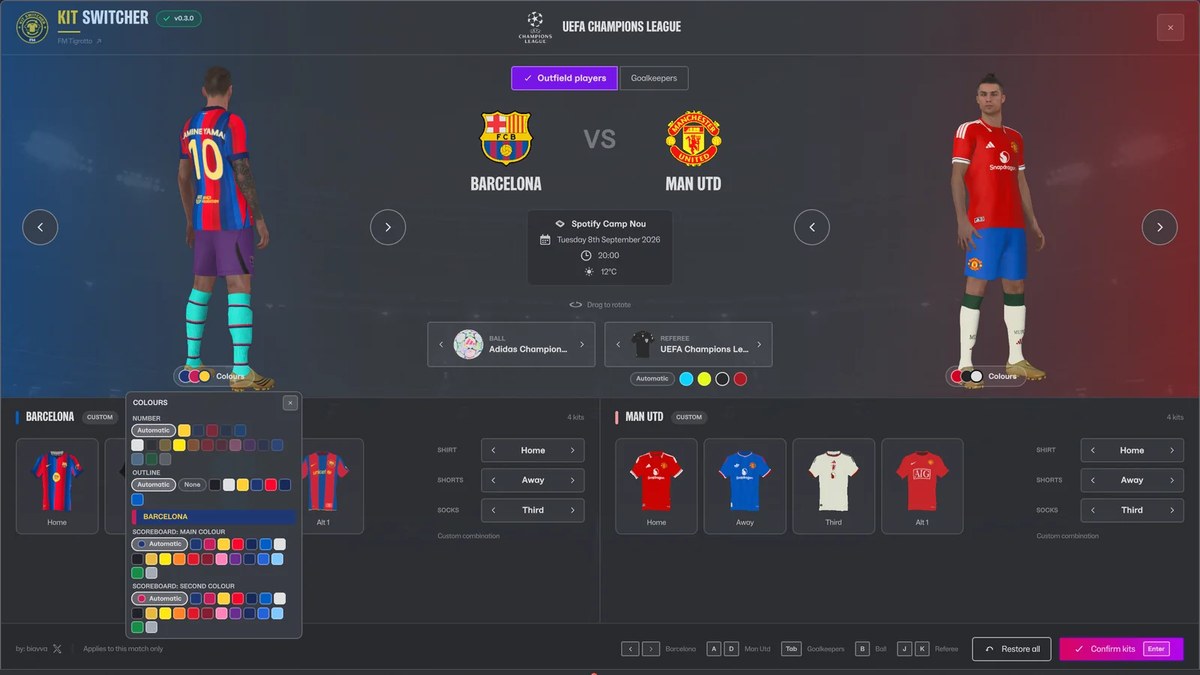
The Colours window, with the name and number on the back (Image: FM Tigrotto)
FM Kit Switcher download
Version 0.3 came out on 30 October and was made for FM27, with the game’s own look. It also added animated players and female players in women’s matches. The complete pack is about 390 MB, because it already includes the balls and referee kits. The plugin also updates itself when you start FM.
Download – FM Kit Switcher 0.3 (FM27)
- First, install BepInEx 6 in the FM27 folder and open the game once. If you do not have it yet, the download is in the 3D Live Action Cam article.
- Then extract the .zip and copy the
FMKitSwitcherfolder toBepInEx\pluginsinside the game folder. - Next, open FM27 and go to the Team News screen of a match. The Kit Switcher button is there.
- Finally, pick the kits, ball and referee, confirm and kick off.
Things to watch
The plugin needs BepInEx 6, so it only works alongside mods that use the same version. However, it no longer needs any other plugin. It also only shows the 3D kits you have in each club’s folder. So if you do not have them yet, see the author’s real FM27 kits. Also, after an FM27 update, the first launch with BepInEx is slow again. Finally, if kits show the wrong colours in the dressing room, add the Dressing Room Kit Fix.
The files are hosted by their original authors. FMPortugal only points to the official download page — all credit goes to their creators.