Ten seasons into your save and your club still has the same three kits? Palmarghe Kits Editor lets you design new kits for your club in FM27 and FM26. It is a free Windows app by Palmarghe, and version 1.0 is the first full release. So you create the shirt, shorts and socks, see everything in 3D and install it in the game.
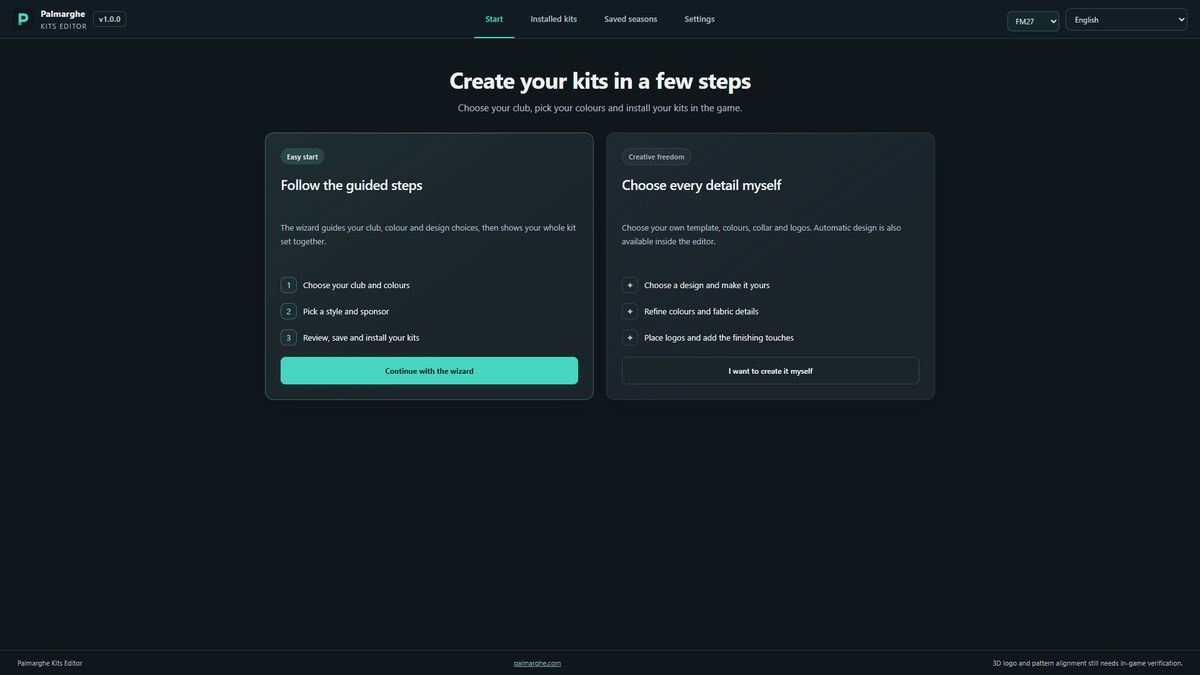
The start screen, with the wizard and manual editor (Image: Palmarghe)
What Palmarghe Kits Editor does
- From a picture to a pattern: crop an image, pick a finish and decide where it goes on the shirt. Then change its colours, scale and strength.
- Lock a kit: for example, keep the home kit you love and generate the away and third again.
- Lots of designs: 140 templates, 57 kit brands and 139 sponsors, with controls for chest, sleeves, back and shorts.
- Crest colours: the app finds your club and suggests a palette from the badge.
- Details: collars, cuffs, fabric and even a country flag, if you like.
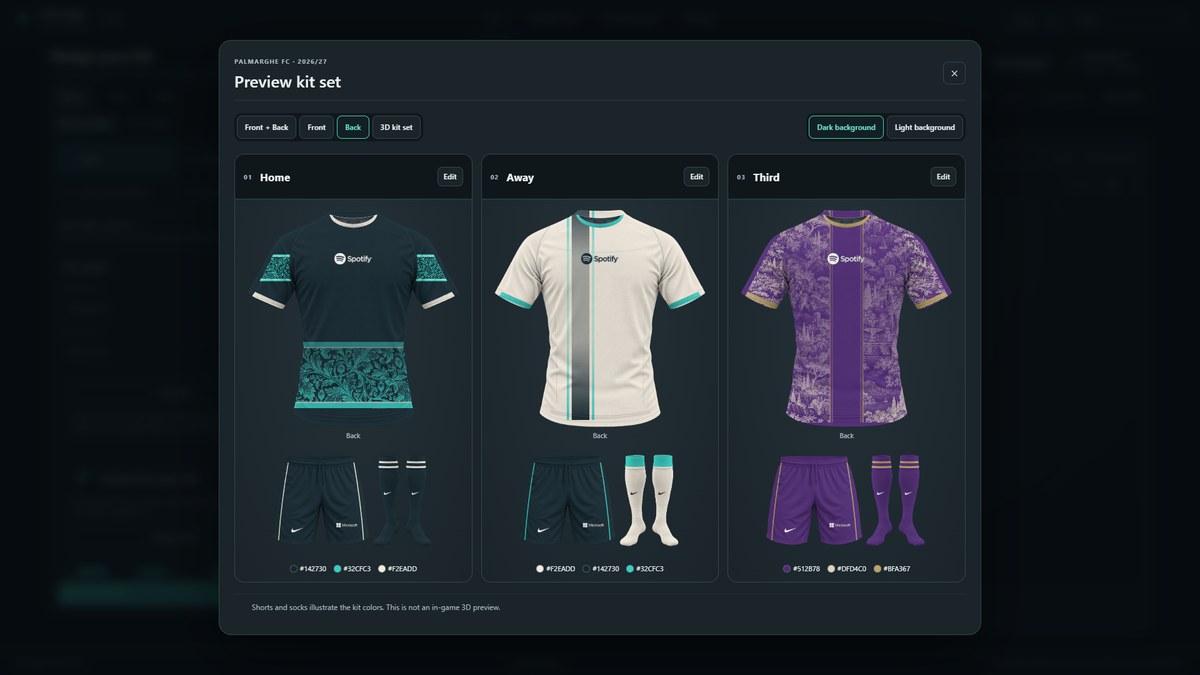
A full set, with home, away and third kits (Image: Palmarghe)
3D preview and installation
Before installing, you see the full kit on a 3D model you can rotate. The app also warns you when a badge or sponsor blends into the shirt. Then it installs the kits in 2D, 3D or both, straight into the game folder, and handles the config.xml files for you.
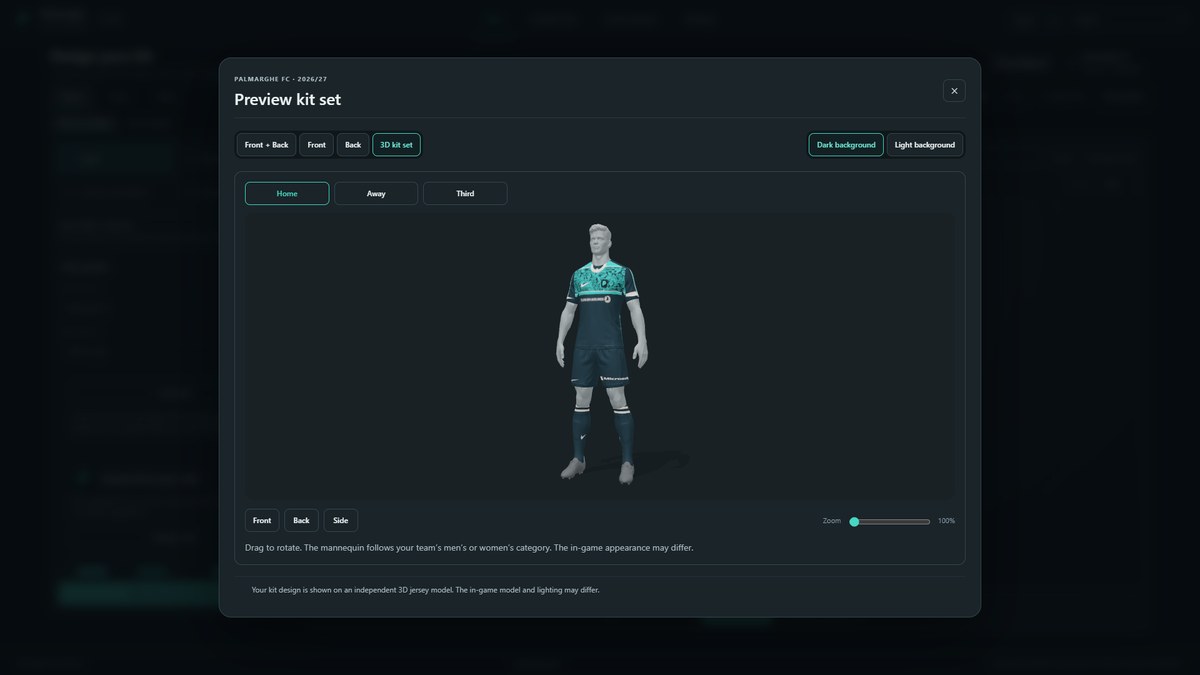
The 3D kit preview (Image: Palmarghe)
Finally, the installed kits section lets you reopen designs you made. So you can save a season and come back to it later, without starting from scratch.
Palmarghe Kits Editor download
The app runs on 64-bit Windows, and you pick FM26 or FM27 in the top bar. The link is the installer from the author’s site.
Download – Palmarghe Kits Editor 1.0 (Windows)
- First, run the installer and open Palmarghe Kits Editor. Install it on Windows, not inside your FM graphics folder.
- Then pick FM27 in the top bar and create a set with the wizard, or do everything by hand in the editor.
- Next, check the result in 3D and fine-tune the details.
- Finally, install the kits in the game and reload the skin.
Things to watch
FM27 support is included, but the author says the in-game look still needs to be confirmed. Also, live installation only works on one specific game build on Xbox / Microsoft Store. However, normal file installation works on all of them. Finally, the 3D images are the app’s preview, not the game. If you just want the real kits, see the real FM27 kits, and to pick them before each match, FM Kit Switcher.
The files are hosted by their original authors. FMPortugal only points to the official download page — all credit goes to their creators.