Tired of hunting for .zip files and never knowing which version of each database you have installed? FMDB Hub puts a catalogue of databases and real names fixes inside FM27 itself. It is a free plugin by Brazilian creator marcelouw, and you install, update or remove each pack with one click, without opening a single folder.
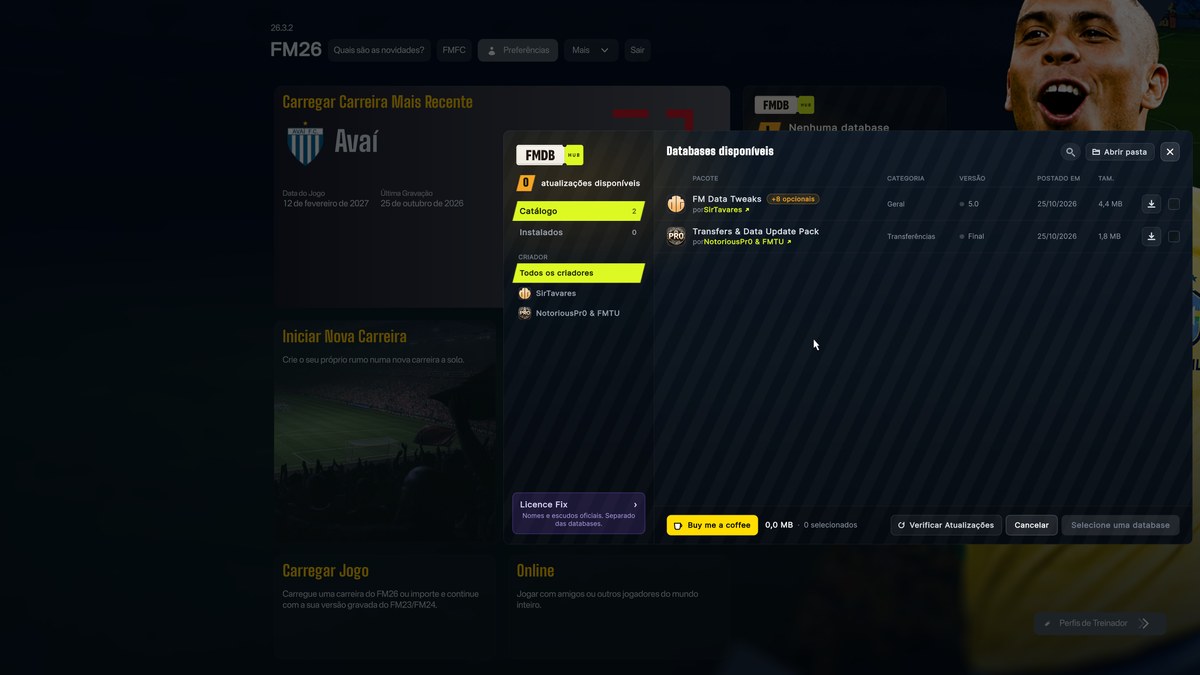
The FMDB Hub catalogue on the start screen, still in FM26 (Image: marcelouw)
What FMDB Hub does
- News on the start screen: a card tells you how many updates there are for the packs you use.
- In-game catalogue: see every available database, with its version, size and creator.
- One click: for example, download and install a database without leaving FM.
- Optional files: install only the parts of each pack you want.
- Warnings: also, the plugin warns you when two databases do not work together.
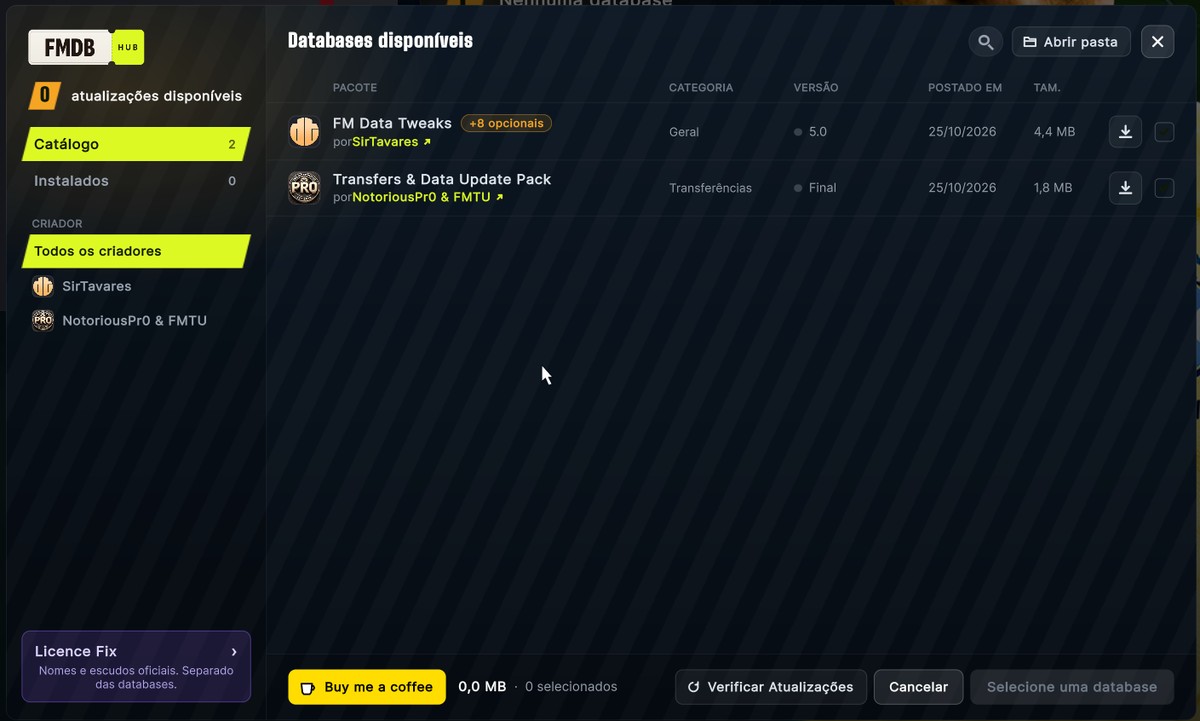
The pack list, with each one’s version, date and size (Image: marcelouw)
Real names fixes with a backup
FMDB Hub also installs real names fixes from the same screen. So before a fix changes the game files, the plugin backs them up, and you can always go back. The catalogue already has several fixes for FM27, including the Passion4FM one we cover in our FM27 real names fix article.
On the other hand, the catalogue depends on the creators. So if your favourite database is missing, the author asks you to let its creator know. According to the site, every pack is reviewed before going live and includes nothing executable.
FMDB Hub download
Version 1.1.3 is about 0.1 MB and works with FM27 on PC. The download is on the author’s site, which also has the full list of databases.
Download – FMDB Hub 1.1.3 (official site)
- First, install BepInEx 6 in the FM27 folder and open the game once. If you do not have it yet, the download is in the 3D Live Action Cam article.
- Then extract the .zip and copy the FMDB Hub folder to
BepInEx\pluginsinside the game folder. - Next, open FM27. The FMDB Hub card shows up on the start screen.
- Finally, open the catalogue and install, update or remove the packs you want.
Things to watch
The plugin needs BepInEx 6, so after an FM27 update the first launch is slow again. Also, some databases only work in a new save, so read each one’s description before installing it. However, never use two real names fixes at the same time, so the files do not get mixed up. Finally, the site is in Brazilian Portuguese, English, Spanish and Turkish.
The files are hosted by their original authors. FMPortugal only points to the official download page — all credit goes to their creators.