The Light Skin by SuperKiwi is a clean, simple light skin for FM27, with white backgrounds, dark text and single-colour icons. Its author, SuperKiwi, describes himself as a regular player with no coding background. Even so, he built it for anyone who gets tired of the game’s dark screens. It also keeps the attribute colours, so you can still read a player at a glance.
What the Light Skin by SuperKiwi changes
The idea is to give the whole game the same light look without changing how the screens are laid out. In other words, it does not move menus or add new panels: it swaps the colours.
- Backgrounds: white and a softer off-white, so it is easier on the eyes.
- Text and icons: text turns dark and icons become monochrome.
- Colours that matter: attribute colours and the ones that help you play stay as they were.
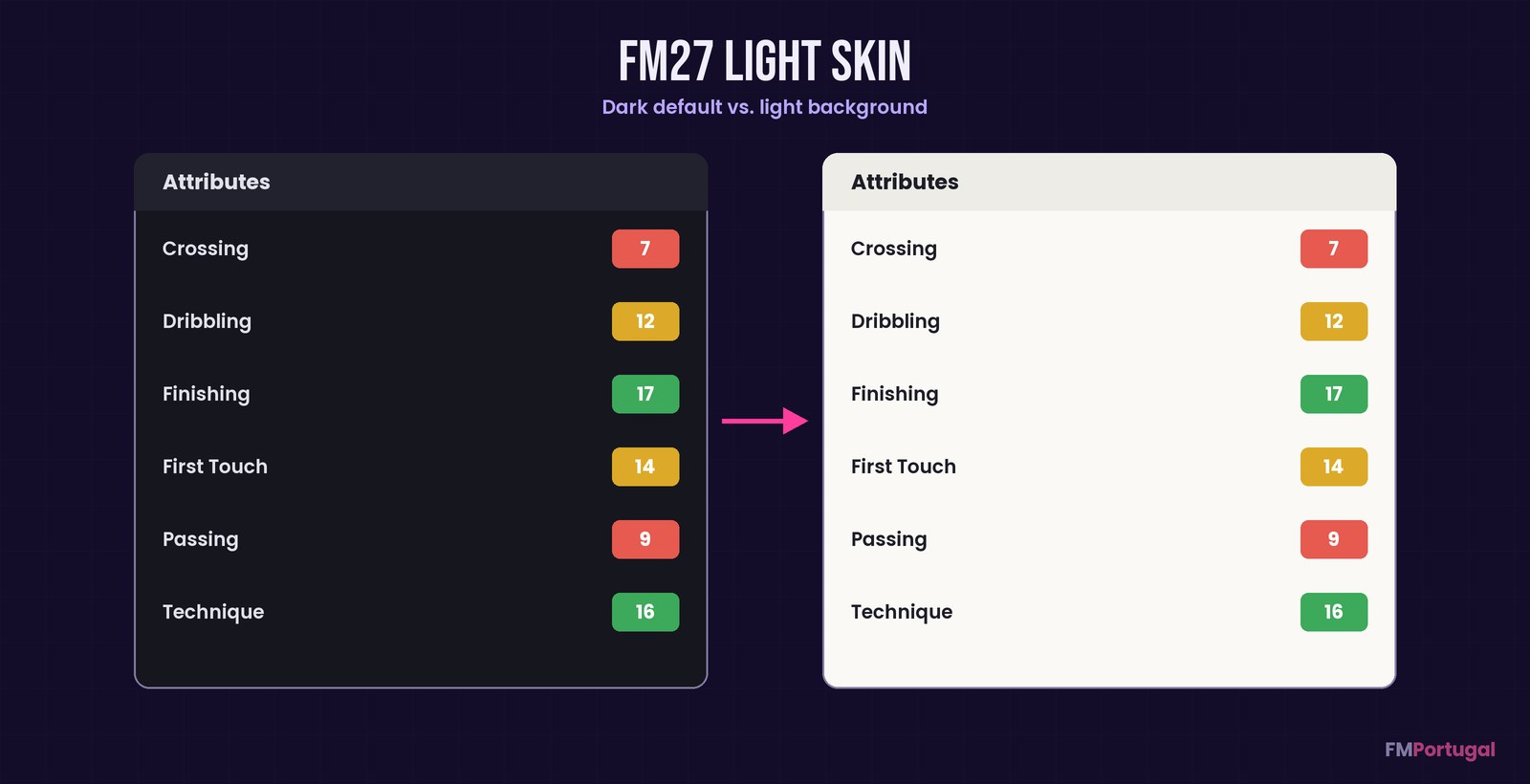
The background changes, the attribute colours do not (Image: FMPortugal)
Not the FM27 Light Skin by Seve1995
There are two light skins with almost the same name. We have already covered the FM27 Light Skin by Seve1995, which has an installer, a Mac version and navy accents. This one is different: it is by SuperKiwi, simpler and Windows only. As a technical base, the author used NevFM’s Nev Skin, and he thanks him for it.
However, there is an important update. A few days after releasing it, SuperKiwi himself pointed players to Seve1995’s skin and said he would contribute to that project instead. So this version may not get further updates, and the author also said he would take his own post down.
Who it is for
It suits Windows players who simply want a light FM and nothing else changed. It also helps if your screen is very bright or you play during the day in a sunny room. If you would rather have a light skin that keeps getting updates, then go for Seve1995’s. And to switch skins with less hassle, have a look at FM 27 Skin Manager.
Download the Light Skin by SuperKiwi
The file is from 4 November and weighs about 75 MB. It only works on Windows, because the author has no Mac to build or test it on. Also, it was checked in French at 1920 × 1080; other languages, resolutions and rarer screens may have glitches.
Download – Light Skin (Windows)
- First, close FM27 and extract the ZIP.
- Then, in Steam, right-click the game and choose Manage > Browse local files.
- Open the
fm_Data\StreamingAssets\aa\folder. - Next, back up the original
StandaloneWindows64folder somewhere safe. - Copy the skin’s
StandaloneWindows64folder intoaa, merge the folders and replace the matching files. - Finally, start the game.
Note: do not delete the existing StandaloneWindows64 folder, because the skin only replaces some files. Also, it does not go in Documents\skins.
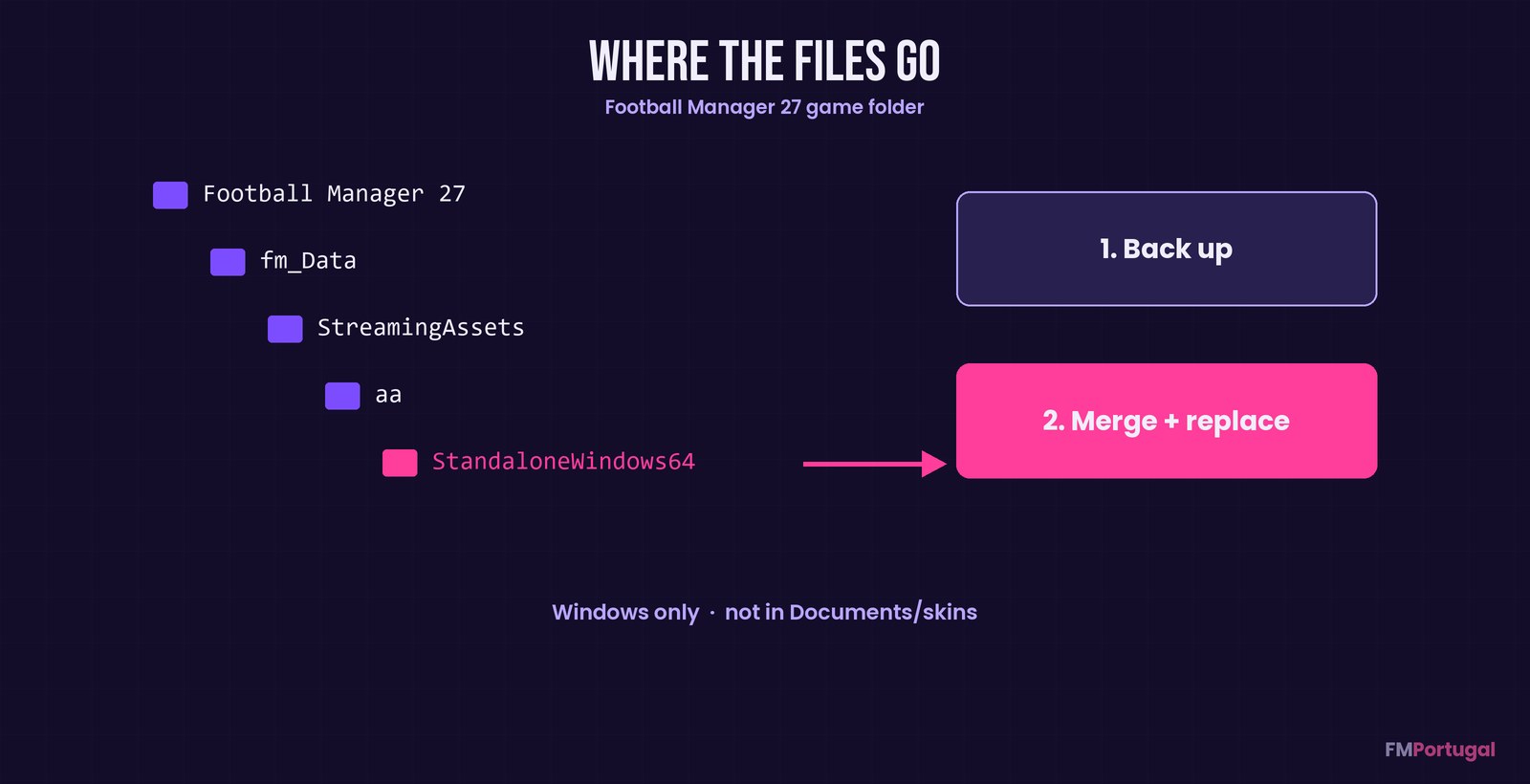
Where the skin files go (Image: FMPortugal)
Things to watch
If another skin has already replaced these files, restore the originals before installing this one. Otherwise, you end up with a mix of both. To uninstall, close the game and put your backup back; Steam’s file verification also restores everything. Finally, since the author has moved on, keep a copy of the ZIP: the link may disappear.
The files are hosted by their original authors. FMPortugal only points to the official download page — all credit goes to their creators.
Did you make this download? Manage it on FMPortugal →