FM27 Live Editor is a free real-time editor for Football Manager 27. With the game running, you change players, clubs, transfers and loans in the career you have loaded. It is by SiRRAHx, who also made the FM27 Graphics Manager. It also has a rare advantage: it was tested first on the Game Pass version, which many editors still do not support.
What FM27 Live Editor does
- Players: attributes, CA and PA, positions, morale, condition, match sharpness and reputation.
- Contracts: wage, end date, squad status, squad number and clauses.
- Health: heal injuries and lift bans.
- Clubs: finances, budgets, reputation, facilities, plus squad-wide morale and fitness.
- Transfers: move a player to another club with a fee and new terms, swap two players or release one.
- Loans: loan a player to any club, with an end date, wage share, monthly fee and future fee. You can also change the terms or end a loan early.
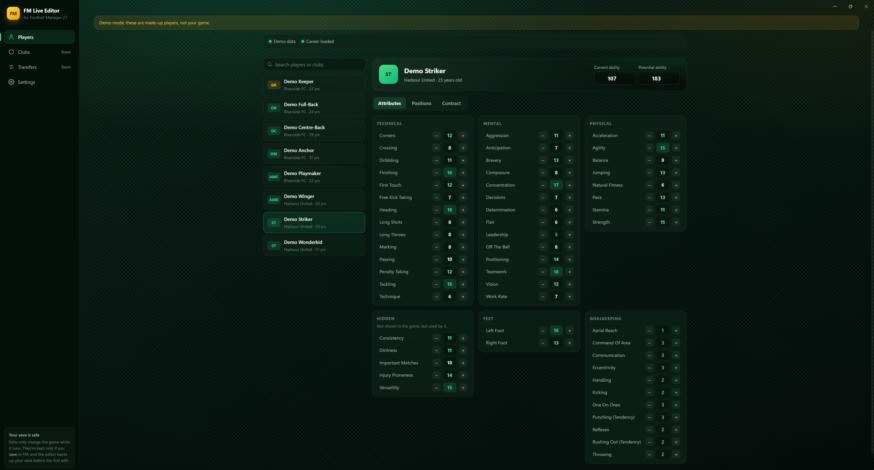
The editor window in demo mode, from an earlier version (Image: SiRRAHx)
How it works
The editor runs next to FM27 and changes the career in the game’s memory, like other live editors. In other words, no game files are touched. Loans are created by FM’s own loan code, so they behave just like loans agreed in the game. However, changes only stick if you save the career in FM.
There is also an optional in-game button. Under Settings > In-game button, the editor adds a Live Editor button to FM’s main menu and top bar. For that it uses BepInEx, a free mod loader. If FM ever refuses to start with mods, click Turn off and the game starts as normal; the editor keeps working.
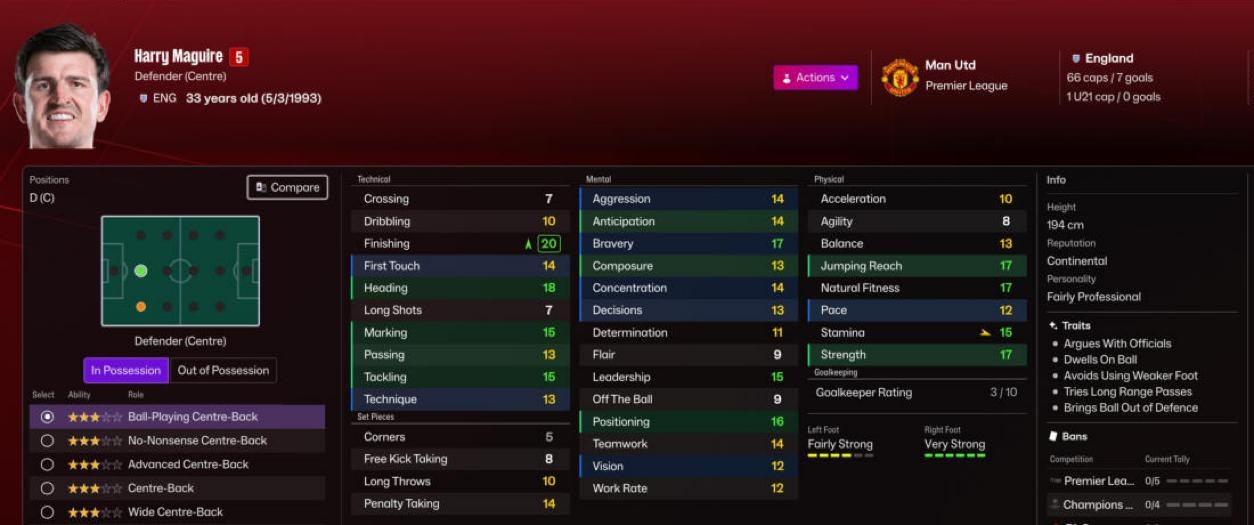
Maguire with 20 Finishing after the first edit (Image: SiRRAHx)
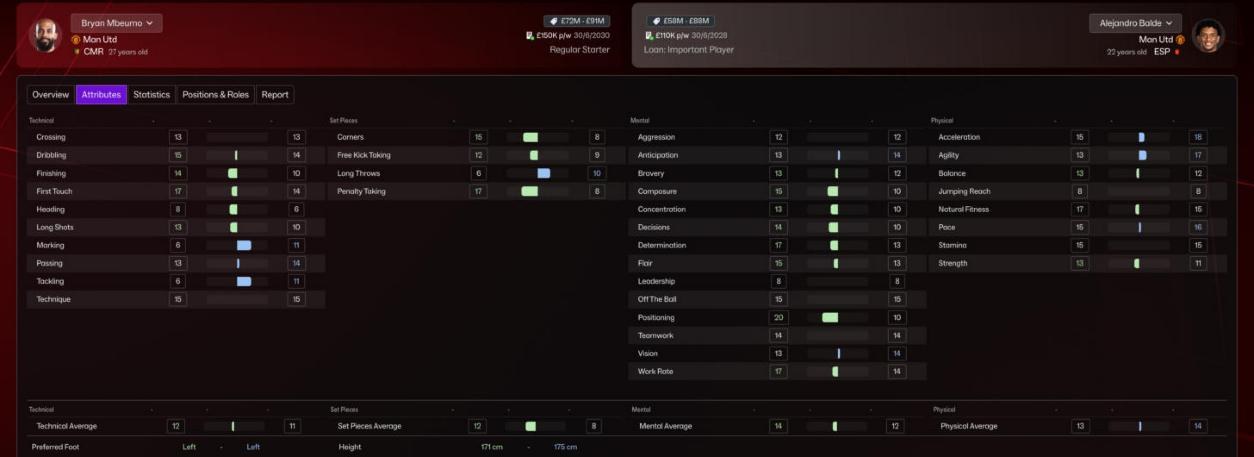
The in-game comparison shows the new value straight away (Image: SiRRAHx)
Who it is for
It is mainly for anyone playing FM27 through Game Pass or the Microsoft Store who has no editor that works. It is also handy for fixing a silly injury, tweaking a contract or setting up a challenge of your own. If you would rather use the best-known editor, see FMRTE 27. On the other hand, for another free option, there is Touchline Forge 27.
Download FM27 Live Editor
The latest version is 0.3.14, from 10 November, and the installer is about 150 MB. It is Windows only. It is still in early access: this is a test build, so expect some rough edges. This release gets transfers and loans working again after FM’s 10 November update.
Download – FM27 Live Editor v0.3.14
- First, download and run
FM27-Live-Editor-Setup-0.3.14.exe. If Windows says it protected your PC, click «More info» and then «Run anyway», because the app is not signed. - Then the installer asks where FM27 is (the folder with
fm.exe). It usually finds it by itself. If not, on Game Pass it is inXboxGames\Football Manager 27\Content; on Steam,steamapps\common\Football Manager 27; on Epic,Epic Games\Football Manager 27. - Finally, start FM27 and load your career. The editor connects by itself.
Already on 0.3.1 or later? The editor offers the update itself when it starts.
Things to watch
Back up your saves. The editor also makes a copy before your first edit in each session, but it is better to keep your own. It has been tested on Game Pass and the Microsoft Store; Steam and Epic should work, but no tester has confirmed it yet. Also, 0.3.13 fixed a bug that could create duplicate transfers with no fee paid, so always use the latest version.
The editor does not depend on one fixed FM27 build: when the game starts, it looks for what it needs. If it is not sure about something, for example after a big update, editing stays off. In that case, the log at %LOCALAPPDATA%\FM27 Live Editor\engine.log says what is missing. To remove it, switch off the in-game button with Turn off and uninstall the app in Windows like any other program.
The files are hosted by their original authors. FMPortugal only points to the official download page — all credit goes to their creators.
Did you make this download? Manage it on FMPortugal →