FM 27 Skin Manager is a free app that installs, enables and disables FM27 skins and mods for you. Made by lam2, it also keeps backups of the game’s original files, so you can go back whenever you like. So, with so many new skins replacing game files, you no longer have to copy everything by hand. There are also versions for Windows, Mac and Linux.
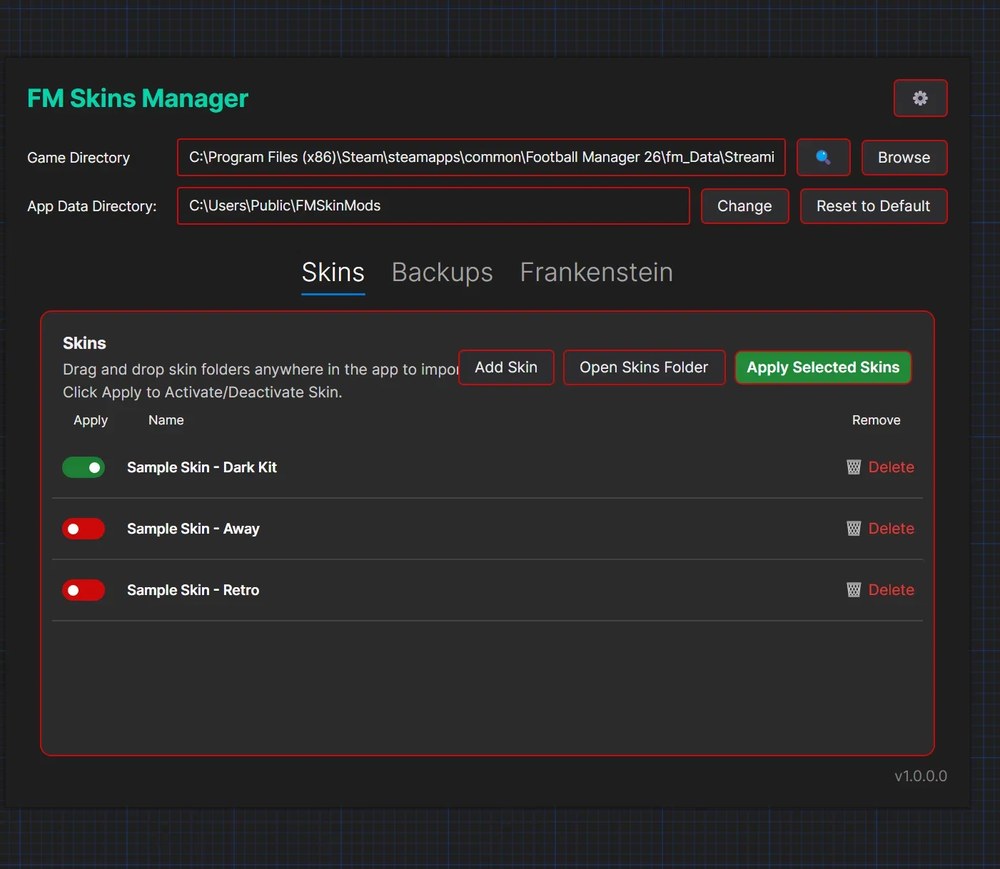
The skin list, with a toggle for each one (Image: lam2)
What FM 27 Skin Manager does
- Import skins: first, drag the skin folder into the window and the app extracts it and adds it to the list.
- Enable and disable: for example, pick the skins you want and click «Apply Selected Skins». The app copies the files to the right place.
- Special files: it also installs the catalog, DLL and dylib files many skins use, and restores the originals when you uninstall.
- FM27 internal skins: it also puts skins in the right folder. Then you just pick the skin in the game’s preferences.
- Backups: finally, create a named backup, such as «Original», and restore the game when something goes wrong.
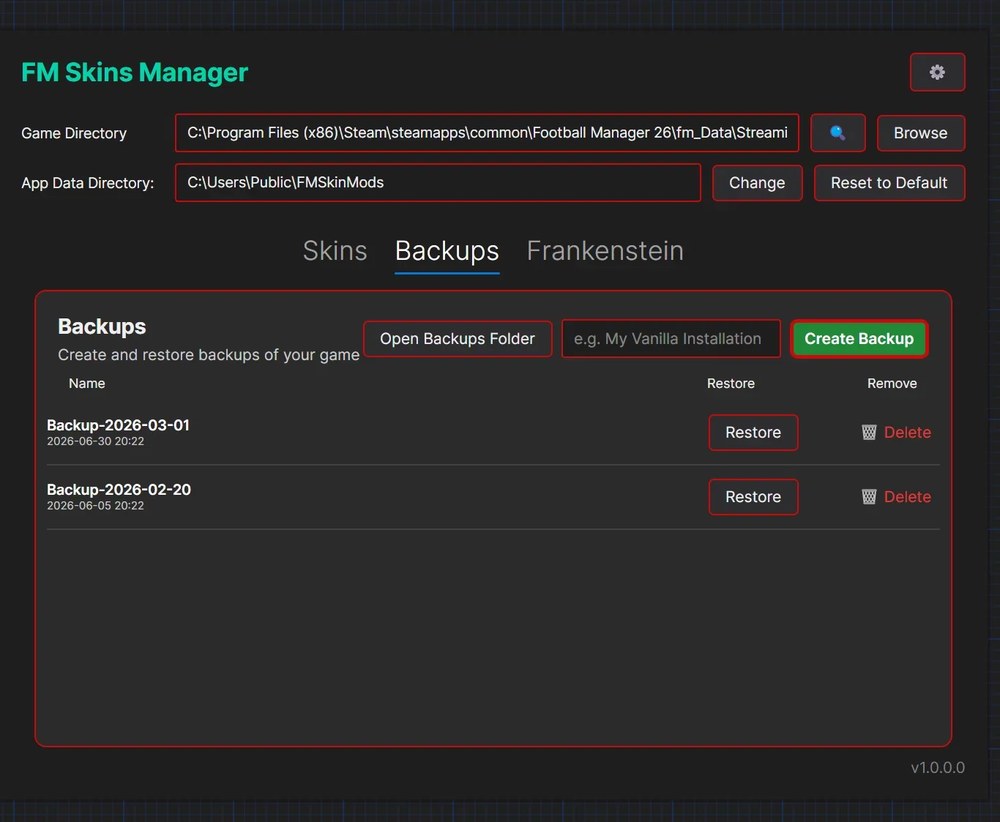
Backups, which you restore in one click (Image: lam2)
FM 27 Skin Manager download
The latest version is from 31 October. Pick the installer for your system: Windows, Linux or Mac, with one version for Apple Silicon Macs and another for Intel Macs.
Download – FM 27 Skin Manager (Windows)
Apple Silicon Mac version – FM 27 Skin Manager
Intel Mac version – FM 27 Skin Manager
Linux version – FM 27 Skin Manager
- First, verify the game files in Steam, so you start from the original game.
- Then open the app and, under «Game Directory», choose FM27’s
fm_Data\StreamingAssets\aa\StandaloneWindows64folder. In the «Backups» tab, create a backup straight away. - Next, drag each skin’s folder into the app window.
- Finally, in the «Skins» tab, enable the ones you want and click «Apply Selected Skins». For internal skins, restart FM and pick the skin in preferences.
Things to watch
Always create a backup before big changes. Also, if something goes wrong, click «Open Logs» to see the error. After an FM27 update, verify the files again and create a new backup. Finally, to pick your skin, see Golden Boy, the FM27 Light Skin or Kuvaaia27.
The files are hosted by their original authors. FMPortugal only points to the official download page — all credit goes to their creators.