SaveVault FM is an assistant manager for FM27 that reads your save file and turns it into decisions. It tells you your best XI, how your next opponent plays, who to sign and what to do with each player. It is made by ruben12cris, it is free and it comes in both English and Portuguese.
What SaveVault FM does
The app does not touch the game or your save and needs no plugins. Instead, it reads the save again every time you save your game. So after each save everything is up to date, without clicking anything inside FM.
First, it picks the best XI for every formation and for your own tactic, in and out of possession, with your next opponent in mind. Then it writes a report on that opponent: how they play, who their danger men are and what to change in your plan.
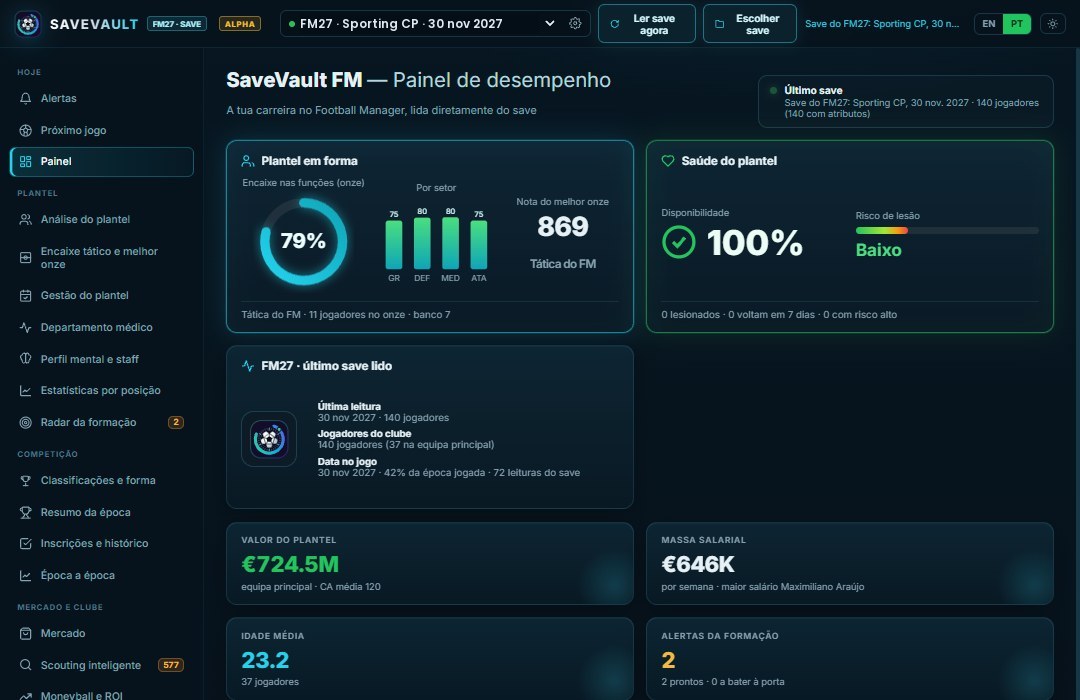
The performance dashboard of a Sporting CP career (Image: ruben12cris)
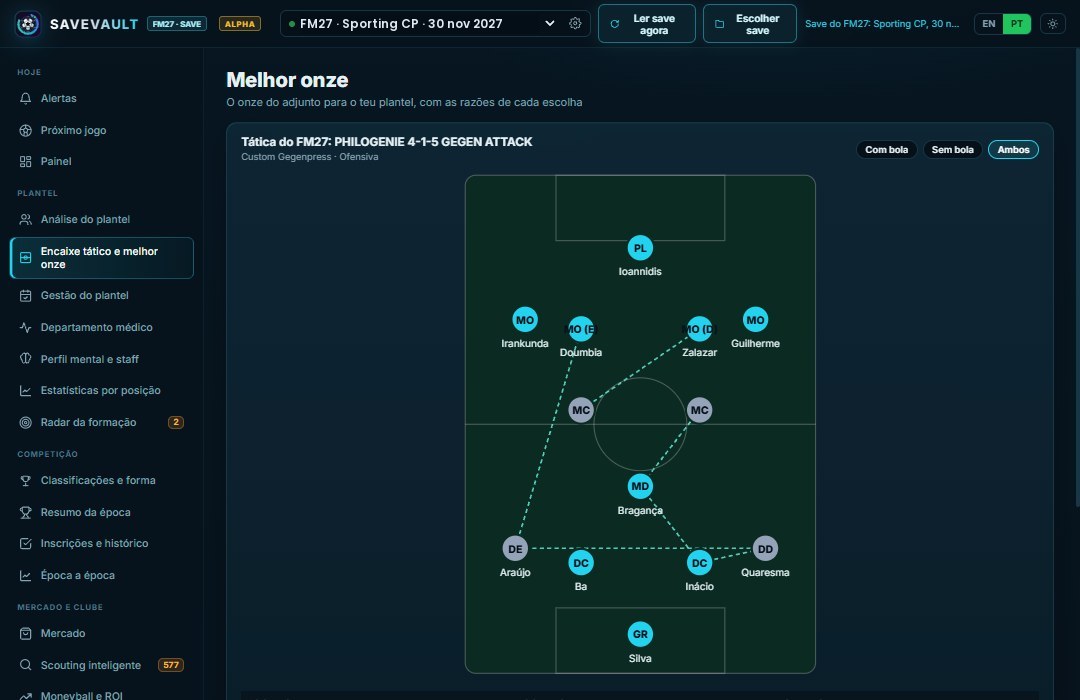
The best XI for your tactic, with the reason for each pick (Image: ruben12cris)
Scouting, squad and transfers
Scouting covers every league in your save and compares each option with your weakest starter in that position. It also picks up regens and players with expiring contracts. On top of that, the squad section brings together injuries and fitness, contracts and wages, and advice for each player: renew, sell or loan out.
Finally, there is a transfer plan that fits your budget, an academy radar, set pieces, captains and a season-by-season history.
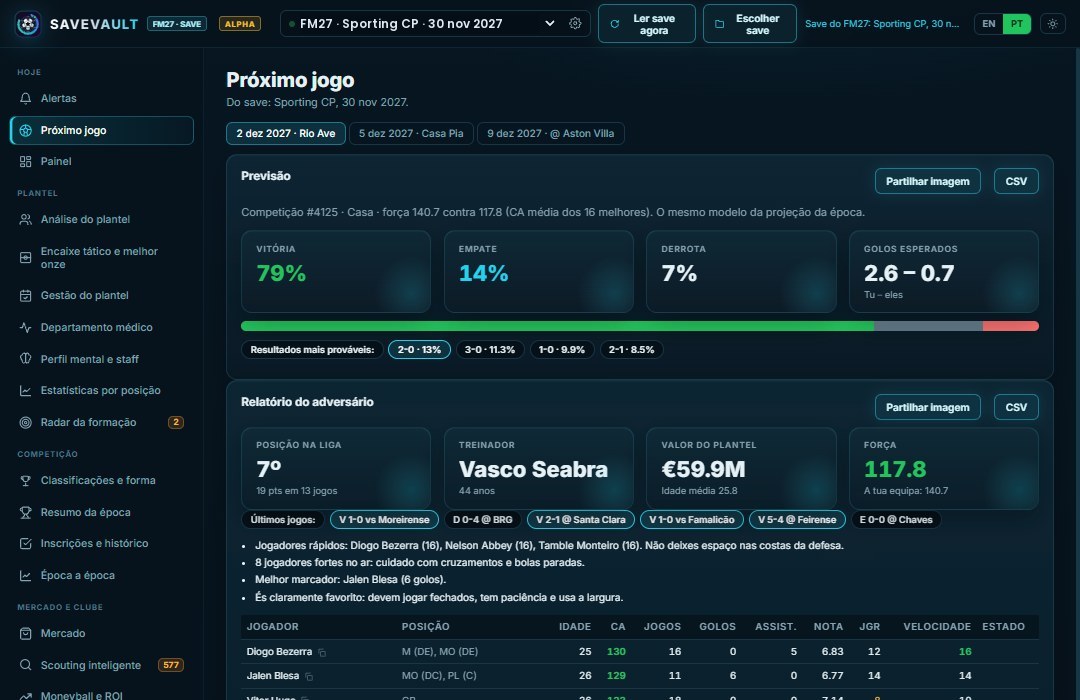
The forecast and the next opponent report (Image: ruben12cris)
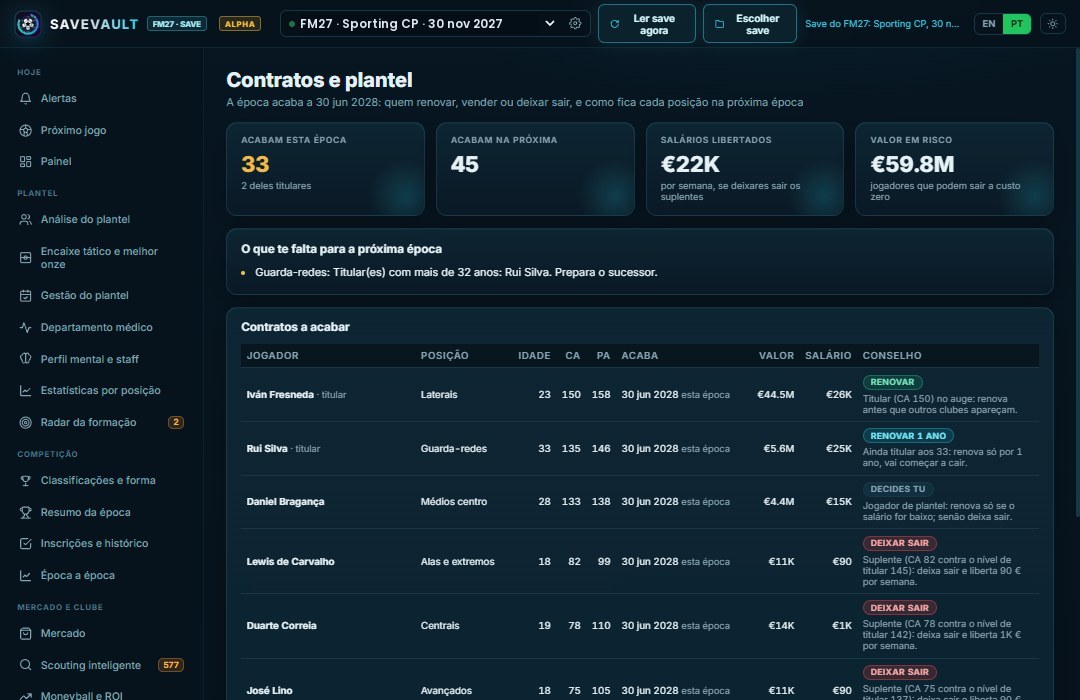
Expiring contracts and the advice for each one (Image: ruben12cris)
Note that the author’s screenshots are in Portuguese, but the app itself also runs in English.
Who it is for
It is for anyone who wants a second pair of eyes on their career without installing mods in the game. If you like the idea of a director of football who reads your save, also see The Director. On the other hand, to pick your XI by the numbers, there is FM Player Analyzer. And for scouting from your save, Football Save Scout is another good option.
Download SaveVault FM
This is version 0.8.6, from 10 November, and it is still an alpha. It runs on Windows 10 and 11 and with the Steam, Xbox Game Pass and Epic versions of FM27. A Mac version exists, but it is still being tested. The Windows ZIP is about 57 MB; the Mac ones are about 69 MB (M chip) and 72 MB (Intel).
This release lets you choose another save folder, for anyone who keeps saves outside Documents. Also, the save list now shows each career’s club and in-game date.
On a Mac? Then pick the file for your processor: M chip or Intel.
Download – Mac (M chip) Download – Mac (Intel)
Windows
- First, make sure FM27 saves your games to Local and not to Cloud. Otherwise, the app cannot see them.
- Then extract the ZIP and open
SaveVaultFM.exe. If Windows says it protected your PC, click “More info” and then “Run anyway”. - Next, click “Choose save”. If you keep your saves elsewhere, use “Choose another folder…”.
- Finally, every time you save the game, the app reads the save again. You can also force a read with the button at the top.
Mac
Pick the ZIP for your Mac (M chip or Intel) and follow the LEIA-ME-MAC file inside it.
Things to watch
This is an alpha, so there are rough edges. For example, in early tests loan players showed no games for the club they were on loan at. Some users also noticed that, in English, position names do not always match the game’s. The author has been replying quickly, and the app has a button to report problems.
Everything stays on your computer: there is no account and no ads. Since it comes as a ZIP with no installer, removing it is just a matter of deleting the folder you extracted. Finally, note that the app is independent and not affiliated with Sports Interactive or SEGA.
The files are hosted by their original authors. FMPortugal only points to the official download page — all credit goes to their creators.
Did you make this download? Manage it on FMPortugal →