
The ultrawide views FM27 pack by Ole Mikkelborg gives you four views built for wide monitors. There is one for the squad, one for scouting, one for the tactic screen and one for the wishlist. It is also the author’s first ever set of views, and he is asking for feedback to improve it.
What the ultrawide views FM27 pack does
A view is simply the choice and order of columns in a table. In other words, it does not touch your skin or any game files. Here, Ole Mikkelborg uses the width of a 3440×1440 screen to fit more data on each row, so you no longer need to scroll sideways.
- Squad View: your squad with position, age, potential, match fitness, form, average rating, goals, morale, playing time happiness, value and wages.
- Scout View: the player search with club, position and role, reputation, value, wages, contract expiry and the scout’s recommendation.
- Tactic View: the tactic screen with in and out of possession roles, tactical familiarity, condition, morale and season stats.
- Wishlist View: the players you are tracking, with their interest in joining, market value and recommendation.
In the first update, the squad view started using the space better, with more useful columns. Then the author put all four into one ZIP, so the download is easier.
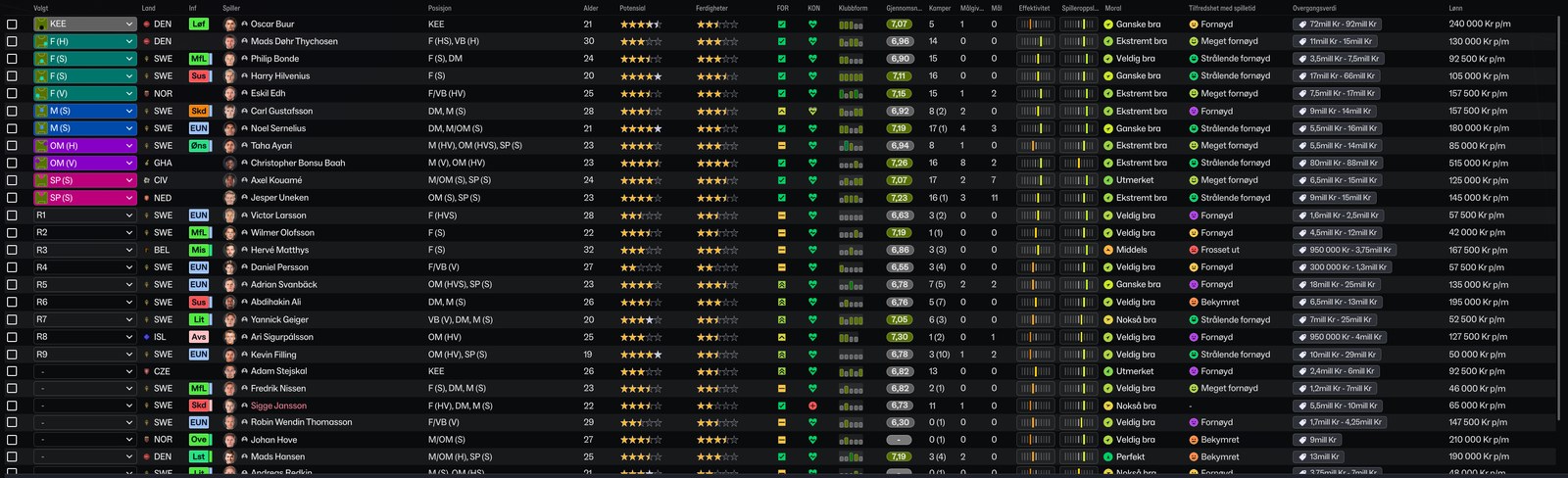
The squad view, with the game in Norwegian (Image: Ole Mikkelborg)
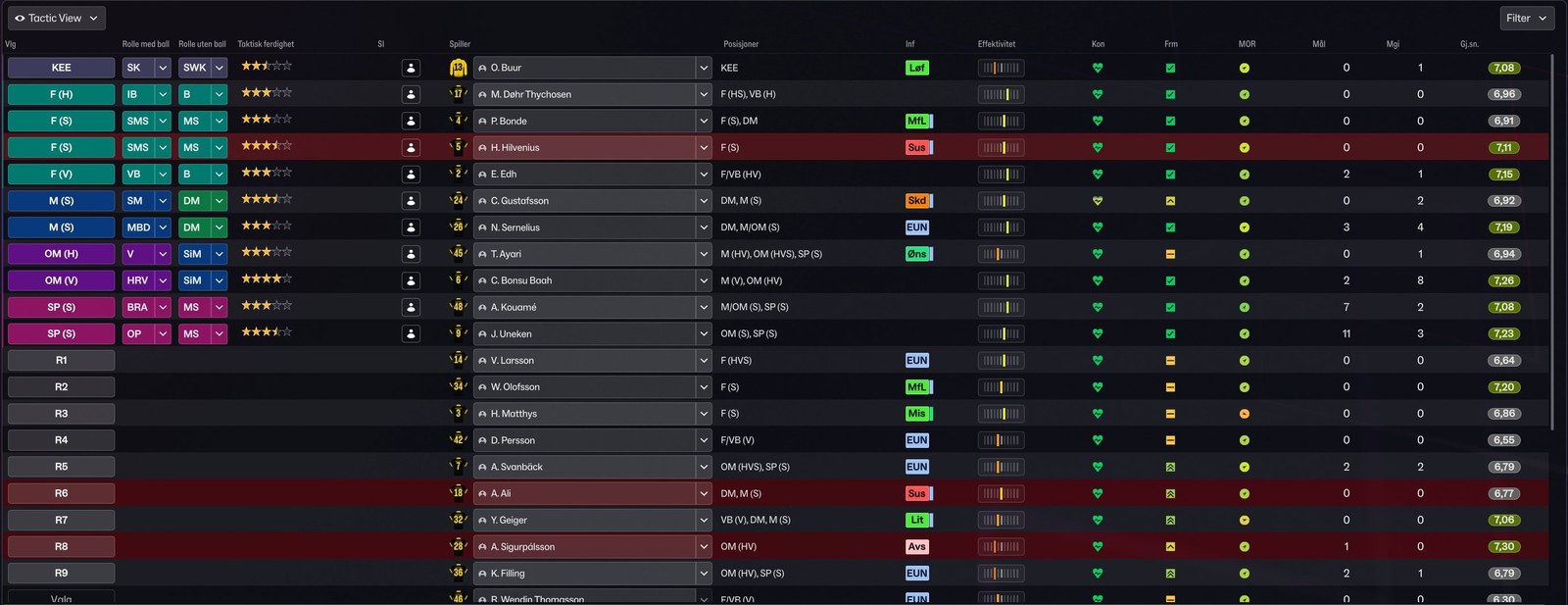
The tactic view (Image: Ole Mikkelborg)
Scouting and the wishlist
The other two views are for the transfer market. In the search, each player’s role sits right under his position, for example a ball-playing centre-back. So you can spot who fits your tactic much faster. On the wishlist, meanwhile, the player interest column tells you whether a move is worth pursuing.
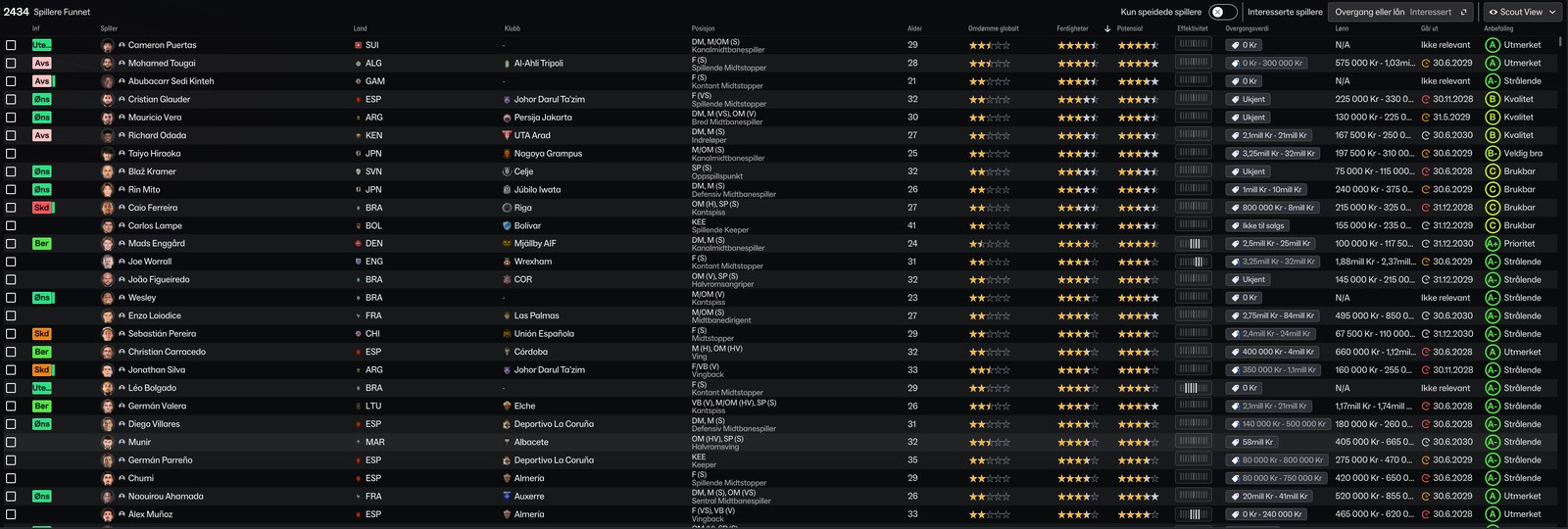
The scouting view (Image: Ole Mikkelborg)
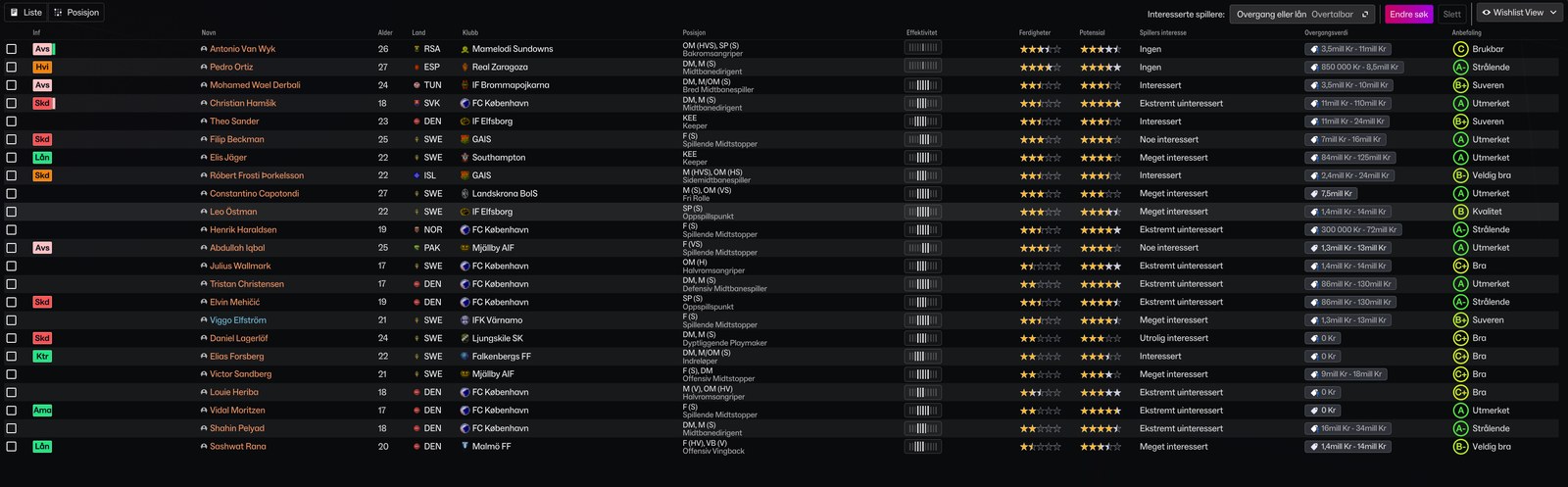
The wishlist view (Image: Ole Mikkelborg)
Who it is for
It is for anyone with an ultrawide monitor who feels the default FM27 views waste half the screen. If you play on a regular 1920×1080 display, try the WorkTheSpace views instead. There are also the 28 views and 24 filters from Passion4FM, which cover almost every screen in the game.
Download the ultrawide views FM27
The ZIP holds all four views and weighs only 5.33 KB. The latest update is from 4 November 2026. However, the author warns that they were made for 3440×1440 and may not fit as well at other resolutions.
- First, extract the ZIP. Inside you will find four
.fmffiles. - Then copy them to
Documents\Sports Interactive\Football Manager 27\views. If theviewsfolder does not exist, create it. - Next, open the matching screen in the game, for example your squad, and click the views button (the eye icon at the corner of the table).
- Finally, choose the import option and pick the right view. Repeat this for scouting, the tactic and the wishlist.
Things to watch
On a 1920×1080 screen the columns get squeezed or cut off, so test it first. One player asked whether goalscorers could be shown on the fixture list. According to the author, that option seems to be gone in FM27, so it is not in these views. To go back, just pick another view from the same button. You can also delete the files from the views folder.
The files are hosted by their original authors. FMPortugal only points to the official download page — all credit goes to their creators.
Did you make this download? Manage it on FMPortugal →