Do FM27’s squad screens not show what you need? These FM27 custom views by WorkTheSpace change the columns on the squad, training, tactics and scouting screens to show what matters at each moment. There are 11 free views, ready to import. The author also explains in a video how to make your own.
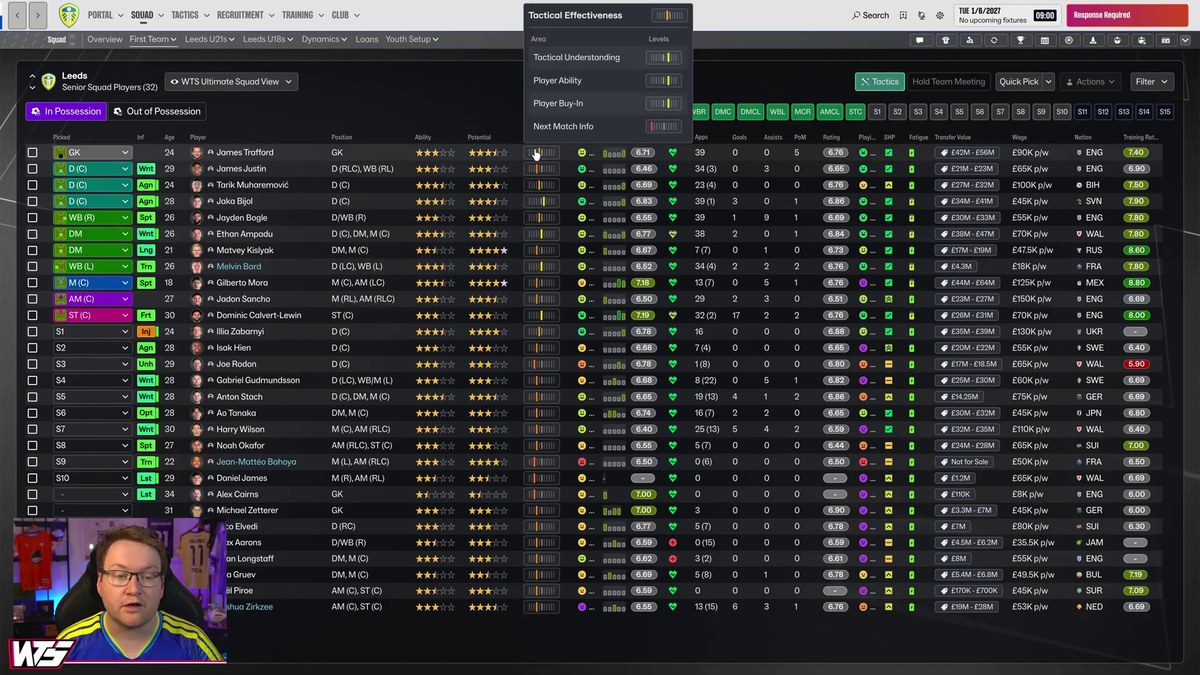
The «Ultimate Squad View», with tactical effectiveness, form and value (Image: WorkTheSpace)
The FM27 custom views in the pack
- Ultimate Squad View: first, the main squad view, with ability, potential, tactical effectiveness, form, happiness, fatigue, value and wage.
- Training Squad View: for example, position suitability, additional focus, training happiness, progress and workload.
- Squad Profile View: promised and actual playing time, personality, media handling and reputation.
- In and Out of Possession stats: two views with per 90 numbers such as passes, xG, tackles and pressing.
- Squad Set Pieces: the attributes and stats to choose your free kick, corner and penalty takers.
- Contract, national team and tactics: in other words, a contract view, one for the national team and one for the tactics screen.
- Scouting: finally, one view for player search and another for your shortlist.
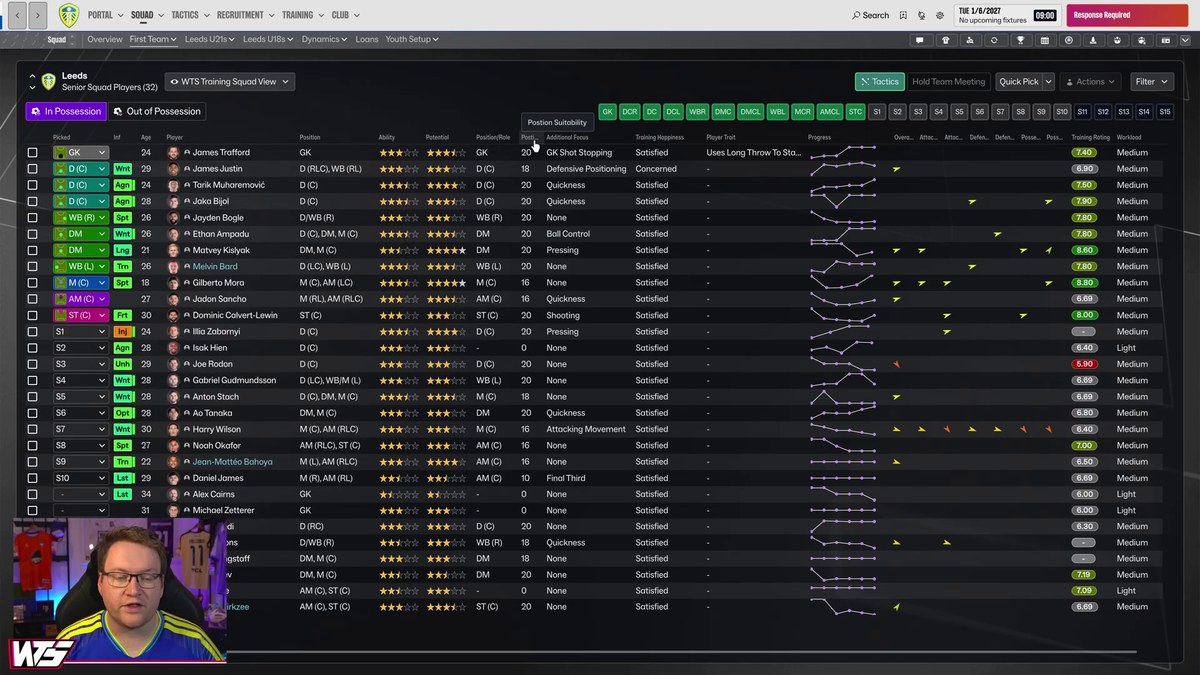
The training view, with progress and workload (Image: WorkTheSpace)
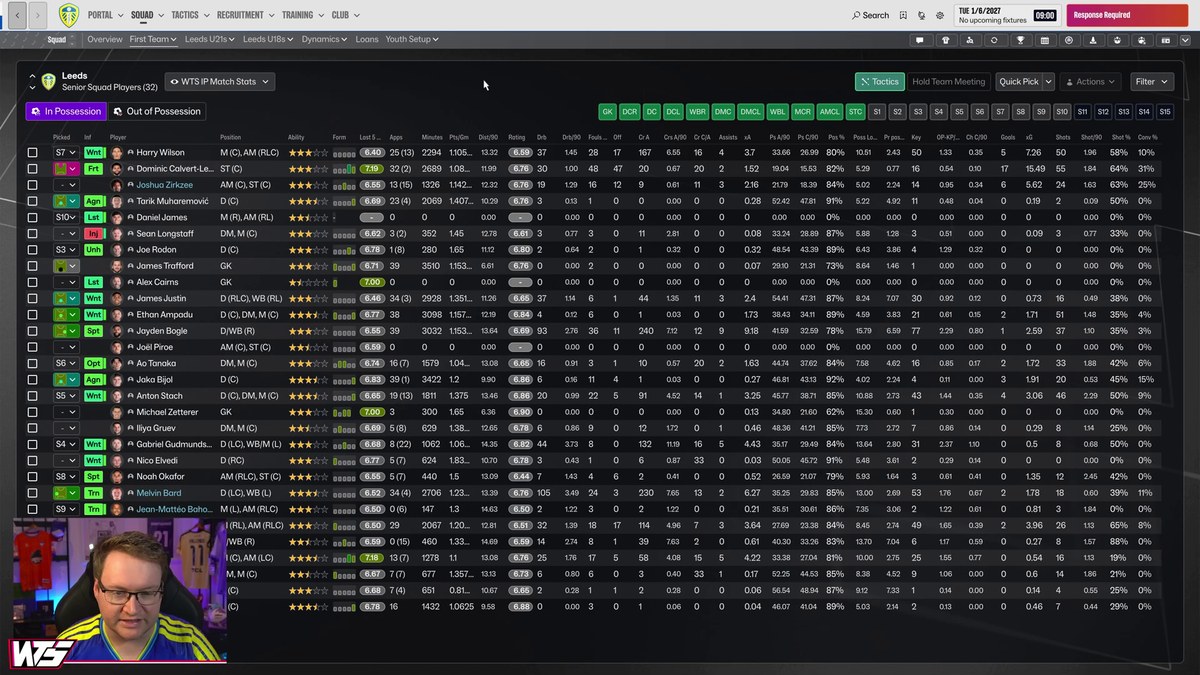
In possession stats, per 90 minutes (Image: WorkTheSpace)
WorkTheSpace’s video
In the video, the author shows how to create and edit views in FM27, how to save and export them, and then how to install his own. So even if you would rather make your own, you will know how.
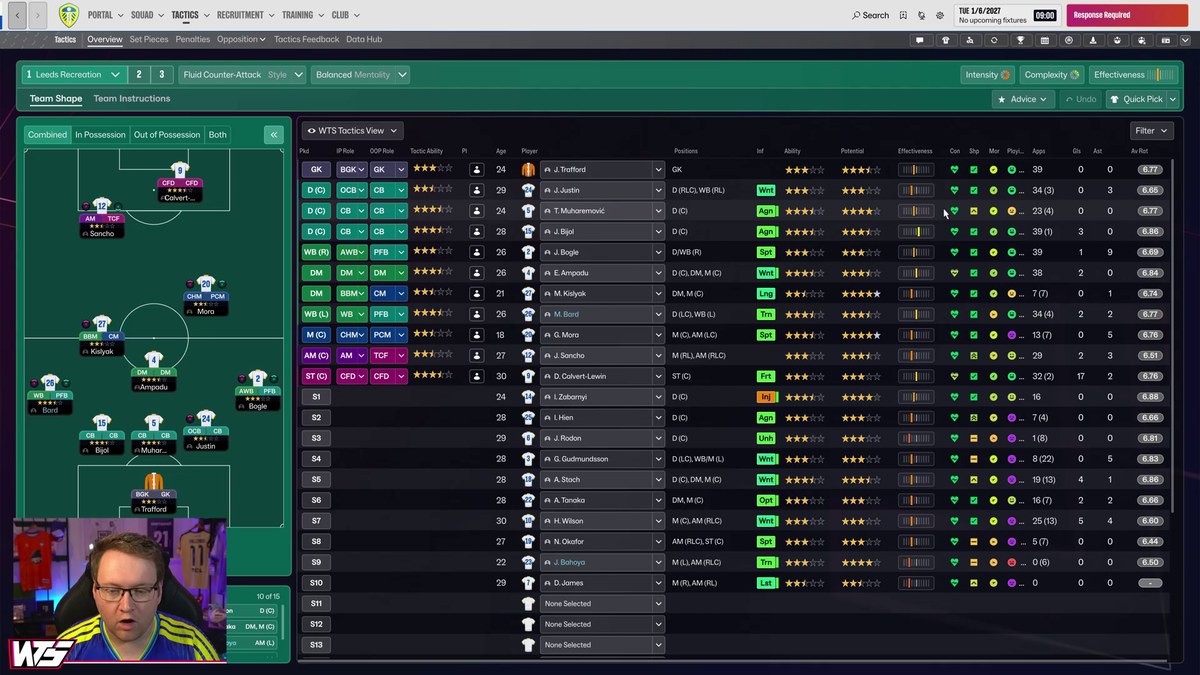
The tactics screen view, with In and Out of Possession roles (Image: WorkTheSpace)
FM27 custom views download
The file is a .rar with the 11 views in .fmf format. Also, both links are the author’s own.
Download – WTS FM27 views (Google Drive)
Download – WTS FM27 views (MediaFire)
- First, extract the .rar with WinRAR or 7-Zip.
- Then copy the .fmf files to
Documents\Sports Interactive\Football Manager 27\views. On Mac, the folder is~/Library/Application Support/Sports Interactive/Football Manager 27/views. - Next, in the game, open the squad screen and choose «Import view» from the views menu.
- Finally, pick the view you want on each screen.
Things to watch
Views only change the columns you see, so they do not touch your save. However, some have lots of columns and work best on wide screens. If space is tight, you can remove the columns you do not need. If you are looking for views to hire staff, see AH1N1’s staff search views too.
The files are hosted by their original authors. FMPortugal only points to the official download page — all credit goes to their creators.