The FM27 Real Name Fix by sortitoutsi replaces the fake names Football Manager 2027 uses where it has no licence. Awards, cities, stadiums and competitions get their real names, the German national team calls up real players again, and it all works in a save you have already started.
What it fixes
- Competitions: the official names of leagues and cups the game cannot use.
- Stadiums and cities: for example, Roma’s Stadio Olimpico shows its proper name.
- Awards: individual trophies get their real names.
- Germany national team: no more made-up players in the squad.
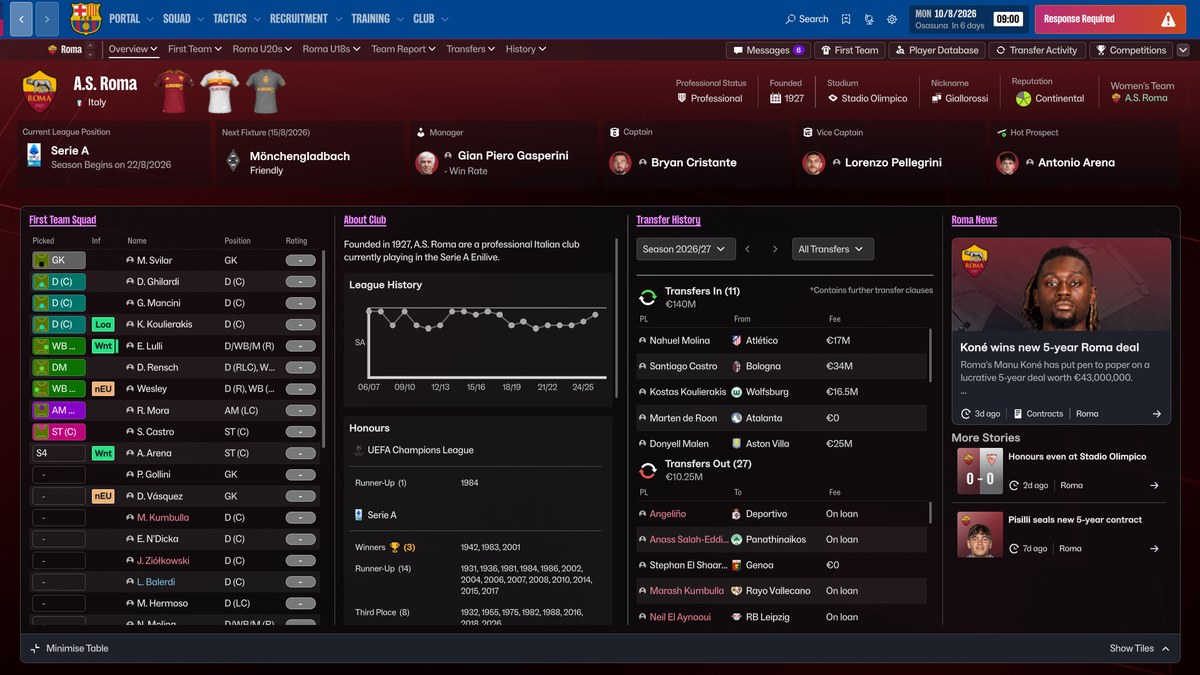
Roma with its real stadium and league names (Image: sortitoutsi)
This pack does not handle club names in the same way as our FM27 real names fix, so look at both and pick the one that suits you. To see which leagues already have official names, check the FM27 playable and licensed leagues.
FM27 Real Name Fix download
The file is about 2.5 MB and is on the official sortitoutsi page.
- Extract the .zip. You will see three folders:
dbc,edtandlnc. - Open the game’s database folder. On Steam it is
Program Files (x86)\Steam\steamapps\common\Football Manager 27\shared\data\database\db. On Xbox Game Pass it isXboxGames\Football Manager 27\shared\data\database\db. - Inside there are eight folders: 2300, 2330, 2340, 2400, 2430, 2600, 2620 and 2700.
- Copy the three folders into each of the eight, so you do the copy eight times.
- Open FM27. The real names show up straight away, even in your save.
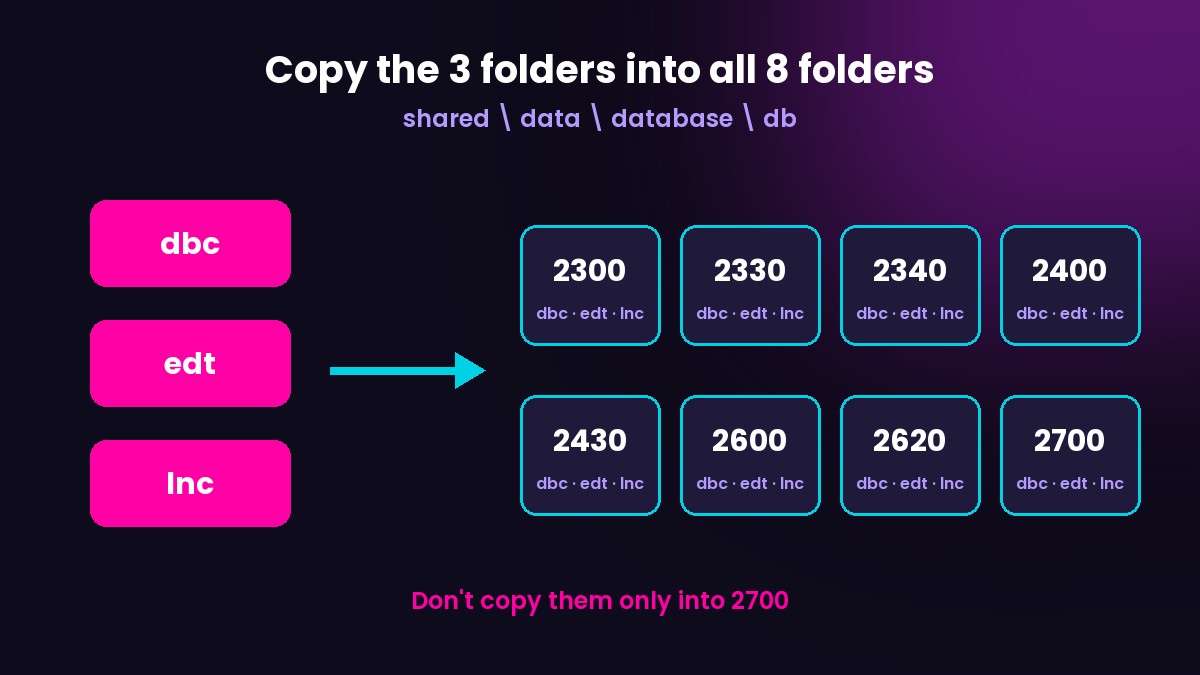
The most important install step
Common mistakes
The most common mistake is copying the folders only into 2700, which leaves the fix broken in part of the game. Check that all eight folders have dbc, edt and lnc. Whenever the game gets an update, copy the folders again, as Steam may restore the original files.
On Mac, open Finder, press Command + Shift + G and paste the path ~/Library/Application Support/Steam/steamapps/common/Football Manager 27/fm.app/Contents/PlugIns/game_plugin.bundle/Contents/Resources/shared/data/database/db. Then follow the same steps.
The files are hosted by their original authors. FMPortugal only points to the official download page — all credit goes to their creators.