Partnership Lines FM27 is a tiny plugin that brings the green partnership lines to the Combined view of the tactics screen. It is by djdookie, and it fixes a gap many players never even noticed. In the unmodded game, those lines only show up in the In Possession, Out of Possession and Both views. So the one view that merges positions with and without the ball is exactly where they go missing.
What Partnership Lines FM27 does
The green lines connect players who work particularly well together on the pitch. With the plugin, they also appear in the Combined view, using the same data and the same colours as the other views. They are also drawn underneath the player cards, just like everywhere else in the game.
The lines follow your changes, too. For example, if you drag a player to another position or swap two of them, the links update straight away. No other screen is touched, and the plugin does not change any game files: it only adds one file.
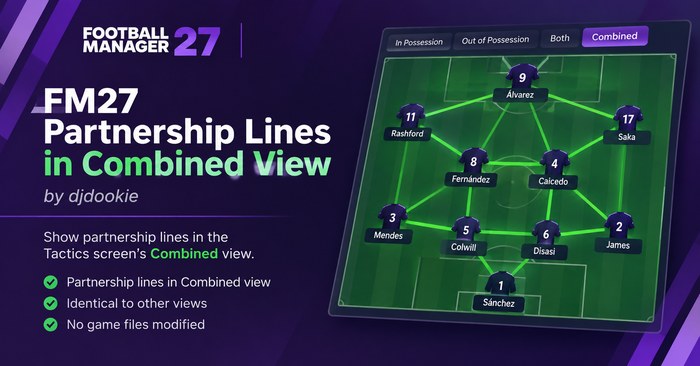
Partnership lines in the Combined view (Image: djdookie)
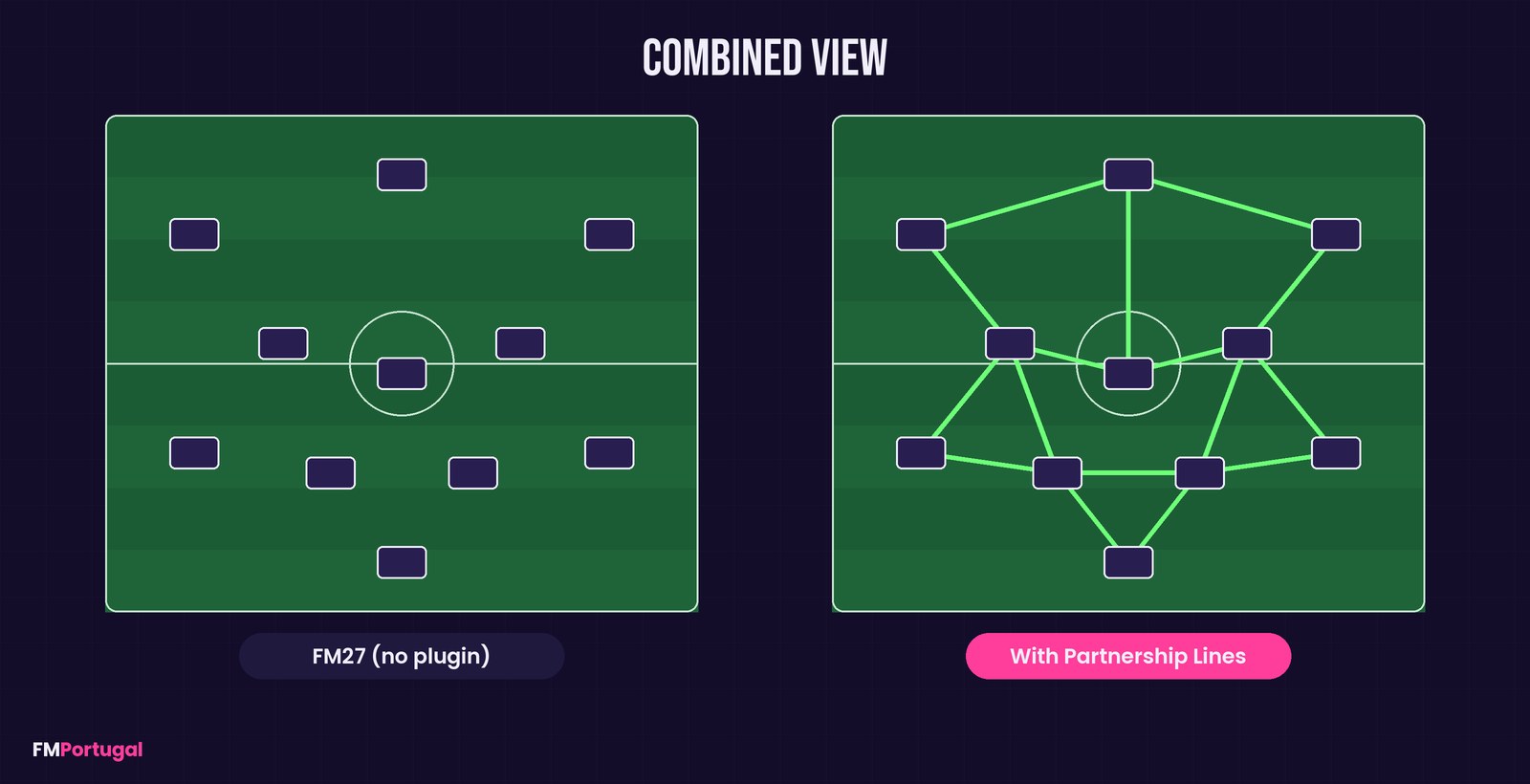
The same view before and after the plugin (Image: FMPortugal)
How it works under the hood
The interesting part is that the game already knows how to draw these lines. Sports Interactive simply switched the option on for the single-phase pitches and left the Combined pitch out. So the plugin just turns that option on, for that pitch only, right before the game reads it. After that, FM27’s own code does the drawing.
As a result, it does not touch the match engine, your saves or the database. It is also a UI-only change, for single-player careers.
Who it is for
It suits anyone who spends a lot of time on the tactics screen and likes to see everything at once. If you already use the Combined view to fine-tune positions, you now get the partnerships without switching tabs. It also sits nicely next to other UI mods of the same kind, such as Match Data Buttons. If you have never set up BepInEx, Skip to Kickoff FM27 runs on the same base and walks through the first launch.
Download Partnership Lines FM27
The version is 1.0, from 7 November 2026, and the file is just 3.2 KB. It works with FM27 on Steam, on 64-bit Windows. However, it needs the BepInEx 6 Bleeding Edge build for IL2CPP, build 793 or newer, which you can get from the BepInEx builds page. BepInEx 5 and the 6.0.0-pre releases do not work with FM27.
Download – Partnership Lines v1.0
Step 1: BepInEx (skip it if you already use it with FM27)
- First, download
BepInEx-Unity.IL2CPP-win-x64-6.0.0-be.xxx.zip(build 793 or newer). - Then, in Steam, right-click Football Manager 27 and choose Manage > Browse local files. You will see the folder with
fm.exe. - Next, extract the ZIP into that folder, so that
winhttp.dll,doorstop_config.iniand theBepInExfolder sit next tofm.exe. - Finally, launch the game through Steam and be patient: the first start takes much longer. Once FM27 is fully open, close it.
Step 2: the plugin
- Extract the plugin ZIP into the game folder. The file
FM27.PartnershipLines.dllmust end up inBepInEx\plugins(create the folder if it is missing). - Then start the game, open the tactics screen and pick the Combined view.
Things to watch
To check that it works, open BepInEx\LogOutput.log after visiting the tactics screen. You should find a line saying the lines for the combined view are active. If it is not there, the plugin simply does nothing.
After an FM27 update, BepInEx rebuilds its files and the first launch is slow once more. The author expects the plugin to survive patches, because it looks for names rather than memory addresses. Still, if Sports Interactive renames the Combined pitch, it will stop working until a new version comes out. Steam achievements keep working, and the plugin gets along with skins, .fmf views and other plugins.
To remove it, delete BepInEx\plugins\FM27.PartnershipLines.dll. If you want BepInEx gone as well, delete winhttp.dll, doorstop_config.ini, .doorstop_version and the BepInEx and dotnet folders.
The files are hosted by their original authors. FMPortugal only points to the official download page — all credit goes to their creators.
Did you make this download? Manage it on FMPortugal →