FM27 Exporter brings back something many Football Manager 27 players miss: exporting player lists to a file. In FM24 you did it through the print option; in FM27 that option is gone. With this plugin, you press F8 over any list and the game saves it as HTML, RTF and CSV. It is made by v1adicke (Vladislav Denyshev), and it is free and open source.
What FM27 Exporter does
The plugin works on the squad, the player search, the shortlist and the game’s other lists. It also exports every row, not only the ones you can see on screen. If you select two or more players, the file holds just them.
The HTML and RTF files follow the same layout as FM24’s Web Page and Text File exports. In other words, spreadsheets and tools built for FM24 keep working. Values also come out the way the game shows them: attribute ranges such as 9-11, star ratings such as 3.5, condition and morale as levels, and tactical effectiveness as 6/11.
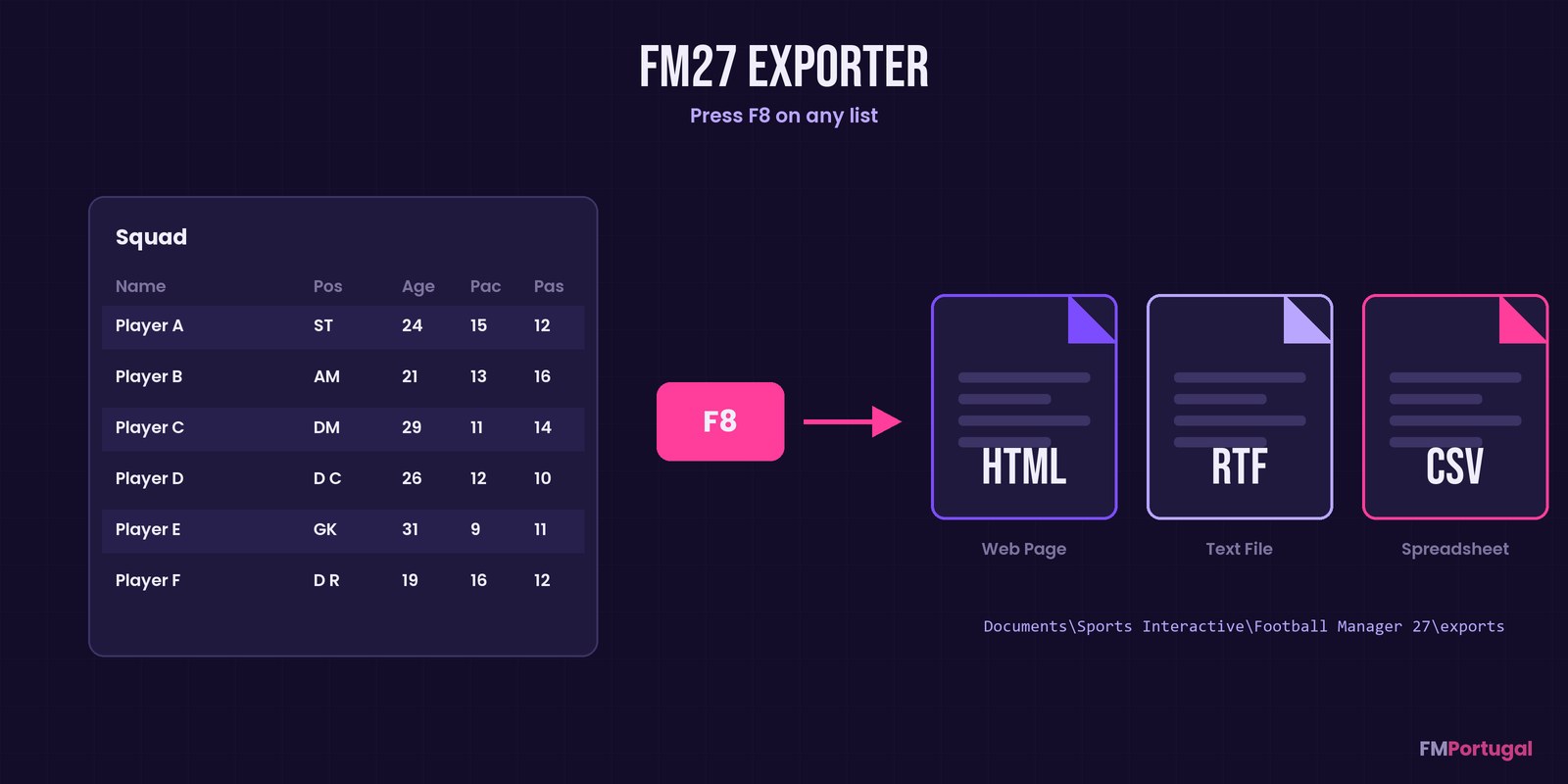
One key, three files (Image: FMPortugal)
Keys and columns
The file only carries the columns of the view you have open. So the plugin adds a handy shortcut: Ctrl+F8 puts all 47 attribute columns into the current custom view. However, it only works on a custom view that already has at least one attribute column. Alternatively, the ZIP has a ready-made view in its views folder, which you load with Import View….
Shift+F8, on the other hand, writes a diagnostics file for when something goes wrong. If you want different keys, you can change everything in BepInEx\config\local.fm27exporter.cfg. Exported files go to Documents\Sports Interactive\Football Manager 27\exports.
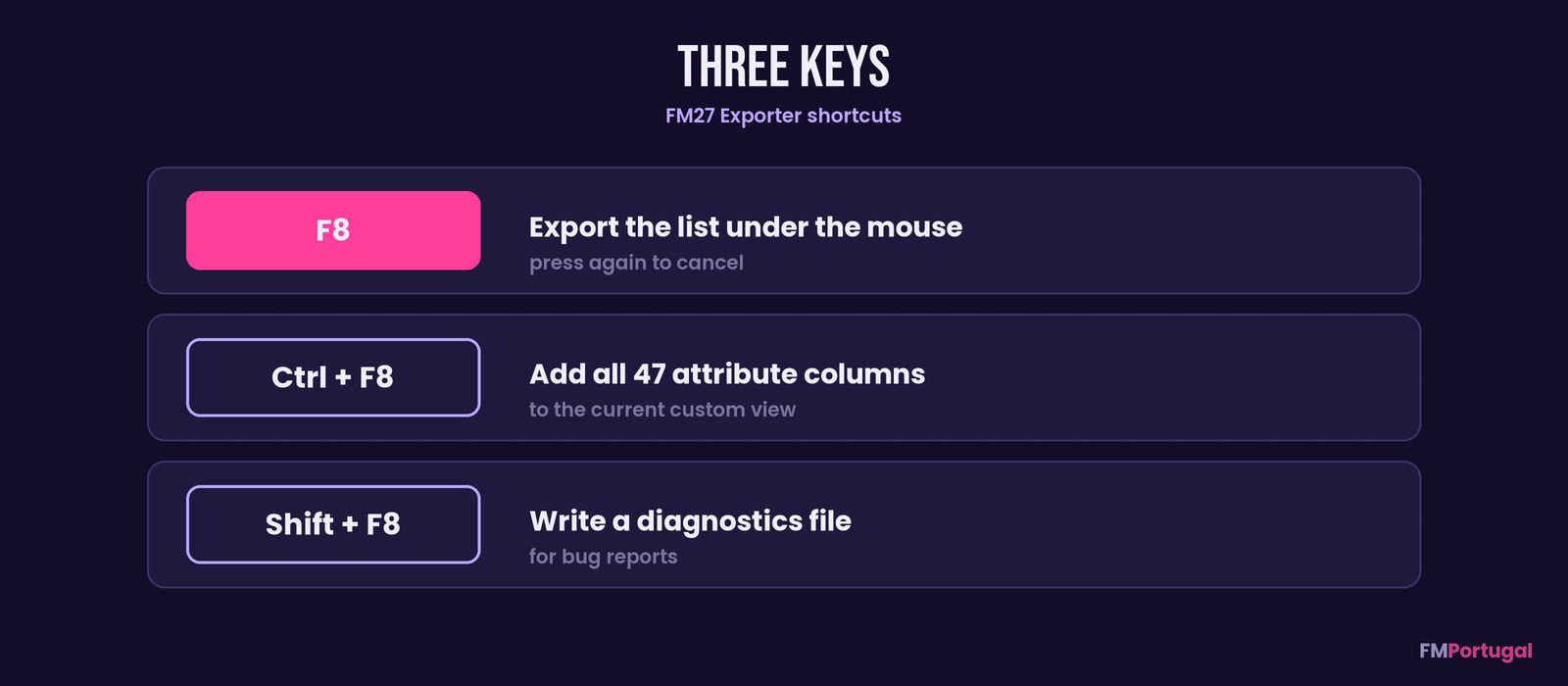
The plugin’s three shortcuts (Image: FMPortugal)
Who it is for
It is for anyone who likes to analyse the squad in a spreadsheet, or who relied on tools that read FM24 exports. It also helps if you want to track how your players develop season by season. If you would rather have an app pick your best eleven from those lists, take a look at FM Player Analyzer. And to build views with the right columns, WorkTheSpace’s custom views are a good place to start.
Download FM27 Exporter
The version is 1.0.0, from 11 November, the first release. There are two files: the full one, with BepInEx 6 included, is about 34 MB; the plugin-only one is under 60 KB. It works on Windows and also on Linux through Proton. Plus, it runs offline and only reads the screen, so it never touches your save.
Never used BepInEx mods? Pick the full file. Already have BepInEx 6? The plugin is enough.
Download – With BepInEx Download – Plugin only
With BepInEx included
- First, close FM27.
- Then open the game folder. In Steam, right-click Football Manager 27 and choose Manage > Browse local files.
- Next, extract the ZIP and copy the contents of the
payloadfolder into the game folder. - Finally, start FM27. The first launch with BepInEx takes a few minutes.
Plugin only
Close FM27 and copy the BepInEx folder from the ZIP into the game folder.
On Linux (Proton)
Run install-linux.sh and add this Steam launch option: WINEDLLOVERRIDES="winhttp=n,b" %command%.
Things to watch
This is the first release, from 11 November, so there are no user reports yet. If you have one player selected, or none, the whole list is exported. On lists with several pages, only the page you are looking at comes out.
To report a bug, open an issue on the author’s GitHub and attach BepInEx\LogOutput.log plus the Shift+F8 file. To uninstall, just delete the BepInEx\plugins\FM27Exporter folder.
The files are hosted by their original authors. FMPortugal only points to the official download page — all credit goes to their creators.
Did you make this download? Manage it on FMPortugal →