FM27 Tactic Builder designs a complete Football Manager 27 tactic around your own squad. Press F8 on the squad screen and, a few seconds later, a report opens in your browser with everything you need to enter in the game. It is made by Dixnnn, and it is free and open source (GPL v3).
What FM27 Tactic Builder does
The report follows the order of FM27’s tactics screens. First, it suggests a starting style and a mentality based on how strong your team is in its league. Then it draws the in-possession and out-of-possession shapes and picks the best eleven, with an In Possession and an Out of Possession role for every player.
Next come all 27 team instructions, each with a short reason, and player instructions only where the attributes call for them. It also picks set-piece takers, aerial targets, a captain and a vice-captain. Finally, it adds a depth chart for every position, the weak areas worth strengthening, three alternative tactics and training sessions.
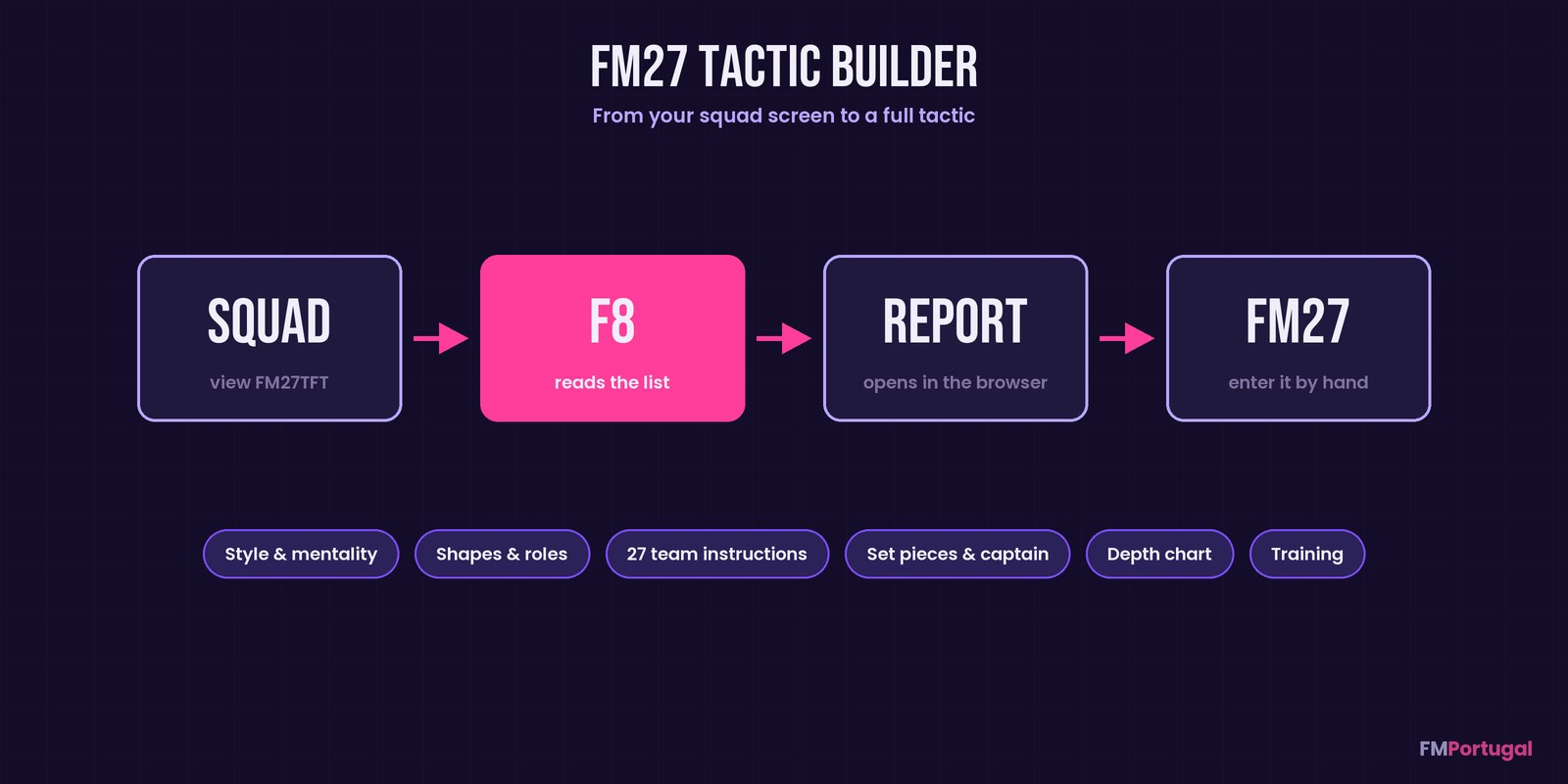
From the squad screen to the tactic report (Image: FMPortugal)
How it picks the players
Every player gets a score from 0 to 100 for every FM27 role. The role’s key attributes count three times and its preferred ones one and a half times. On top of that, the score drops if the player is not comfortable in the position or, on the wings, would be on his weaker foot. The eleven comes from an exact calculation that tests every pair of formations and applies balance rules.
Team instructions compare each part of the team with your squad’s own average level. For example, centre-backs much slower than the rest lead to a deeper defensive line. That way, the advice works in a top league and in a lower division alike. You can also mark players who must start, a marquee player to build around and young future stars to develop.
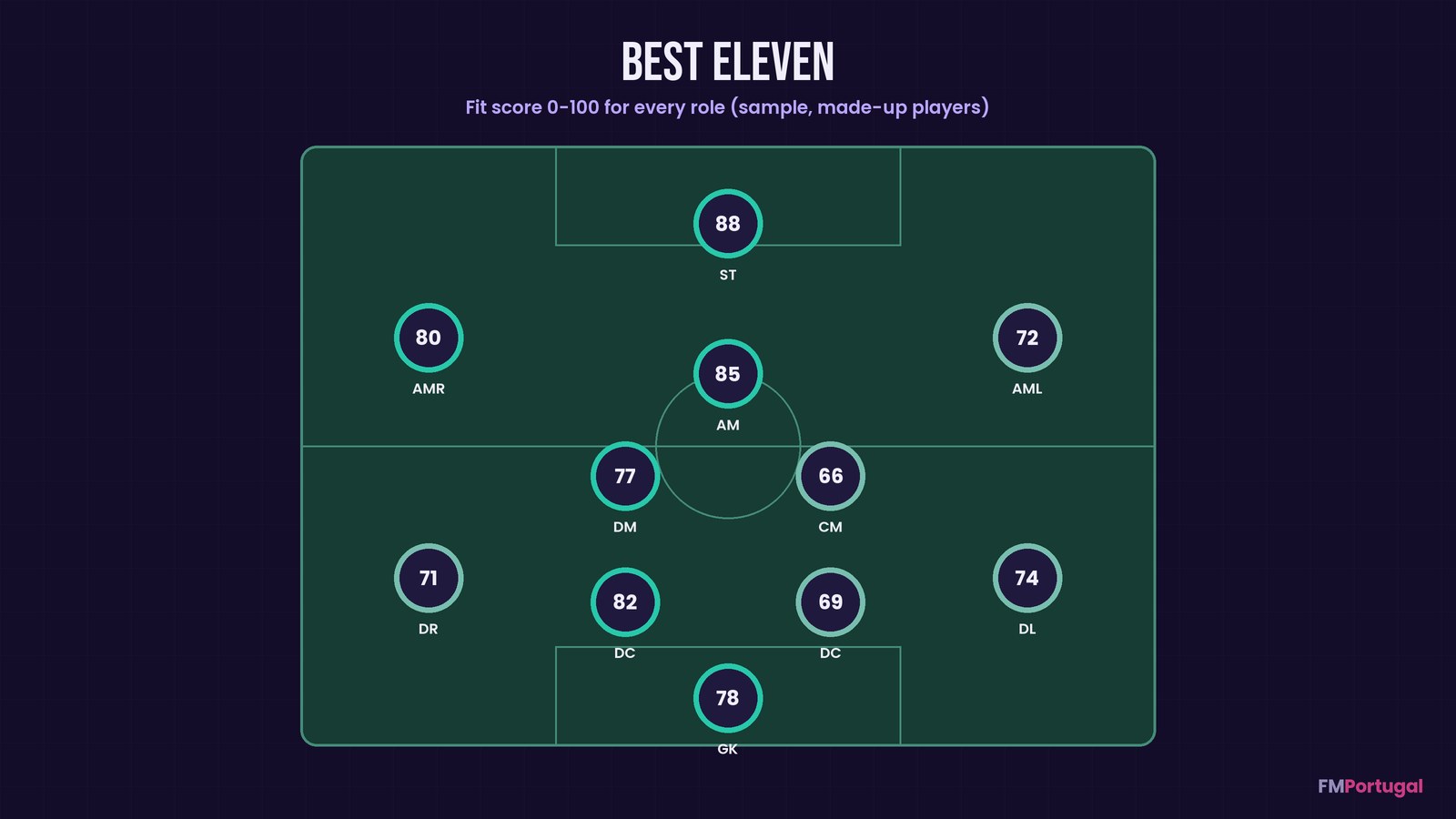
The best eleven with each player’s score, using made-up data (Image: FMPortugal)
Who it is for
It is for anyone unsure where to start with FM27’s new tactics system, or who has inherited a squad and wants a quick base. However, it does not put the tactic into the game for you: you copy the settings in by hand, in the order the report lists them. If you then want to test the tactic with the match engine, try FM Tactics Lab. For another look at your squad, FM Player Analyzer also picks a best eleven. And FM27 Trainer helps you fine-tune training.
Download FM27 Tactic Builder
The version is 1.0.0, from 11 November. It added a way to copy the tactic as text, ready to paste into a forum or Discord. There are three files: the installer and the full package are about 35 MB each, and the plugin alone about 270 KB. You need a Windows PC, FM27 on Steam and Edge or Chrome.
First time? Use the installer. Prefer a manual install? Pick the full package. Already have BepInEx? The plugin is enough.
Download – Installer Full package Plugin only
With the installer
- First, run
FM27TacticBuilder-1.0.0-setup.exe. If Windows warns you, click «More info» and then «Run anyway», because it is not signed. - Then let it find FM27 in Steam (or pick the folder with
fm.exe) and click Install. - Next, start FM27. The first launch takes a few minutes, and then the message FM27 Tactic Builder is ready shows up in the corner.
- On the Squad screen, open the view menu, choose Import View… and load
FM27 Tactic Builder - Squad.fmf. In the game, the view is called FM27TFT. - Finally, with that view open, press F8 and keep your hands off the mouse until the message in the corner changes.
Full package or plugin only
Extract the full package into the folder that holds fm.exe. If you already have BepInEx, for example from FM View Exporter, use the plugin only. Then follow steps 3 to 5.
Things to watch
The game must be in English when it reads the squad, because the tool looks for English column names. Also, position familiarity is estimated, since FM27 only shows it as coloured dots. If you use FM27 Exporter, note that both use F8, so change the key in one of them. If FM27 will not start after installing, delete or rename winhttp.dll in the game folder.
The tool only reads what is on screen: it never opens your saves, never reads the game’s memory and never goes online. Reports are saved in Documents\Sports Interactive\FM27 Tactic Builder. To uninstall, run the installer again and click Uninstall; your saves are not affected.
The files are hosted by their original authors. FMPortugal only points to the official download page — all credit goes to their creators.
Did you make this download? Manage it on FMPortugal →