FM27 Tactics Lab is a tactics board for Football Manager 27 that reads your squad straight from your save file. Pick a save, and the app loads every player’s attributes, position ratings, age, CA and PA. Then you build your tactic in the browser with that data. It is made by Weebs1234, and it is free and open source (MIT licence).
Not the same as FM Tactics Lab
The name looks the same, but this is a different tool. FM Tactics Lab by lqf0624 uses the FM27 match engine to simulate hundreds of games and compare tactics. This FM27 Tactics Lab by Weebs1234, however, does not simulate matches: it is for drawing up a tactic and seeing which players suit each role best.
What FM27 Tactics Lab does
The tactic board has separate shapes and roles for the in-possession and out-of-possession phases. It also has team instructions and a transition view. So you see both phases side by side, just as in FM27 itself.
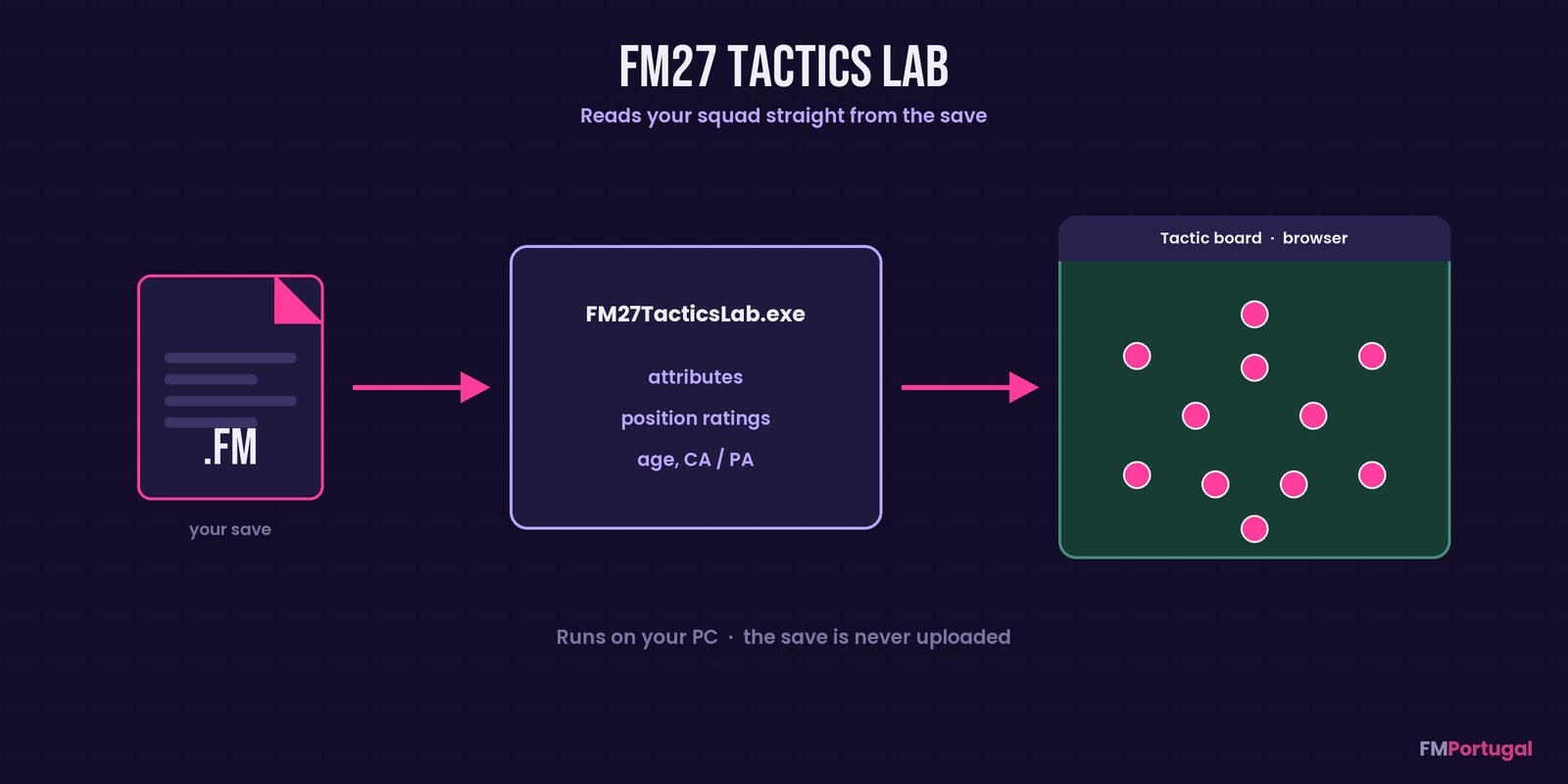
From your save to the tactic board in the browser (Image: FMPortugal)
The most useful part is squad fit. Every player is scored for every role, based on his attributes and the position ratings stored in the save, left and right sides included. Also, the auto-pick button finds your best eleven. When FM saves again, press Refresh from save and the data is brought up to date.
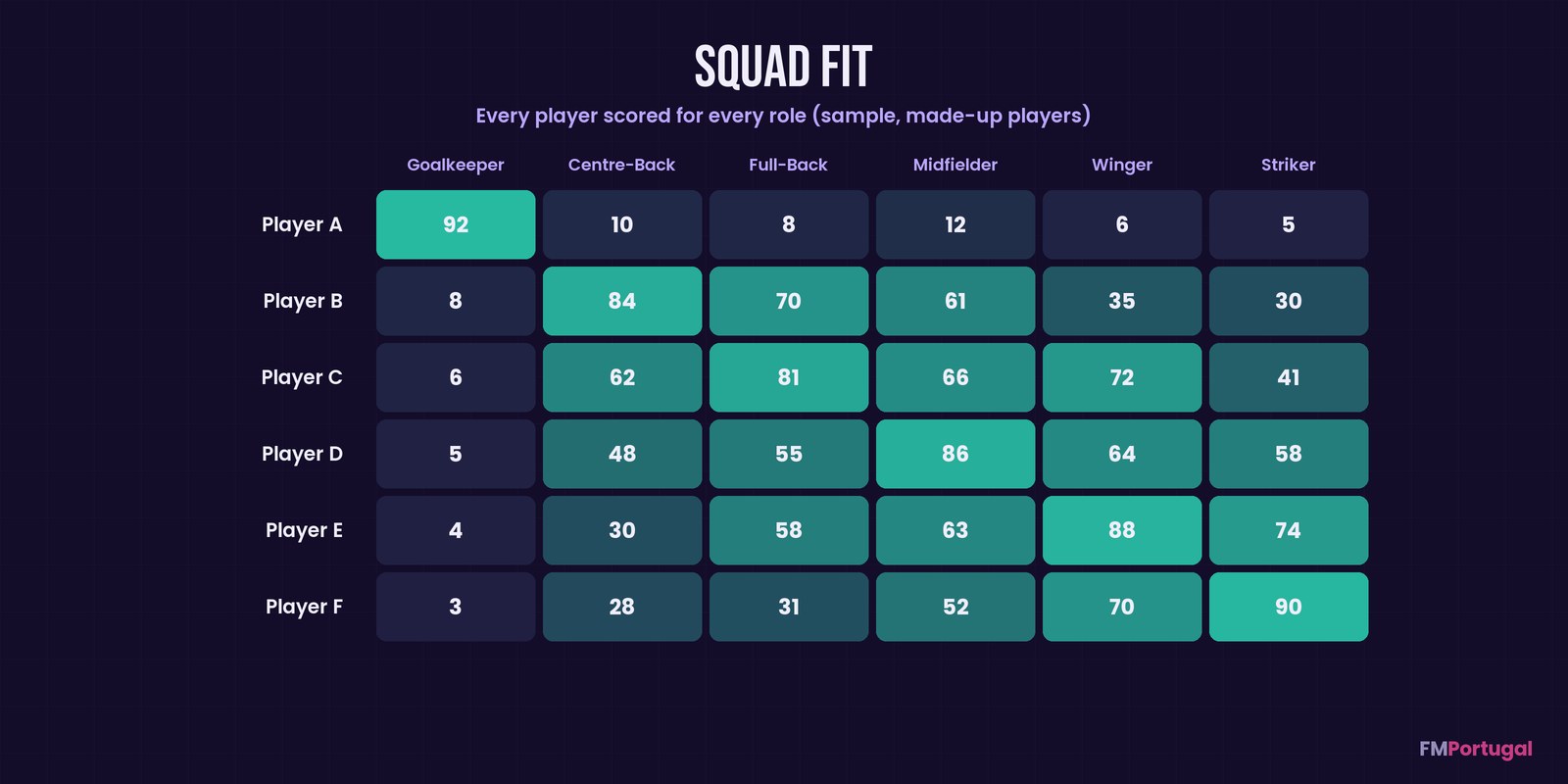
The idea behind squad fit: every player rated in every role, using made-up data (Image: FMPortugal)
Who it is for
It is for anyone who likes planning tactics outside the game, with the squad’s numbers in front of them. It also helps you see who plays better on which side of the pitch. Save reading uses fmsave by rhiever (Randal S. Olson), which we have covered too. On the other hand, if you prefer working from the game’s own lists, FM Player Analyzer does a similar analysis.
Download FM27 Tactics Lab
The version is 0.1.2, from 10 November, and the file is about 13 MB. It is a single Windows .exe with no installer. Everything runs on your own computer, and your save is never uploaded anywhere.
- First, download
FM27TacticsLab.exeand keep it in a folder of your choice. - Then double-click it. If Windows says it protected your PC, click «More info» and then «Run anyway», because the file is not signed.
- Next, a small window opens and the Lab loads in your browser. Keep that window open while you use it.
- Finally, click Load from FM save and pick your
.fmsave.
Where it looks for saves
It looks in Documents\Sports Interactive\Football Manager 27\games, even when Documents sits in OneDrive, and in the last folder FM saved to. To use another folder, set the FM_SAVES_DIR environment variable.
Things to watch
Steam and Game Pass cloud saves are not stored as normal files. So save a copy to your computer in FM, and it will show up in the list. Also, FM27 save reading is new: if a save will not load, try a fresh copy, and always update to the newest release after game patches.
In-possession role names match FM27, but out-of-possession roles are approximations. The assistant tab only works when the Lab is opened inside Claude, so in normal use you can ignore it. To quit, close the small window; to uninstall, just delete the .exe.
The files are hosted by their original authors. FMPortugal only points to the official download page — all credit goes to their creators.
Did you make this download? Manage it on FMPortugal →