FM Skin Studio is a program for building your own FM27 skin without opening a single file by hand. You pick colours, fonts and sizes, rearrange the panels on each screen and, at the end, save it all as a new skin. Then you simply select it in the game’s Preferences. It is made by CCman29, of MaterGames, and it is free.
What FM Skin Studio does
The first time you open it, the program reads the files of the FM27 copy on your PC and builds an index of the game. This takes about a minute. From then on, you can start a new skin from scratch or duplicate one of the skins you already have, so you work from a base.
The work is split into tabs, and each one handles a part of the skin:
- Global settings: the game’s main colours, with an option to link several at once. There is also a contrast check, so text never becomes unreadable.
- Bars & backgrounds: the top bars and the backgrounds, where you can add your own pictures.
- Fonts: typefaces and text sizes.
- Screens & layouts: a grid where you move and resize the panels on each screen, such as training or matches.
- Check & save: checks the skin against the game’s rules, makes a backup and saves it.
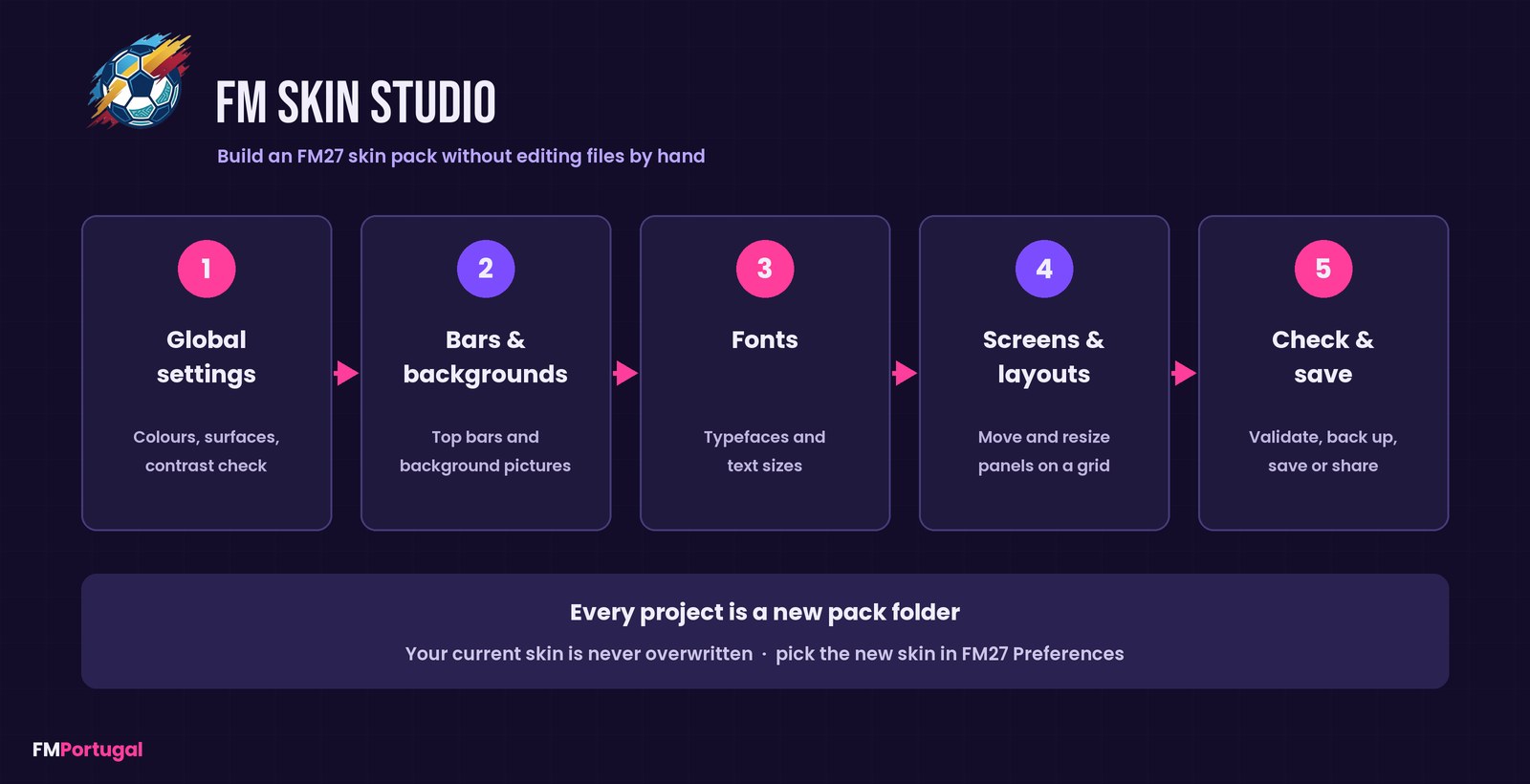
The program’s tabs, from colours to saving (Image: FMPortugal)
Live preview and the game’s rules
As you work, you see a preview of FM’s home screen with your changes, and it updates straight away. The program also shows the areas no skin can change, such as the colours and fonts competitions put on their own pages. So you do not waste time on things the game will not let you touch.
The screen editor works the same way. Panels the game locks are marked and cannot be moved, and the program warns you when a size does not fit. Finally, the check tab lists the messages FM27 itself has logged about skins since it last started.
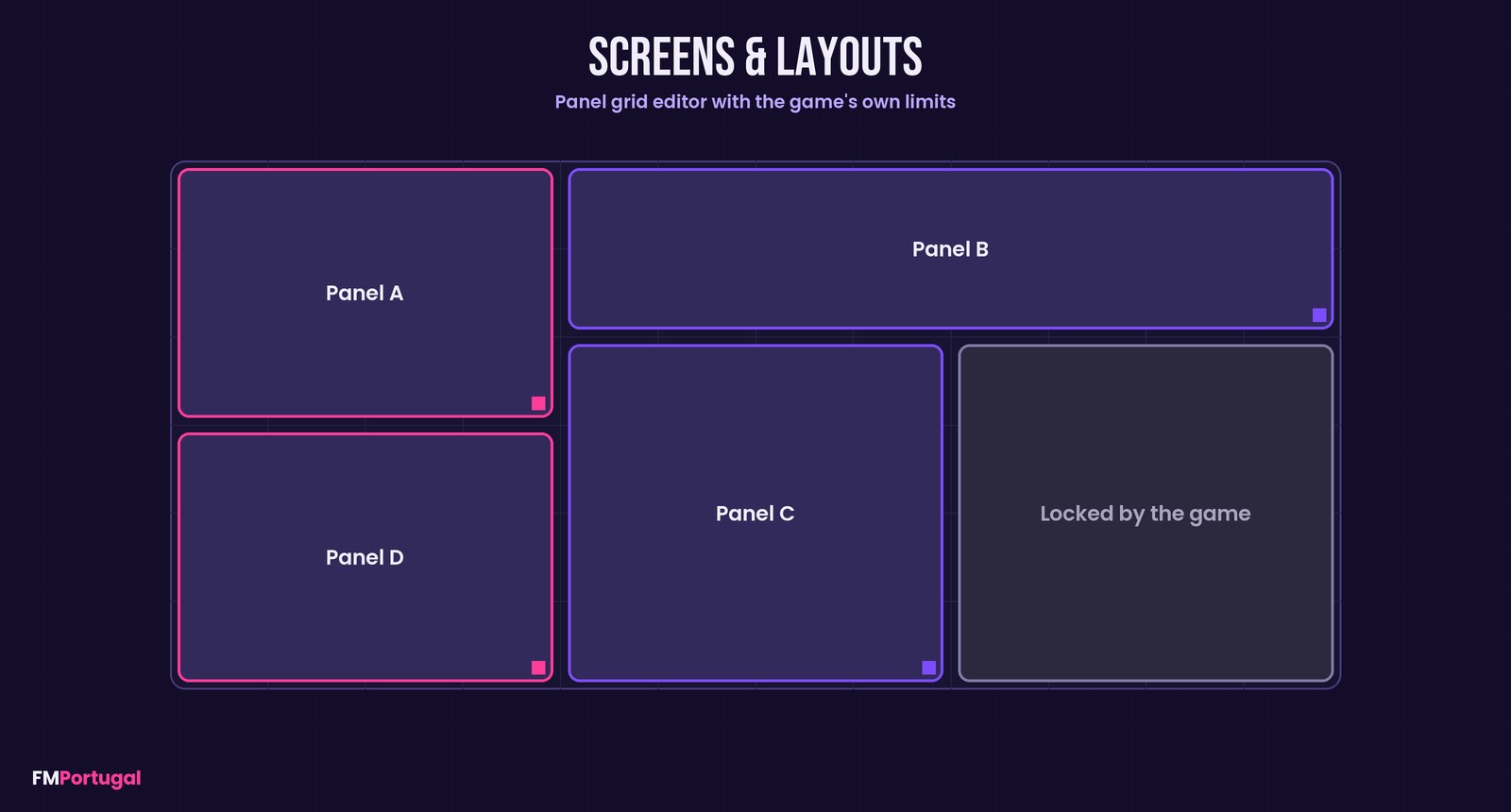
The idea behind the screen editor: panels on a grid, some locked by the game (Image: FMPortugal)
Who it is for
It is for anyone who likes a skin but wishes it had other colours, or who always wanted to make one and never got the hang of the files. It is good for sharing, too: you can export your skin as a .fmskin file or a .zip. If you only want to switch between finished skins, FM 27 Skin Manager is simpler. For inspiration, take a look at the Kojuro Skin or the Heffem Skin.
Download FM Skin Studio
The version is 1.0.9, from 31 October, and the installer is about 101 MB. For now, there is only a Windows installer. The program is free; if you find it useful, you can support the author on his Ko-fi page.
Download – FM Skin Studio v1.0.9
- First, download and run
FM-Skin-Studio-Setup-1.0.9.exe. If Windows shows a warning, click «More info» and then «Run anyway». - Then open FM Skin Studio and wait while it builds the game index, which takes about a minute.
- Next, give your new skin a name (or duplicate one you already have) and make your changes.
- After that, in the check tab, choose a folder for backups and save the skin.
- Finally, start FM27 and select the new skin in Preferences. If it is already selected, the game picks up your changes as soon as you save.
Things to watch
The program is built not to break anything. Each new skin lives in its own folder, and folders it did not create, including your current skin, are never changed. Panel layouts are different, though: they only go into the game when you click Use this pack’s layouts in FM27, and the program backs up yours first. If you do not like the result, the Restore my layouts button puts everything back.
After an FM27 update, the game index has to be rebuilt before you can open your skins. To uninstall, use Windows Apps settings. The skins you made stay in FM’s skins folder, so delete them there if you no longer want them.
The files are hosted by their original authors. FMPortugal only points to the official download page — all credit goes to their creators.
Did you make this download? Manage it on FMPortugal →