Menu Remove Overlay FM27 gets rid of the dark shadow that covers the screen every time you open a dropdown menu in Football Manager 27. It is a tiny plugin by codexx01, the same author behind FM Manager 3D Head. Menus work exactly as before, but the game feels lighter. It is also free and runs on both Windows and Mac.
What Menu Remove Overlay FM27 does
In the default FM27 skin, every menu you open darkens the rest of the screen. As a result, the game seems to stutter for a moment. The author turned animations off, but the effect still bothered him. So he made this plugin.
The idea is simple: the menu opens, but the background stays as it was. In other words, you can still see the news and data behind the menu. Apart from that, nothing else changes in how the game looks.
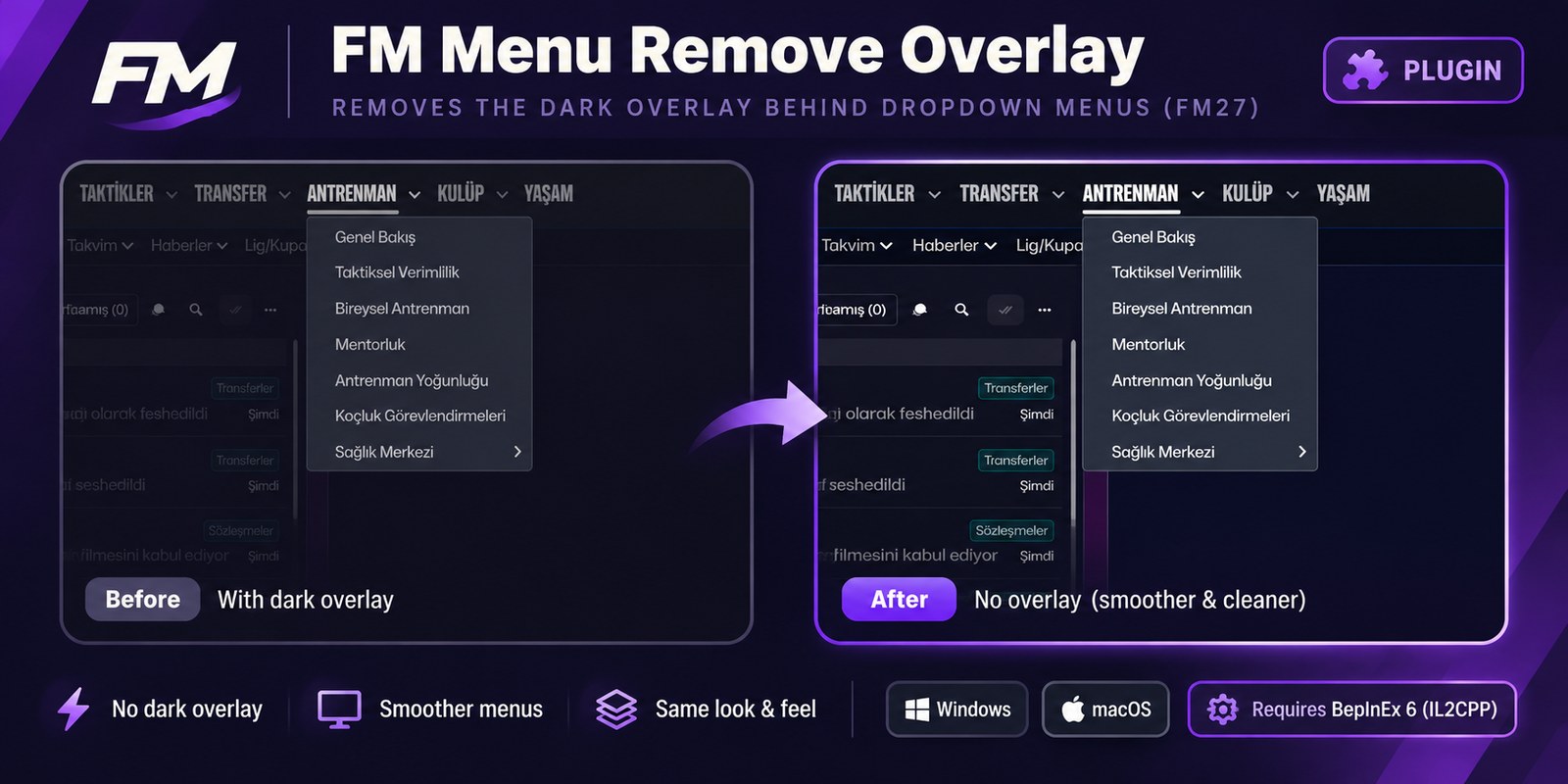
The same menu before and after the plugin (Image: codexx01)
Who it is for
It is for anyone playing with the default skin who finds the menus heavy. In fact, the author made it because he sticks with that skin for the first weeks of every FM. It also suits players who already run other BepInEx plugins, such as Skip to Kickoff. Plus, it is small and comes out as easily as it goes in.
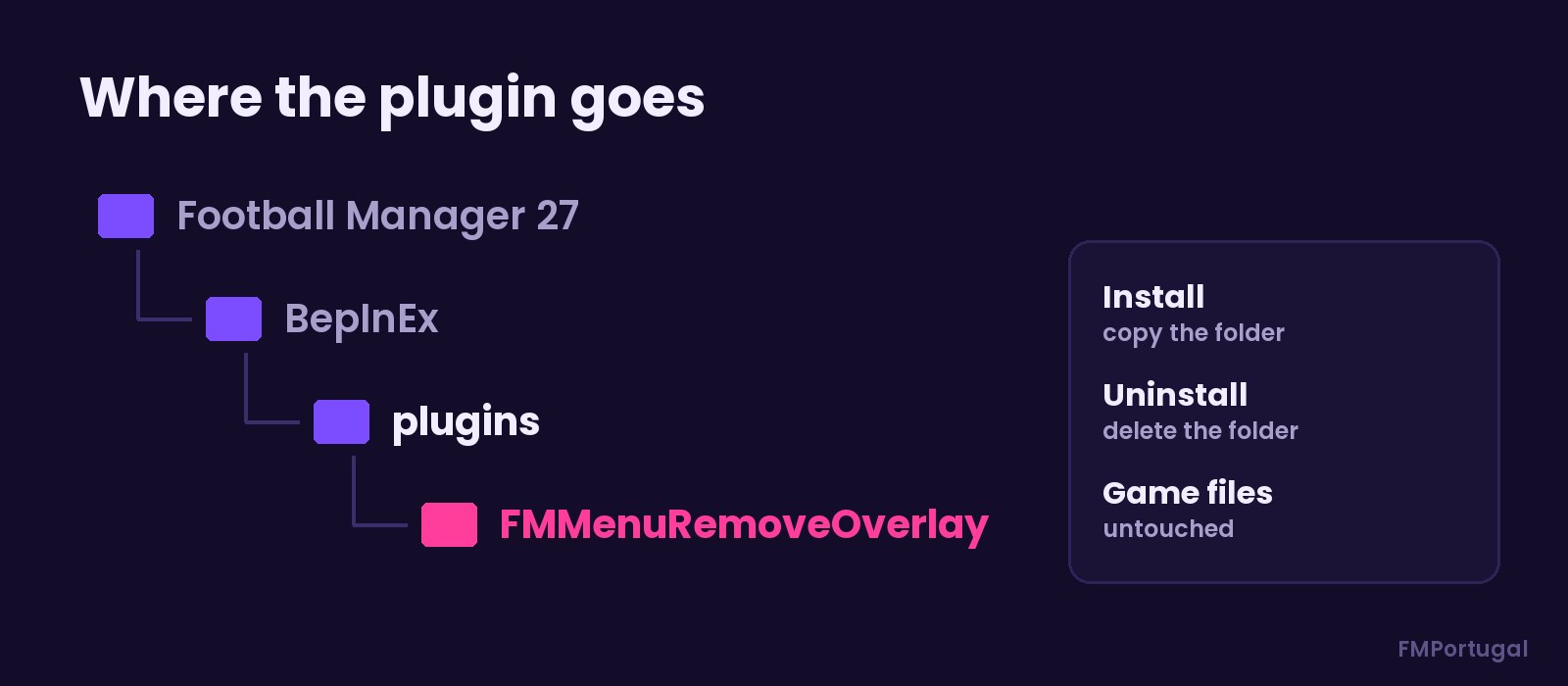
The plugin folder inside BepInEx (Image: FMPortugal)
Download Menu Remove Overlay FM27
The version is 1.0.0, from 5 November, and the file is under 6 KB. It works with FM27 on Windows and macOS, but it needs BepInEx 6 (IL2CPP) already installed.
Download – Menu Remove Overlay
- First, make sure you have BepInEx 6 (IL2CPP) in FM27. If not, the FaceDrop installer and the full Skip to Kickoff package both include it.
- Then close the game and extract the ZIP.
- Copy the
FMMenuRemoveOverlayfolder intoBepInEx\plugins, inside the FM27 folder. - Finally, start the game and open any menu to see the difference.
Things to watch
The plugin does not change any game files, so the risk is low. However, it relies on BepInEx: if an FM27 update breaks BepInEx, the plugin stops too. There are no comments from testers yet. To remove it, just delete the FMMenuRemoveOverlay folder.
The files are hosted by their original authors. FMPortugal only points to the official download page — all credit goes to their creators.
Did you make this download? Manage it on FMPortugal →