FM27 Trainer is a free app that reads your team’s Tactical Effectiveness in Football Manager 2027 and builds training around the weakest areas. Made by the Dutch developer Sem Hiel, it goes further than a simple plan: with the game open, it writes the sessions straight into FM’s training calendar, week after week. It works on Mac and Windows, it is open source and it needs no account and no internet.
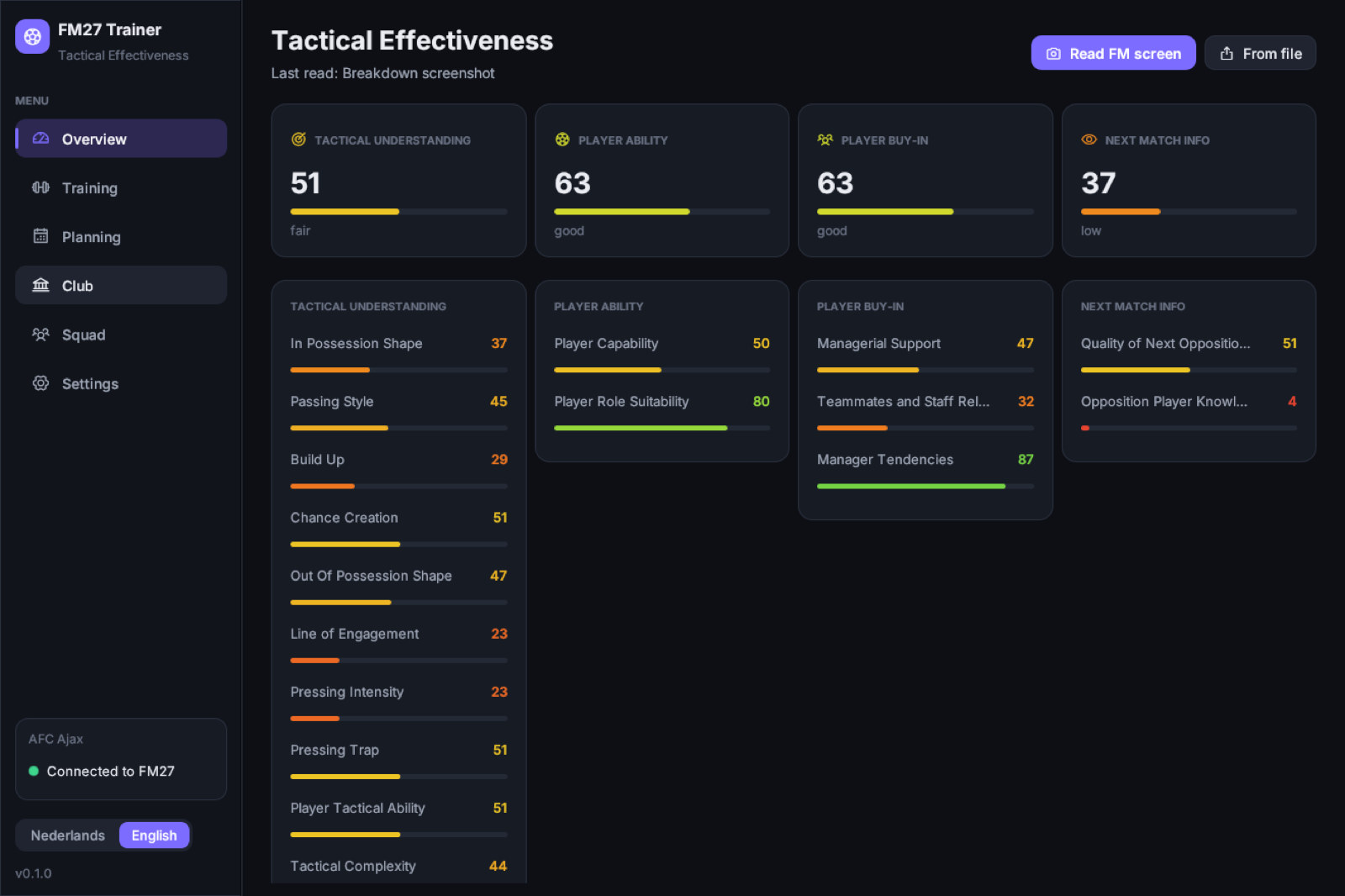
Tactical Effectiveness read by the app, with the four areas at the top and the factors below (Image: Sem Hiel)
What FM27 Trainer does
Tactical Effectiveness is the big new feature of FM27. It has four areas, Tactical Understanding, Player Ability, Player Buy-In and Next Match Info, and 17 factors that you have to raise through training and management. The problem is that the game shows the numbers, but it does not tell you what to train next. That is where this app comes in.
- Reads Tactical Effectiveness: first, you open the Breakdown screen in FM and press Read FM screen. The app captures the window, reads the labels with text recognition and measures the 17 gauges and 4 bars.
- Plans training: then it builds the week or the whole season with FM27’s own 59 sessions and 99 presets. It keeps SI’s rhythm around matches, with recovery after a game and preparation the day before, and gives the tactical slots to the weakest areas.
- Writes into FM’s calendar: with Apply training in FM, the sessions go into the game’s training calendar. Match and travel days are left to FM, and nothing on or before today is touched.
- Keeps the plan: FM’s assistant re-plans the coming weeks whenever it can. With Keep training on plan automatically, the app checks every few seconds and puts your plan back.
- Exports: finally, it saves plans as printable HTML, CSV and JSON, even without the link to the game.
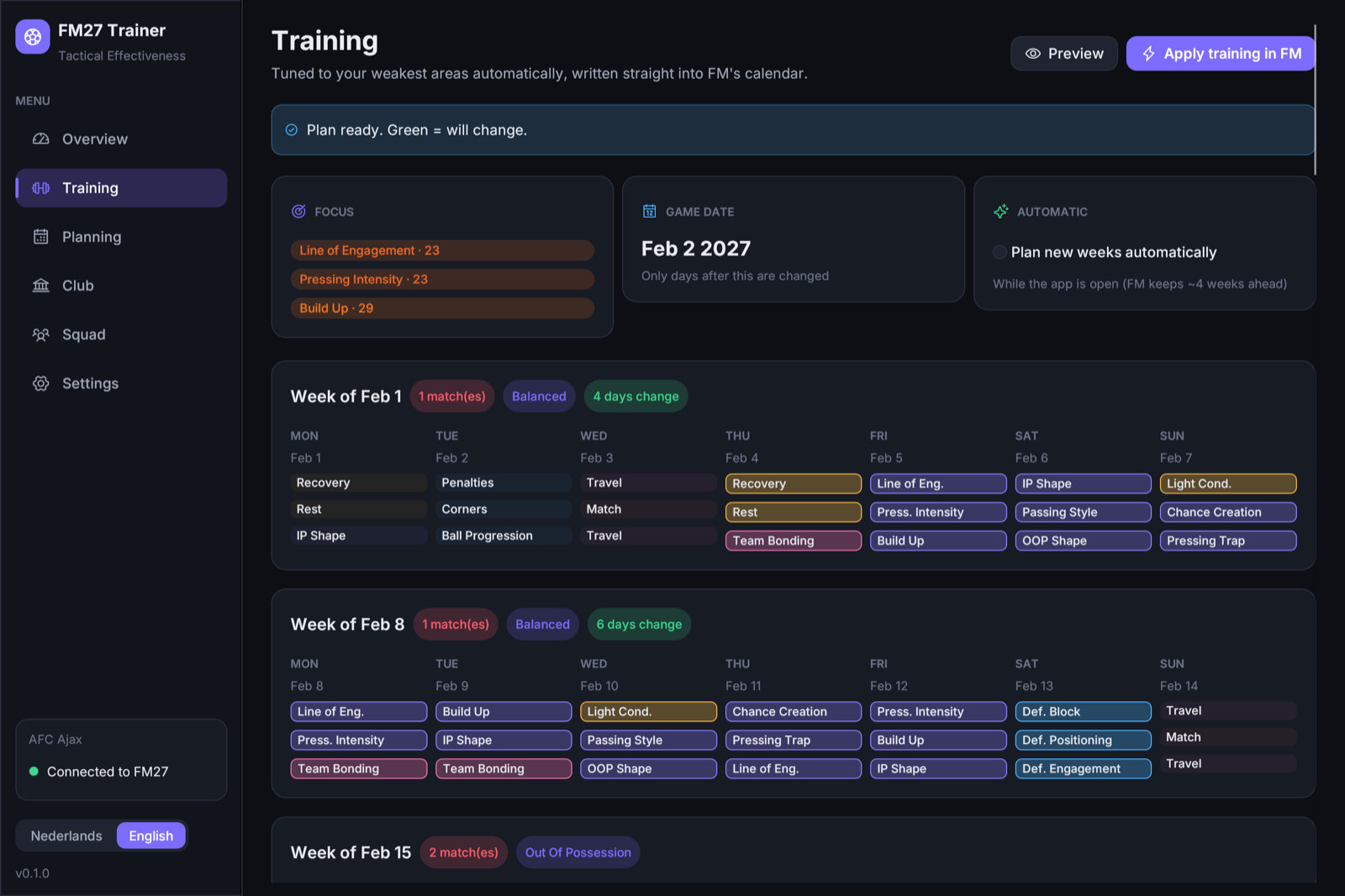
The plan for the coming weeks: in green, the days that will change in FM’s calendar (Image: Sem Hiel)
The club tools
Besides training, the app has an editor side. On the club page you can change the transfer and wage budgets. On the squad page you can heal injuries, lift suspensions and max out everyone’s morale. Since version 0.2.2, it also shows how well the squad knows the tactic, per area and per player, and one click puts everything at 100%, like FM’s own in-game editor. For now, this only works on Windows. Every change can be undone, and it only sticks once you save in FM. Even so, this is cheating, so use it only if you want to. The training part is worth it on its own.
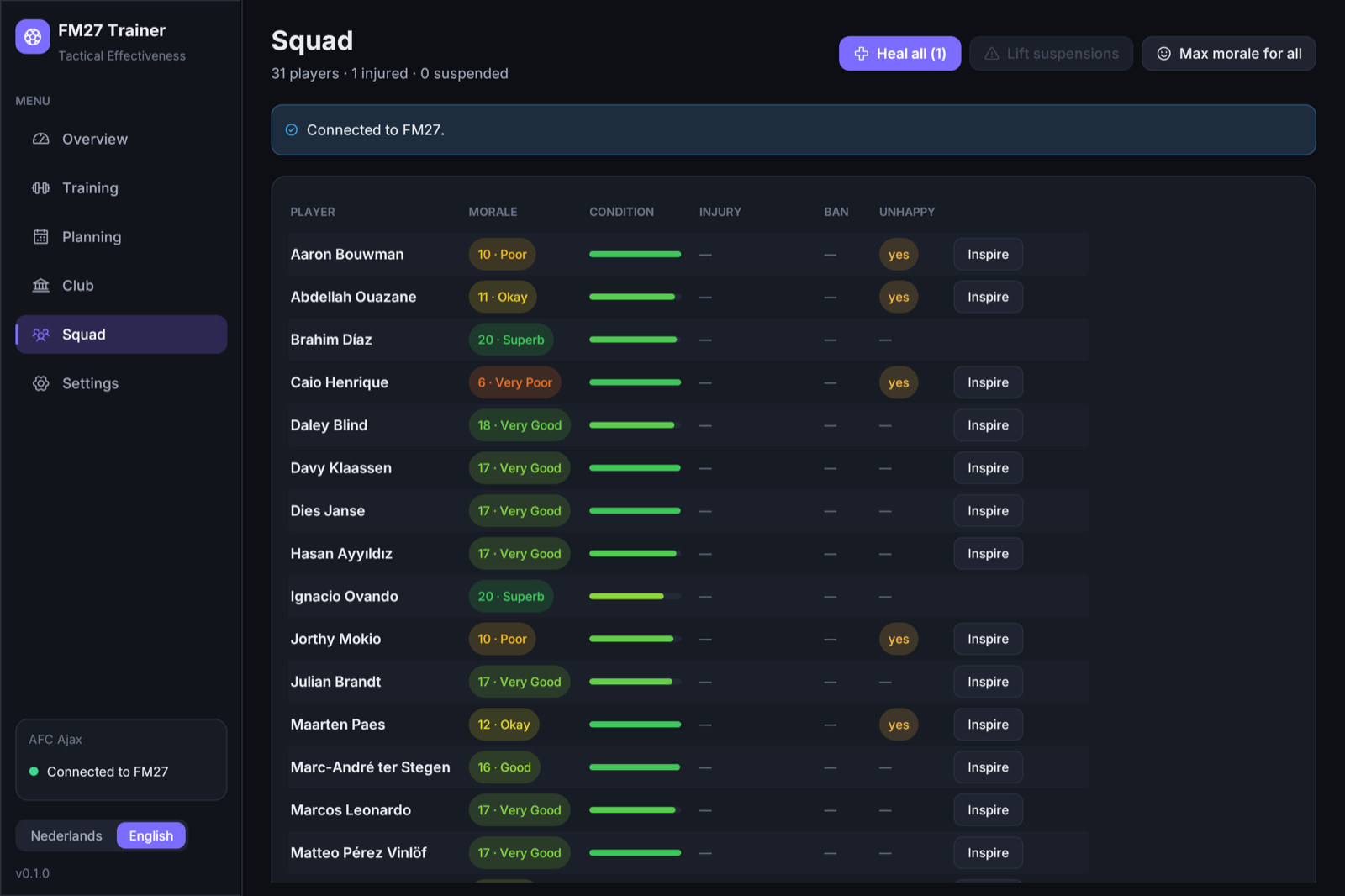
The squad, with each player’s morale and the buttons to heal and inspire (Image: Sem Hiel)
Who it is for
It is for anyone who wants to raise Tactical Effectiveness without spending hours on the training screen. It also helps if you are not sure which session improves each factor, because the app makes that link for you. On the other hand, if you like setting up training by hand, you can use only the reading and the plan, and copy the sessions yourself.
FM27 Trainer download
The latest version is 0.2.2, from 8 November, for Windows. On Mac, the latest is 0.2.1, from the same day, which needs macOS 13 or newer and is signed by Apple. On Windows it runs on 10 and 11, 64-bit. Also, the link to the game on Windows has now been live-tested on the November Steam build, so it no longer starts read-only. Version 0.2.2 also reads the screen better on 1080p or smaller monitors and other UI scales.
Download – Windows Download – Mac
Windows
- First, extract the zip and open
FM27 Trainer.exe. If Windows shows the SmartScreen warning, click More info and then Run anyway, because the file is not signed yet. - Then start FM27 from Steam as usual and load your save. The app connects by itself.
- Finally, before changing the game, check that club, budget and squad match what FM shows and back up your save.
Mac
- First, open the
.dmgand drag FM27 Trainer to Applications. - On first launch, allow Screen Recording in System Settings → Privacy & Security, so the app can read FM’s screen.
- For the live features, save and quit FM, click Start FM with module with Steam open and load your save.
Things to watch
The app only writes to the game on FM27 builds the author has already measured. So after an update, such as the full release on 10 November, it goes back to read-only until a new version comes out. It also has a button to back up your saves, and it is worth using it before changing anything. Also, it only works in single-player and never touches online play.
To understand what is behind the numbers, read our guide How to improve Tactical Effectiveness in FM27. If you prefer schedules made by other players, see the FM27 training schedules.
The files are hosted by their original authors. FMPortugal only points to the official download page — all credit goes to their creators.
Did you make this download? Manage it on FMPortugal →