xBurzelx FM Suite is a free Windows app that brings together several tools for Football Manager 26 and FM27. Made by xBurzelx, it lets you plan tactics and training weeks, build the config.xml for facepacks and download tactics, set pieces and views straight into the game folder. Also, you pick your FM version in the settings and everything else follows that version.
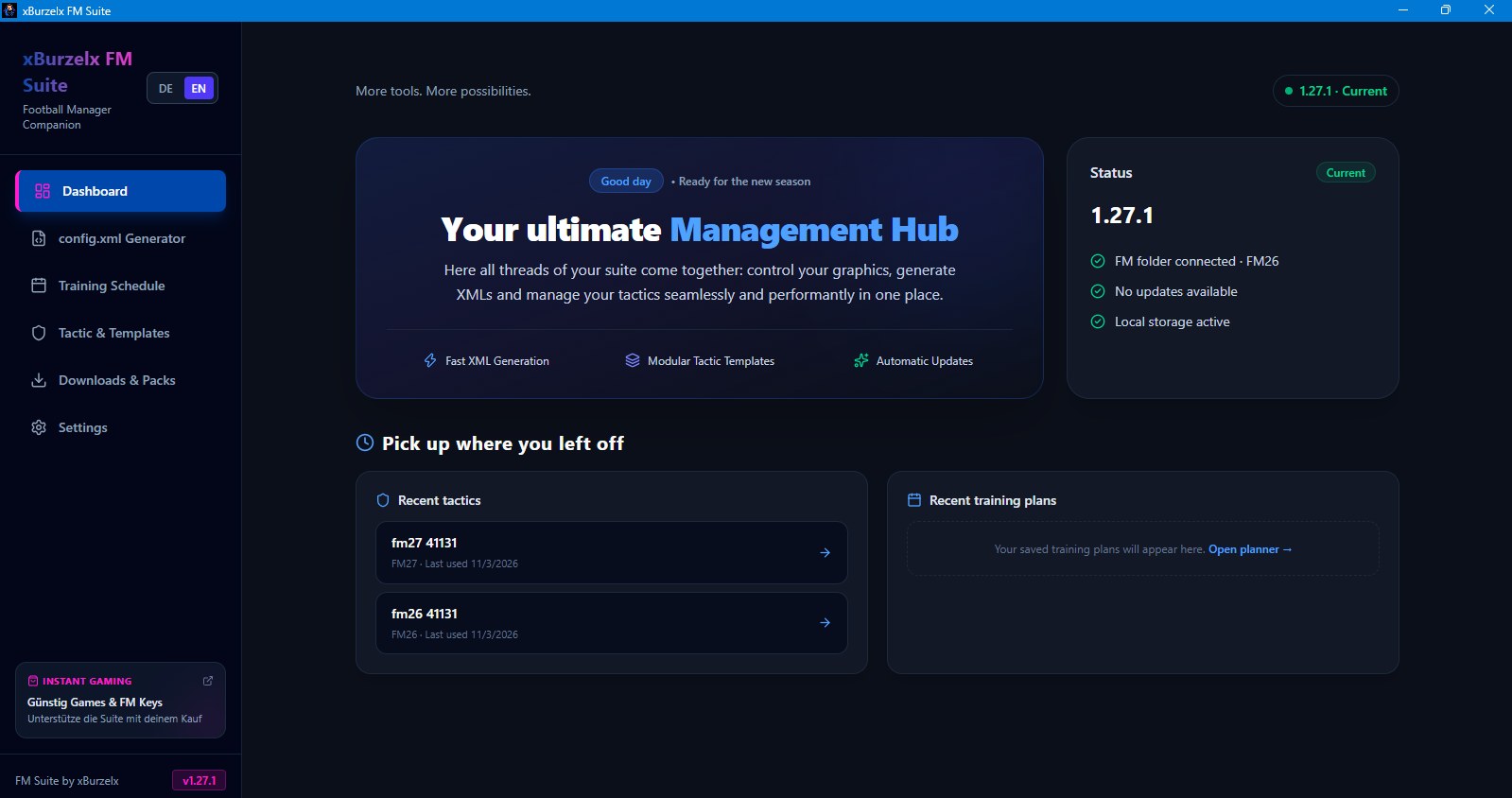
The dashboard, with your recent tactics (Image: xBurzelx)
What xBurzelx FM Suite does
- Tactic planner: first, create tactics for FM26 or FM27 and save, load or delete them on your computer.
- Training planner: builds training weeks from your fixtures, tactic and workload rules, or lets you put together a custom week.
- Training plan export: also, save plans, import others and export them in the supported formats.
config.xmlgenerator: prepares the file for large facepacks and deals with invalid file names and duplicate IDs.- Downloads: tactics, set pieces, training schedules and views go straight into the right FM26 or FM27 folder.
- Automatic updates: finally, the app checks GitHub for new versions and installs them. The interface is in German and English.
Planning tactics and training
The tactic planner shows a pitch in two phases, In Possession and Out of Possession. So you pick each player’s position and role in both phases, then the Team Instructions. You also set the tactic style, for example Control Possession.
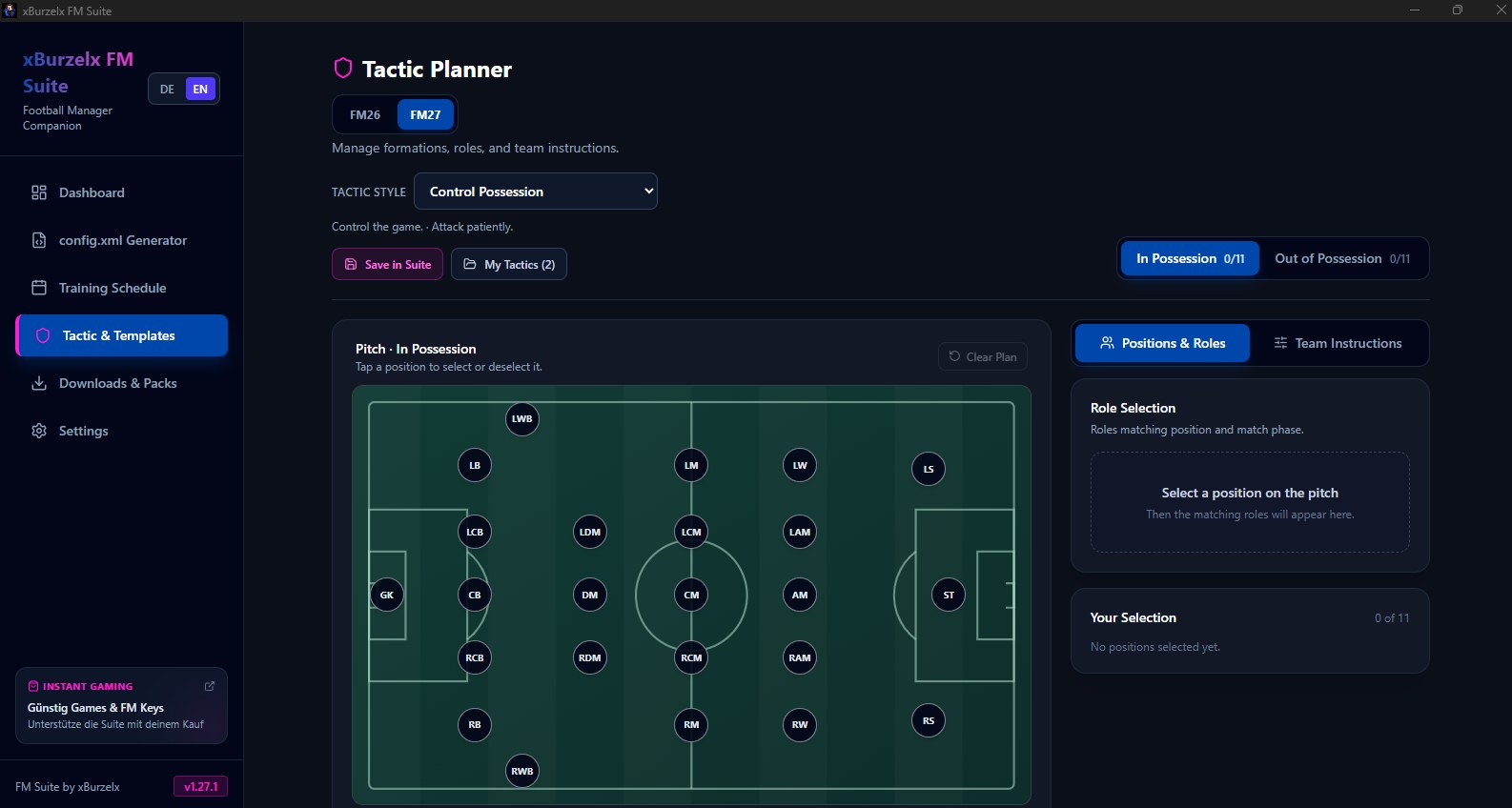
The tactic planner, in the in possession phase (Image: xBurzelx)
The training planner has two modes. The first uses only the tactic style. The second starts from a specific tactic you saved earlier. Then you choose the week model and the season phase, and the app builds the week within the workload limits. If you prefer ready-made plans, we have several in our FM27 training plans.
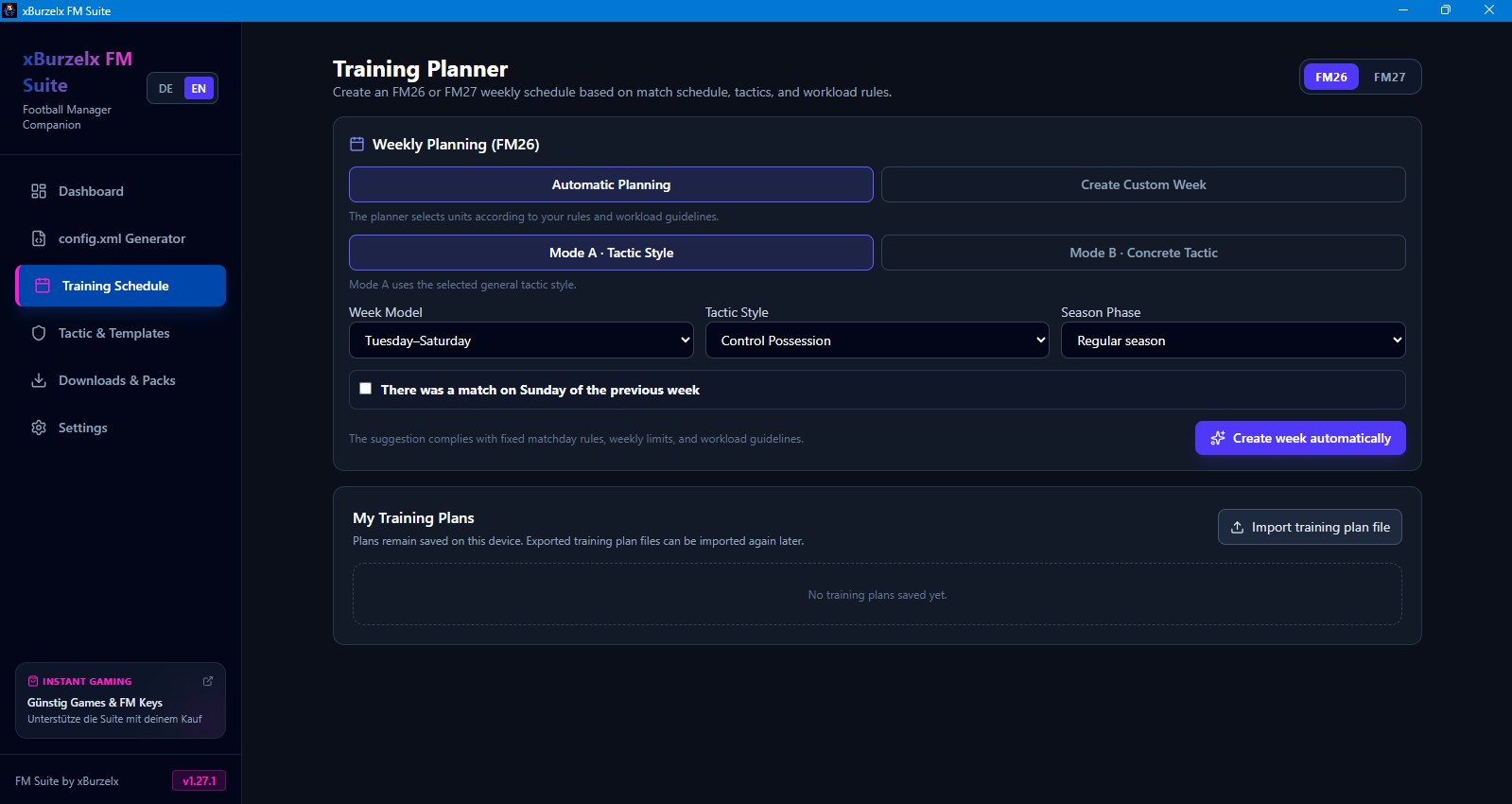
The training planner builds the week for you (Image: xBurzelx)
Downloads and facepacks
The downloads section has filters for tactics, set pieces, training, views, licence fixes and facepacks. For example, it includes the author’s 4-1-1-3-1 / 4-1-2-2-1 tactic for FM27 and views for player development, the home screen and contracts. Each file goes into the right game folder. If you like views, also see our custom views.
The config.xml generator, on the other hand, analyses a facepack folder, previews the result and tidies up problem files. That makes it handy with large packs such as the DF11 faces.
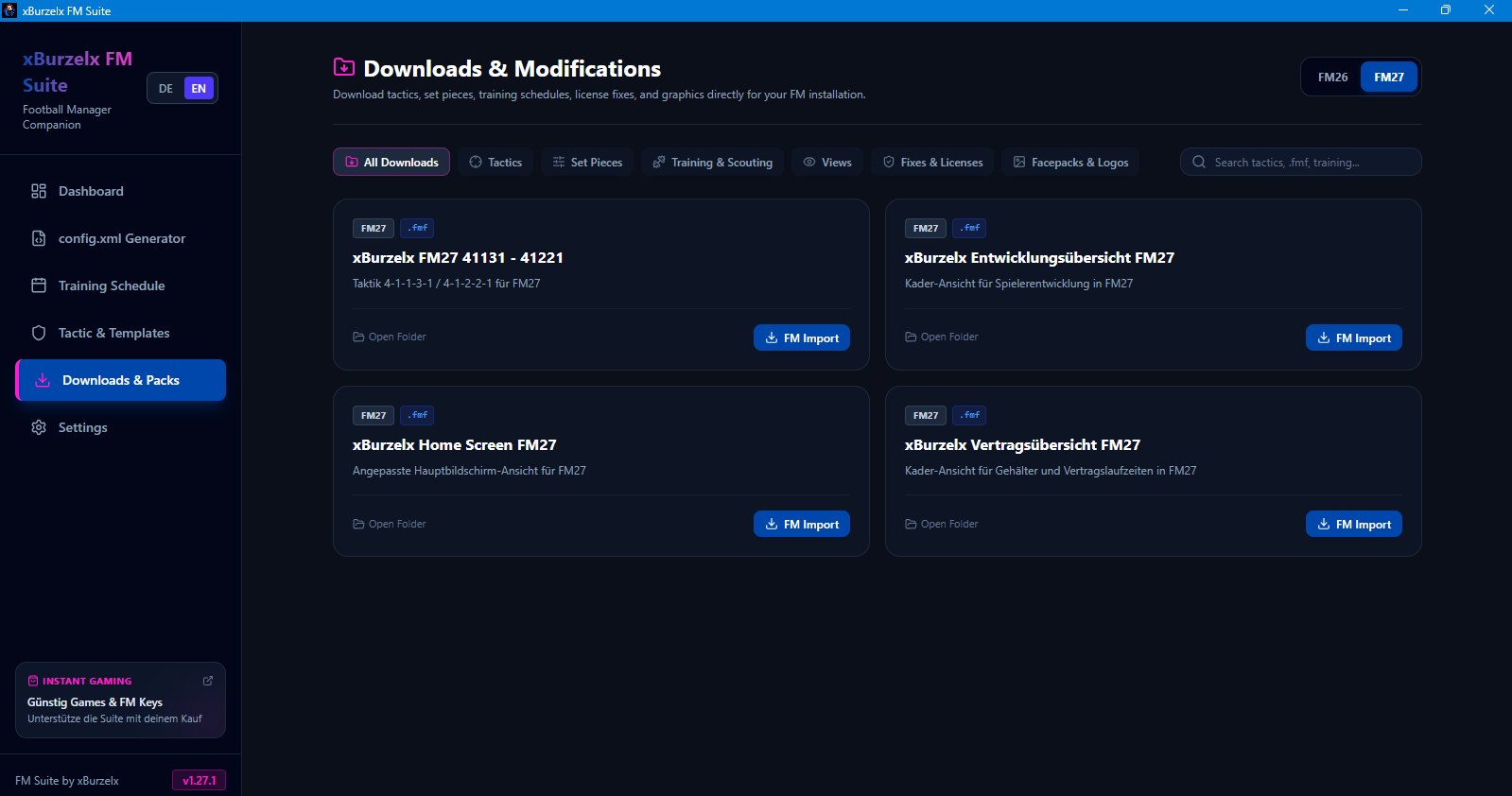
FM27 downloads, with tactics and views (Image: xBurzelx)
Who it is for
It is for anyone who likes to prepare tactics and training weeks outside the game, at their own pace. It also suits players who just want to install tactics and views without hunting for folders. So it works well if you play FM26 and FM27 at the same time, because each version has its own folder in the settings.
xBurzelx FM Suite download
The latest version is 1.27.1, from 5 November. It runs on 64-bit Windows 10 and 11, with FM26 and FM27. The installer is about 120 MB.
Download – xBurzelx FM Suite v1.27.1
- First, download
xBurzelx.FM.Suite-1.27.1.exeand open it. - If Windows shows «Windows protected your PC», click «More info» and then «Run anyway».
- Next, choose whether to install it for your account only or for all users.
- Once the app is open, go to Settings and check the FM26 and FM27 folders, usually in
Documents\Sports Interactive. - Finally, pick the FM version you play. The planners and downloads will then use that version.
Things to watch
xBurzelx FM Suite does not create .fmf files. That means the tactics and training plans you save in the app stay in the app, and you have to set them up by hand in the game. However, downloads that already come as .fmf load into FM as usual. Before downloading, also check that the right version is selected, so files do not end up in the other game’s folder. Finally, the app is fan-made and has no link to Sports Interactive or SEGA.
The files are hosted by their original authors. FMPortugal only points to the official download page — all credit goes to their creators.