The FMU Skin FM27 is a dark navy and burgundy skin that redesigns some of the game’s most used screens. The player profile, club page and tactics get new layouts with more information in view. The skin is by The FMU and version 0.2 is in early access.
What the FMU Skin FM27 changes
- Player profile: redesigned, with swipeable cards and a second page showing footedness, injury risk, progress, playing time, a performance radar and training.
- Club page: league table, fixtures, stadium and facilities on one screen.
- Honours: a redesigned trophies page.
- Tactics with photos: players’ faces appear on the pitch.
- Menus: new main menu, Portal and league layouts.
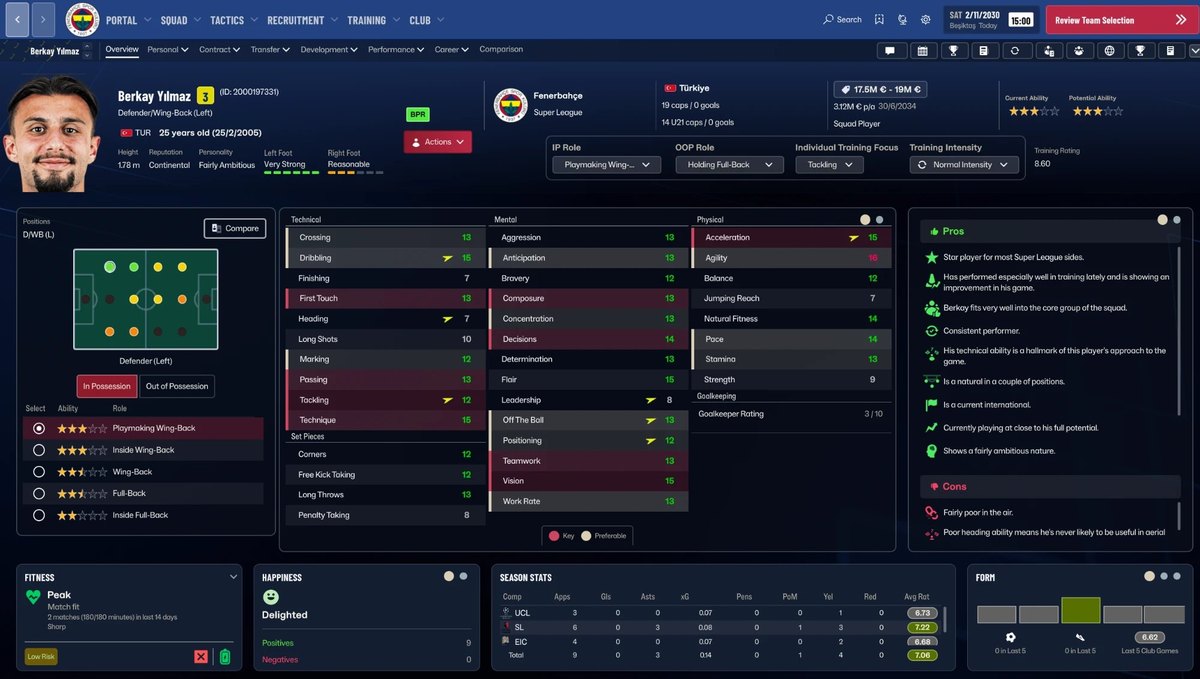
The first page of the player profile (Image: The FMU)
For example, the profile’s second page brings together data that is spread around in the original game, with the player’s strengths and weaknesses alongside.
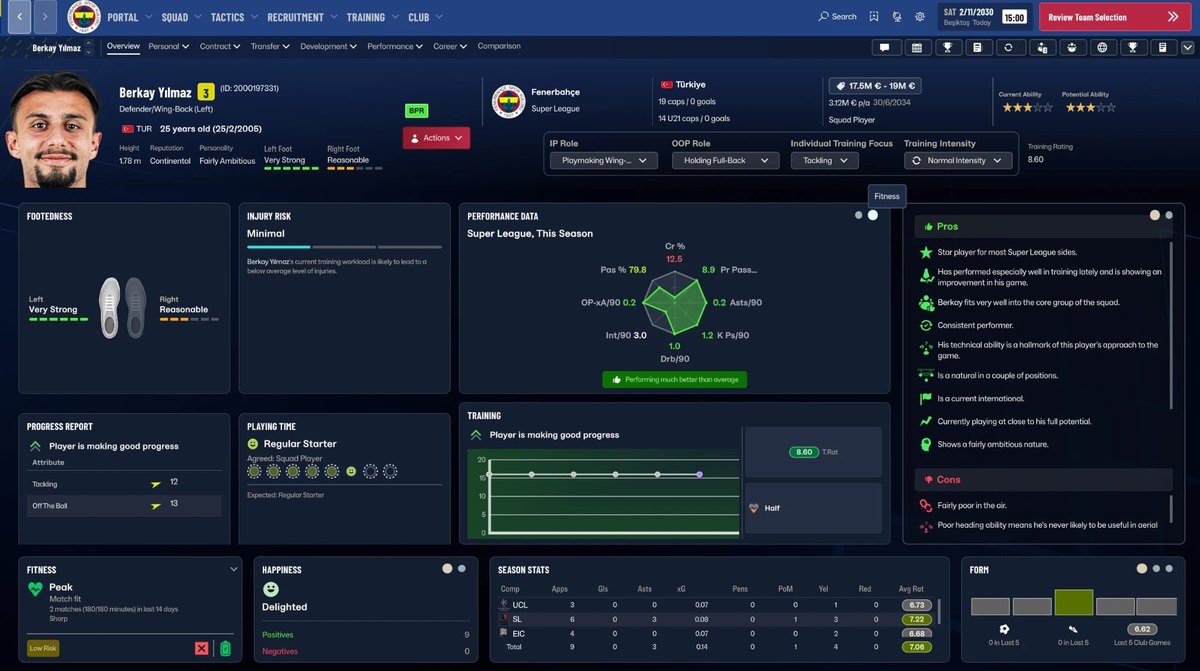
The second page, with injury risk, radar and training (Image: The FMU)
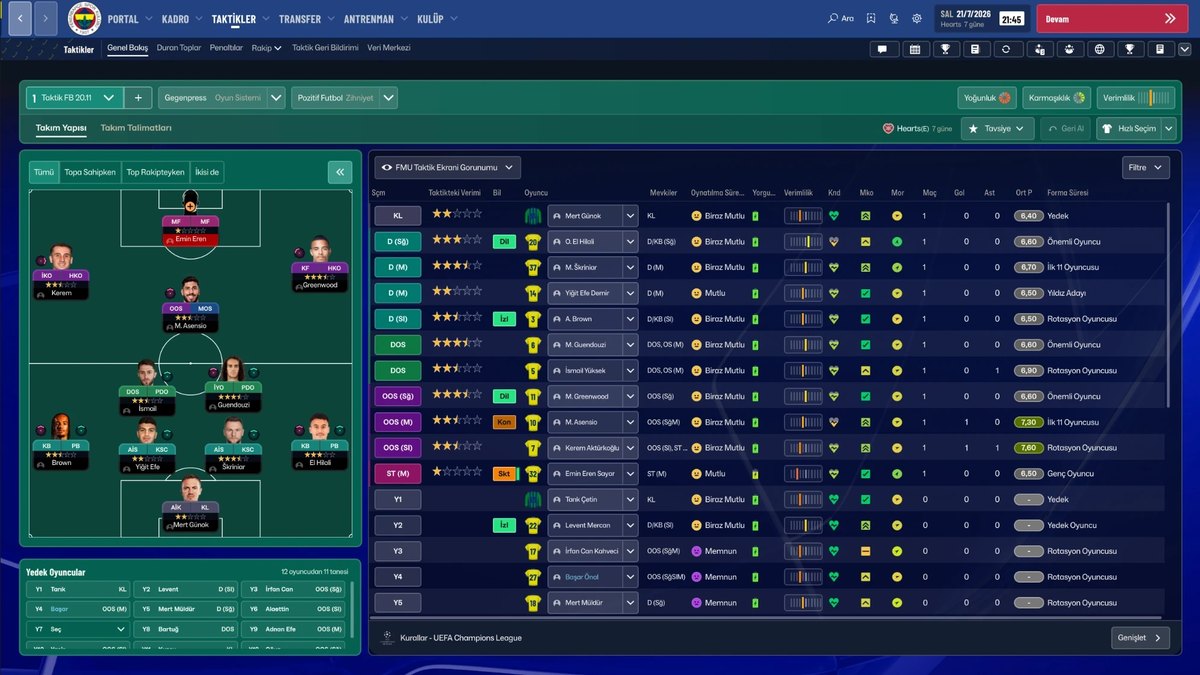
Tactics with the players’ faces (Image: The FMU)
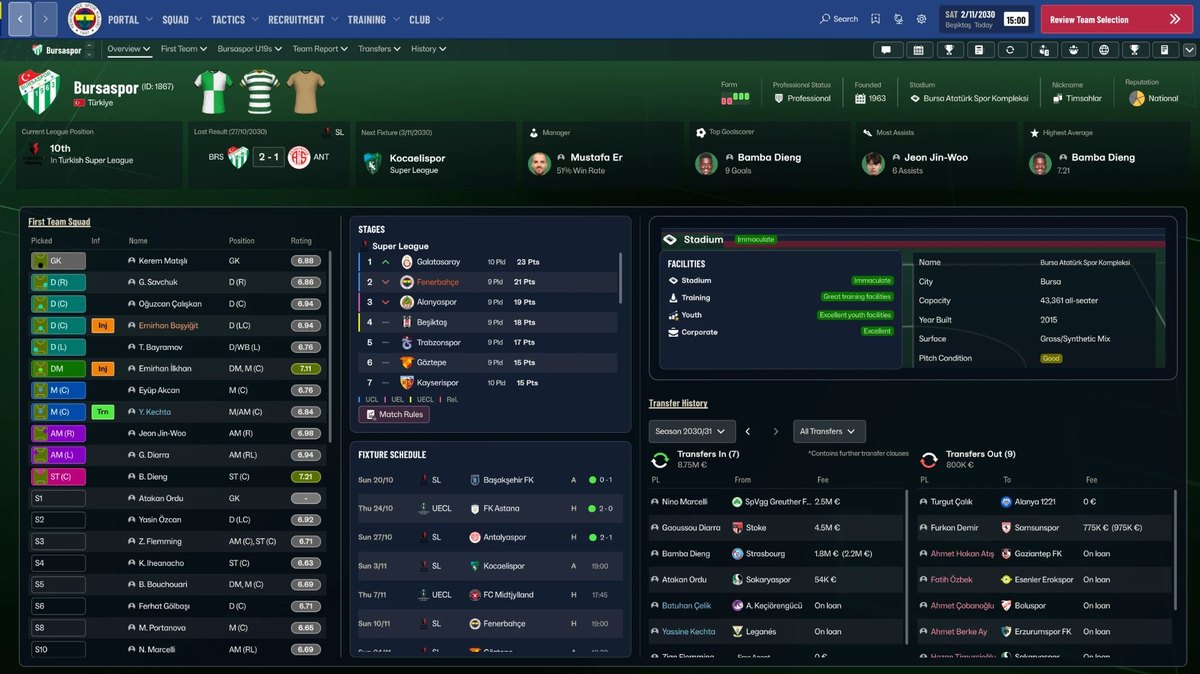
The new club page (Image: The FMU)
FMU Skin FM27 download
- First, close FM27.
- Then extract the .zip and run
Kur.bat. - Open the game, pick «FMU» in the skin list and click «Reload Interface».
- Finally, to remove the skin, run
Kaldir.bat.
Things to watch
The skin was built for a specific Steam build of FM27, so a game update may reset the layouts. The Epic and Game Pass versions have not been tested either. As it is in early access, expect changes in future versions. If you prefer another style, see the TangFu Skin or the MoneyBall Skin, and add the DF11 faces so photos show.
The files are hosted by their original authors. FMPortugal only points to the official download page — all credit goes to their creators.