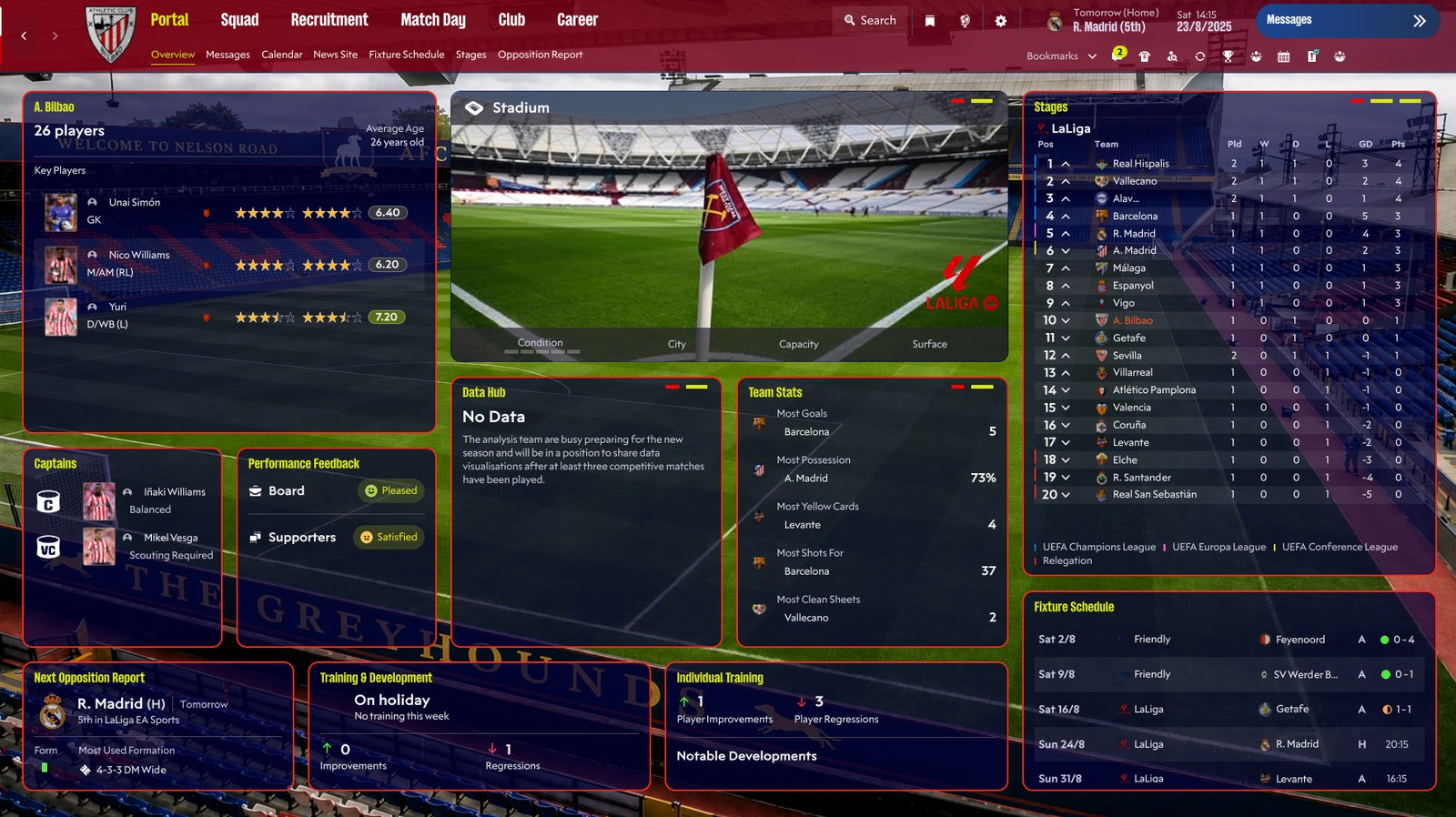
If you watched the series and fancied managing with a moustache and a biscuit in hand, this one is for you. The Ted Lasso skin for FM26 dresses the game in dark blue, inspired by the series, and was made by DaveHouto, the same author behind the TSO and The Dark Passenger skins.
The author has also updated it since the release on the SI forum. Version 2.1, from 19 September 2026, adds borders around tiles, stadium images on several pages and the TV logo on the match day screen.
(Image: DaveHouto)
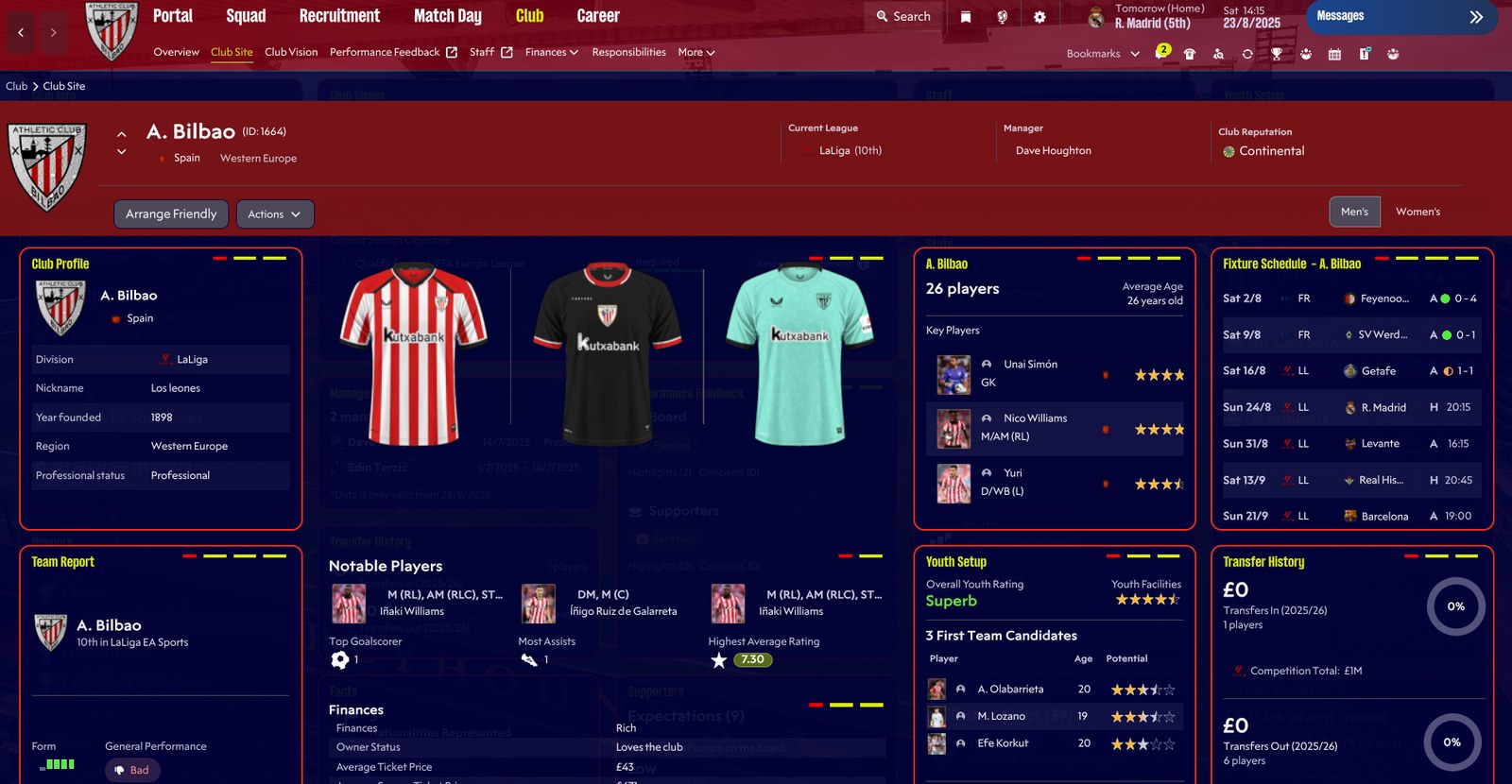
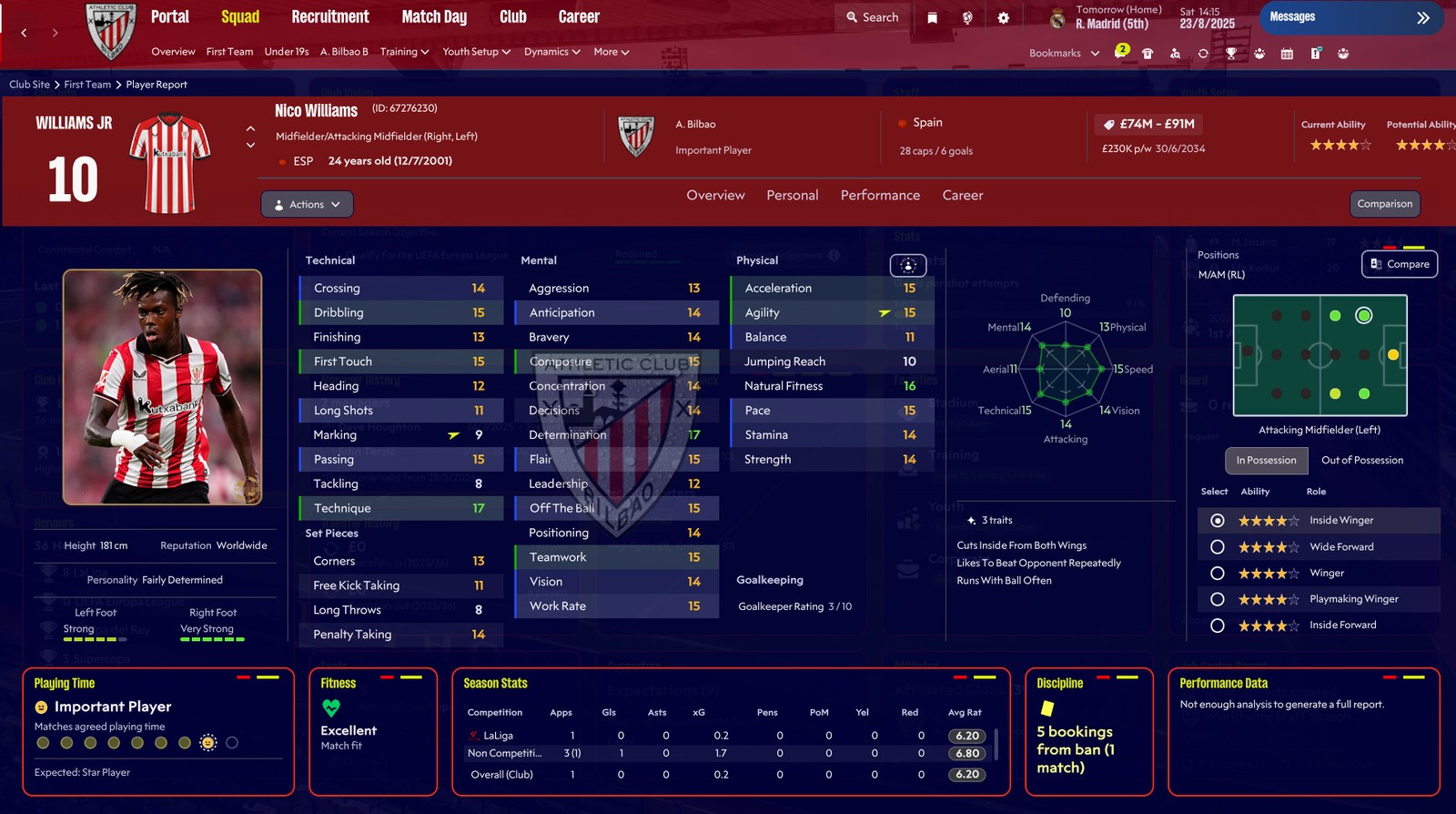
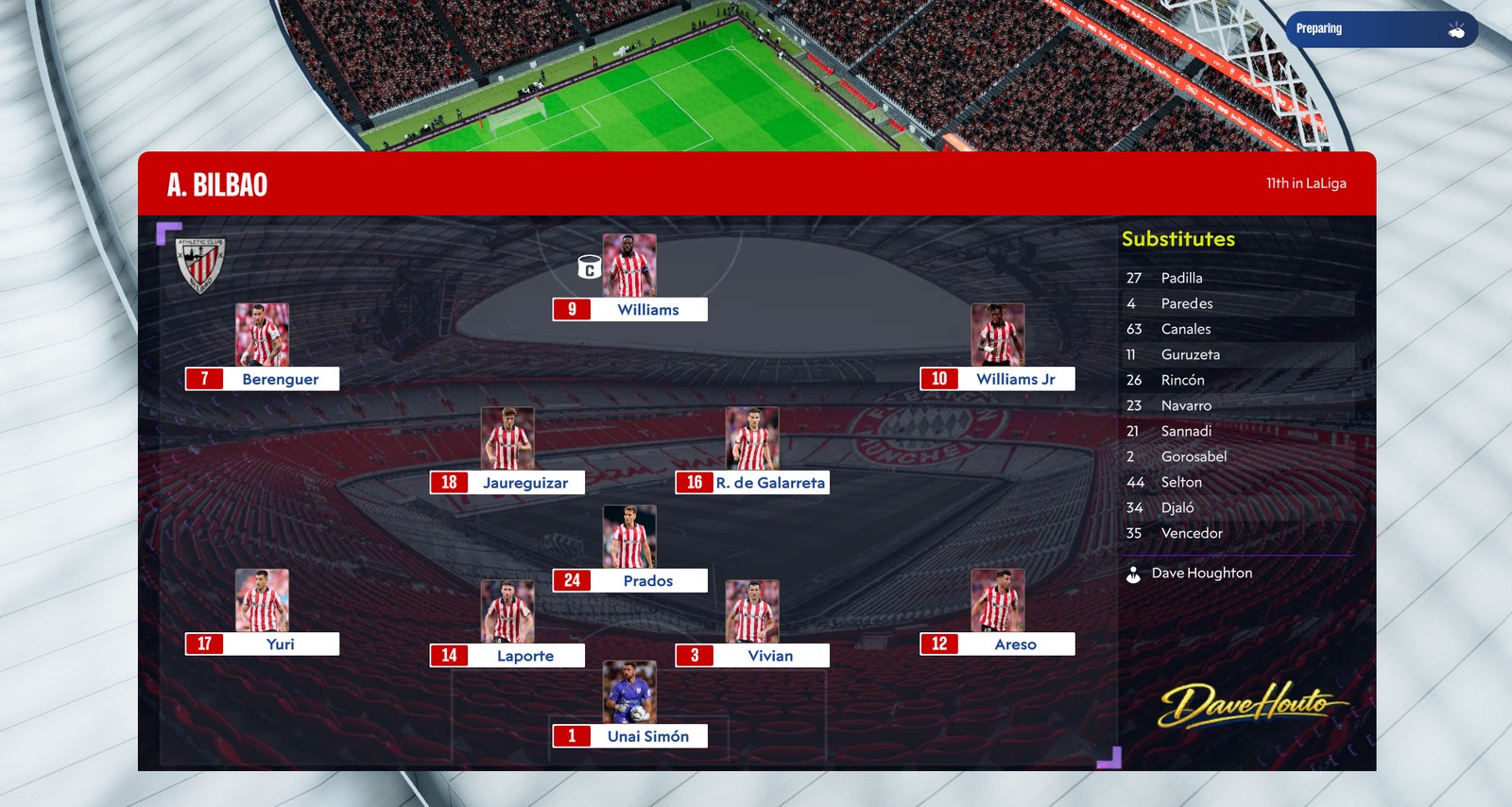
What the Ted Lasso skin brings
- A dark blue theme throughout the game, instead of FM26’s purple.
- Borders around tiles, which help separate the information.
- Stadium images on several pages, including the portal and match day.
- TV logo on the match day screen, for a broadcast feel.
- Larger kits on the club page.
- Plus several small improvements across the screens.
The screenshots show an Athletic Club save, but the club colours naturally adapt to the team you manage.
(Image: DaveHouto)
(Image: DaveHouto)
Who it is for
First, it is for fans of the series who want a save with a different feel. It also suits anyone who finds FM26’s purple tiring and prefers a darker, more sober tone. There is one important limitation: it only works on Windows. A Mac player asked on the forum whether it could be adapted, but the author explained he does not have a Mac and so cannot test it.
(Image: DaveHouto)
Download the Ted Lasso skin
Version 2.1 was built for FM26 26.3.1 with FM Skin Builder and is about 240 MB. FM Skin Builder requires an account to download, so we host the file for you to download directly.
Download – Ted Lasso skin v2.1 (FM26)
- First, download the file and extract it.
- Follow the included instructions for FM26: this skin was made with FM Skin Builder, which can also install it for you.
- Open FM26 and check that the dark blue theme appears.
The author does not plan to update this skin any further, as FM27 is around the corner. Still, if you like the style, he has other skins on FM Skin Builder, such as TSO (The Special One) and The Dark Passenger.
Credits
The Ted Lasso skin is by DaveHouto, who presented it on the Sports Interactive forum. The author thanks Lucky Luke, Matt, Tom and the FM Match Lab team. Looking for other options? See our FM26 skins.
The file is hosted by FMPortugal, exactly as the author published it on FM Skin Builder, to make downloading easier. All credit goes to DaveHouto.