The Material Skin 27 is back in Football Manager this year, as it was in earlier editions. It is a free skin by budwaiser4, in dark blue and teal, for Windows and Mac. Version 1.0 came out on 21 November and already works with the 27.1 update. But it does not only change the colours, because it redesigns the club page, the player profile and the match scoreboard.
⬇️ Jump to the download: Material Skin 27
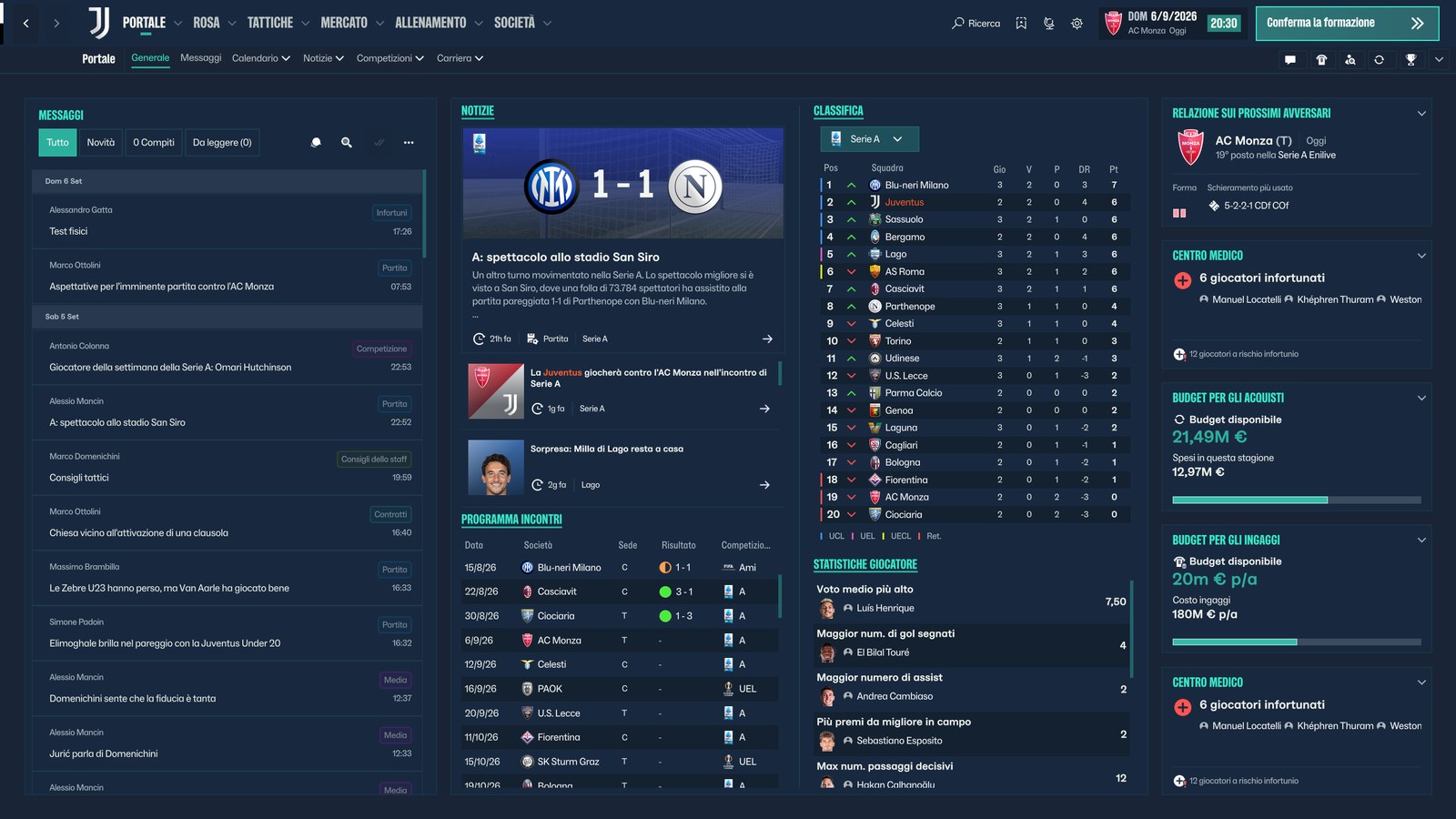
The home screen with Material Skin 27, in an Italian-language save (Image: budwaiser4)
What Material Skin 27 changes
The biggest change is the club page, which now has five columns. The first one holds the badge, the league position, the kits, the club details and the manager. Then come the form, the last three results as cards, the next match and boxes for the captain, vice captain, key player and hot prospect. Finally, the stadium, the history and the trophies get a column of their own, and each trophy shows the real cup.
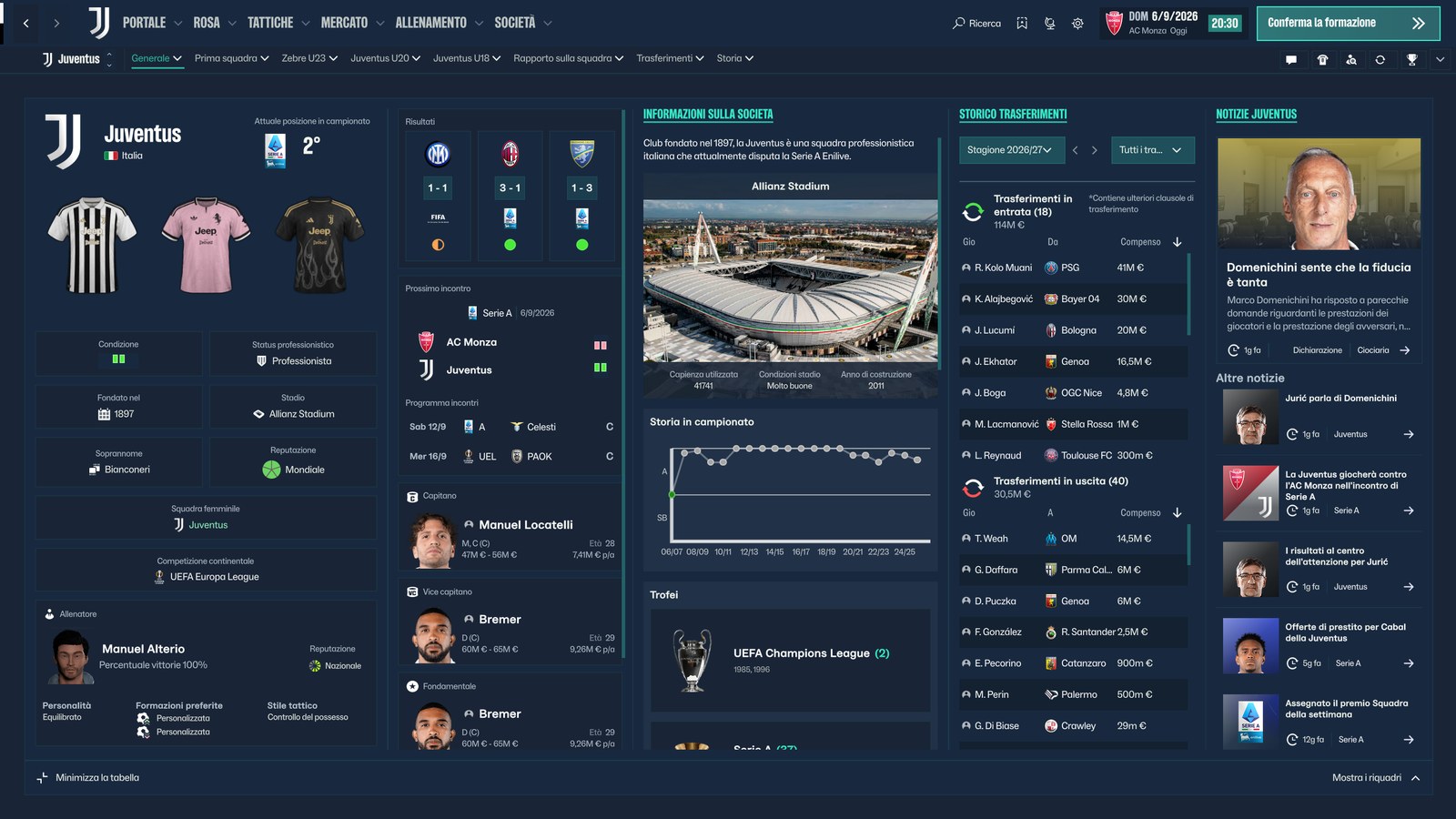
The club page in five columns (Image: budwaiser4)
On the player profile, the top splits into three boxes: the bio, the club and contract, and the market value, in green. In addition, staff attributes show as numbers instead of stars, and scout reports get a new look, with the buttons at the top.
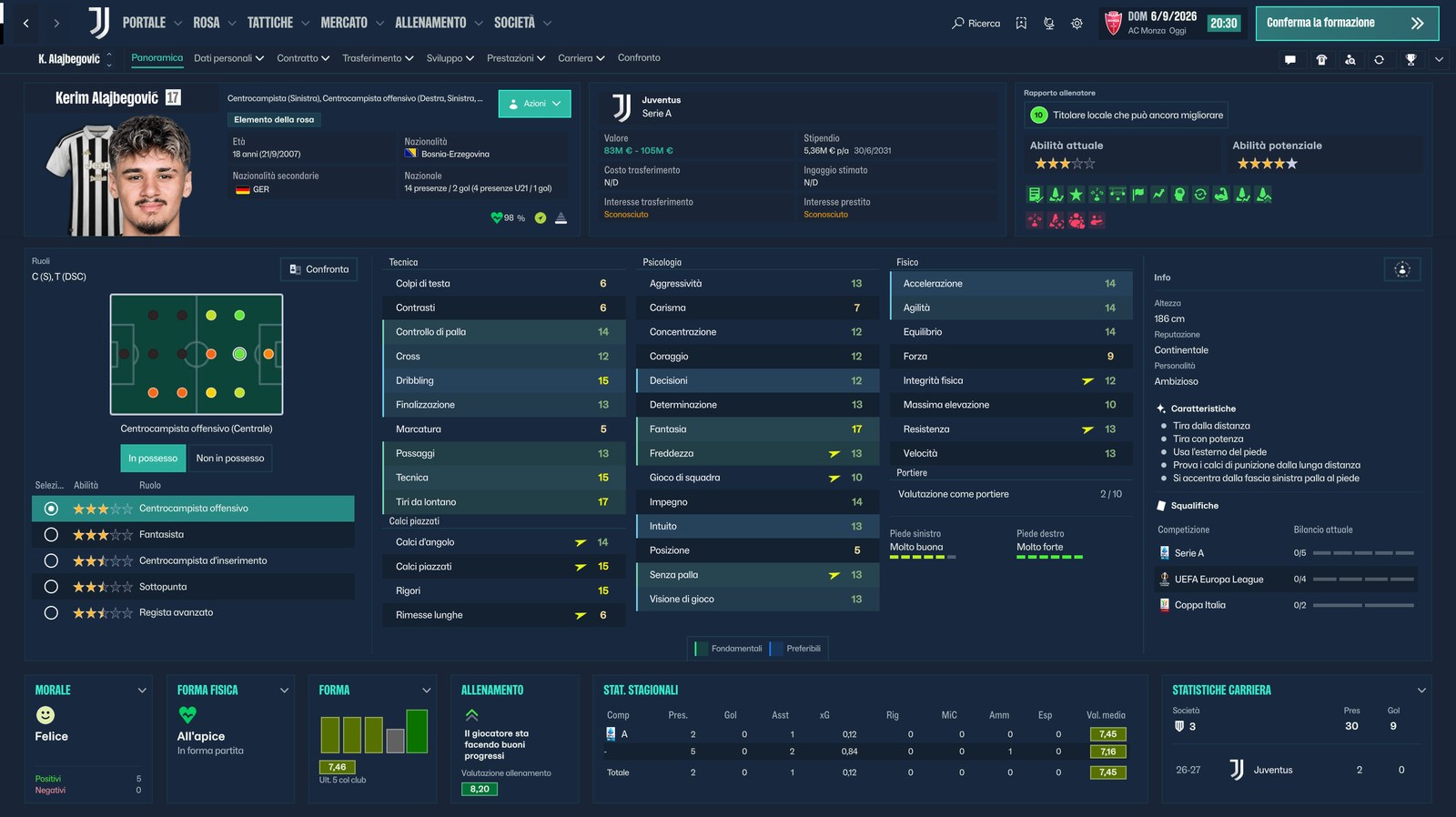
The player profile with the top in three boxes (Image: budwaiser4)
Tactics and matches
On the tactics screens, each player’s face appears next to the shirt, on the pitch, in the opposition’s predicted line-up and in the Dream XI. During matches, the scoreboard shows the full team names and the club badges. This also applies to the Bundesliga, UEFA competition and World Cup versions. At the same time, the top bar is reordered and the tactical tweaks use the skin colours.
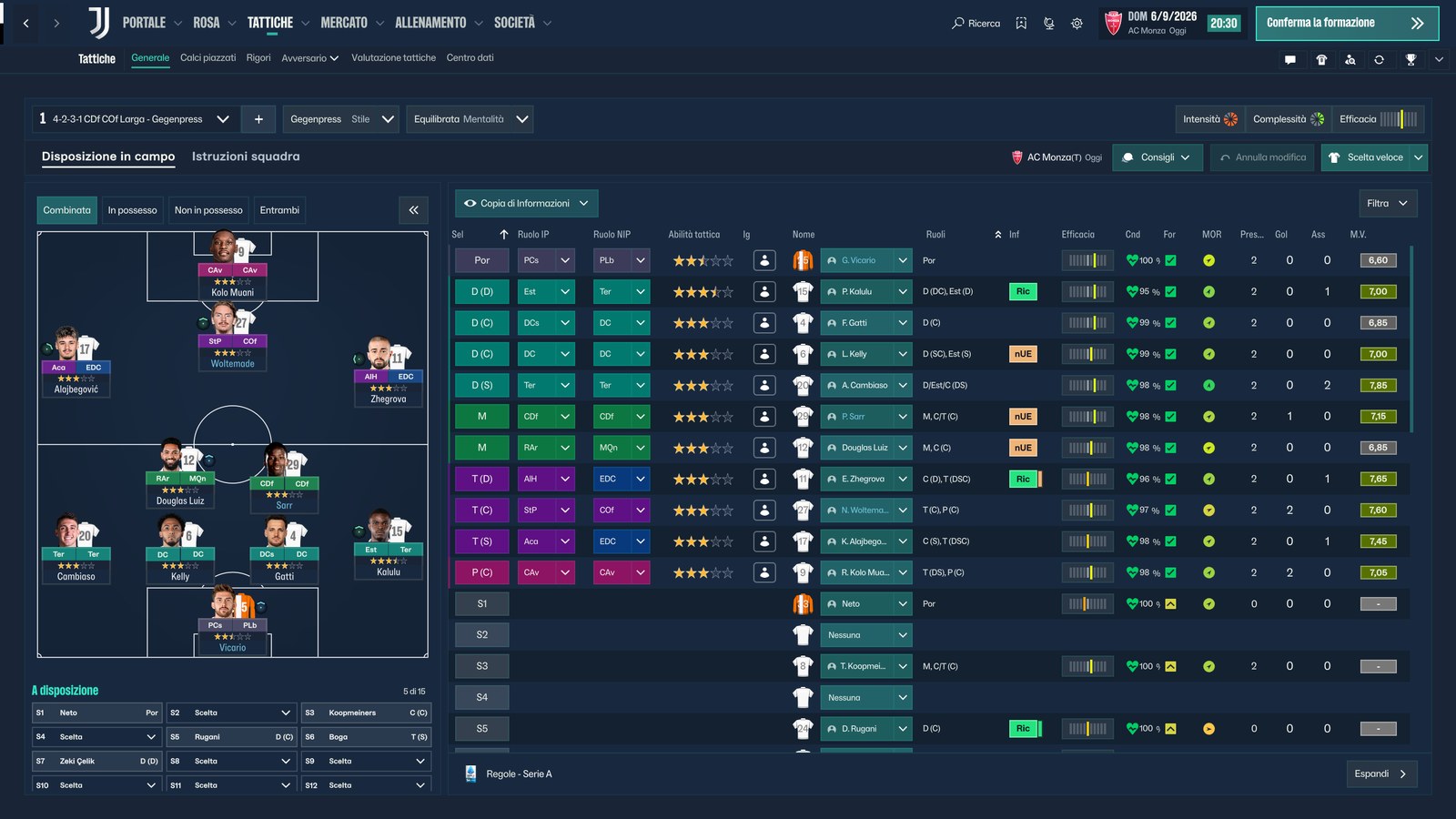
Tactics, with each player’s face next to the shirt (Image: budwaiser4)
Who it is for
It is for anyone who likes dark skins but wants to get away from the game’s black and purple. It also suits players who want to see more at once on the club page. Since it is a skin full of columns, it looks best on large screens, and the creator’s screenshots are 2560 by 1440. If you want other dark options, Kuvaaia27 uses your club colours and Heffem Skin also brings new profile screens.
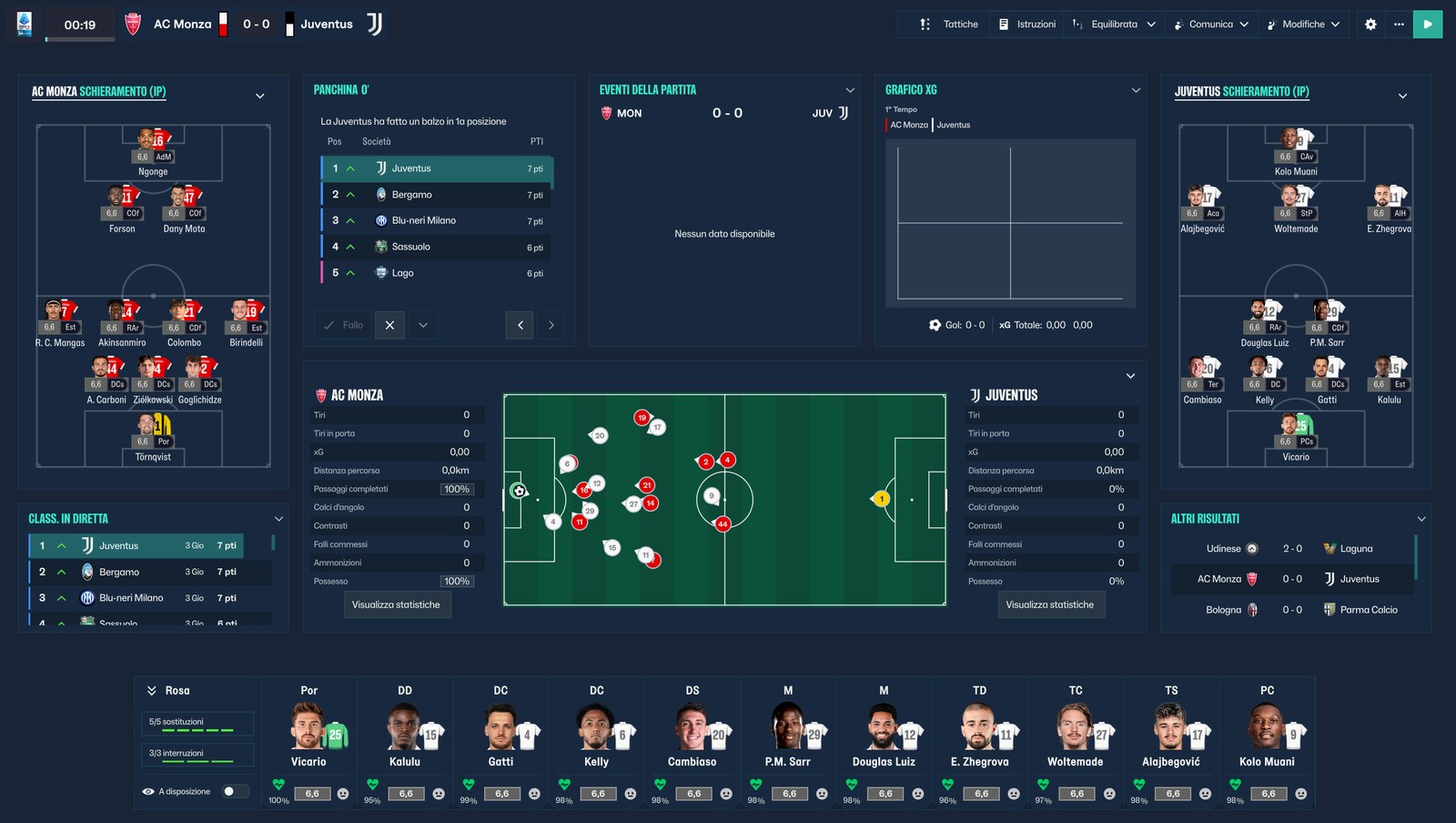
A match with Material Skin 27 (Image: budwaiser4)
Material Skin 27 download
The version is 1.0, from 21 November, for FM27 27.1 on Windows and Mac. There are two downloads on the creator’s MediaFire: the skin and the stadiums and trophies pack. The second one is required, because without it the stadium photos and the trophies show as white boxes.
Download – Material Skin 27 Stadiums and trophies
- First, close FM27 and extract both downloads.
- Then copy the folders from the stadiums and trophies pack to
Documents\Sports Interactive\Football Manager 27\graphics(on Mac,Library/Application Support/Sports Interactive/Football Manager 27/graphics). If the folder does not exist, create it. - Next, open the skin’s
bundlefolder and use thewindowsormacsubfolder. Copy those files into the game folder, infm_Data\StreamingAssets\aa\StandaloneWindows64(on Mac,fm.app/Contents/Resources/Data/StreamingAssets/aa/StandaloneOSX). - After that, copy the
Material Skin 27folder toDocuments\Sports Interactive\Football Manager 27\skins. - Finally, start the game and choose Material Skin 27 in Preferences.
Things to watch
Before you copy the files from the bundle folder, back up the game’s originals, because they get overwritten. To go back, you can also verify the game files on Steam. In the first days, some players complained about the club page showing as a single column or the top bar disappearing. According to the creator, the bundle files had almost always not been copied. If you like trying several skins, the FMPT Skin Manager, our free skin manager, switches between them and always keeps the game originals.
See all FM27 skins in our FM27 skins index: dark, light, sidebar and retro looks.
The files are hosted by their original creator, budwaiser4. FMPortugal only points to the official download — all credit goes to its creator.
Did you make this download?