FMSuperScout now works with FM27. It is a free, open-source scouting app made by Dutch developer Mark van Linden (mavarobli) that reads the database loaded in the game. So you press F9 in your save and, in about six seconds, you have nearly 40,000 players and 24,000 staff ready to search. Version 1.7 also brought a Mac version and no longer needs BepInEx.
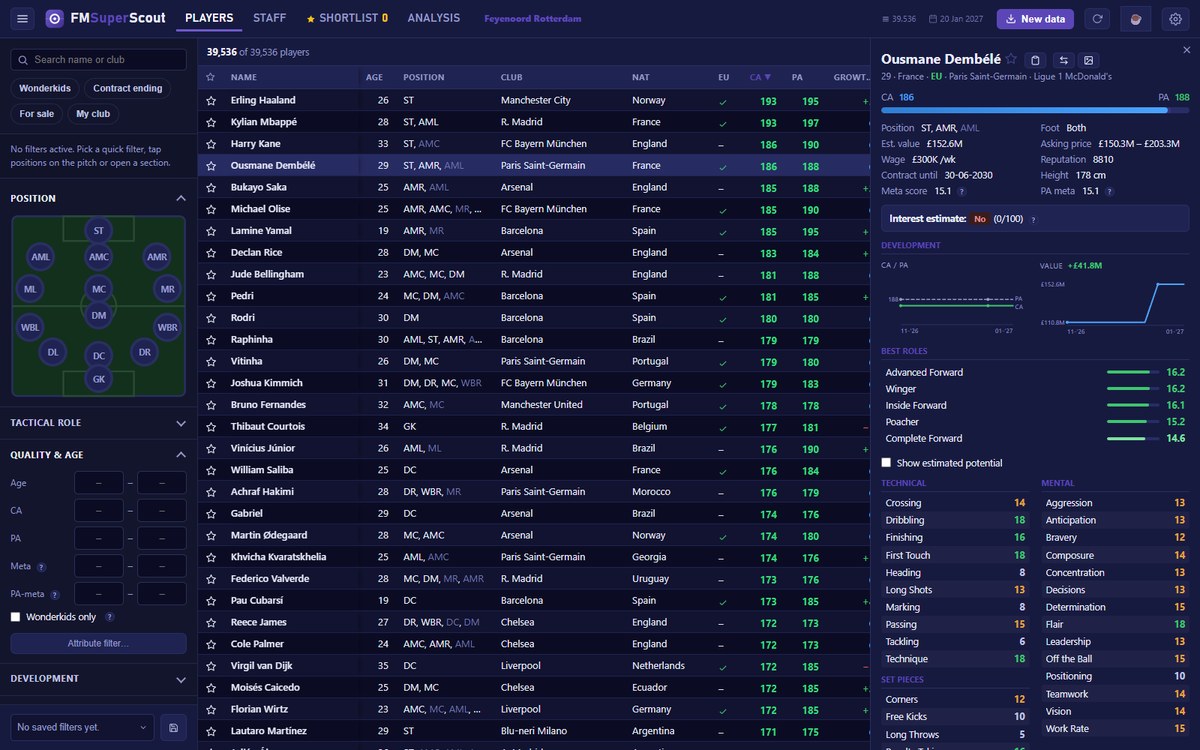
The player list, with filters and the profile alongside (Image: Mark van Linden)
What FMSuperScout brings
- Filters on anything: age, current and potential ability, attributes including hidden ones, contract, wage, nationality and positions on a clickable pitch.
- Roles and comparison: for example, each player’s role ratings and up to three players side by side.
- Squad needs: shows positions that are thin, old or have nobody coming through the academy.
- Growth tracking: also, see who gained the most ability since your last scan.
- Shortlist and export: a shortlist with CSV export, player cards as PNG and saved filter presets.
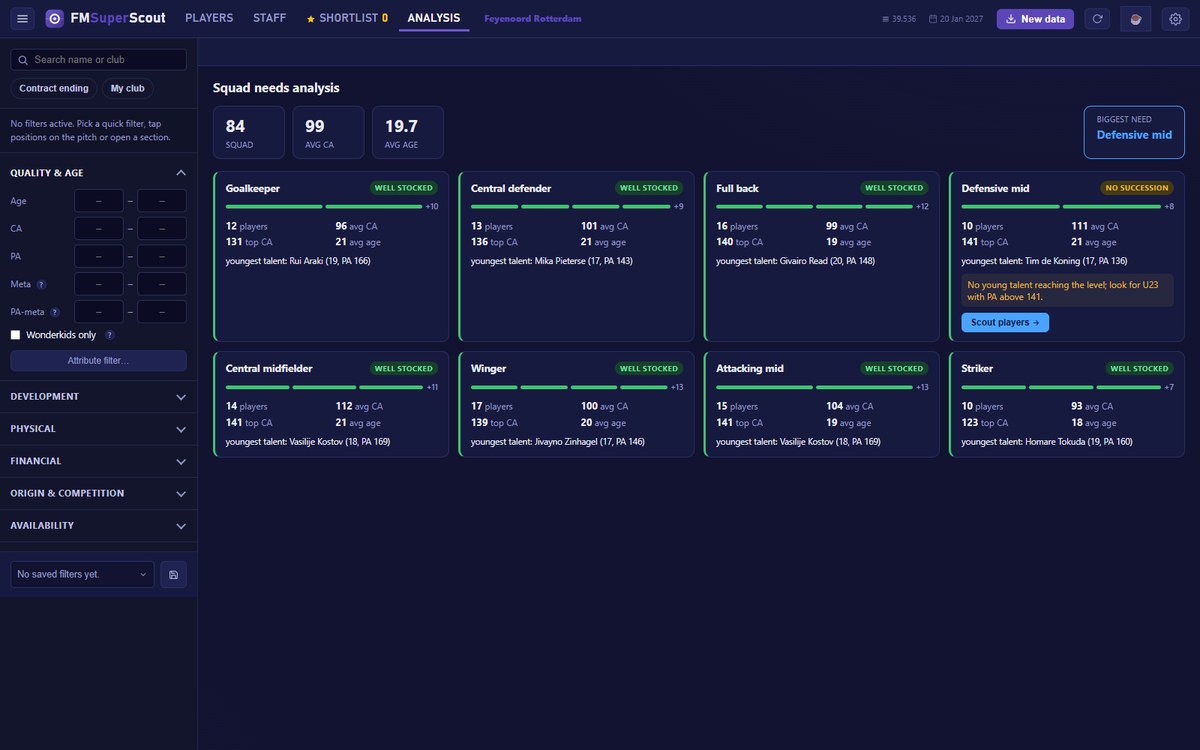
The squad needs analysis, position by position (Image: Mark van Linden)
On the other hand, if you think seeing ability and hidden attributes is cheating, there is a toggle that hides them. The app comes in English, Dutch, French and German.
What is new in versions 1.6 and 1.7
First, FM27 support arrived, and FM26 still works. Then the app stopped using BepInEx: nothing goes into your game folder, so antivirus tools complain less and the first launch no longer takes three minutes. Finally, 1.7 brought the Mac version, for Apple Silicon and Intel. However, the author has only tested it on one M1 Mac.
FMSuperScout download
The latest version is 1.7.0, from 2 November. The links come from the author’s GitHub and always give you the newest version.
Download – FMSuperScout (Windows)
- First, on Windows, run the installer. On Mac, open the .dmg and drag FMSuperScout to Applications.
- Then, on Windows, open FM27 and load your save. On Mac, open Steam and start the game from the app with «Start Football Manager».
- Next, in your save, press F9 or «New data» so the app reads the database.
- Finally, use the filters to find players. Whenever you move on in the game, press F9 again.
Things to watch
The Windows installer is not code-signed, so Windows may warn you the first time. On Mac, the first time you open it you need to choose «Open Anyway» in System Settings, Privacy & Security. Also, the app only reads memory and never writes to the game, and it has no account, ads or tracking. If you still play FM26, see our FMSuperScout for FM26 article. Finally, to edit your save, pair it with FMLibreEditor.
The files are hosted by their original authors. FMPortugal only points to the official download page — all credit goes to their creators.