FM27’s graphics preferences feel short if you like to fine-tune everything. EGO FM27 wants to change that. Its full name is Extended Graphics Options (EGO), a free mod by allcyber815. It extends those preferences with advanced graphics and performance controls.
⬇️ Jump to the download: EGO v0.7.5
What EGO FM27 does
In fact, EGO changes nothing on its own. Every option starts at the game’s values and only changes when you touch it. Some need the Custom graphics preset, and many apply from the next match. However, crowd, weather and grass refresh live.
All in all, the mod stores 82 settings. Before version 0.7.0, it was called FM27 In-Match Graphics.
The options, group by group
Performance and image. First, the FPS limit (Frame Rate) takes a custom value from 1 to 1000, with the Custom preset. In addition, menus can have a limit of their own, outside matches. There is also VSync, FSR with sharpness, anisotropic filtering, model detail (LOD) and internal HDR.
Shadows and light. Here you set the shadow distance (25 to 300 m), the shadow map resolution and soft shadows. On the other hand, if global illumination (Radiant GI) is on, you can tune it too.
Stadium and 3D match. This is the most interesting group:
- Crowd: high-fidelity models, shadows and a density cap, as a percentage of the attendance.
- Pitch: Detailed 3D grass, Ultra pitch and the 3D grass draw distance.
- Stands and surroundings: ambient occlusion, the surrounding city and video advertising.
- Weather: rain and snow.
Each of these effects can be switched off from the next match. Still, EGO forces nothing the stadium does not have.
Post-processing. Finally, the match camera gets anti-aliasing (FXAA, SMAA or TAA), sharpening, bloom, exposure and contrast. There is also saturation, vignette, ACES tone mapping and depth of field.
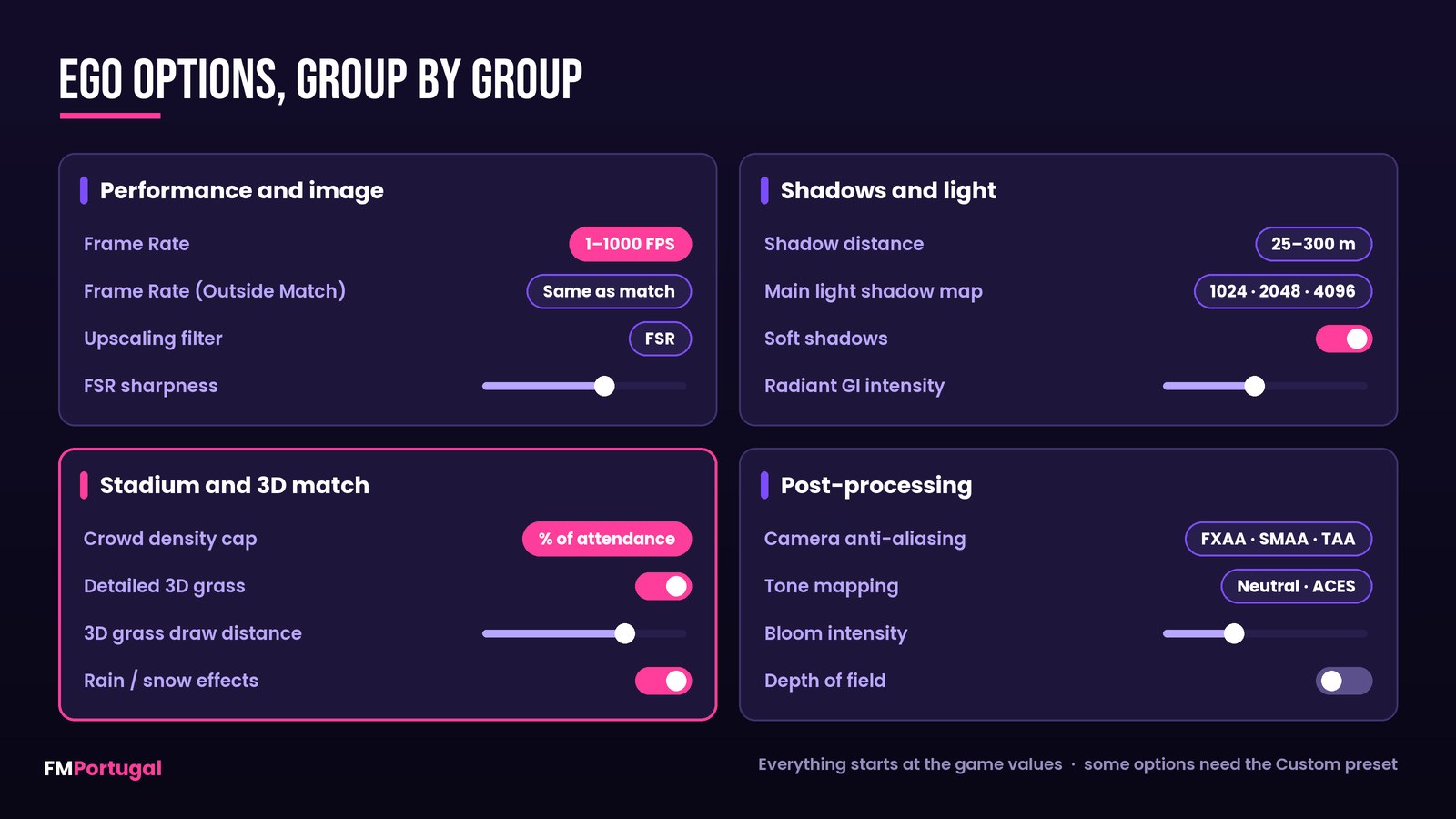
Some of the EGO options, with the names used in the mod (Image: FMPortugal)
Where the button is
The EGO Graphics Options button sits in Simple Preferences and Detailed Preferences. During matches, it appears on the Miscellaneous card, and the window gains Live preview. As for languages, the interface comes in English and Korean.
Signed updates and rollback
The updater looks for a new version only at startup, and never during gameplay. Before installing, it checks the digital signature and the DLL’s SHA-256. Then it checks that your FM27 and BepInEx versions are supported. If anything fails, the installed version stays.
So, in Mod settings, you choose Automatic (the default), Notify or Off. You can also go back to the previous version, but that switches updates off.
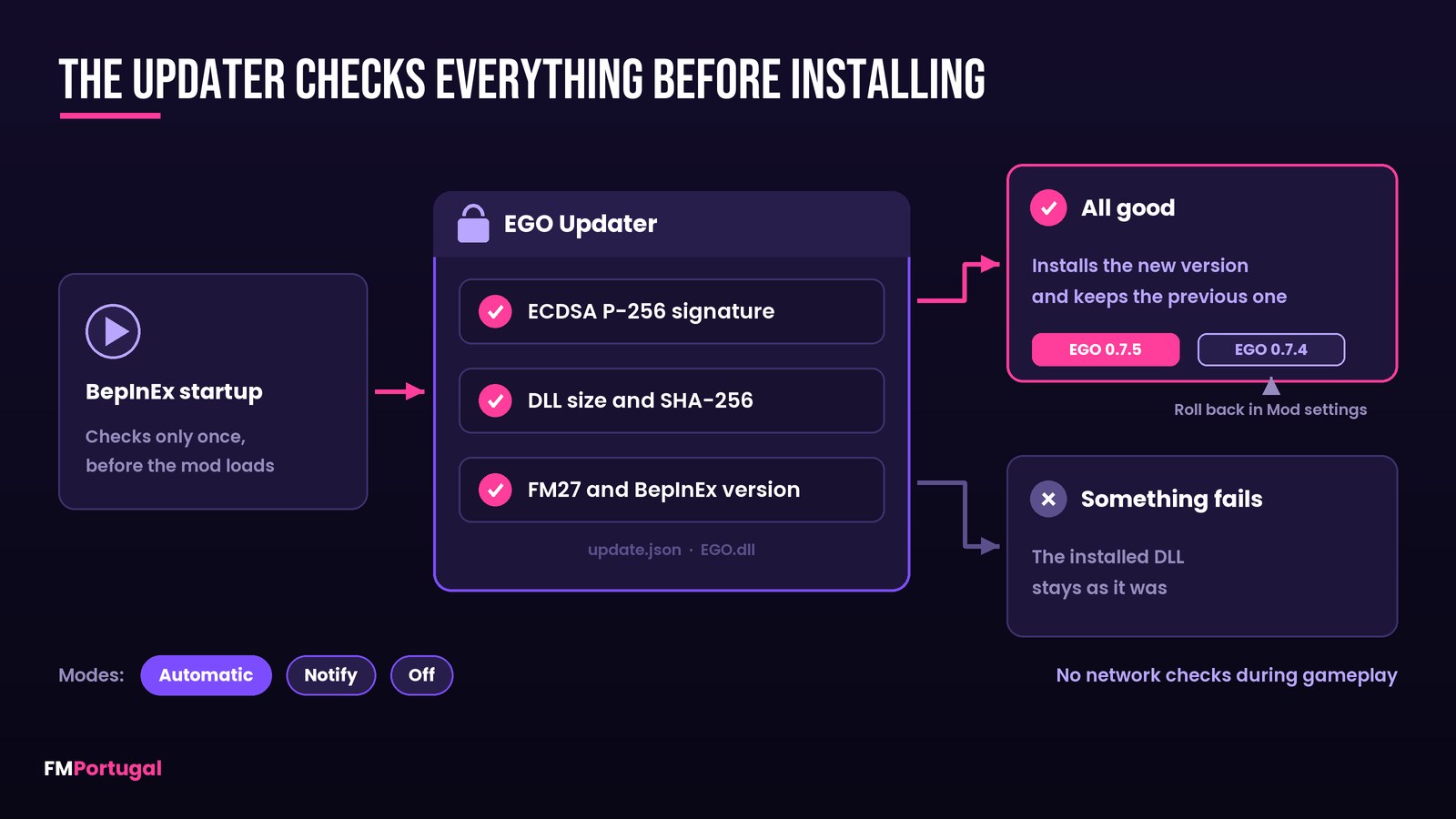
What the updater checks before installing a new version (Image: FMPortugal)
Who it is for
It is for anyone who plays on Windows and wants to tune FM27’s look and performance beyond what the menu offers. A strong PC can use it for more detail. On the flip side, it also helps if you need to lighten the game, for example with a smaller crowd. For more information on screen at 1080p, see also Resolution Unlocked FM27.
EGO FM27 download
This is version 0.7.5, from 26 November, in a 175 KB ZIP. It is for Windows x64 and was tested on FM27 27.1.1 on Steam with BepInEx 6.0.0-be.793 (IL2CPP). The ZIP does not include BepInEx, so use the second button if you do not have it yet. Also, the creator’s repository only holds the ready-made files, with no source code and no licence.
Download – EGO v0.7.5 BepInEx 6 IL2CPP – official page
- First, close FM27. If you do not have BepInEx yet, download
BepInEx-Unity.IL2CPP-win-x64from the official page. - Then, in Steam, right-click Football Manager 27 and choose Manage and Browse local files. If BepInEx is new, extract it into that folder, open the game once and close it.
- Next, extract the EGO ZIP into the same folder, where
fm.exeis, and merge theBepInExfolders. Do not put the ZIP insideplugins. - Finally, start FM27 as usual and look for the EGO Graphics Options button in the preferences.
Things to watch
EGO is very recent: six versions came out on 26 November alone. If you had FM27 In-Match Graphics, never keep it active alongside EGO. Normally, the updater removes the old DLL and moves the settings to fm27.ego.cfg. Updater 1.0.0, though, needs one manual step: with FM closed, replace BepInEx/patchers/EGO.Updater.dll with version 1.0.1, from the release page.
If the mod does not start, open BepInEx/config/fm27.ego.cfg and, in the [ModSettings] section, set RollbackNextLaunch = true. Then start FM and the previous version comes back. To uninstall, with FM closed, delete the BepInEx/plugins/EGO folder and BepInEx/patchers/EGO.Updater.dll; your settings are kept.
Finally, it is an unofficial mod, not affiliated with Sports Interactive or SEGA. In addition, the updater only accepts the FM27 and BepInEx versions it recognises. After a game update, you may have to wait for a new EGO.
The mod belongs to allcyber815, who offers it for free. FMPortugal only points to the file — all credit goes to its creator.
Did you make this download?