The FM27 commentary mod by newbieboka adds spoken commentary to the highlights, in English or European Portuguese, but it was only tested on Windows. Now Avi123 (Avraham Jay), who already brought the Scoreboard Megapack and Matchday Sounds to Mac, has made an unofficial installer for this mod. So FM27 commentary on Mac now works on Apple Silicon computers, with the BepInEx you already have.
⬇️ Jump to the download: Commentary for Mac v1.0.1
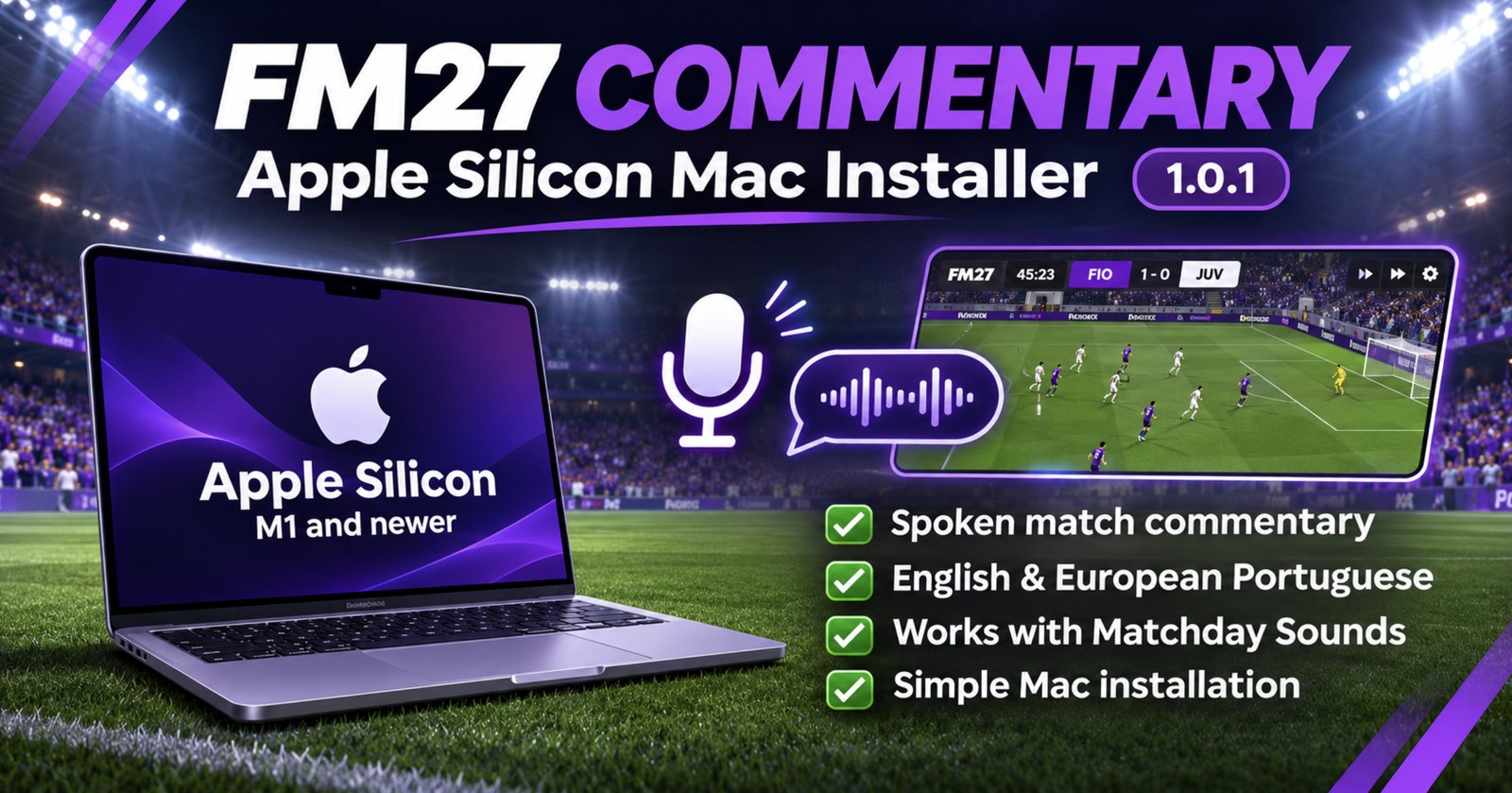
The spoken commentary installer for Apple Silicon Macs (Image: Avi123)
What FM27 commentary on Mac does
First, the installer puts the same spoken commentary from the original mod on your Mac, during the highlights. It works with the English and the European Portuguese editions, in both the Full pack and the PluginOnly pack. However, you can only have one language at a time. Avi123’s ZIP is just 5 KB, because it does not include the audio: it reads newbieboka’s original ZIP and installs the mod from it.
The creator also tested it in live play alongside Matchday Sounds 1.3 for Mac, with its stadium sounds, supporter chants and club anthems. So you can have the commentary and the stadium atmosphere at the same time. Each mod has its own settings menu. F9 opens the commentary one and F8 the Matchday Sounds one. On a Mac keyboard with media keys, use Fn + Next Track (⏭) for the commentary and Fn + Play/Pause (⏯) for the sounds.
Who it is for
It is for anyone playing FM27 on Steam on an Apple Silicon Mac (M1 or newer). On Windows, you do not need it: the original commentary mod installs as our article explains. If you already use Avi123’s other adaptations with a working BepInEx, the BepInEx step is already done. Beyond that, you only need native Python 3.10 or newer for Apple Silicon, with no extra packages.
FM27 commentary for Mac download
The installer is version 1.0.1, from 25 November, in a 5 KB ZIP. It was made for FM27 on Steam on Apple Silicon Macs. Before you use it, you need three things: the BepInEx 6 (IL2CPP) by codexx01, Python and the original mod. For the latter, use the revised version 1.0.1, from 23 November. You can get the European Portuguese edition from our FM27 commentary mod article. There, pick the Full pack or the plugin only and keep the ZIP whole, without extracting it.
Download – Commentary for Mac v1.0.1 BepInEx for Apple Silicon (codexx01) Python for macOS
- First, install the BepInEx for Apple Silicon by codexx01 (second button) and follow its instructions. If you already use it with the Scoreboard Megapack or Matchday Sounds for Mac, skip this step.
- Then download the original 1.0.1 ZIP in one language only. Also install Python 3.10 or newer for Apple Silicon (third button), if you do not have it yet.
- Next, quit FM27 completely and extract the installer ZIP. In Terminal, type
cdand a space, drag the extracted folder into the window and press Return. - After that, type
python3 install_fm27_commentary.py install --archiveand a space, without pressing Return. Drag the original commentary ZIP into the window and only then press Return. You should seeInstalled FM27 Ambient Commentary 1.0.1, with the language in brackets. - Finally, launch FM27 through Steam with your BepInEx launch configuration and start a match with highlights on.
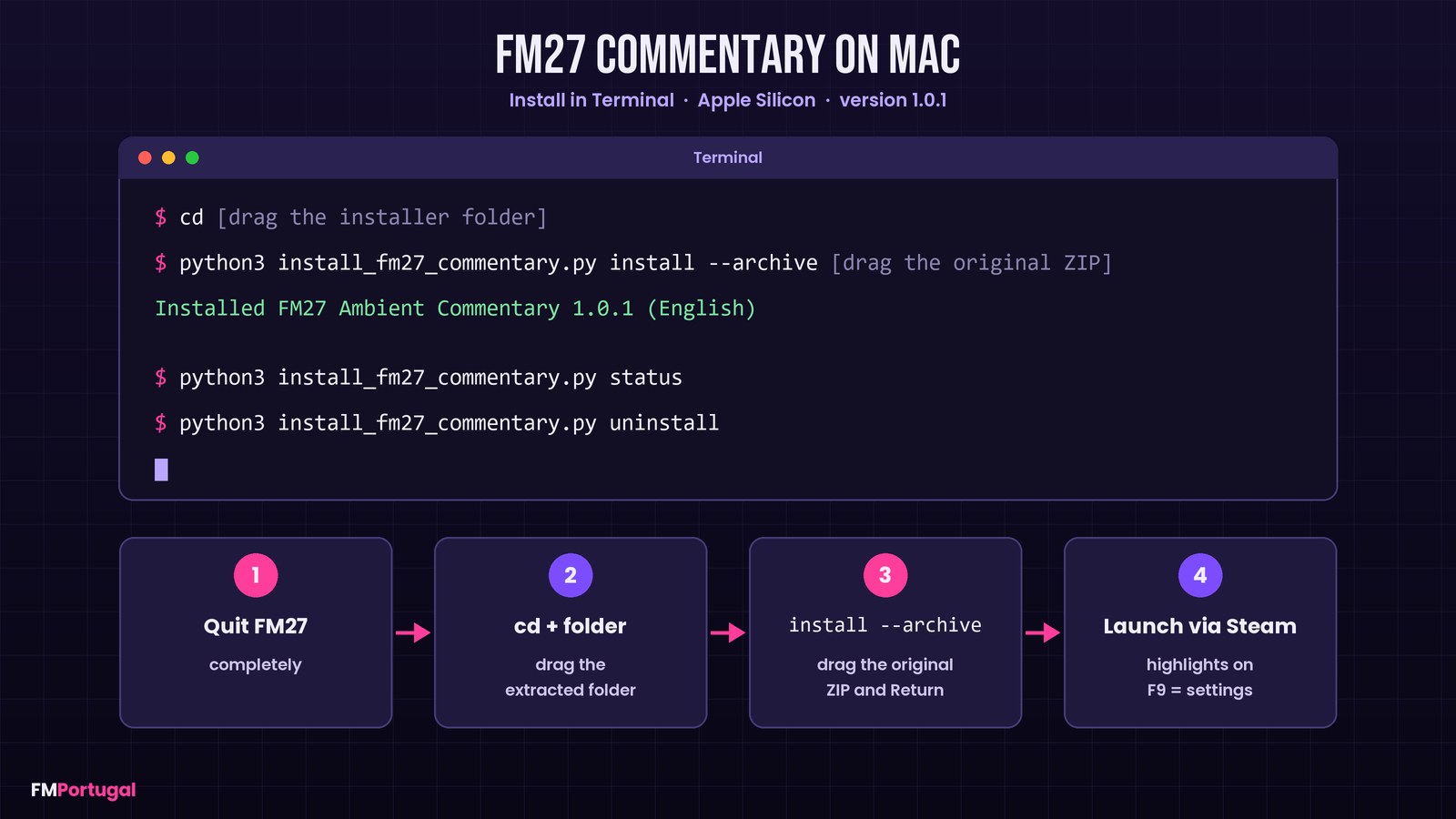
The Terminal commands, based on the creator’s instructions (Image: FMPortugal)
Things to watch
If you already have an older commentary install, move its FM27AmbientCommentary folder out of the BepInEx plugins folder before installing. It is also wise to back up your saves, as the creator advises. To check that everything is fine, run python3 install_fm27_commentary.py status. If you want to remove the mod, quit the game and run python3 install_fm27_commentary.py uninstall. The files move to a dated backup and your settings are kept.
Always run these commands from the extracted installer folder. If the game is in another Steam library, add --game "/path/to/Football Manager 27" to the end of each command. On the other hand, the creator has only tested installing and removing offline, against all four original ZIPs. Live testing of both languages and on other Macs is still to come.
This adaptation is not by newbieboka, so Mac problems go to Avi123. Include your Mac model, your macOS and FM27 versions, the commentary language and any error messages or BepInEx logs.
The Mac adaptation is by Avi123, built on the commentary mod by newbieboka and the Apple Silicon BepInEx by codexx01. FMPortugal only points to the file — all credit goes to its creators.
Did you make this download?