Broadcast Suite FM27 wants 3D matches to look like a TV broadcast. It puts automatic camera direction, replays with transitions, a TV channel in the corner of the screen and even the manager’s view from the dugout into a single plugin. The plugin is by GuruOfNauru, with credits to BassyBoy and Joni9, and it is free.
What Broadcast Suite FM27 brings
- Camera director: first, for goals and big moments, the plugin picks cinematic shots and cuts to replays with TV-style transitions.
- Clean picture: also, it hides FM’s interface during the match. Click both mouse buttons at the same time to switch it on or off.
- Channel and competition: the competition logo sits discreetly at the bottom right, and a TV channel, with the name and colours you choose, sits at the top right, with a «LIVE» sign during live matches.
- Manager view: the Alt key puts you in the manager’s place, or in the stands if you are only watching. In that view, the manager even holds a 3D tablet.
- Past matches: finally, recorded matches get a simple YouTube-style player, with a progress bar, pause and sound.
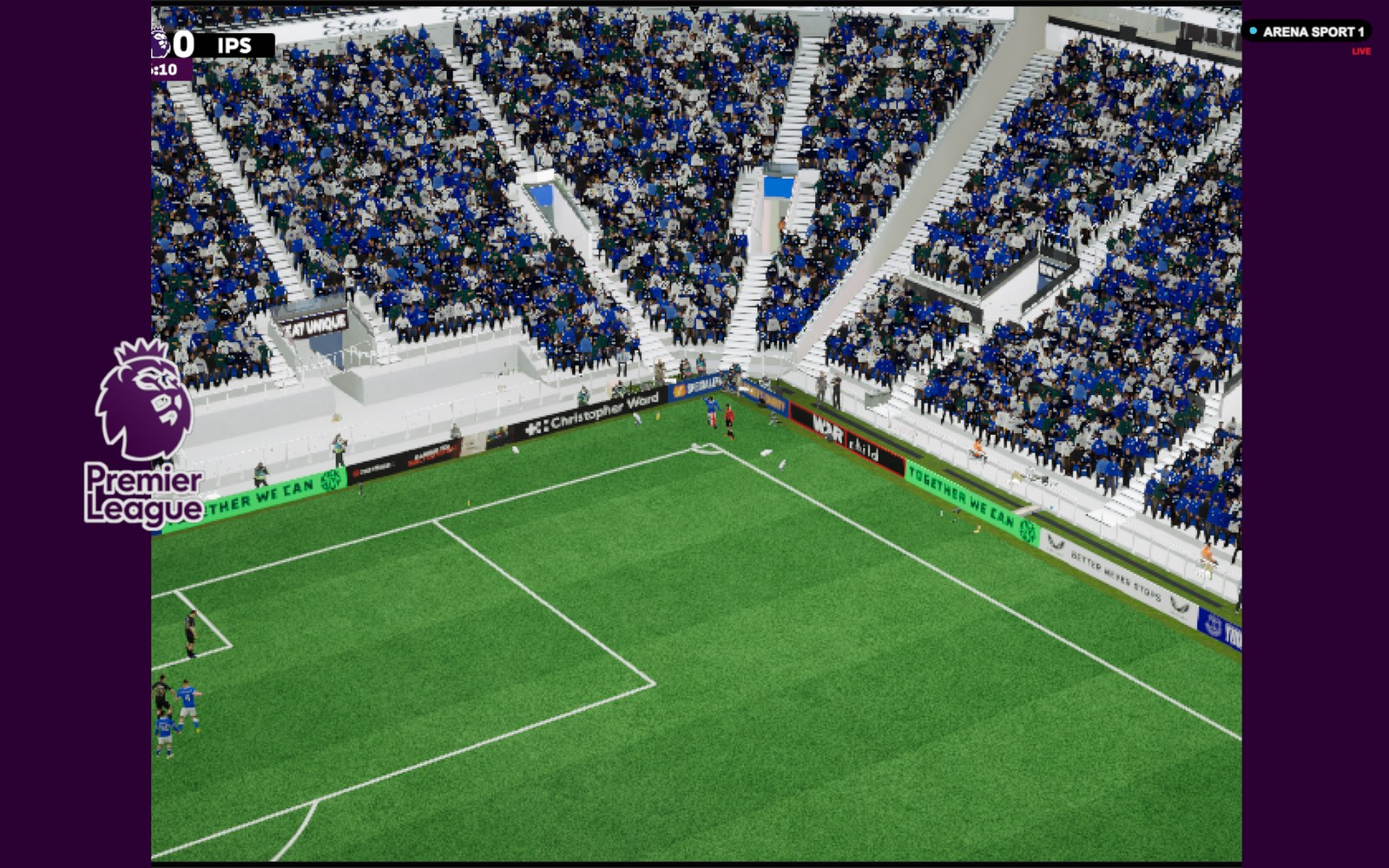
A transition into a replay, with the competition logo (Image: GuruOfNauru)
Cameras for each stadium
The plugin picks the cameras by stadium capacity, as in a real broadcast. For example, a stadium with fewer than 250 seats has no pitch cameras. Between 1,500 and 4,000 seats there are two tracking cameras. However, from 60,000 seats there are eight pitch cameras, one in the stand, a drone and even a referee view. Also, for stadiums without their own cameras, the plugin works out where to place them from the capacity and the stadium’s features.
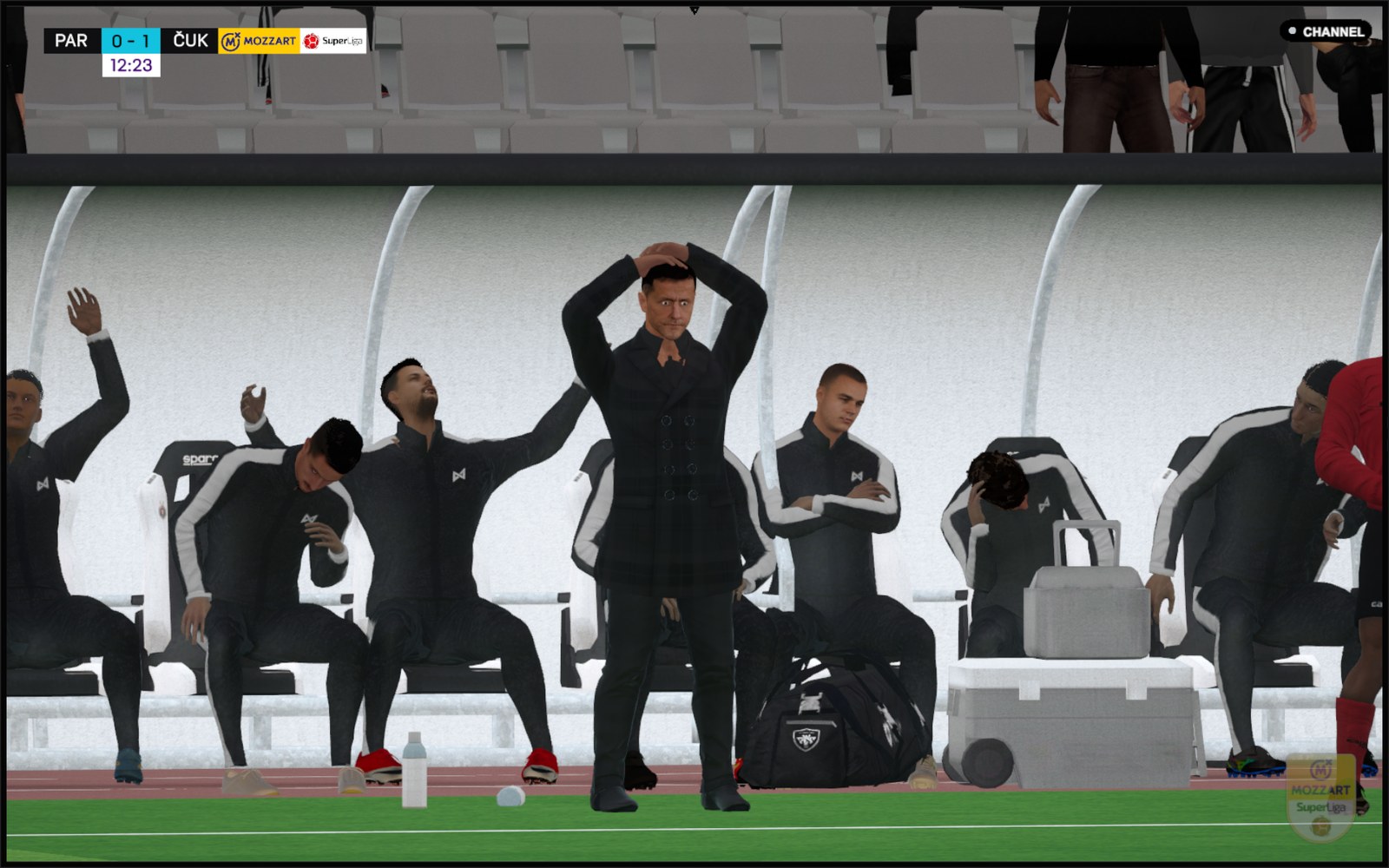
The bench celebrating, in one of the director’s shots (Image: GuruOfNauru)
Everything is set in a single BepInEx config file. So you can turn each feature on and off, change the keys, pick the competition logo folder and change the channel’s name and colours. The default keys are: Alt for the manager view, the middle mouse button for player names and F8 to turn automatic cuts on or off.
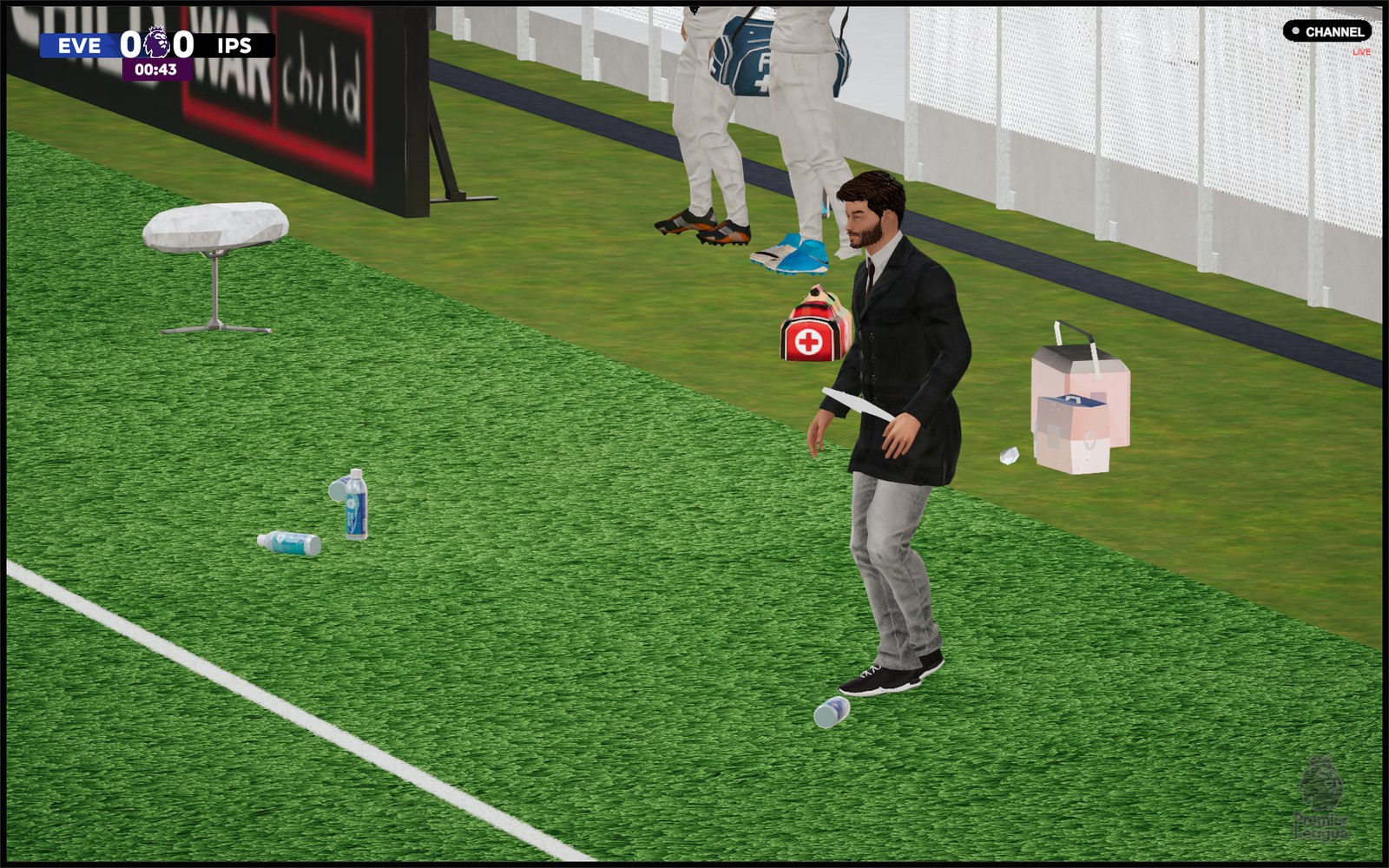
The manager view, with the 3D tablet (Image: GuruOfNauru)
Broadcast Suite FM27 download
The file is a single plugin, FM27BroadcastSuite.Unified.dll, with the latest fixes: the leave button in the player no longer crashes the game, and the crowd shows again in the manager view. However, it needs BepInEx 6 IL2CPP and BassyBoy’s plugins, especially CameraInject.
Download – Broadcast Suite FM27
BassyBoy plugins – official page
- First, install BepInEx 6 IL2CPP in the FM27 folder and start the game once.
- Then install BassyBoy’s plugins, with CameraInject, as he explains on his page.
- Next, extract the file and copy
FM27BroadcastSuite.Unified.dllinto theBepInEx\pluginsfolder. You can also put it in a subfolder, for exampleBepInEx\plugins\BroadcastSuite. - Finally, start the game and watch a 3D match. The options are in the plugin’s config file, in the
BepInEx\configfolder.
Things to watch
One important point: for now, CameraInject is only available to BassyBoy’s Patreon supporters. According to the author, it will go public at FM27’s full launch, on BassyBoy’s downloads page. So until then, Broadcast Suite does not work without that support. Also, the plugin stays compatible with the separate FMScoreboards overlay. Finally, for other match cameras, see the 3D Live Action Cam and the camera and match speed mod.
The files are hosted by their original authors. FMPortugal only points to the official download page — all credit goes to their creators.