In FM27, a single unread news item is enough to hold up the Continue button. After a few weeks, opening messages just to move on gets tiring. Inbox Auto-Read FM27 fixes that: it is a free plugin by kase93 that marks your messages as read on its own. So news no longer blocks Continue. It is also open source and weighs only 13 KB.
⬇️ Jump to the download: Inbox Auto-Read v1.0.0
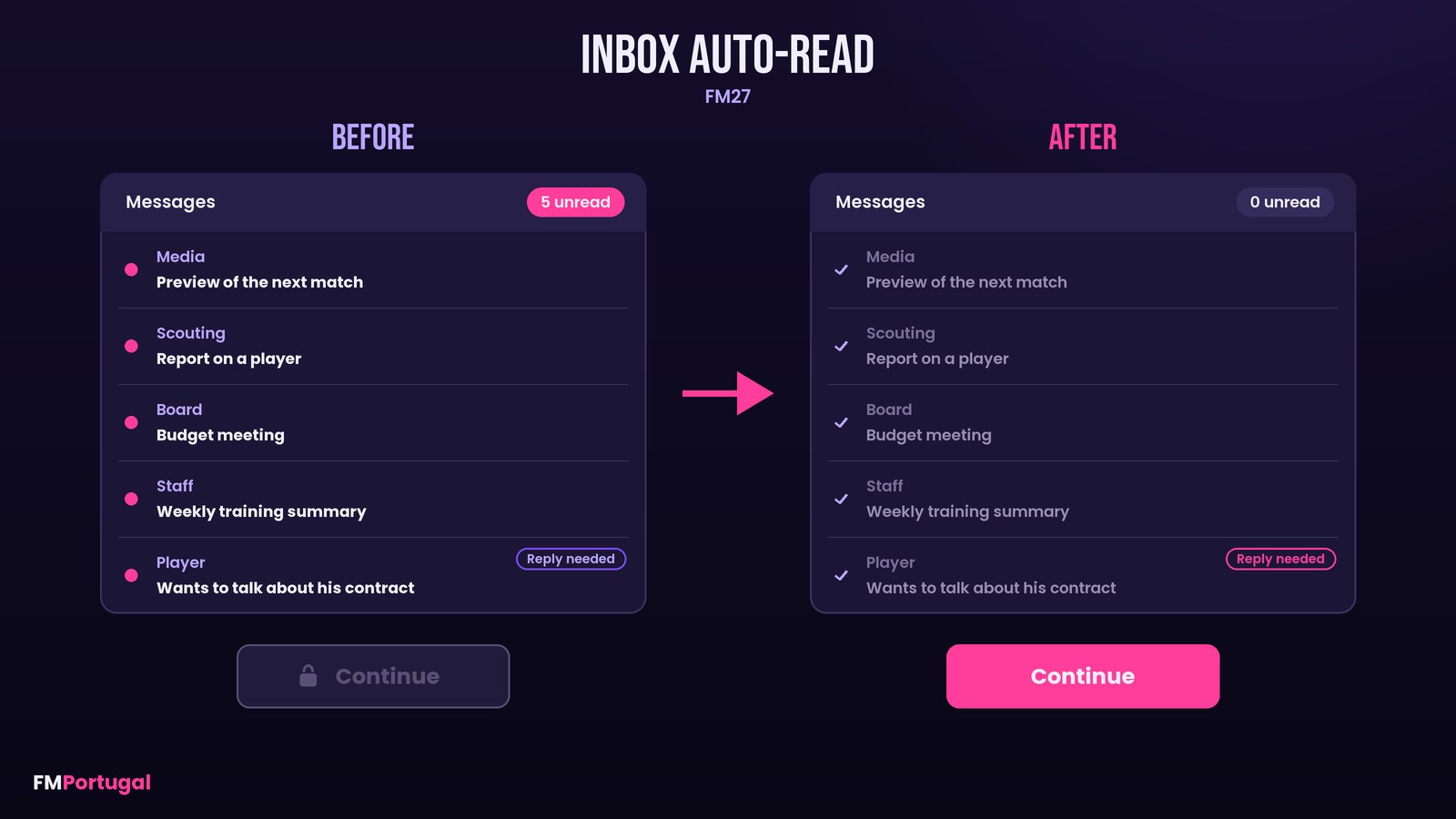
Messages are marked as read and Continue is no longer blocked (Image: FMPortugal)
What Inbox Auto-Read FM27 does
By default, every second, the mod asks the game to mark all your messages as read. To do that, it uses FM27’s own mark all as read event, without clicking the ✓ for you. In other words, it does not fake clicks on the screen. According to the creator, sending interface events from code crashes the game. That is why it takes the game’s own route.
Marking as read is not deleting. Every message stays in your inbox, and the ones that need a reply are still there waiting for you. However, it is worth a look now and then, because they no longer show as new.
The options and the F11 key
After the first start, BepInEx creates the file BepInEx\config\fm27.autoread.messages.cfg. Then you open it in Notepad and find just two options:
- AutoRead/Enabled: turns the mod on or off (
trueby default). - AutoRead/IntervalSeconds: how many seconds between each run (1 by default). With
0, the automatic mode is off and you mark everything by hand with the F11 key.
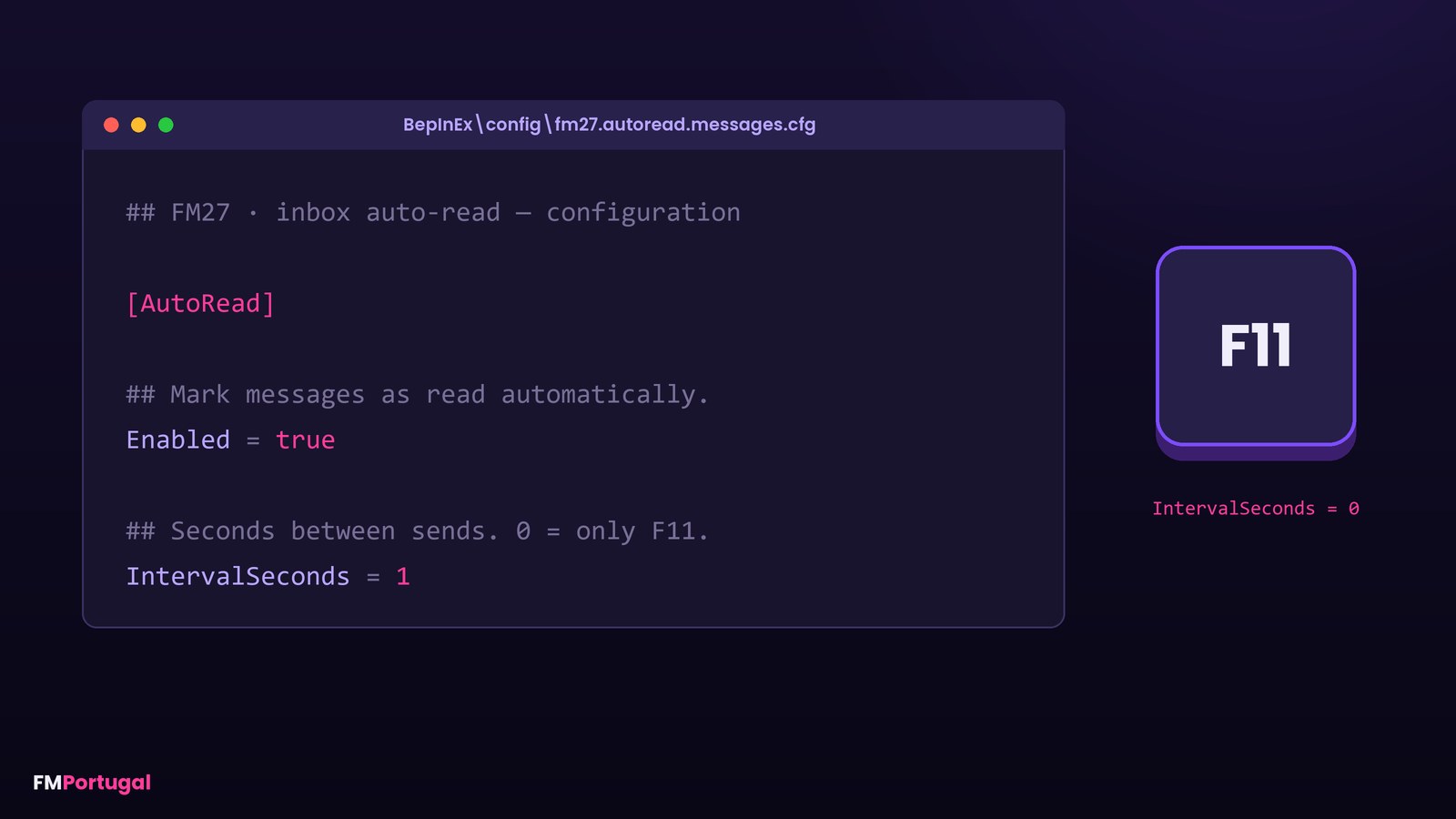
The two options in the config file and the F11 key (Image: FMPortugal)
Who it is for
It is for anyone who plays many seasons and wants to spend less time in the inbox. If you also want to save time elsewhere, add FM27 Skip Intro, which shortens the game’s startup. Likewise, Skip to Kickoff skips the build-up before each match. All three are BepInEx plugins, so you only install BepInEx once.
On the other hand, if you like to read every news item calmly, the automatic mode is not for you. In that case, stick to the F11 key.
Inbox Auto-Read FM27 download
Version 1.0.0 came out on 26 November and is the first one. It is a single file, Fm27AutoReadMessages.dll, at 13 KB, and the code is on GitHub under the MIT licence. There are no menus, only the config file, in English. The creator does not say which systems it was tested on, and the steps below are for Steam on Windows. But note: you need BepInEx 6 IL2CPP, which is not included, and BepInEx 5 will not work.
Download – Inbox Auto-Read v1.0.0 BepInEx 6 IL2CPP – official page
- First, close FM27 and download the latest
BepInEx-Unity.IL2CPP-win-x64file from the BepInEx page. - Then, in Steam, right-click Football Manager 27 and choose Manage and Browse local files.
- Next, extract BepInEx into that folder, open the game once and close it when it has fully opened.
- After that, copy
Fm27AutoReadMessages.dllinto theFootball Manager 27\BepInEx\pluginsfolder. - Finally, open the game and load your save. If nothing happens, open Messages once, so the mod can pick up your manager.
Things to watch
The mod only marks messages as read and does not reduce the news the game generates. In addition, it uses internal FM27 IDs, so a game patch may break it until a new version comes out. Finally, to remove the mod, delete Fm27AutoReadMessages.dll from the plugins folder.
The mod belongs to kase93, who offers it for free and open source. FMPortugal only points to the file — all credit goes to its creator.
Did you make this download?